
SkyCiv Section Builder calculates the section properties of any cross section, from standard steel shapes to fully custom sections. The standard results are the section properties of your section when material property differences are ignored.
Calculating Section Properties
When you’ve finished building your section, click Calculate on the top toolbar. The results open in the Section Properties panel on the right of the screen, and the principal axes (Zp and Yp) are drawn through the centroid of the section. Click Back to return to editing the section.
The short wait on each calculation is due to the Finite Element Analysis and meshing that runs in the background to solve for the torsion constant, torsion radius and warping constant. Using FEA gives these properties a higher accuracy: less robust programs only use approximate equations for standard sections, and fail to solve non-standard or built-up sections.
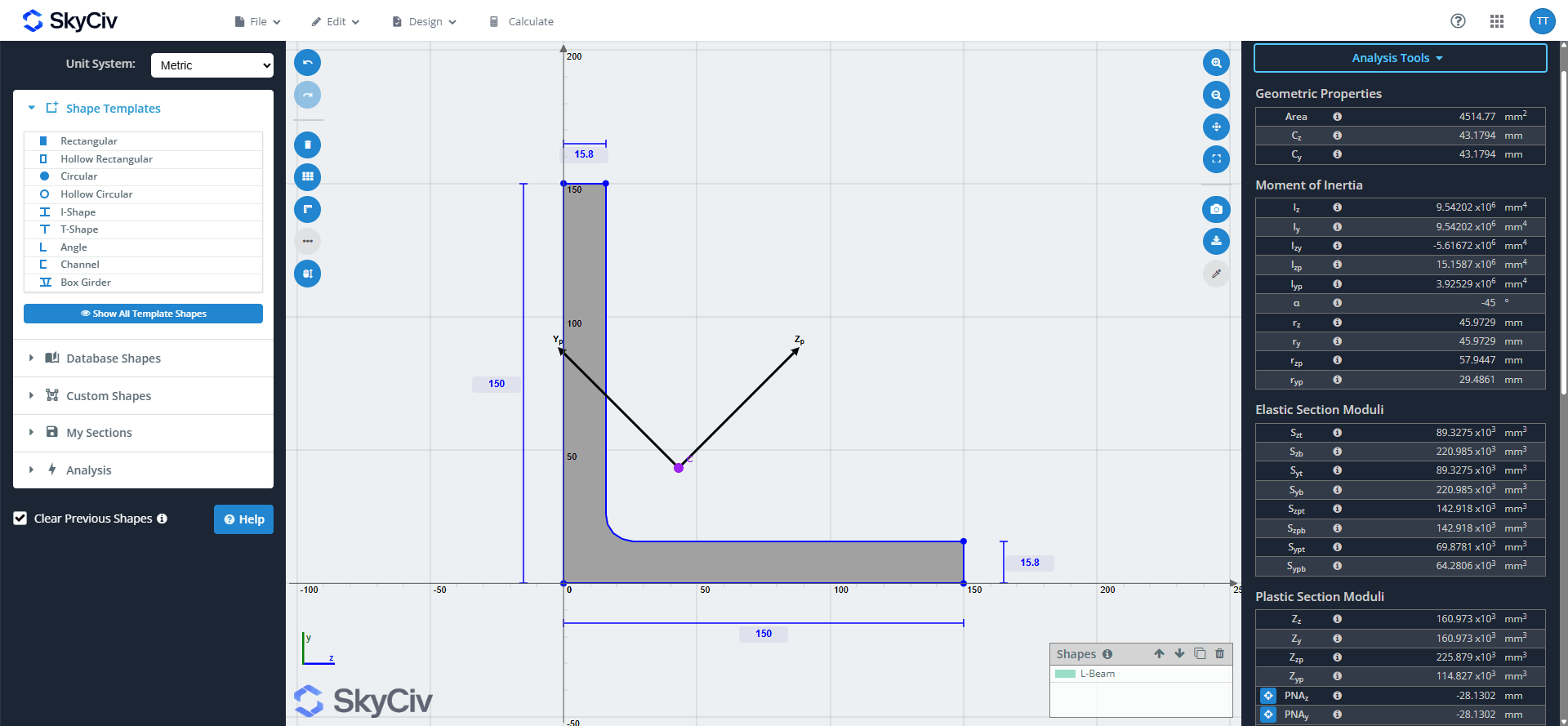
Section Property Results
The results are grouped into the following categories. Click the info icon next to any result for its description. When the principal axes of the section differ from its Z and Y axes (for example an angle), each property that depends on the axis is also given about the principal axes Zp and Yp, marked with a p (Izp, Szpt, Zzp, Mpl,zp and so on).
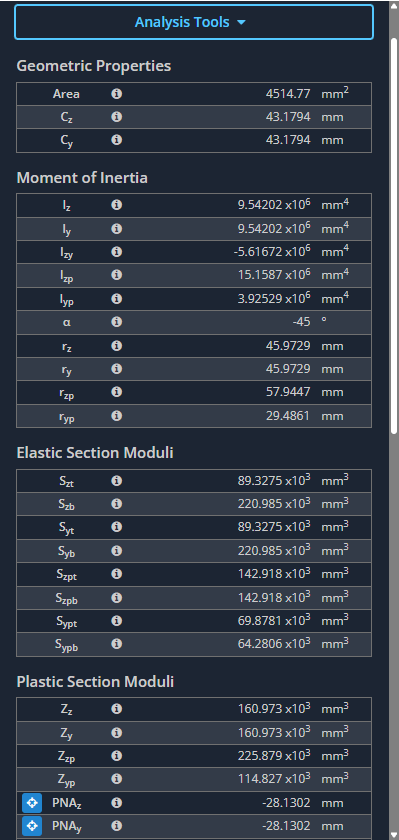
- Geometric Properties
- Area
- Cz – Centroid (Z)
- Cy – Centroid (Y)
- Moment of Inertia
- Iz – Moment of Inertia about the Z-axis
- Iy – Moment of Inertia about the Y-axis
- Izy – Product of Inertia
- Izp, Iyp – Moments of Inertia about the principal axes
- α – angle of rotation of the principal axes
- rz – Radius of Gyration about the Z-axis
- ry – Radius of Gyration about the Y-axis
- rzp, ryp – Radii of Gyration about the principal axes
- Elastic Section Moduli
- Szt – Elastic Section Modulus about the Z-axis to the top of the section
- Szb – Elastic Section Modulus about the Z-axis to the bottom of the section
- Syt – Elastic Section Modulus about the Y-axis to the top of the section
- Syb – Elastic Section Modulus about the Y-axis to the bottom of the section
- Szpt, Szpb, Sypt, Sypb – Elastic Section Moduli about the principal axes
- Plastic Section Moduli
- Zz – Plastic Section Modulus about the Z-axis
- Zy – Plastic Section Modulus about the Y-axis
- Zzp, Zyp – Plastic Section Moduli about the principal axes
- PNAz, PNAy, PNAzp, PNAyp – location of the Plastic Neutral Axes (click the locate icon to show it on the section)
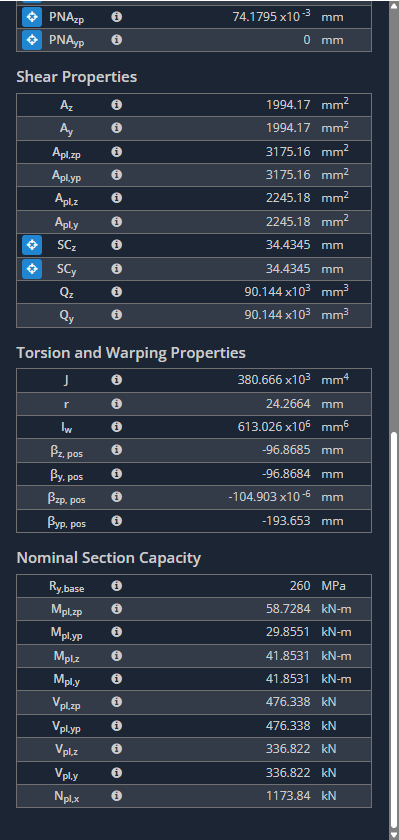
- Shear Properties
- Az – Shear Area about the Z-axis
- Ay – Shear Area about the Y-axis
- Apl,z, Apl,y, Apl,zp, Apl,yp – Plastic Shear Areas
- SCz, SCy – Shear Centre location (click the locate icon to show it on the section)
- Qz – Static Moment of Area about the Z neutral axis
- Qy – Static Moment of Area about the Y neutral axis
- Torsion and Warping Properties
- J – Torsion Constant
- r – Torsion Radius
- Iw – Warping Constant
- βz,pos, βy,pos, βzp,pos, βyp,pos – Monosymmetry constants
- Nominal Section Capacity
- Ry,base – base yield strength of the material
- Mpl,z, Mpl,y, Mpl,zp, Mpl,yp – Plastic Moment capacities
- Vpl,z, Vpl,y, Vpl,zp, Vpl,yp – Plastic Shear capacities
- Npl,x – Axial capacity
The full Section Properties panel for an angle section, from top (left) to bottom (right):
 |
 |
|---|
