
の プレートセクションのカット ツールを使用すると力を抽出できます, 瞬間, スラブ全体にわたる定義されたカットラインに沿った他のプレートの結果, プレート, または壁. これはスラブ ストリップの設計に役立ちます, ローカルプレートの動作をチェックする, 負荷分散の検証.
プレートセクションカットツールの使用方法
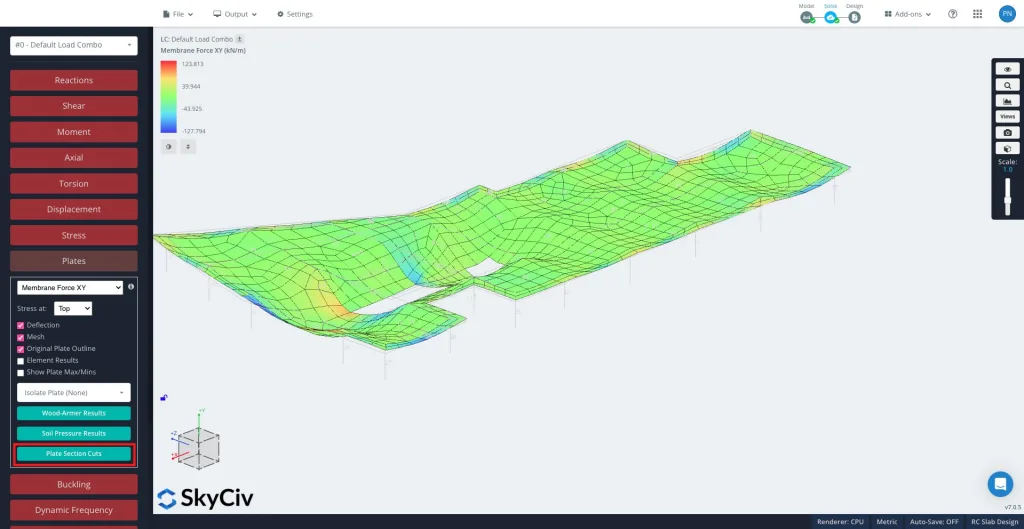
解決後, 選択する プレート その後 プレートセクションのカット 左側のパネルで.
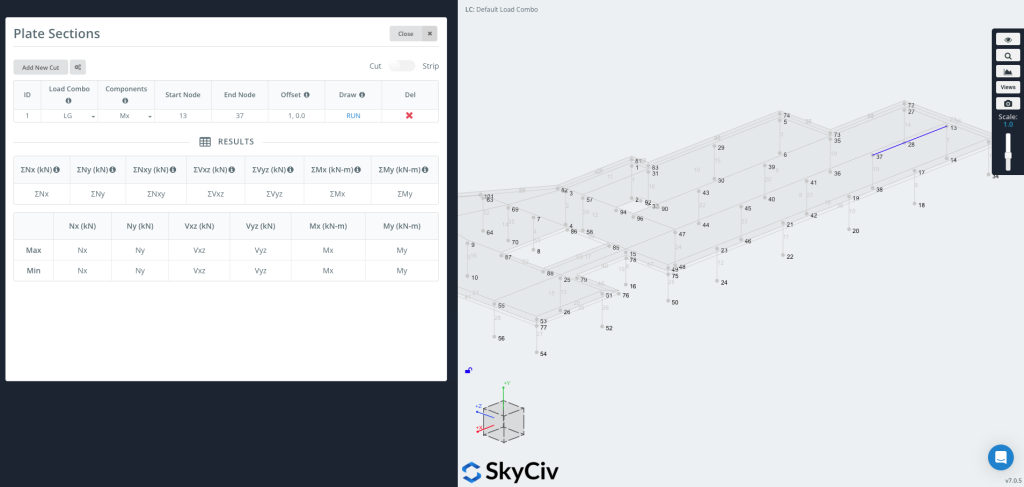
クリック 「新しいカットを追加」 新しいエントリを作成するには.
各カットの内容は、:
-
ロードコンボ – 結果を抽出する荷重の組み合わせを選択します.
-
コンポーネント – 結果のタイプを選択します (例えば, Mx, ぼくの, Nx, Vxz, ウッドアーマー, 土圧).
-
開始ノード / エンドノード – カットが配置されるセグメントを定義します.
-
オフセット – 必要に応じて、カットラインを指定された距離だけ移動します (例えば,
1,0,0).-
これは、座標を手動で計算せずに、エッジから設定されたオフセットでグラフを作成する場合に便利です。.
-
描画できるようになりました & ラン・ザ・カット
押す 走る カットを生成する. カットラインがモデルに表示されます (画像の右側に示すように), そしてその 結果表 選択した各コンポーネントの最大値と最小値が入力されます.
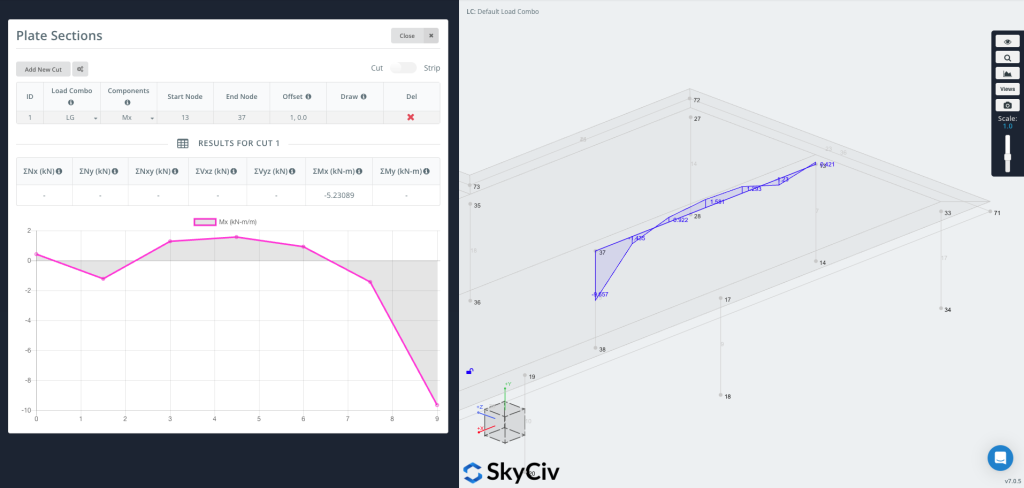
グラフをプロットできるようになりました ジオメトリに直接, カットラインに沿って結果値を視覚的に表示.
ユーザーは、右上隅のストリップ機能をオンにして、ストリップ セクションを生成することもできます。.
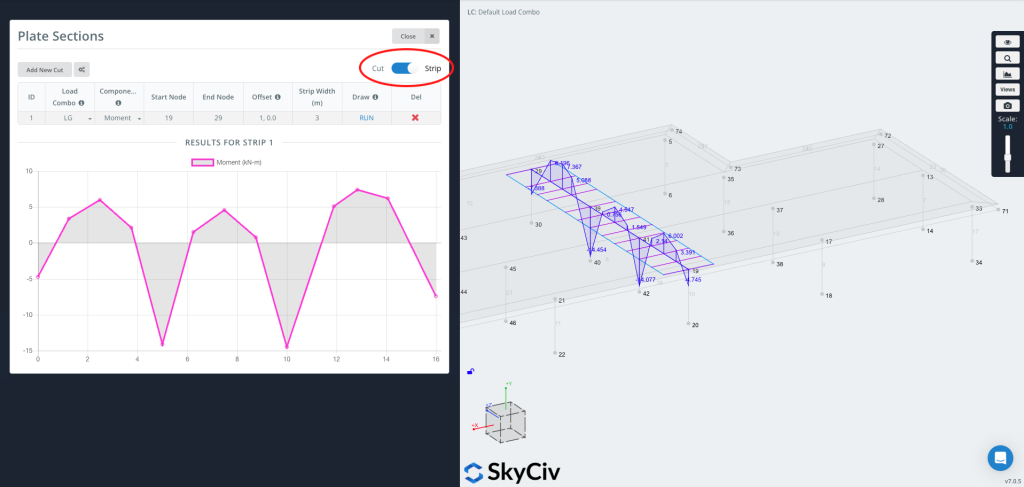
あ ストリップ 結果を抽出します 幅にわたって, 単なる線ではなく. 定義されたカットラインを中心とした有効幅全体にわたってプレートの結果を平均化します。これは通常、次の目的で使用されます。 スラブストリップのデザイン, 設計コードでは、スラブのストリップ全体でモーメントを平均する必要があります。.
ストリップは必要なときに便利です:
-
一方向または双方向のスラブ ストリップの設計値
-
コードベースの平均化 (オプションの CSA 3 分の 2 ルールを含む)
-
単一のラインではなく、物理的なストリップ上のより代表的な値


