
Benefits
Design with Cold-Formed Steel, quickly and easily.
Design with Cold-Formed Steel, quickly and easily.
SkyCiv Structural 3D allows users to quickly and easily model their cold-formed (light gauge) steel structures, Z, C, Hat shapes from common international libraries and then perform design checks from AISI S100 and AS 4600 to complete the design process. This powerful CFS software also includes open step by step reporting as well as an optimizer which helps users test all sections in a particular library, to find the most efficient shape.
Developed by engineers. For engineers. Users of the SkyCiv suite drive the majority of changes and additions to the platform. SkyCiv software developers all come from a structural engineering background, with the majority being previously consulting structural engineers.
Built by engineers. Trusted globally










the skyciv difference
Discover What’s Possible
Fully Customizable and Integrated Section Properties
Fully Customizable and Integrated Section Properties
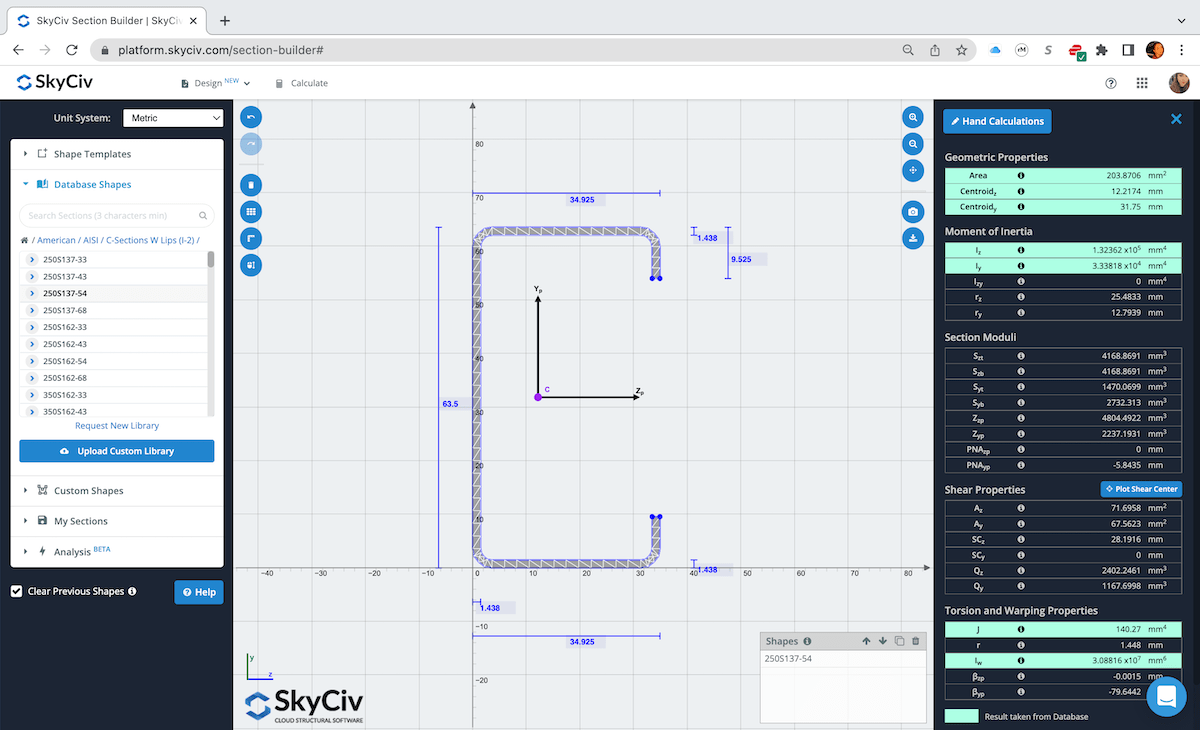
Whether its a database shape from one of the various country databases or a custom built shape using a variety of preset shapes. The Section Builder will use a full FEA analysis to obtain the section properties of single material or composite sections. Have a section drawn as a DXF? Directly import that shape into Section Builder to analyze. All shapes used in the Section Builder are directly integratable with the SkyCiv analysis modules, making it a truly flexible CFS software solution.
Full Featured Modeling Tools and FEA Analysis
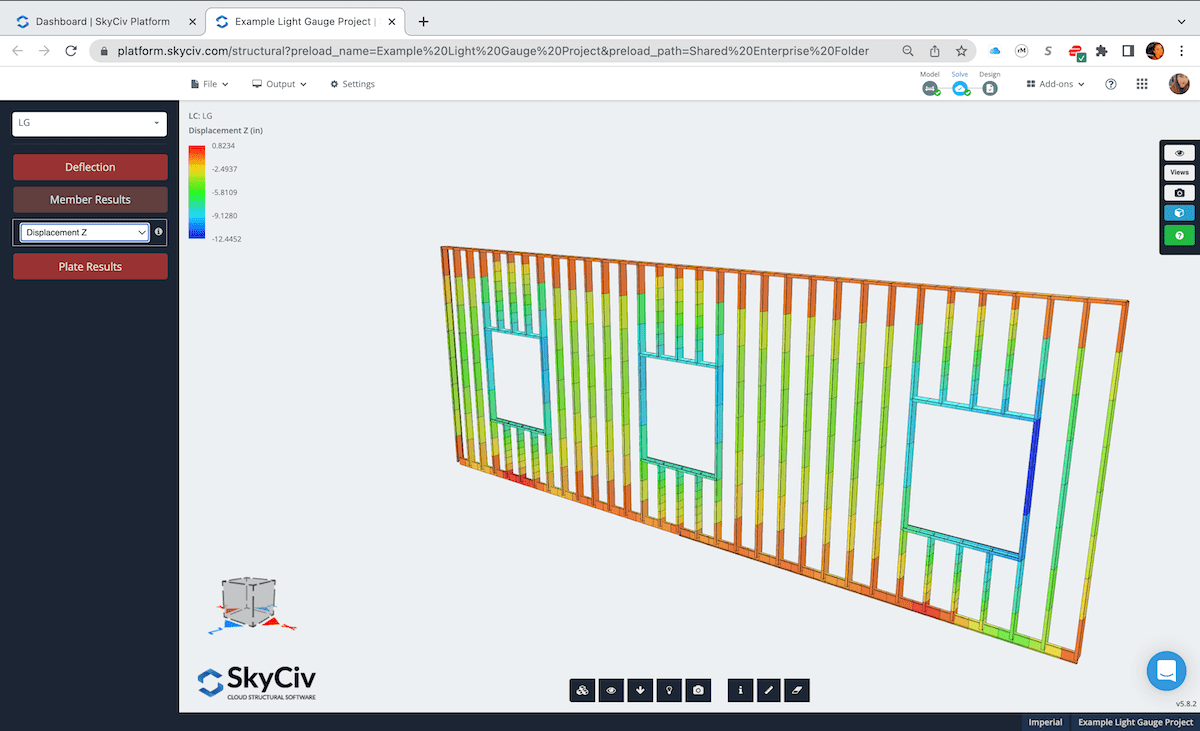
SkyCiv Structural 3D is easy to pick up and use immediately — don’t waste weeks of your time learning other software. The streamlined user interface gives you all the modeling power, without the headaches of congested toolbars or menus. Take advantage of the various modeling tools that make generating any type of structural cold-formed steel (light gauge steel) model a breeze.
With SkyCiv’s FEA solver, run your structural model using the following analysis methods: Linear Static, Buckling Analysis, P-Delta Analysis, Dynamic Frequency, and Response Spectrum.
Integrated Design Module with Detailed Design Reports
Integrated Design Module with Detailed Design Reports
Run full design checks in accordance with a variety of design codes including:
AISI S100-12 LRFD/ASD
AS/ NZS 4600-2005
Eurocode 3
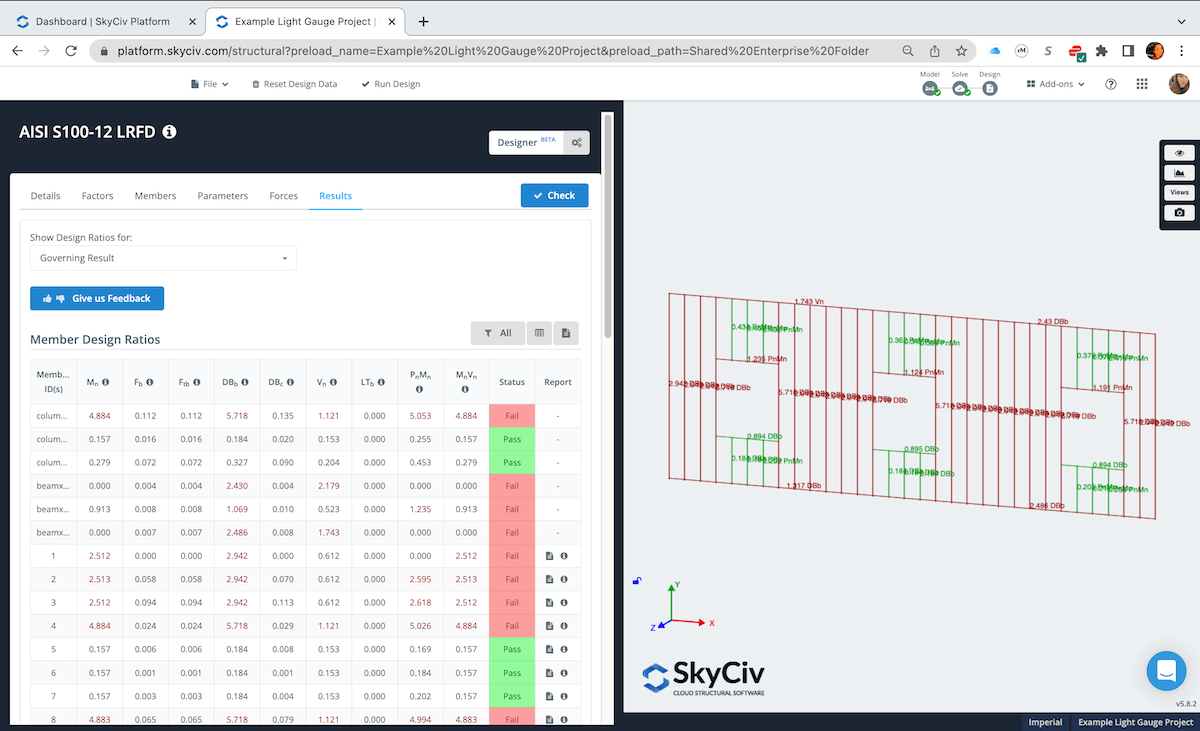
Enforcing the same “ease-of-use” methodology, the Member Design module will automatically pull in your member forces, materials, sections ready for you to instantly run design checks. Finally, export it as a PDF or HTML document to use these reports as deliverables in your structural calc packages.
3rd-Party File Import Support
3rd-Party File Import Support
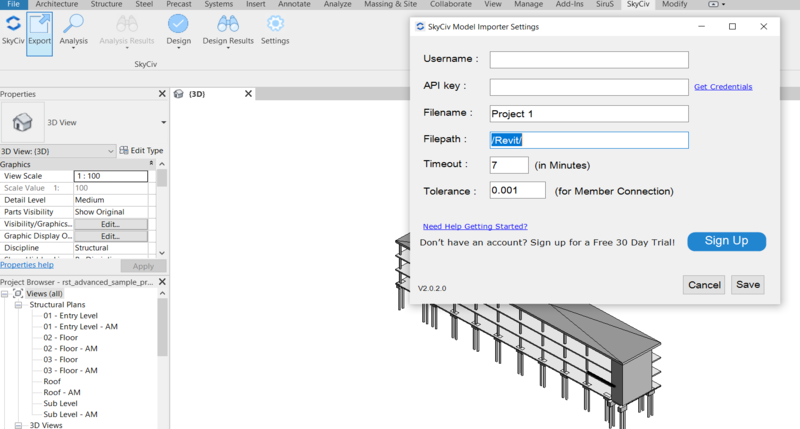
Get a headstart on your structural steel model using the various supported 3rd-party file types such as Revit (.RVT), .DWG, .DXF, .CSV, and Others in development!
With correctly formatted 3rd-party files, the majority of the modeling of your 3D steel structure can be completed, including material properties and section properties.
Direct Strength Method
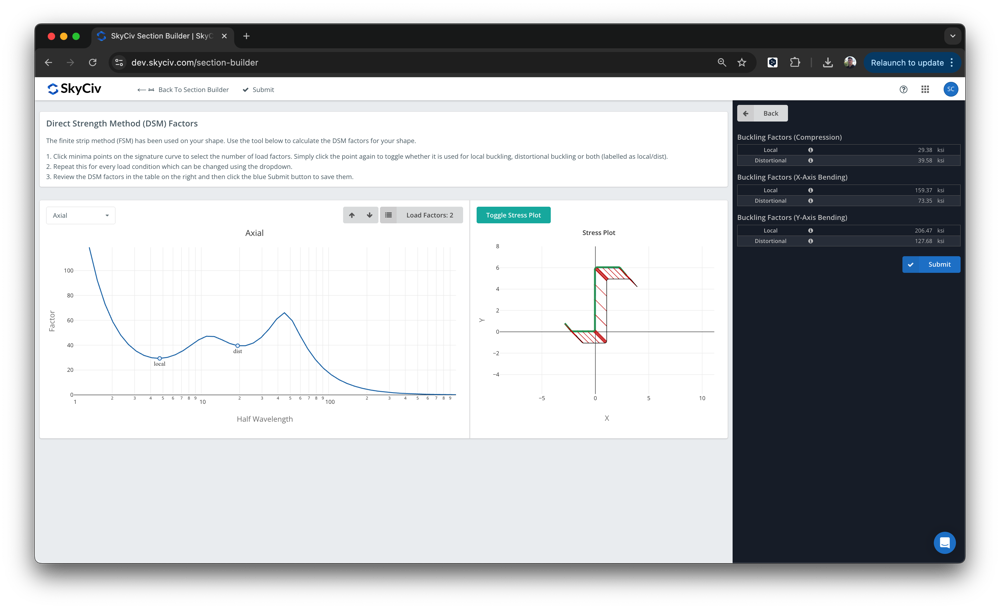
SkyCiv is committed to supporting the Direct Strength Method in Cold Formed Steel Design. Our Section Builder software can automatically calculate your DSM Factors for library and custom shapes.
Our design Modules AISI S100 (2016) and AS 4600 (2018) support DSM as the primary method in design. Your sections from the Section Builder can be run through these modules to calculate their capacities and utility ratios. As an industry-trusted cold formed steel design software, SkyCiv ensures accurate and code-compliant DSM-based analysis for engineers.
More Featues
Finite Strip Method Calculations
SkyCiv Section Builder runs Finite Strip Method (FSM) calculations to determine critical buckling stresses and loads for cold-formed steel members.
- Automatically detects global, local, and distortional buckling modes.
- Includes a graphical interface to visualize and override critical buckling results.
- Works with custom light-gauge profiles such as Z-shapes, channels, and hat sections commonly used in wall studs, joists, and roof rafters.
- Read more
Integrated Design
- Fully supports AISI S100, AS/NZS 4600, and Eurocode EN 1993-1-3.
- Seamlessly transition from analysis results to member design in one workflow.
- One-Click Design – fully integrated with your model for faster results.
- Generate detailed design reports with transparent calculations.
- Use the Optimize feature to find the most efficient section for your framing members, whether it’s a stud, joist, or rafter
Easy Modeling
more benefits
Why engineers choose SkyCiv
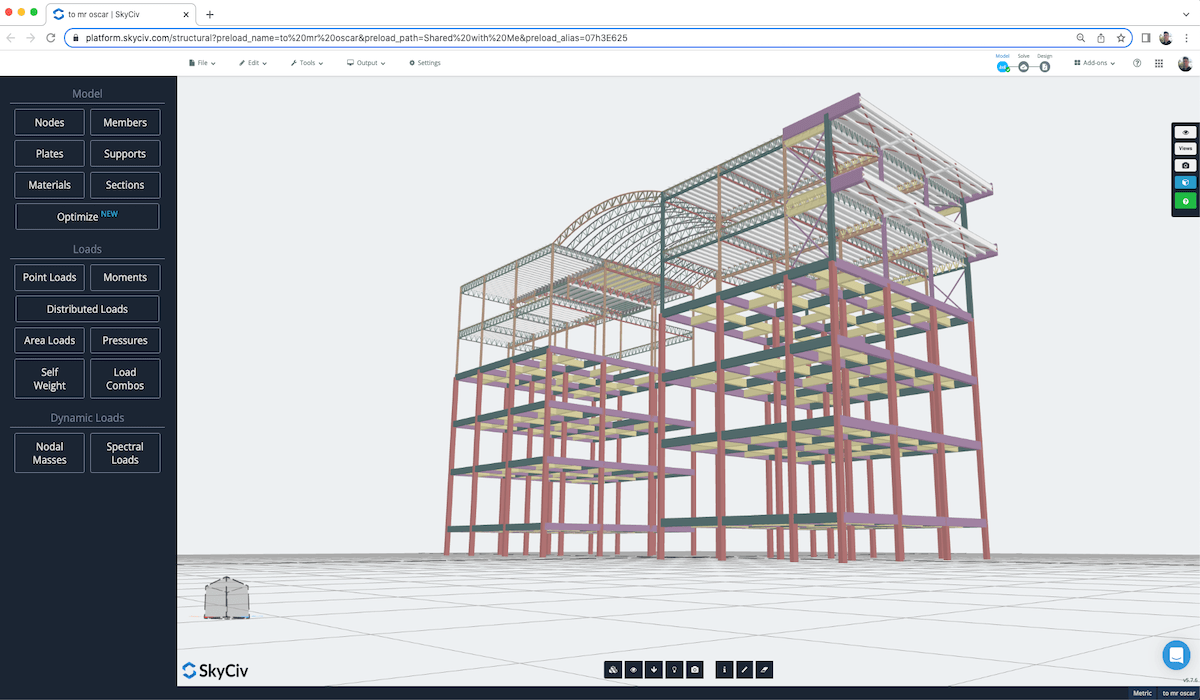
SkyCiv software is built with a number of great modeling, editing, and reviewing features that help you achieve a much faster modeling workflow. These range from the pen tool, bulk editing, camera roll, and more.
Clear step by step calculation reports help the engineer understand exactly what the software is doing – no more blackboxes!
Share and collaborate in real-time with your team using our file sharing and permission control functionalities. They also allow the SkyCiv Support team to view your models so support can never be easier.
One account gives you access to all SkyCiv software, allowing you to make the most of our structural engineering software.
testimonials
Trusted by thousands

The ease of use and the presentation of the results are both awesome. I have had ongoing interaction with the support team and everyone is excellent.

Mitch Frumkin
CEO OF KIPCON
It is used for various civil and mechanical engineering courses and the students love it. We are happy with the continuous updates to SkyCiv as well, highly recommended.

Dr Kenneth R. Leitch
Assoc. Prof. at Texas A&M
It was easily the most intuitive package available to learn; it is particularly easy to build the 3D model and define nodes, members, supports, materials, sections, then apply loads & combinations.

Stuart Agars
Managing Director of Struct-Sure Limited
SkyCiv has been a great tool to help efficiently and clearly document and update design results for a member of a small company with multiple responsibilities.

Lydia Fahrenkrug
Engineer at MT Solar
case studies
Real projects using SkyCiv
more benefits
Why engineers choose SkyCiv
SkyCiv software is built with a number of great modeling, editing, and reviewing features that help you achieve a much faster modeling workflow. These range from the pen tool, bulk editing, camera roll, and more.
Clear step by step calculation reports help the engineer understand exactly what the software is doing – no more blackboxes!
Share and collaborate in real-time with your team using our file sharing and permission control functionalities. They also allow the SkyCiv Support team to view your models so support can never be easier.
One account gives you access to all SkyCiv software, allowing you to make the most of our structural engineering software.
