Cos'è un nodo e come aggiungere nodi in SkyCiv Software di analisi strutturale
This page explains what nodes are in SkyCiv Structural 3D and the different ways to add nodes to your structural model: the Nodes form, the datasheet and the pen tool. I nodi sono punti nello spazio che specificano la posizione di elementi come i membri, piastre, carichi, e supporti.
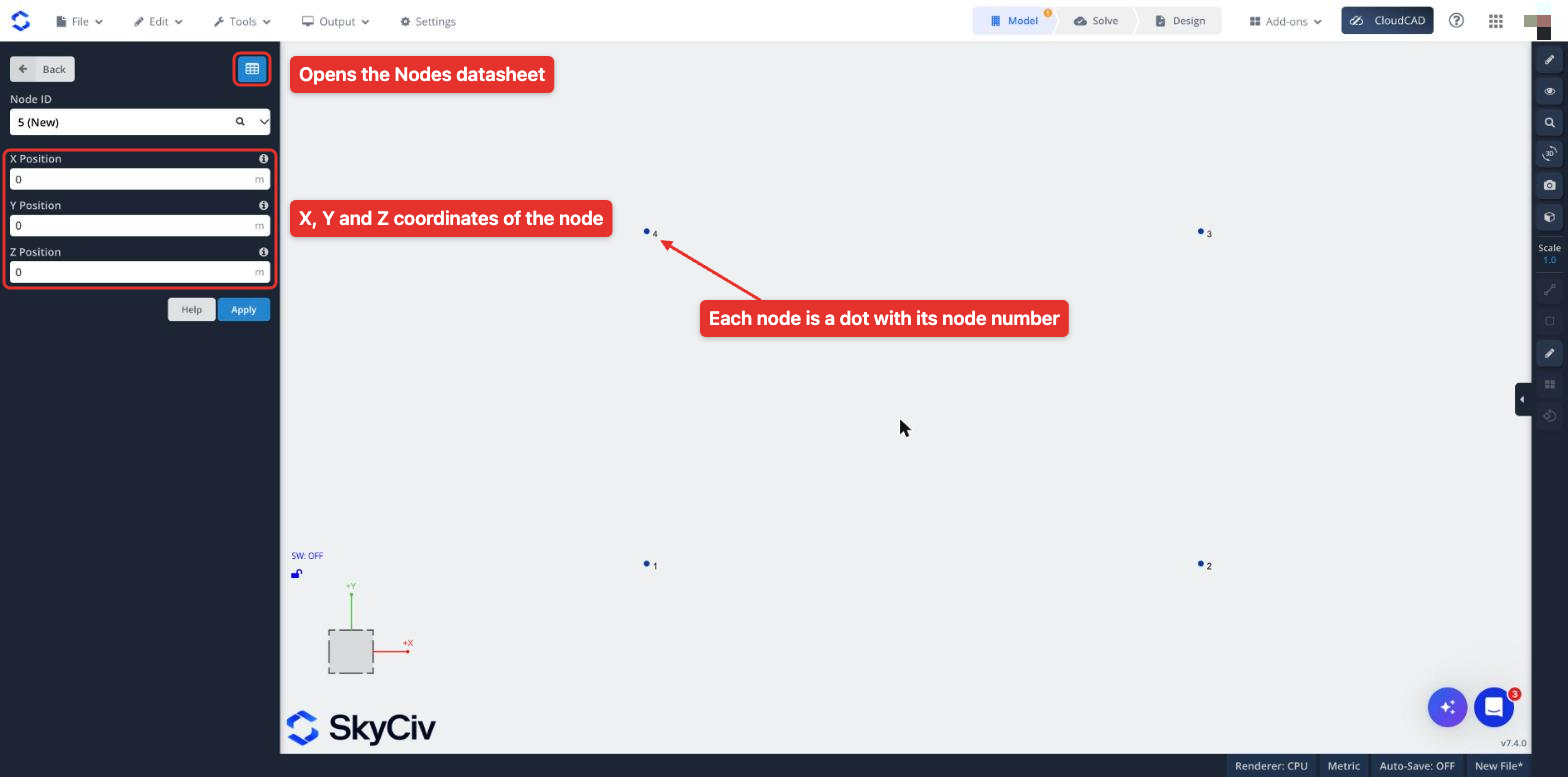
Each node is defined by its X, Y and Z coordinates, and is given a Node ID. You can enter nodes in a form or in a datasheet, or draw them with the pen tool. They are shown as a blue dot in the graphical area, with the node number next to it.
Nodes are what connect all the elements of your structure, so every node should be connected to at least one member or plate. Nodes that are not used by any member or plate are flagged as unused nodes by Modello di riparazione, which can remove them for you before you solve.
Nodes are used to specify the location of these features:
- Elementi: specify a start node and an end node to define a member.
- Piastre: specify 3 o più nodi per definire un piatto.
- Carichi puntuali: specify a node to apply a point load. È inoltre possibile applicare carichi puntuali lungo un membro.
- momenti: specify a node to apply a moment. I momenti possono essere applicati anche lungo un membro.
- Vincoli: specify a node to apply a support.
Different Ways to Add Nodes in S3D
Esistono diversi modi per aggiungere nodi in 3D strutturale, so you can pick the one that suits your workflow:
Nodes Form
Fai clic su Nodi in the Model section of the left menu. This opens a form where you enter the e Y si riferisce all'asse y, e Y si riferisce all'asse y e Posizione Z of the node, in the length units of your model. Il ID nodo field shows the number the new node will get, per esempio 5 (Nuovo). Fai clic su Applica to add the node: the form then moves on to the next new node, so you can enter the next set of coordinates straight away.
To edit an existing node, pick its number in the ID nodo cadere in picchiata, change its coordinates and click Applica.
Puoi inserire equazioni e formule (per esempio, -100cos(30)) nelle caselle di immissione SkyCiv, e in realtà valuteremo e inseriremo il valore (-86.602) per farti risparmiare tempo. Usalo per calcoli rapidi, e per risparmiare l'inserimento manuale di numeri lunghi e noiosi. Alcuni altri esempi sono:[icon icon = "informazioni"] Suggerimento veloce
Inserimento del foglio dati
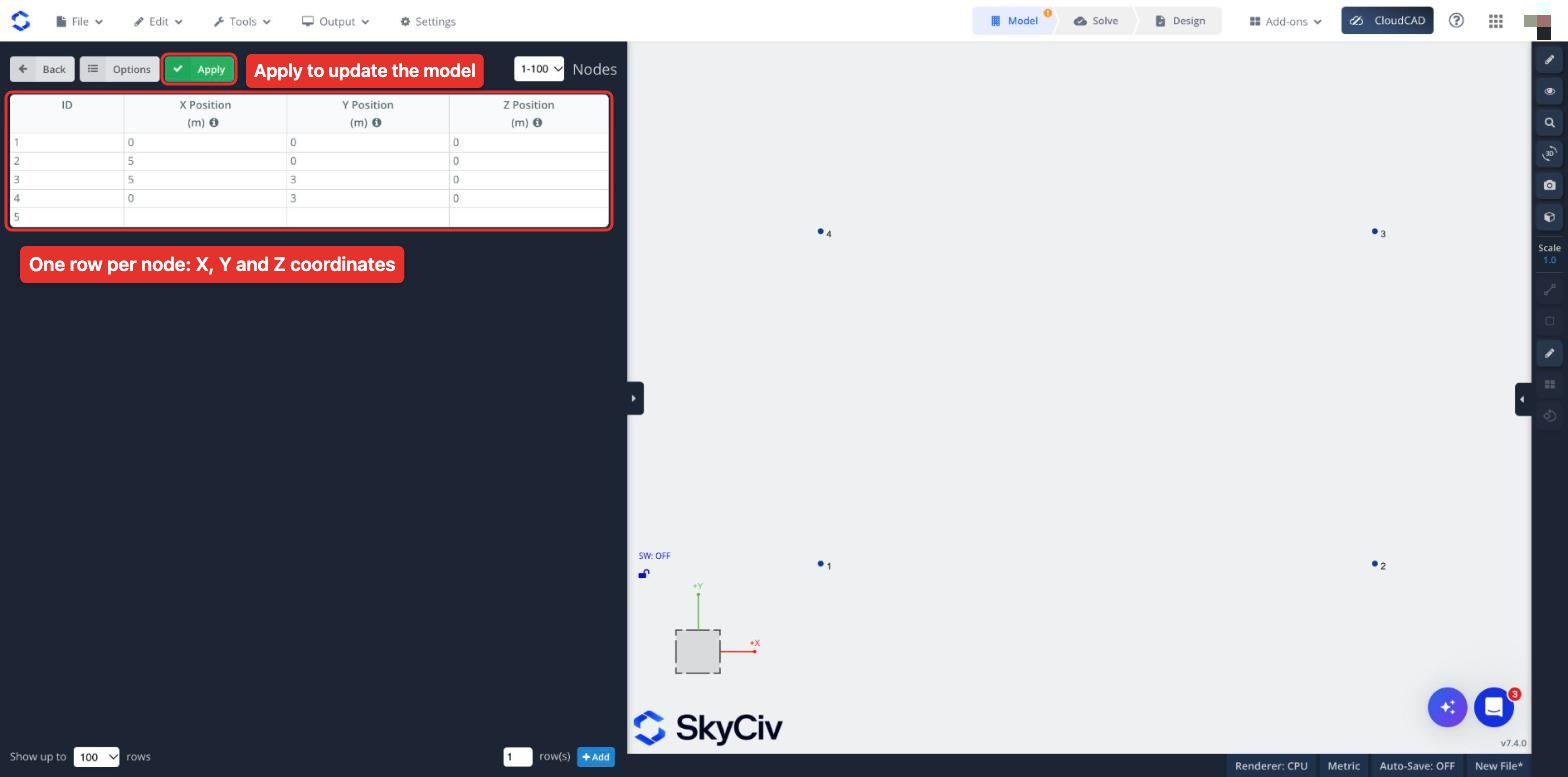
la funzione di SkyCiv per la scheda dati consente di inserire un gran numero di nodi in un formato tabulato facile e veloce. Utilizzare i tasti Invio e Tab per l'immissione rapida, fare clic e trascinare per ripetere le celle e ordinare la tabella facendo clic sulle intestazioni delle colonne. Puoi persino copiare e incollare valori da Excel. Il foglio dati è particolarmente utile se devi essere in grado di vedere tutte le altre coordinate del tuo nodo come riferimento.
To open the Nodes datasheet, fai clic su Nodi on the left menu and then the blue grid button at the top right of the form. Each row of the datasheet is a node, with its ID and its X, Y and Z Position. Fai clic su Applica at the top of the datasheet to update the model with your changes.
Strumento Penna
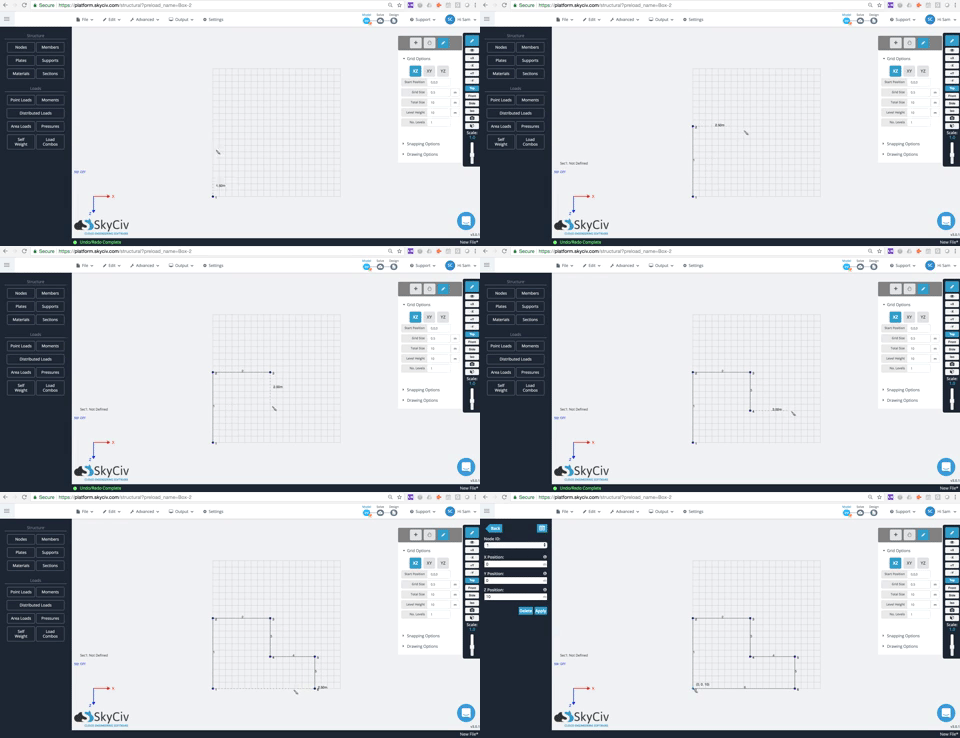
Desideri la libertà di tracciare i nodi su una griglia o lungo un asse particolare? SkyCiv ha un ottimo set di file strumento penna e funzioni della griglia questo lo rende facile.