的 板截面切割 tool allows you to extract forces, 片刻, and other plate results along any defined cut line across slabs, 盘子, or walls. This is useful for slab strip design, checking local plate behaviour, and verifying load distribution.
How to Use the Plate Section Cuts Tool
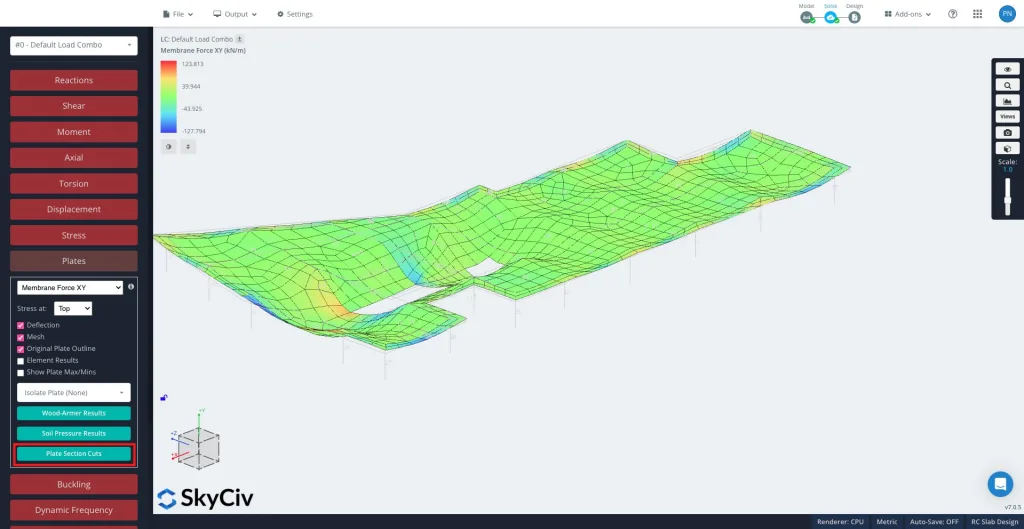
解决后, 选择 板块 进而 板截面切割 in the left hand panel.


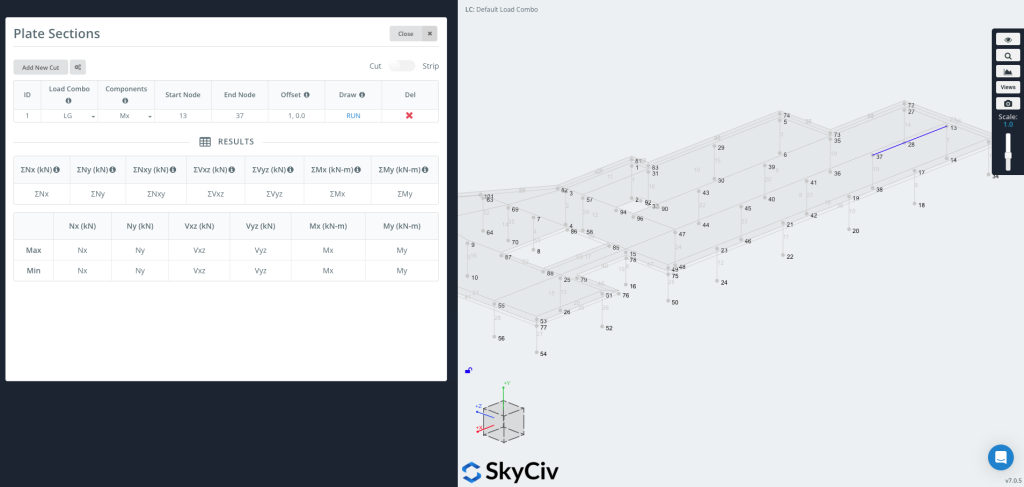
请点击 “Add New Cut” to create a new entry.
Each cut includes:
-
Load Combo – Select which load combination to extract results from.
-
Components – Choose the result type (例如, Mx, 我的, Nx, Vxz, Wood-Armer, 土压力).
-
起始节点 / 终端节点 – Define the segment where the cut will be placed.
-
抵消 – Optionally shift the cut line by a given distance (例如,
1,0,0).-
This is useful when you want a graph at a set offset from an edge without manually calculating coordinates.
-
Now you can Draw & Run the Cut
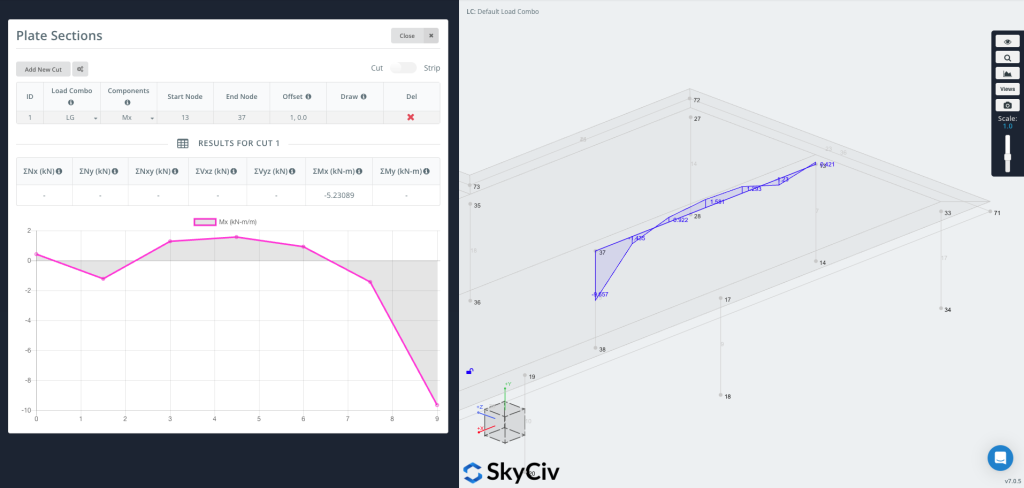
按 RUN to generate the cut. The cut line will appear on your model (as shown on the right side of the image), 和 results table will populate with maximum and minimum values for each selected component.

You can now plot the graph directly onto the geometry, showing result values visually along the cut line.
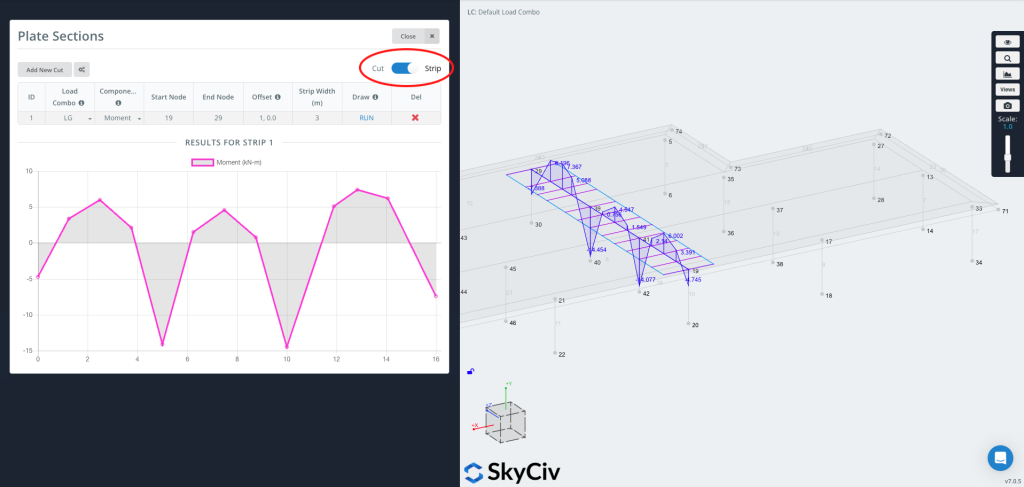
Users can also generate a strip section by turning on the strip feature in the top right corner.

一个 Strip extracts results over a width, not just a line. It averages the plate results across an effective width centred on the defined cut line—this is typically used for slab strip design, where design codes require moments to be averaged across a strip of slab.
A Strip is useful when you need:
-
Design values for one-way or two-way slab strips
-
Code-based averaging (including the optional CSA two-thirds rule)
-
More representative values over a physical strip rather than a single line