
NS Plaka Kesit Kesimleri araç, kuvvetleri çıkarmanıza olanak tanır, anlar, ve levhalar boyunca tanımlanmış herhangi bir kesim çizgisi boyunca diğer levha sonuçları, tabaklar, veya duvarlar. Bu, döşeme şeridi tasarımı için kullanışlıdır, yerel plaka davranışının kontrol edilmesi, ve yük dağılımının doğrulanması.
Plaka Kesit Kesim Aracı Nasıl Kullanılır
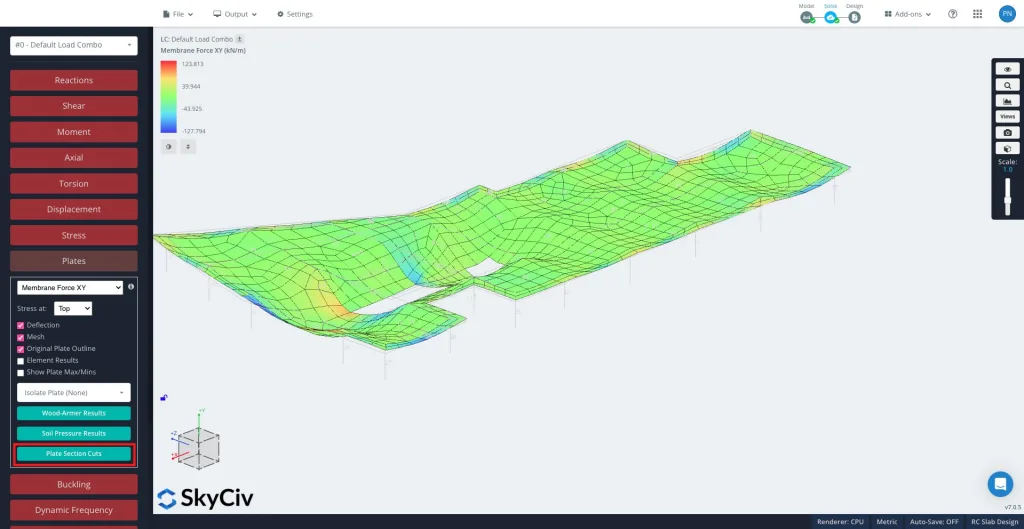
Çözdükten sonra, Bir düğüm, basitçe, bir üyenin eklenebileceği uzayda bir noktadır. Tabaklar ve daha sonra Plaka Kesit Kesimleri sol panelde.
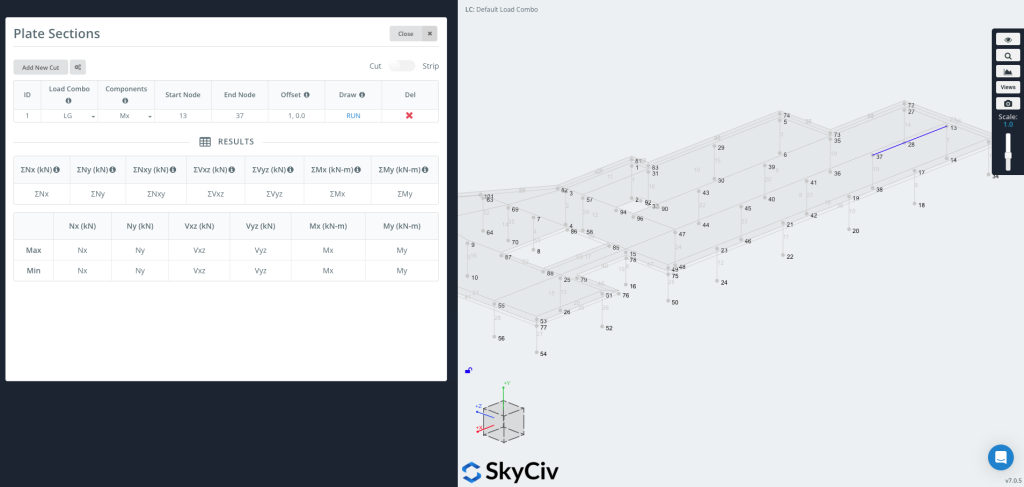
Tıklayın “Yeni Kesim Ekle” yeni bir giriş oluşturmak için.
Her kesim şunları içerir::
-
Kombinasyonu Yükle – Sonuçların hangi yük kombinasyonundan çıkarılacağını seçin.
-
Bileşenler – Sonuç türünü seçin (Örneğin., Mx, Aşağıdaki kaydırıcı ile bu yüzeyleri oluşturan tüm eğrileri kontrol edebilirsiniz., Nx, Vxz, Ahşap Silahlı, Toprak Basıncı).
-
Örnek Model 3D Çatı Çerçevesi / Örnek Model 3D Çatı Çerçevesi – Kesimin yerleştirileceği segmenti tanımlayın.
-
Telafi etmek – İsteğe bağlı olarak kesim çizgisini belirli bir mesafe kadar kaydırın (Örneğin.,
1,0,0).-
Bu, koordinatları manuel olarak hesaplamadan, bir kenardan belirli bir uzaklıktaki bir grafiği istediğinizde kullanışlıdır..
-
Artık Çizim Yapabilirsiniz & Kesimi Çalıştır
Basın KOŞMAK kesimi oluşturmak için. Kesim çizgisi modelinizde görünecektir (resmin sağ tarafında gösterildiği gibi), ve sonuç tablosu seçilen her bileşen için maksimum ve minimum değerlerle doldurulacaktır.
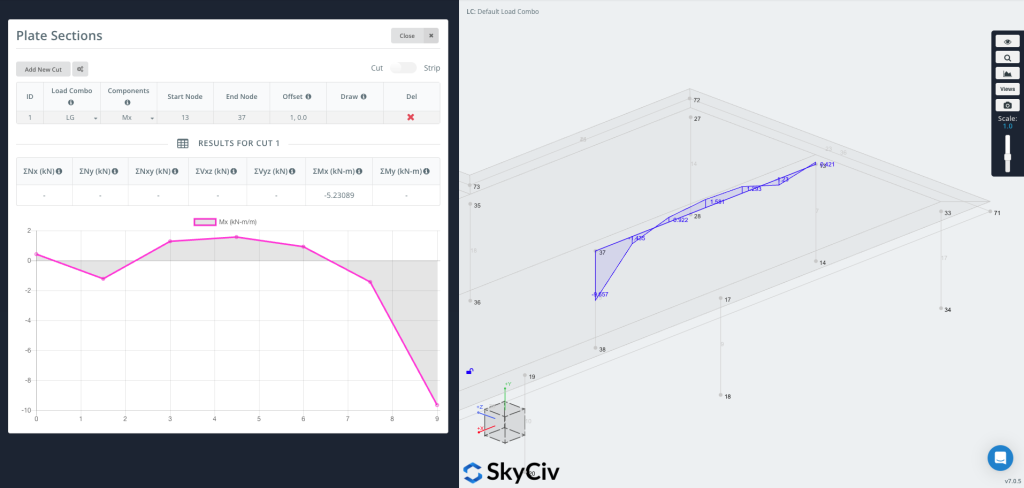
Artık grafiği çizebilirsiniz doğrudan geometriye, sonuç değerlerini kesim çizgisi boyunca görsel olarak gösterme.
Kullanıcılar ayrıca sağ üst köşedeki şerit özelliğini açarak bir şerit bölümü oluşturabilirler..
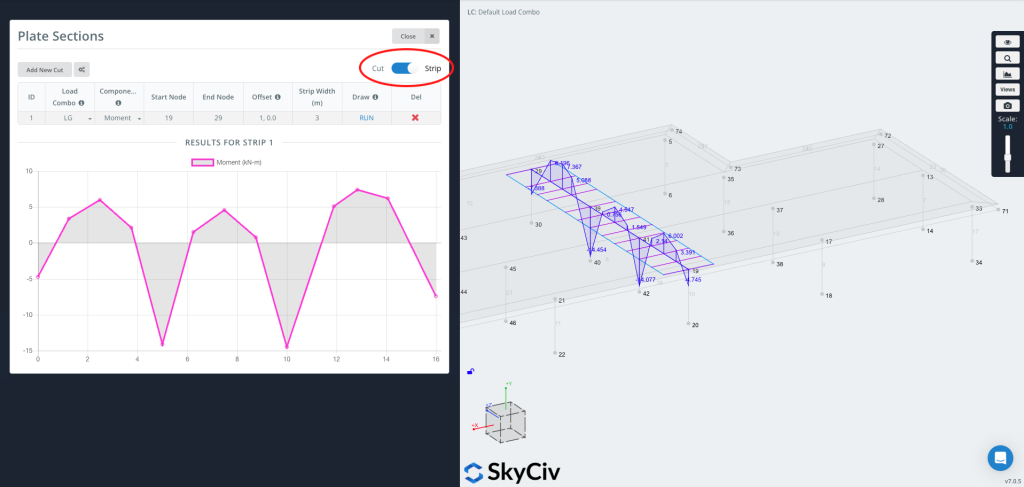
Bir Şerit sonuçları çıkarır bir genişliğin üzerinde, sadece bir çizgi değil. Plaka sonuçlarının, tanımlanan kesim çizgisi üzerinde ortalanmış etkin bir genişlik boyunca ortalamasını alır; bu genellikle aşağıdakiler için kullanılır: levha şerit tasarımı, tasarım kodlarının bir döşeme şeridi boyunca momentlerin ortalamasının alınmasını gerektirdiği durumlarda.
Bir Strip ihtiyacınız olduğunda faydalıdır:
-
Tek yönlü veya iki yönlü döşeme şeritleri için tasarım değerleri
-
Kod tabanlı ortalama (isteğe bağlı CSA üçte iki kuralı dahil)
-
Tek bir çizgi yerine fiziksel bir şerit üzerinde daha temsili değerler


