Carichi nozionali
Un modello strutturale senza imperfezioni geometriche iniziali può apparire stabile perché matematicamente perfetto. In realtà, potrebbe trovarsi in un equilibrio instabile: qualsiasi piccolo disturbo ne causerà il fallimento. I carichi fittizi vengono utilizzati in vari codici di ingegneria strutturale in tutto il mondo per simulare le imperfezioni geometriche. Mentre è possibile modellare direttamente queste imperfezioni, questo approccio di solito porta a modelli complessi difficili da convalidare. La semplice aggiunta di carichi orizzontali è un modo più semplice per raggiungere lo stesso obiettivo: disturbare il modello per verificare se si trova in equilibrio instabile.
Creazione di gruppi di carico fittizi in S3D
Puoi aggiungere carichi teorici in S3D andando su Edit -> Loads -> Notional Loads.
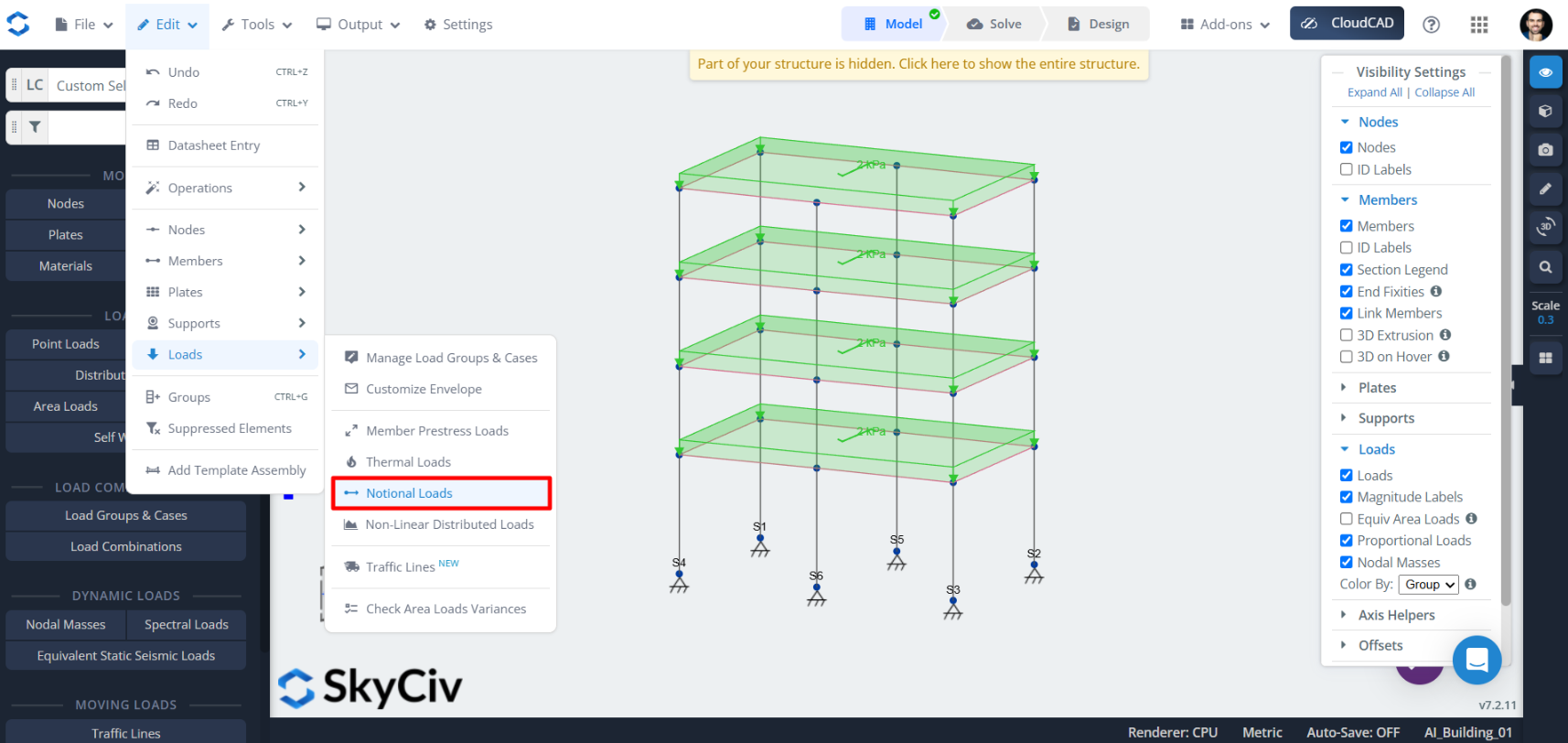
Questo aprirà la seguente finestra pop-up:
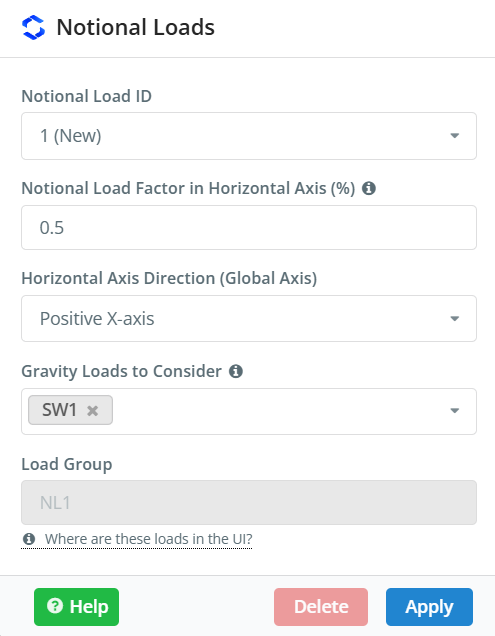
Qui, è possibile creare tutti i carichi fittizi richiesti. Dietro le quinte, S3D creerà carichi orizzontali associati ai carichi gravitazionali selezionati. La maggior parte degli standard lo richiedono 2 carichi teorici per direzione ortogonale, quindi c'è un'opzione per generare tutti e quattro i carichi fittizi contemporaneamente nel file Horizontal Axis Direction (Global Axis) cadere in picchiata. Tieni presente che per impostazione predefinita, i gruppi di carico creati utilizzeranno il nome riservato NLX, dove X è l'ID del carico nozionale.
Attribuzione di gruppi di carico alle combinazioni di carico
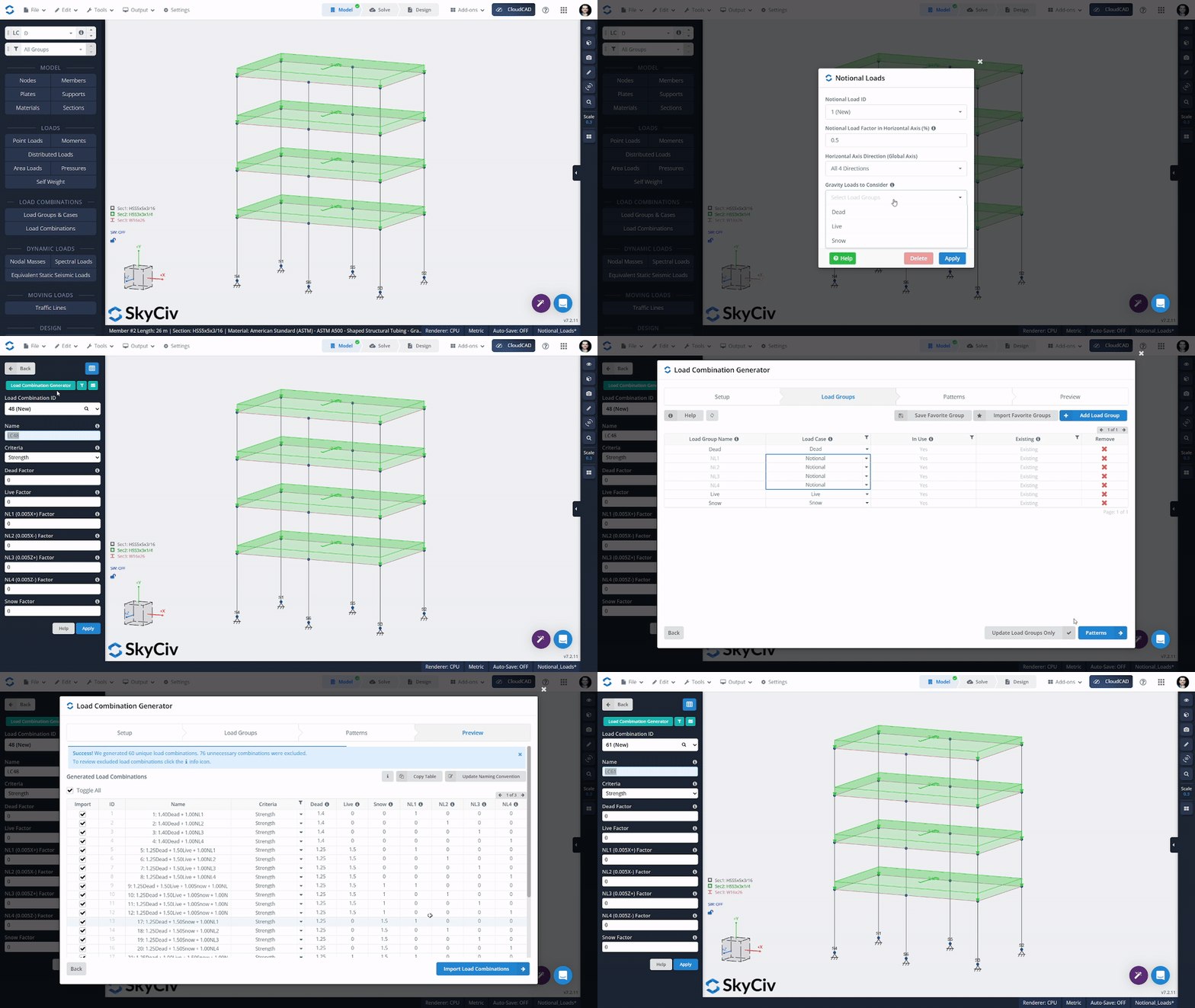
Per i gruppi di carico teorici da considerare nell'analisi, devono essere inseriti nella tabella delle combinazioni di carico. Questo può essere fatto manualmente nella tabella delle combinazioni di carico, oppure i carichi fittizi possono essere assegnati al tipo di carico fittizio in uno standard di progettazione e generati automaticamente.