
Modelar e exportar geometria da seção, diretamente do CAD
Os usuários podem exportar formas para o Section Builder criando hachuras no CloudCAD, tornando mais fácil e mais capaz construir e analisar suas próprias formas personalizadas. Usando a modelagem completa capacidades do CloudCAD, agora você pode criar formas complexas e exportar diretamente para o Section Builder. Siga este guia, pois ele mostra como você pode fazer isso em apenas algumas etapas fáceis.
Passo 1: Construa sua forma fechada
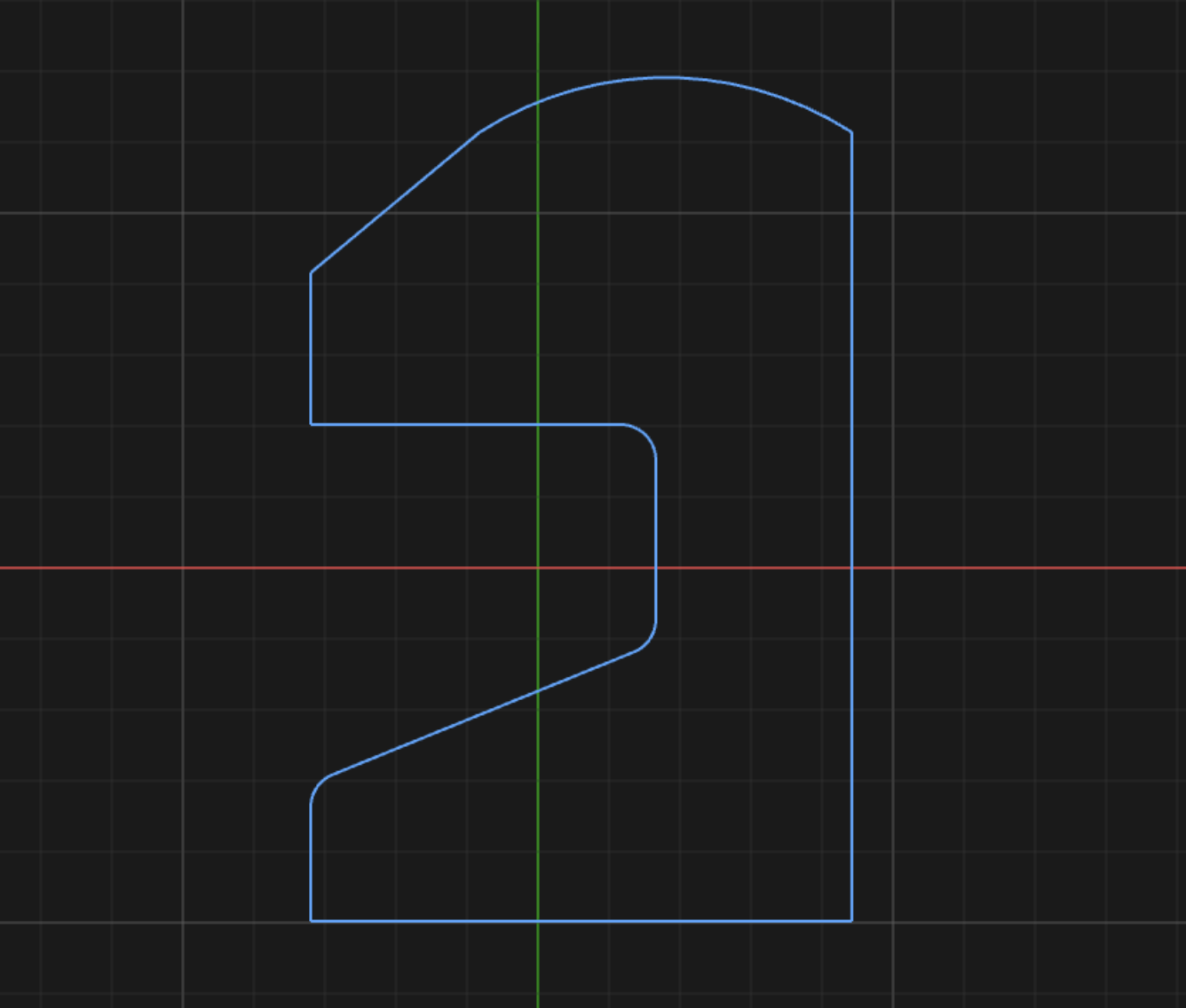
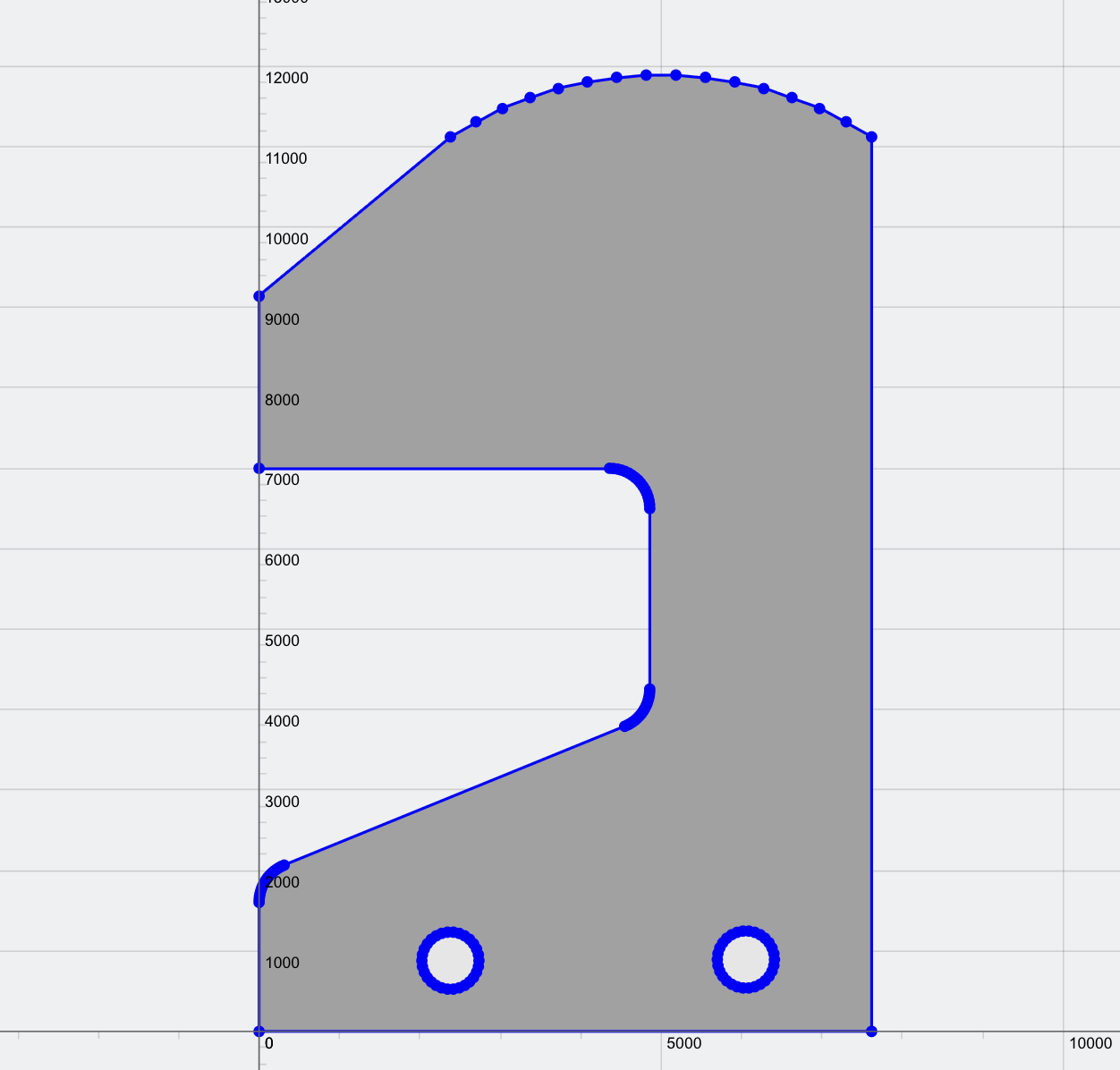
Usando recursos gerais de modelagem, como linhas, polilinhas, splines e círculos, os usuários podem criar uma forma fechada usando nossas ferramentas de modelagem fáceis e avançadas. Você pode usar uma combinação de recursos para formas complexas, desde que faça uma forma fechada. Por exemplo, aqui usamos uma combinação de linhas, arcos e a função raio/filete:
Passo 2: Crie quaisquer recortes ou furos em sua forma (opcional)
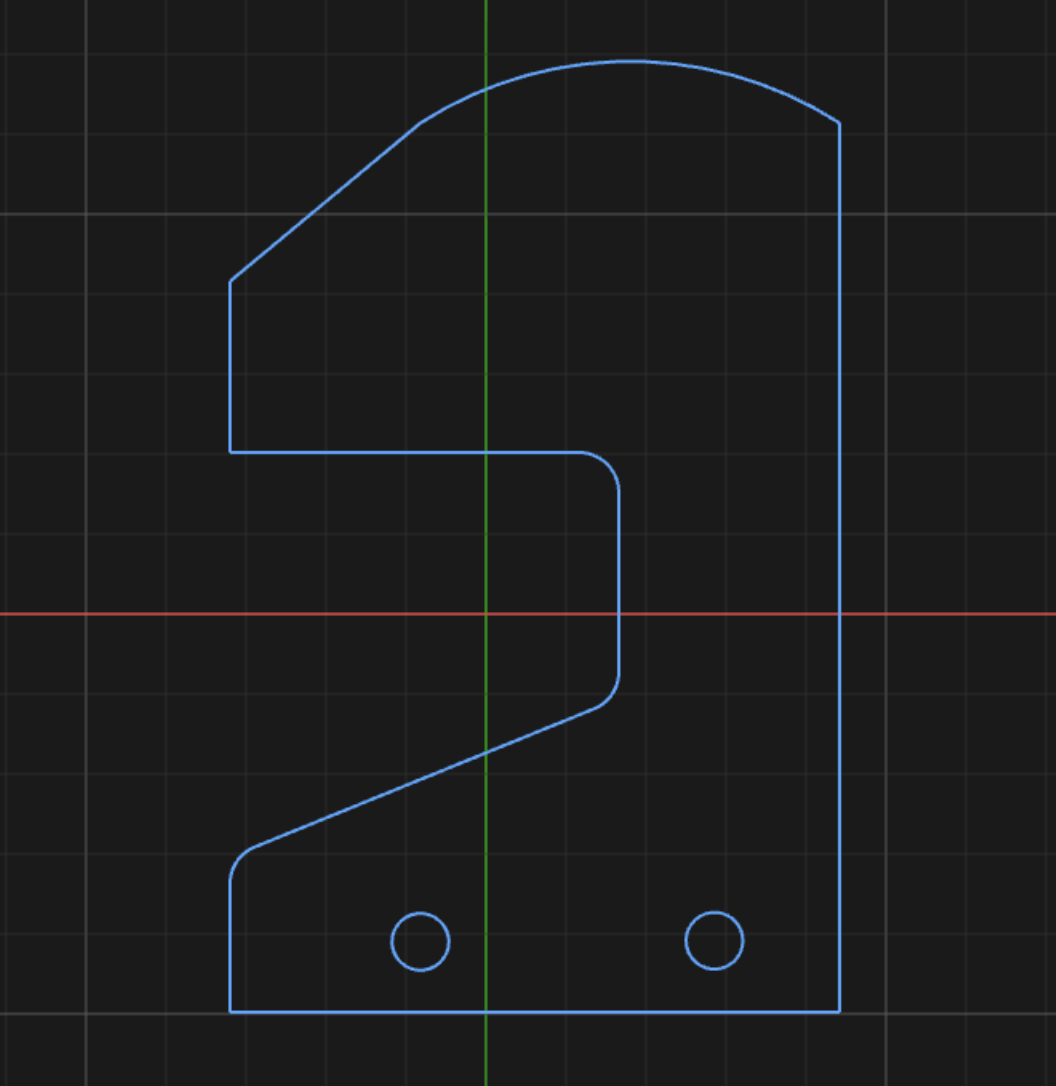
Os usuários também podem especificar formas fechadas internas para serem usadas como recortes ou furos em sua seção. Por exemplo, podemos incluir alguns furos circulares na forma:
De novo 3: Crie uma hachura
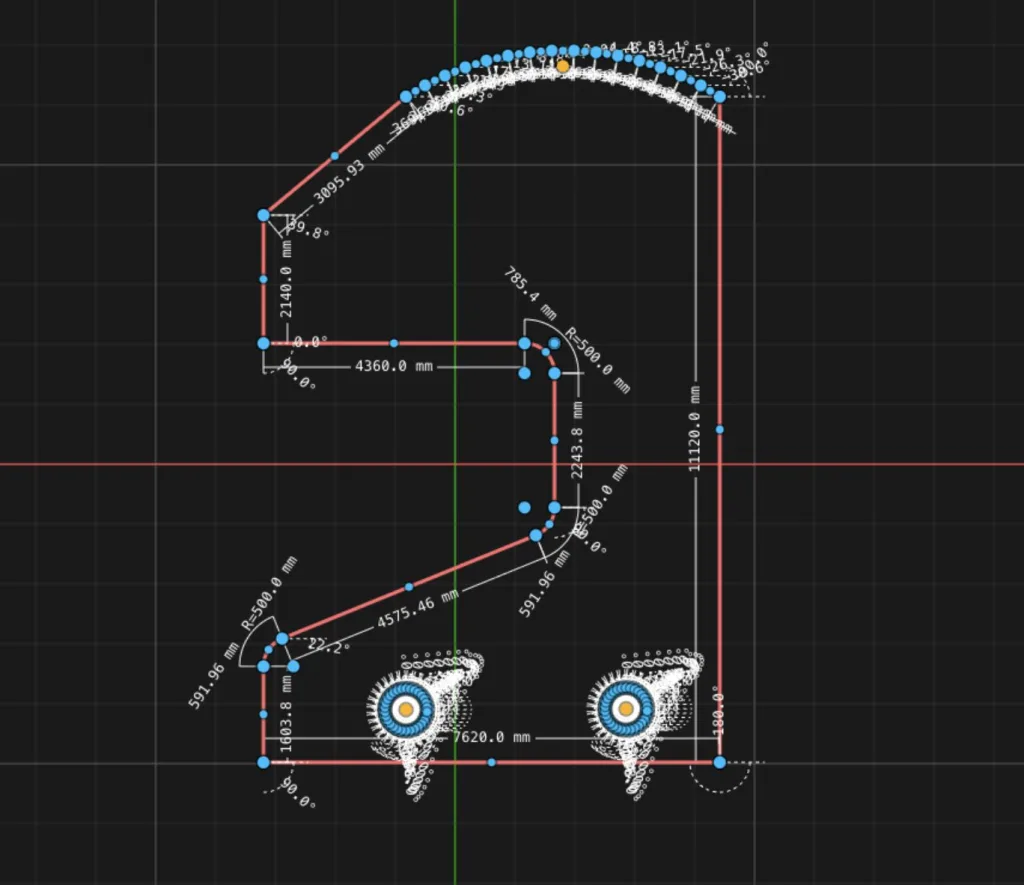
De lá, os usuários podem destacar a área que desejam gerar como uma Seção e clicar Chocar (ou H como um atalho). Você pode selecionar um polígono inteiro simplesmente clicando e arrastando parte de sua seção, ou CTRL + A para selecionar toda a forma em sua tela:
Em seguida, clicar na função Hachura irá gerar a hachura da forma, e ao mesmo tempo, recorte quaisquer formas internas:
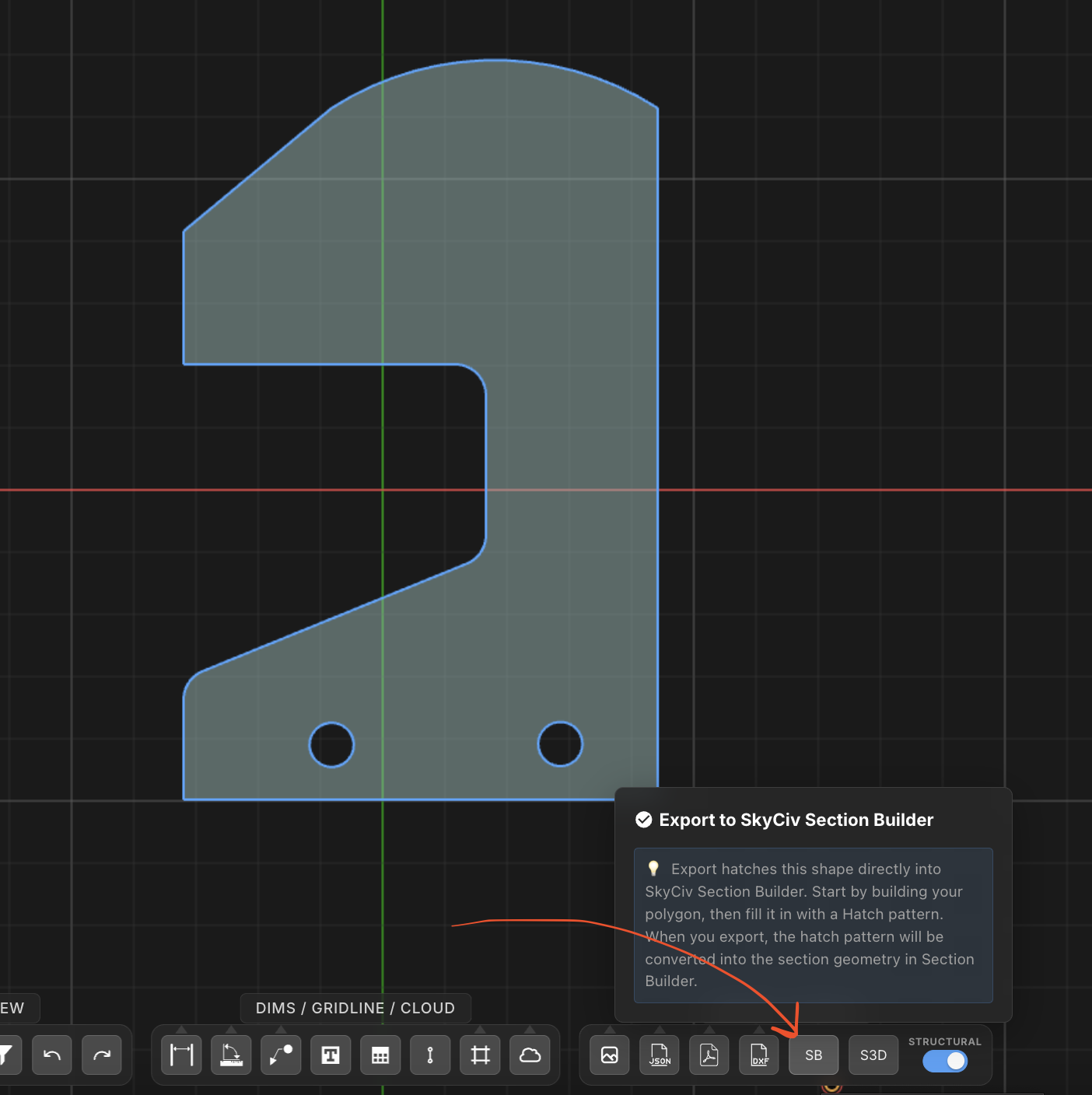
E é isso! Basta clicar no Exportar para SB botão e isso aparecerá no software Section Builder:
Finalize seu projeto no Section Builder
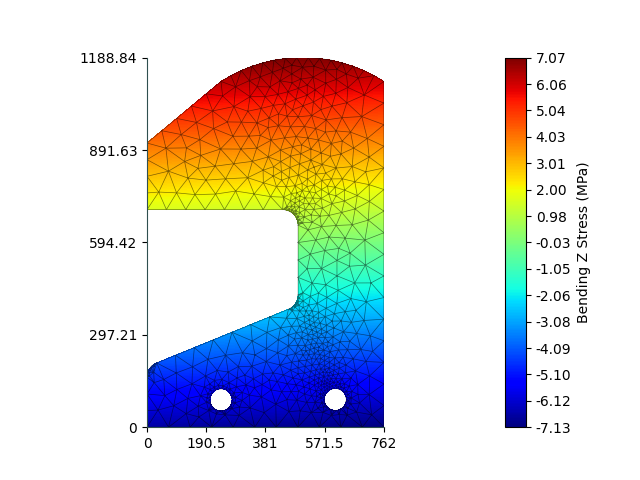
A partir daí você pode usar esta seção em seus modelos de análise estrutural, ou até mesmo realizar um FEA ali mesmo no Section Builder. O Section Builder irá gerar uma malha, e permite que os usuários insiram valores axiais, a curvatura, forças de torção e cisalhamento para analisar a seção transversal:
Os usuários também podem salvar esta seção em seu armazenamento em nuvem, através da Minhas seções para usar em qualquer modelo de análise estrutural 3D.

