
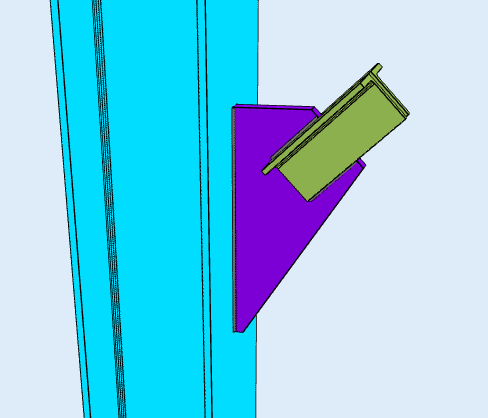
A knee brace is a short diagonal member running between a column and a beam or girder, close to the joint. It shortens the effective span of the beam and stiffens the frame against lateral drift, without the full-height diagonal that a vertical brace needs. The brace force arrives at the joint as axial load, and a gusset plate takes it into the column or girder.
SkyCiv Connection Design checks the knee brace connection to AISC 360-16 em ASD ou LRFD. You enter the supporting member, the brace, the gusset plate and the fixtures, and it returns every check with its utilization ratio and the clause behind it.
Why Use a Knee Brace
A knee brace buys stiffness cheaply. It uses less steel than a full diagonal and it is quick to erect, because it is a short member with one connection at each end. Because it sits in the corner of the bay rather than across it, it leaves the opening largely clear, which matters where a full-height brace would block a door, a window or a services run.
It is also a practical retrofit. Adding a knee brace to an existing frame means working at one joint rather than rebuilding a bay, so it is a common way to stiffen a structure that has been reassessed or reloaded.
The trade-off is that the brace attracts moment into the beam and the column at the brace point. The members either side of the connection have to be checked for that, which is a frame analysis question rather than a connection one.
Designing a Knee Brace Connection in SkyCiv
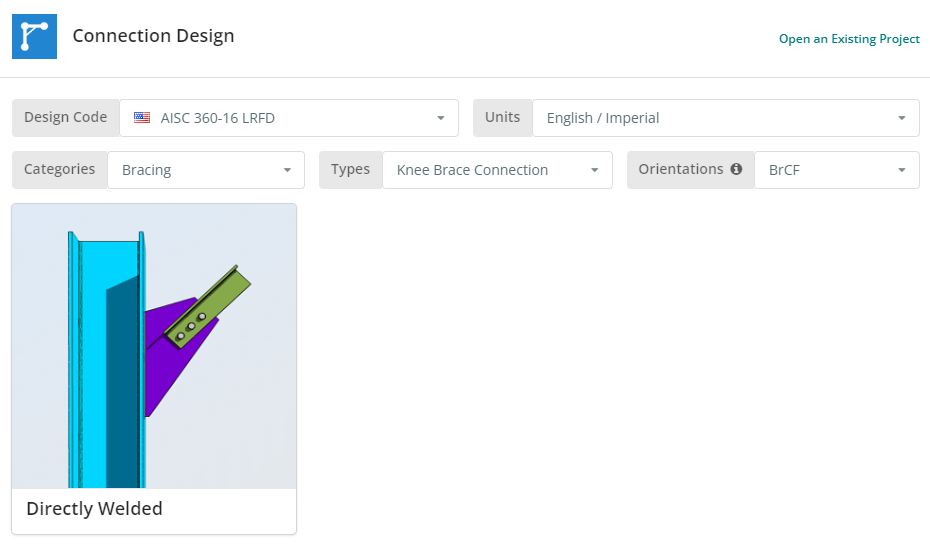
O código de projeto pode ser AISC 360-16 ASD ou LRFD, e unidades inglesas/imperiais ou SI/métricas. The knee brace is available framing to a column flange, a column web or a girder flange. Clique no “Placa de reforço soldada diretamente” telha.
Guia Detalhes
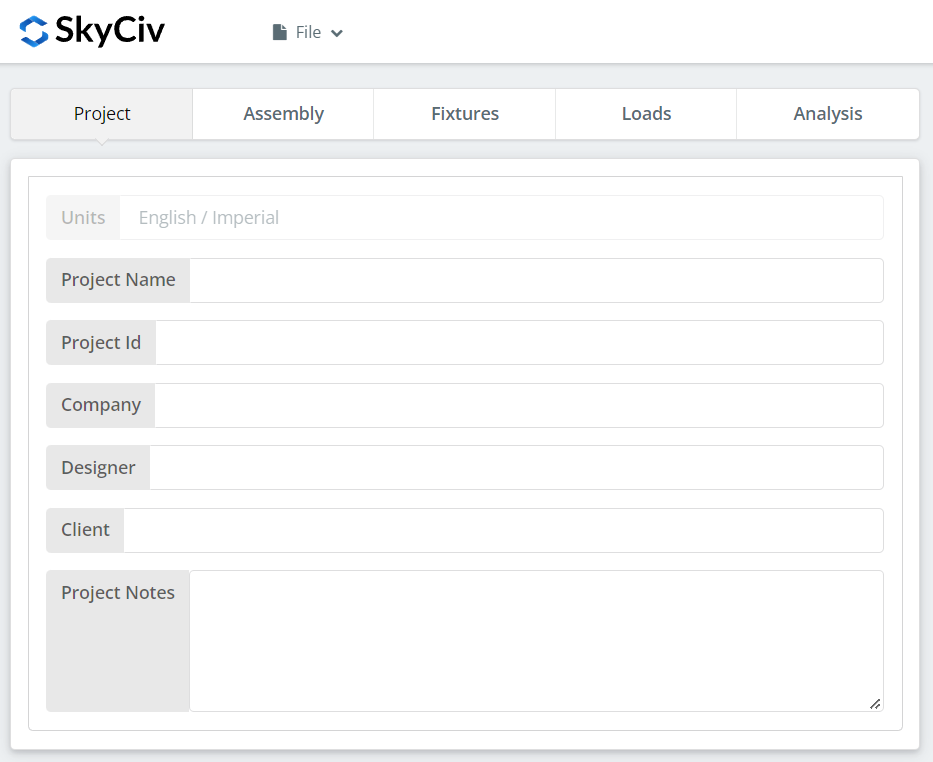
Registre aqui os detalhes do projeto. Nada disso altera os cálculos, mas isso traz para o relatório.
Aba de montagem
Três guias ficam em Assembly: the Column or Girder, the Brace, e a Conexão, which holds the gusset plate.
Guia Coluna ou Viga
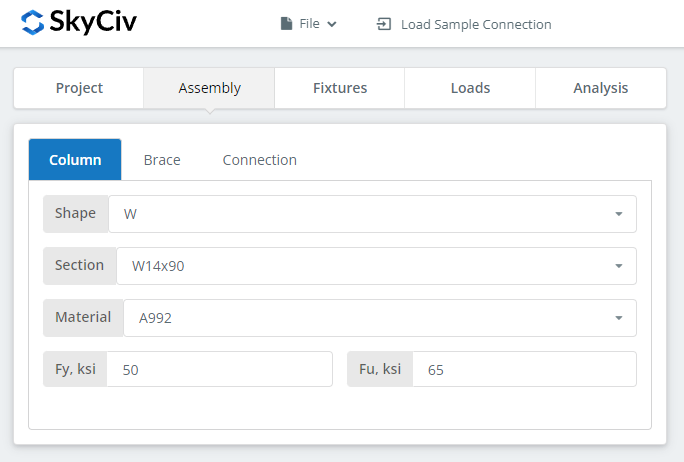
Specify the section and material grade of the supporting member, whichever the brace frames into.
Guia de suporte
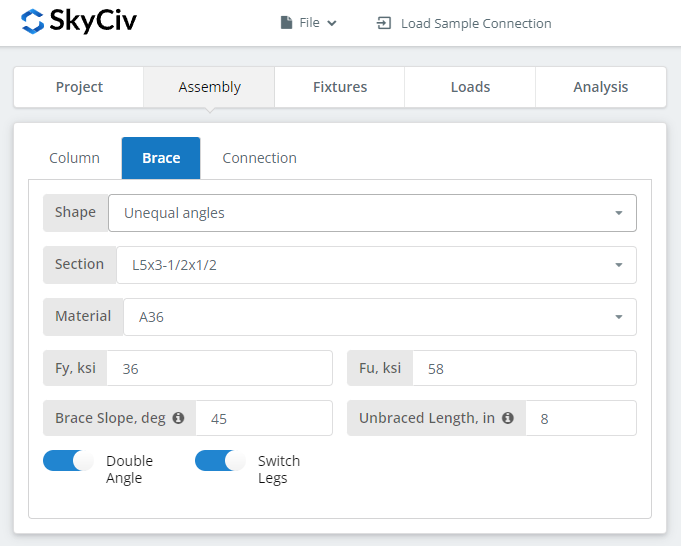
The brace can be a single angle, a double angle, a square or rectangular HSS, or a WT section. The shape drives how the brace attaches to the gusset: an angle connects through one leg, which puts the load off the brace centreline, while an HSS is usually slotted over the plate and welded on both faces.
Aba Conexão
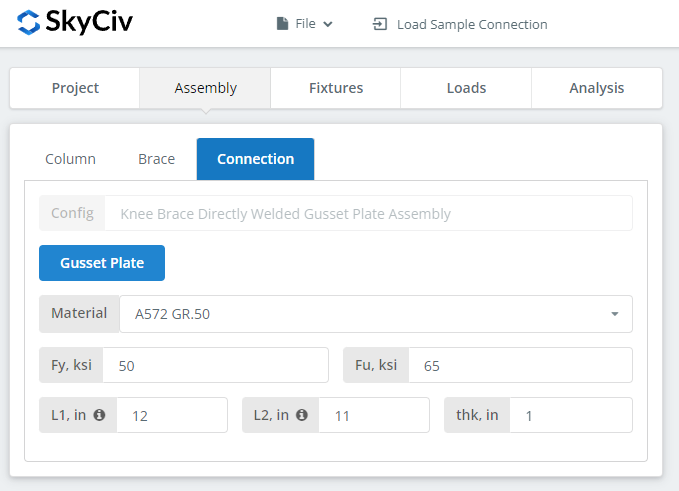
Set the gusset plate properties here. The plate has to be large enough for the weld or bolt group at the brace end and still fit against the supporting member, so watch the 3D renderer as you size it.
Aba Jogos
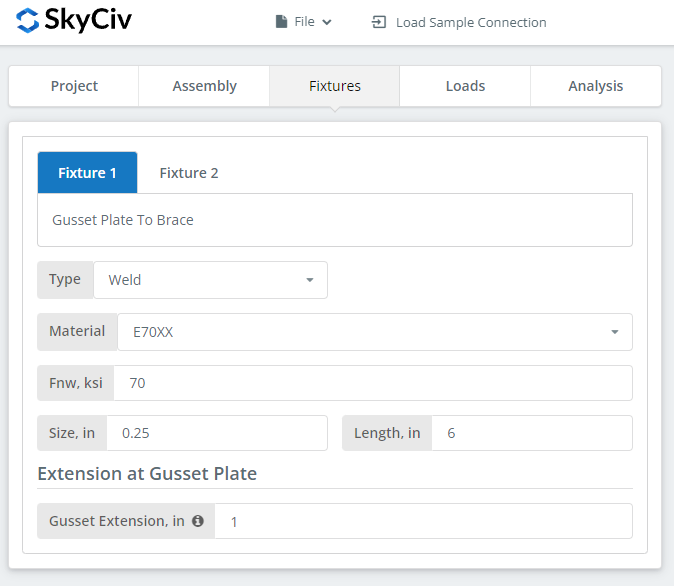
Two interfaces are set here: gusset plate to brace, and gusset plate to the column or girder support. Each can be bolted or welded.
Where the connection is bolted, the bolt grades are A307, A325, A490 ou personalizado. A325 e A490 são classes dentro da ASTM F3125, que consolidou as especificações independentes mais antigas. Where it is welded, especificar o material de solda, ou ‘Personalizado’ com seu próprio Fnw, e o tamanho da solda.
Para saber mais sobre o lado do fixador, veja a documentação em parafusos e soldas.
Guia de Cargas
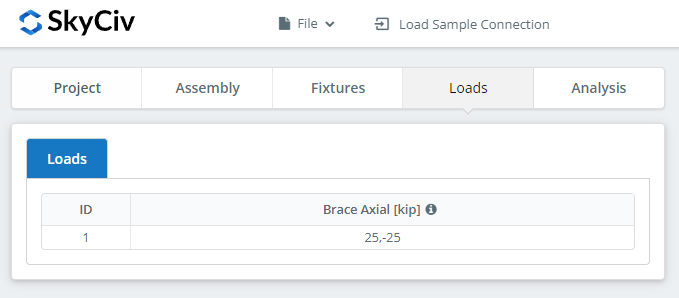
Enter the brace loads here. Hover the tooltips for the sign convention and direction of each.
Combine as cargas com o método de projeto que você escolheu no início. O LRFD leva cargas fatoradas em relação à resistência do projeto; ASD leva cargas de serviço contra a força permitida. O software não consegue dizer o que você digitou.
Guia Resultados
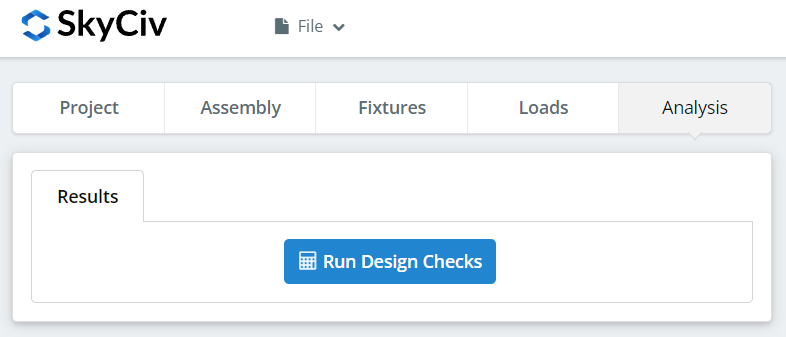
Clique “Executar verificações de design”. Qualquer coisa que esteja faltando nas guias anteriores é sinalizada aqui, em vez de ser padronizada silenciosamente.
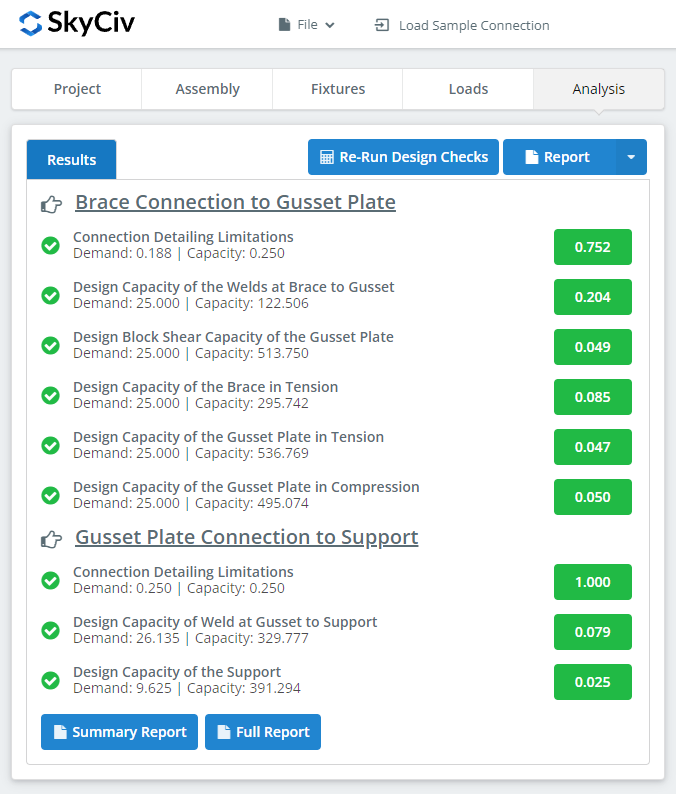
O resumo mostra se a conexão passou, com uma taxa de utilização contra cada cheque. Se falhou, altere as entradas nas guias anteriores e clique em “Executar novamente verificações de design”. Quando isso passa, pairar sobre “Relatório” and pick “Relatório resumido” ou “Relatório completo”.
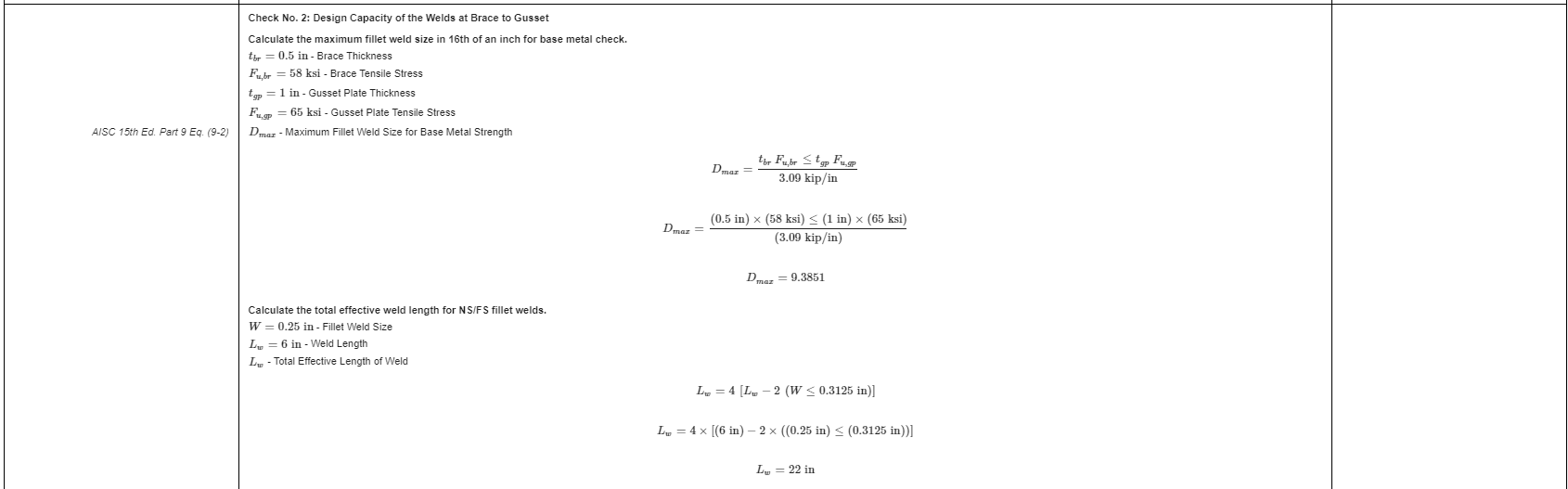
That is an extract from the full report. Cada verificação traz sua referência ao manual ou especificação AISC, e o funcionamento segue a ordem que a especificação usa, para que um engenheiro revisor possa lê-lo linha por linha, em vez de fazer engenharia reversa de um número.
Aquié uma cópia em PDF do relatório de cálculo completo e detalhado.
Experimente você mesmo
Pick the knee brace, enter your brace, gusset and loads, e veja cada verificação com sua referência de código. Ele roda no navegador, sem nada para instalar.
Veja também o knee brace connection calculator, quanto pelo chevron brace e contraventamento vertical calculators for the other bracing configurations.
