
Werk sneller met de CloudCAD Command Console en aangepaste snelkoppelingen
Commandoconsole
De opdrachtconsole (die standaard wordt geopend) Hiermee kunnen gebruikers snel de functie typen die ze willen uitvoeren, rennen en vinden wat ze zoeken, sneller. Bijvoorbeeld, als de gebruiker typt “LI” het zal automatisch elke functie tonen met LI erin:
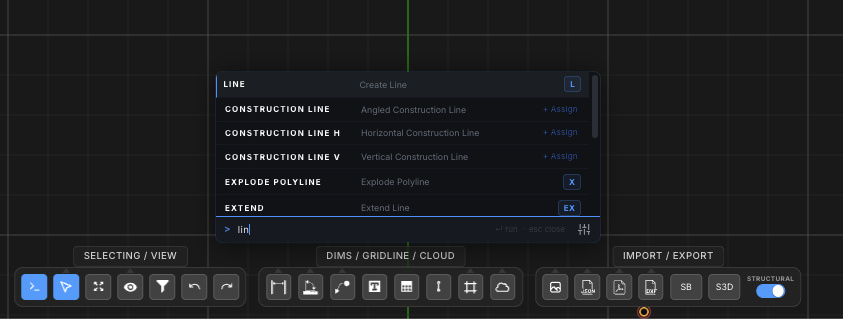
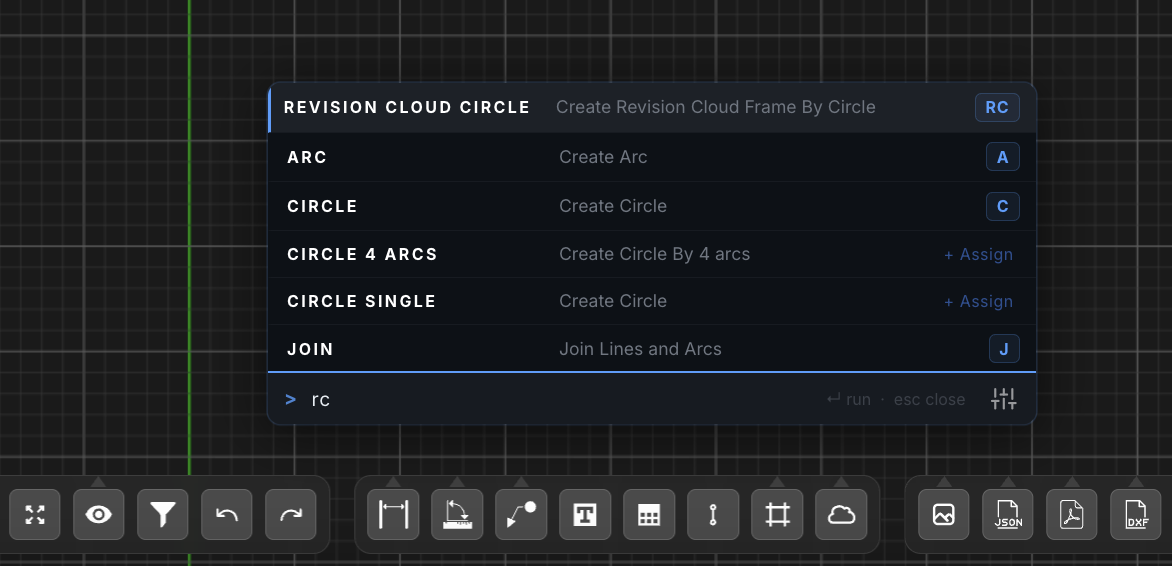
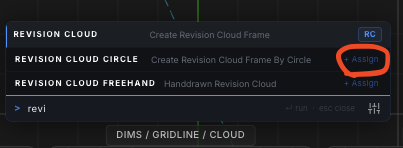
De gebruiker kan vervolgens op de spatiebalk drukken of op de spatiebalk drukken en op Enter drukken om uit te voeren. Gebruikers kunnen klikken Toewijzen+ om snelkoppelingen toe te wijzen. Bijvoorbeeld RC voor revisiewolk, en wanneer de gebruiker toeslaat “RC” het opent automatisch de console en markeert deze bewerking:
Console-instellingen
De instellingen kunnen worden beheerd door op het pictogram rechtsonder onder de functielijst te klikken. Hierdoor kunnen gebruikers het volgende bewerken:
- Open de opdrachtregel door op een toets te drukken – wanneer aangevinkt (standaard) elke lettertoetsaanslag opent de opdrachtregel
- Druk op SPACE om de opdrachtregel uit te voeren – wanneer aangevinkt, de spatiebalk voert automatisch de gemarkeerde functie uit
Snelkoppelingen aanpassen
Gebruikers kunnen hun snelkoppelingen aanpassen om hun modellering en workflows te versnellen. Momenteel, er zijn twee manieren om uw eigen snelkoppelingen op maat in te stellen SkyCiv CAD:
Optie 1: Commandoregel
Gebruikers kunnen deze definiëren vanaf de opdrachtregel (CTRL+SPATIE):
Optie 2: Helppaneel
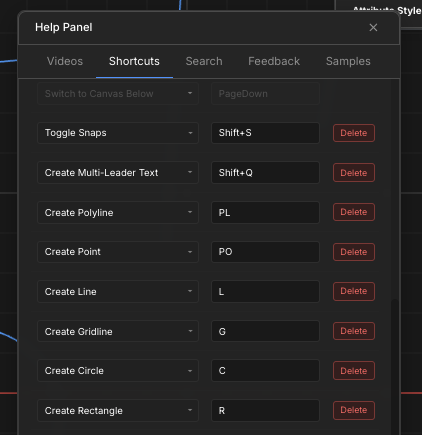
Via de bovenste werkbalk, gebruikers kunnen naar het Helppaneel gaan – Sneltoetsen:
Standaard snelkoppelingen
