
SkyCiv Load Generator calculates NBCC 2015 seismic loads for buildings with the Equivalent Static Force Procedure of the National Building Code of Canada 2015. It gets the seismic hazard values for your site in Canada, then gives you the design spectral acceleration, the specified lateral earthquake force (base shear), the vertical distribution of seismic forces and the overturning moments. This page explains each input of the seismic workflow and how the calculation uses it.
Free accounts can try the workflow for up to 3 per week oplost. With a Professional Account or the standalone Load Generator-module, you get unlimited solves, the full seismic results and the detailed seismic calculation report.
Workflow Overview
The NBCC 2015 seismic workflow follows the same top-to-bottom order as the rest of the SkyCiv Load Generator:
- Selecteer NBCC 2015 as the design code.
- In Locatiegegevens, selecteer de Belang categorie en, onder For Seismic Load, de Locatieklasse, then enter an address in Canada.
- Review the Seismic Hazard Values returned for the site.
- In Structuurgegevens, selecteer de Gebouw structure and enter its dimensions.
- Open Seismische belasting, define the seismic parameters and the floor weights, and confirm them.
- Klik Bereken belastingen and review the results.
Voor NBCC 2015, the seismic calculation is available for the Gebouw structure only. NBCC 2015 seismic calculations are done in metric units (m, kN). If you design to the newer edition, zien NBCC 2020 Seismische belastingberekeningen.
Locatiegegevens: NBCC 2015 Seismic Hazard Values
Belang categorie
De Belang categorie (Laag, Normaal, High or Post Disaster) is selected in Site Data and is shared with the wind and snow calculations. For the seismic calculation, it sets the earthquake importance factor \(I_{E}\) of Table 4.1.8.5, used at the ultimate limit state:
| Belang categorie | \(I_{E}\) |
|---|---|
| Laag | 0.8 |
| Normaal | 1.0 |
| hoog | 1.3 |
| Post Disaster | 1.5 |
Locatieklasse
Open For Seismic Load in Site Data and select the Locatieklasse (Table 4.1.8.4-A of NBCC 2015):
- A – Hard rock
- B – Rock
- C – Very dense soil and soft rock
- D – Stiff soil
- E – Soft soil
Site Class F (soils that need a site-specific evaluation) is not available. Selecting a Site Class looks up the seismic data for the address you entered and enables the Seismische belasting button for buildings. NBCC 2015 seismic hazard values are given for a 2% probability of exceedance in 50 jaar (2475-year return period), so there is no probability to select.
Seismic Hazard Values
Once the location and Site Class are set, the Load Generator fills in the Seismic Hazard Values for the site:
| Invoer | Wat het is |
|---|---|
| \(S_{a}(0.2)\), \(S_{a}(0.5)\), \(S_{a}(1.0)\), \(S_{a}(2.0)\), \(S_{a}(5.0)\), \(S_{a}(10.0)\) | 5% damped spectral response acceleration at periods of 0.2, 0.5, 1.0, 2.0, 5.0 en 10.0 s, in g |
| PGA | Peak ground acceleration, in g |
| Pgv | Peak ground velocity, in m/s |
All eight values are required. You can edit them, for example to use the values of the NBCC 2015 seismic hazard calculator for your site. The map pop-up also shows the values and the source they come from.
How the Site Data Is Used
The calculation turns the site hazard into the design spectral acceleration \(S(T)\) of Article 4.1.8.4:
- It sets the reference peak ground acceleration: \(PGA_{ref} = 0.8\,PGA\) wanneer \(S_{a}(0.2)/PGA < 2.0\), en \(PGA_{ref} = PGA\) anders-.
- It reads the site coefficients \(F(T)\), \(F(PGA)\) en \(F(PGV)\) for the selected Site Class and \(PGA_{ref}\) from Tables 4.1.8.4-B to 4.1.8.4-I, interpolating between table values.
- Het berekent \(S(T)\) at each period from \(F(T)\) en \(S_{a}(T)\), as in Article 4.1.8.4(9).
Structuurgegevens
Selecteer Gebouw in Structure Data and enter its dimensions. The height from the ground to the top of the roof is used as the structure height \(h_{n}\) in the approximate fundamental period.
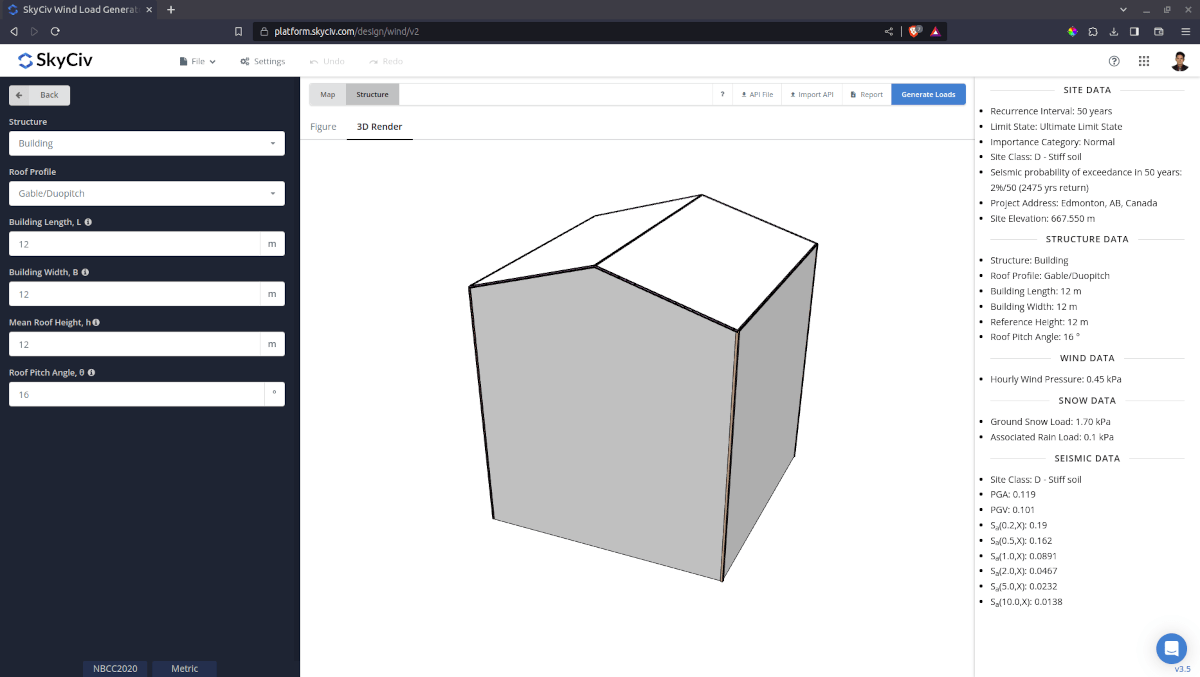
Figuur 1. Structure Data for a building.
NBCC 2015 Seismische belastingparameters
Klik op de Seismische belasting button to define the seismic parameters. When you confirm them with Confirm Seismic Parameters, the checkbox beside the button is ticked and the seismic load is included in the calculation:
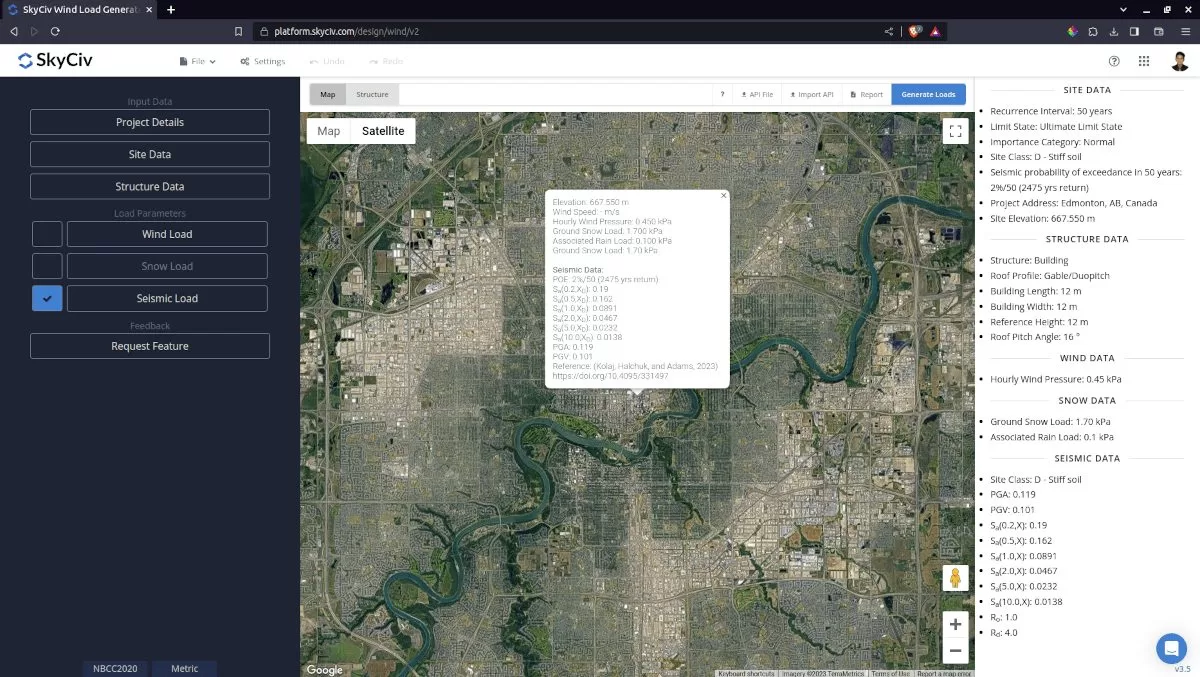
Figuur 2. Seismic Load button and checkbox.
The seismic parameters for NBCC 2015 zijn:
| Invoer | Instellingen voor lateraal-torsieknik | How it is used |
|---|---|---|
| Structure System | Concrete Moment-Resisting Frame | Sets the formula for the approximate period \(T_{a}\) and the type of system used for the higher mode factor \(M_{v}\) and the overturning moment reduction factor \(J\) (Tafel 4.1.8.11). It also selects the minimum base shear: Bij \(T = 4.0\,\text{s}\) for coupled walls and wall/wall-frame systems, Bij \(T = 2.0\,\text{s}\) for the others. |
| \(T_{a}\) (of \(T_{s}\)) | Filled in from the Structure System | Fundamental lateral period of vibration of the building (Article 4.1.8.1(7)), in seconden. Must be between 0 en 10. |
| \(R_{d}\) | 4.0 | Ductility-related force modification factor (Tafel 4.1.8.9). Must be between 0 en 10. |
| \(R_{o}\) | 1.0 | Overstrength-related force modification factor (Tafel 4.1.8.9). Must be between 0 en 10. |
| Vloergewichten | Geen | Peil, Elevation and Weight of each floor, used for the seismic weight \(W\), the vertical distribution of the base shear and the overturning moments. |
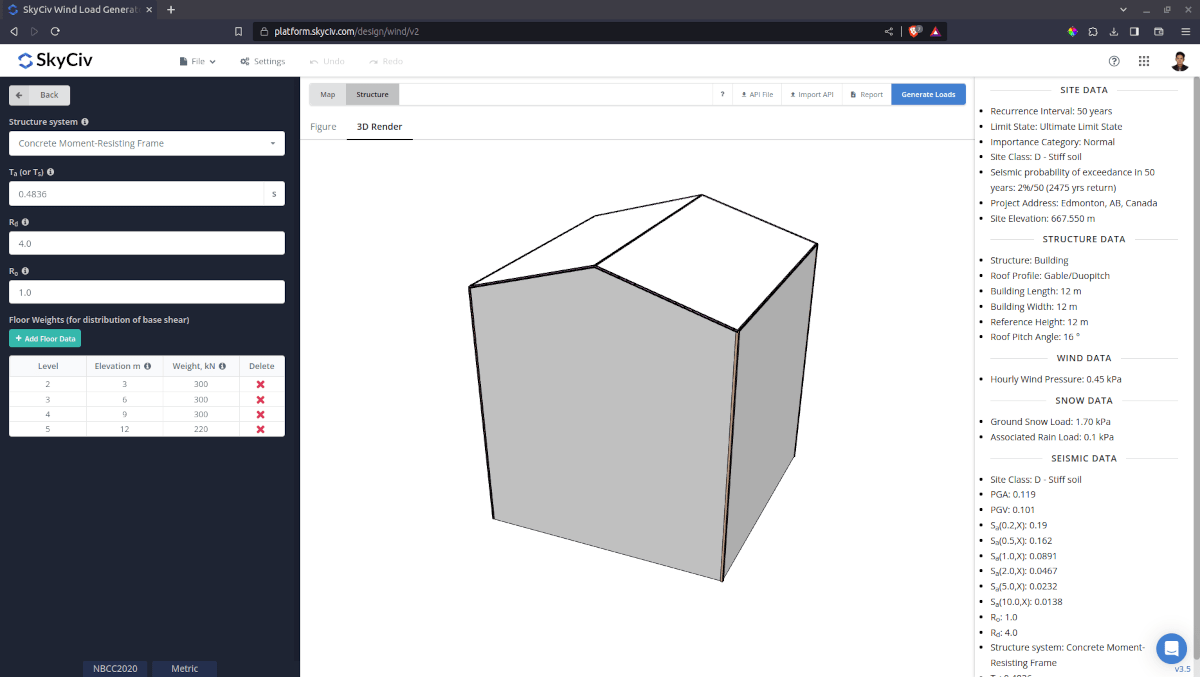
Figuur 3. Seismic Load parameters (shared by NBCC 2015 en NBCC 2020).
Structure System and Approximate Period
When you select a Structure System, the Load Generator fills in \(T_{a}\) from the ground to top of roof height \(h_{n}\) (in m):
| Structure System | Approximate period |
|---|---|
| Steel Moment-Resisting Frame | \(T_{a} = 0.085\,h_{n}^{0.75}\) |
| Concrete Moment-Resisting Frame | \(T_{a} = 0.075\,h_{n}^{0.75}\) |
| Moment-Resisting Frame (Anderen) | \(T_{a} = 0.1N\) |
| Braced Frame | \(T_{a} = 0.025\,h_{n}\) |
| Coupled Wall | \(T_{a} = 0.05\,h_{n}^{0.75}\) |
| Wall/Wall-Frame | \(T_{a} = 0.05\,h_{n}^{0.75}\) |
| All other structural systems | \(T_{a} = 0.05\,h_{n}^{0.75}\) |
Voor Moment-Resisting Frame (Anderen), \(T_{a}\) is not filled in: enter it yourself, met \(N\) the number of storeys above ground level. If the field is left empty, the calculation uses the number of rows in the Floor Weights table as \(N\). You can replace \(T_{a}\) with a period from a dynamic analysis within the limits of Article 4.1.8.11(3): it changes \(S(T_{a})\) and the base shear.
Vloergewichten
Klik Add Floor Weights Data to add a row per level, en Doorzichtig to empty the table. Each row needs a Level name, an Elevation above the base and a Weight, both greater than 0. The sum of the weights is the seismic weight \(W\) van het gebouw (Article 4.1.4.1). At least one row is required to calculate.
Equivalent Static Force Procedure
The Load Generator calculates the specified lateral earthquake force \(V\) with the Equivalent Static Force Procedure of Article 4.1.8.11:
[math] V = \frac{S(T_{a})\,M_{v}\,I_{E}\,W}{R_{d}\,R_{o}} [math]
\(V\) is taken not less than the minimum base shear:
[math] V_{min} = \frac{S(2.0)\,M_{v}\,I_{E}\,W}{R_{d}\,R_{o}} [math]
for moment-resisting frames, braced frames and other systems (met \(S(4.0)\) en \(M_{v}\) Bij 4.0 s for walls, coupled walls and wall-frame systems). For an \(R_{d}\) van 1.5 of meer, \(V\) need not be more than:
[math] V_{max} = \max\left(\frac{2}{3}\,\frac{S(0.2)\,I_{E}\,W}{R_{d}\,R_{o}},\ \frac{S(0.5)\,I_{E}\,W}{R_{d}\,R_{o}}\right) [math]
\(S(T_{a})\) is interpolated from the design spectrum, en \(M_{v}\) en \(J\) come from Table 4.1.8.11 with the ratio \(S(0.2)/S(5.0)\), \(T_{a}\) and the Structure System. The base shear is then distributed over the height of the building (Article 4.1.8.11(7)):
[math] F_{x} = \frac{(V – F_{t})\,W_{x}h_{x}}{\sum W_{i}h_{i}} [math]
waar \(F_{t} = 0.07\,T_{a}V \le 0.25V\) is a concentrated force added at the top level, en \(F_{t} = 0\) wanneer \(T_{a} < 0.7\,\text{s}\). The overturning moment at each level, \(M_{x}\), is reduced by the factor \(J_{x}\) of Article 4.1.8.11(8).
Resultaten
Klik Bereken belastingen in the menu bar to run the calculation. The results show:
- The summary of the seismic parameters, inclusief \(I_{E}\), \(T_{a}\), \(M_{v}\), \(J\) and the base shear \(V\).
- The vertical distribution of seismic forces, \(F_{x}\) per niveau.
- The overturning moments, \(M_{x}\) per niveau.
- The design spectral acceleration \(S(T)\) table and chart, met \(S(T_{a})\) marked.
Free users see the seismic parameters only. Een partij is niet aansprakelijk voor enige tekortkoming of vertraging in de uitvoering van deze Overeenkomst voor de periode dat een dergelijke tekortkoming of vertraging te wijten is aan oorzaken buiten haar redelijke controle., overturning moments and design spectral acceleration are shown to Professional account users and to users of the standalone Load Generator module. Klik Rapport downloaden beside Bereken belastingen for a summary report of the inputs and results.
Detailed Seismic Calculation Report
De Detailed Seismic Calculation Report button in the results opens a step-by-step NBCC 2015 berekening, available to Professional account users and to users of the standalone Load Generator-module. It shows every parameter, formula and code reference used: the site seismic parameters, de \(F(T)\) en \(S(T)\) tabel, \(M_{v}\) en \(J\), the base shear checks, the vertical distribution of forces with a diagram, the overturning moments and the design spectral acceleration chart. It is ready to attach to your design calculations.
Referenties
- Canadese Commissie voor bouw- en brandvoorschriften. (2015). Aardbevingsbelasting en effecten. In Nationale bouwcode van Canada 2015 (vol. 1, Divisie B, Een deel 4, onderafdeling 4.1.8). Nationale Onderzoeksraad van Canada.
