
You can share your SkyCiv files and folders with any other SkyCiv user, and share whole projects with your team from the Project Manager. Because SkyCiv works 100% en las nubes, everyone works on the same file, updated in real time, in SkyCiv’s software de análisis estructural en la nube and the other SkyCiv modules.
Your models can be shared at any time, con cualquier persona que tenga una cuenta SkyCiv. Usted y su equipo pueden colaborar en una única fuente de verdad con confianza., sabiendo que está accediendo al archivo más actualizado.
"You and your team can collaborate on a única fuente de verdad, todo en tiempo real! Sin USB, sin problemas de compatibilidad de software, FTP o controles de versión."
Sharing is useful for:
- Equipos que trabajan en un solo diseño
- Sharing with SkyCiv Support for live support on your current model
- Compartiendo carpetas, para la organización del equipo
- School and university team projects
Sharing a File from the File Manager
To share a file or folder, open the Administrador de archivos SkyCiv, right-click the model and click Compartir con el usuario de SkyCiv:
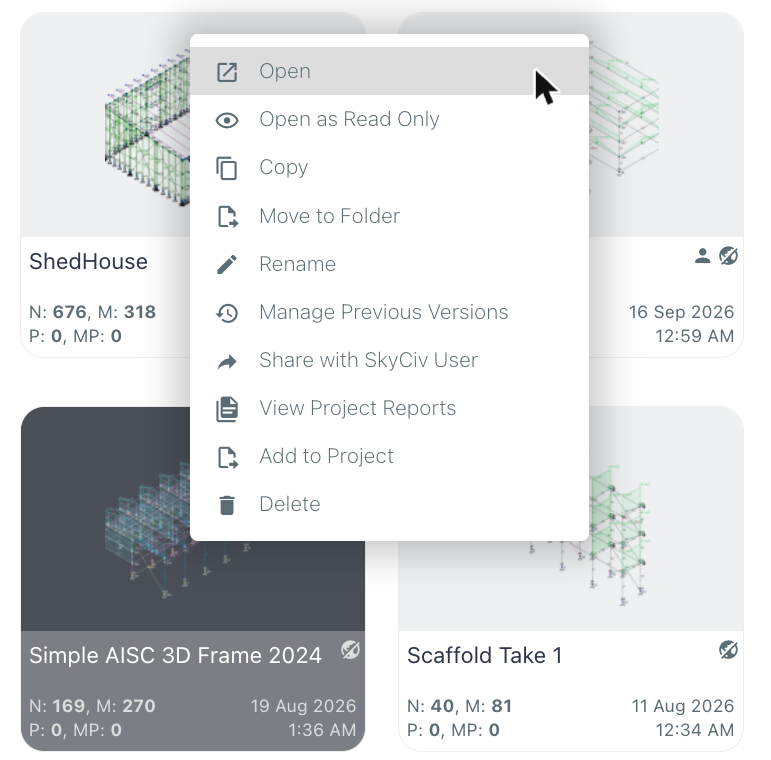
El Share File with SkyCiv Users window opens. Enter the emails of the SkyCiv users you want to share the model with (separate several emails with commas or new lines), then choose how to share it:
- Compartir (el valor por defecto): they work on your model, and every change is saved to the same file in real time.
- Send Copy: they get their own copy of the model, and can modify it without affecting yours.
You also control their permissions: whether they Can Edit the model and Can Share it with others (everyone you share with Can View espesificaciones aci de pilotes). Haga clic en Enviar to share.
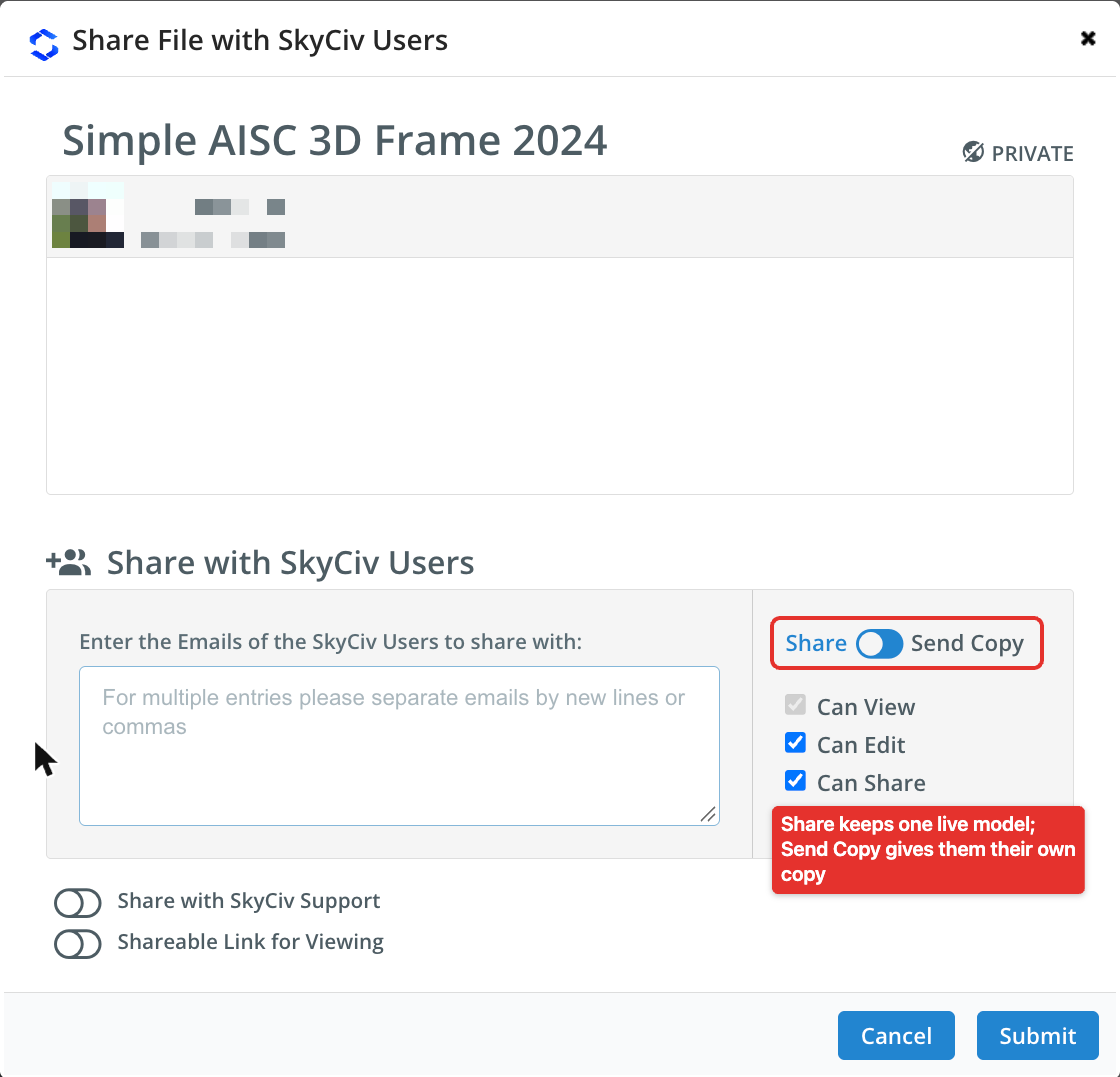
At the bottom of the window, Compartir con el soporte de SkyCiv gives our support team access to the model, so they can help you with it directly, y Shareable Link for Viewing creates a link to view the model.
Files that have been shared with you automatically appear in your Comparte conmigo folder in the File Manager. The people you share with also receive an email to let them know a model has been shared with them.
¿Qué sucede si dos usuarios editan el modelo al mismo tiempo??
Si un segundo ingeniero intenta ingresar al archivo mientras uno ya está editando, la plataforma SkyCiv lo detectará y notificará al segundo usuario. Ellos pueden Tomar el control o Dejar acceso para el ingeniero que actualmente trabaja en el proyecto.
Sharing Projects in the Project Manager
The SkyCiv Project Manager groups the files of a project from any SkyCiv module, from analysis through to design, with their reports. To add a file to a project from the File Manager, right-click it and click Agregar al proyecto (see the menu above), then pick the project.
To share a whole project with your team, haga clic en el Intercambio opción en el lado izquierdo de la barra de herramientas del Administrador de proyectos. Una vez compartido, all teammates listed in the My Team section of your account see the project and its files. Learn more in sharing projects with your team, and see Configuración de la cuenta del equipo to add teammates.
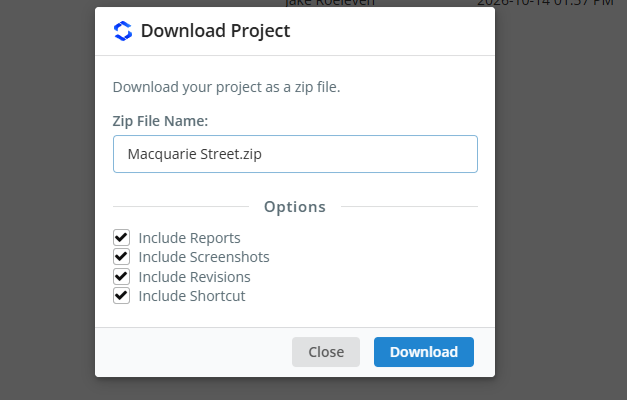
Nota: only SkyCiv Business Accounts have access to project sharing.
