
DESCRIBIR EL CAMBIO. REVISAR EL RESULTADO.
Modelado y edición habilitados por IA
El software de análisis estructural y CAD de SkyCiv viene con un potente asistente de inteligencia artificial para ayudarlo a modelar y editar más rápido.
Construir, modificar, y consulta desde un simple mensaje
Describe el cambio que deseas y observa cómo sucede en vivo en tu modelo..
Basado en la ingeniería, contigo en control
Cada cambio sigue las mejores prácticas de ingeniería estructural., no son conjeturas genéricas de IA. Las indicaciones ambiguas o las decisiones reales se marcan para usted en lugar de asumirse..
Borrar revisión con reversión con un solo clic
Una interfaz de usuario intuitiva muestra exactamente lo que ha cambiado, para que nada quede oculto. Deshaz cualquier cosa fácilmente al instante si cambias de opinión.
ASISTENTE AI DE SKYCIV EN ACCIÓN
Horas de ediciones, manejado en segundos
Cinco tareas cotidianas de modelado, cada uno marcado desde un solo mensaje
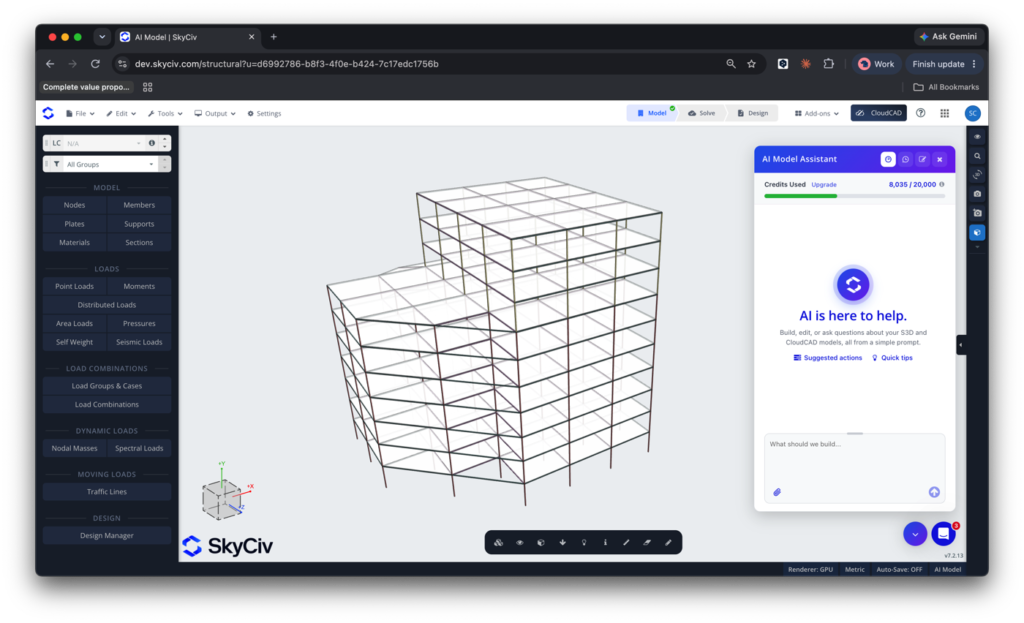
Ajustar la altura del piso
Ajuste las elevaciones de los edificios y garantice una conectividad adecuada con un simple mensaje. El Asistente de IA combina un conocimiento profundo de S3D con un criterio de ingeniería estructural, para que cada cambio sea preciso y sensato.
Mensaje de ejemplo: Cambiar la altura de la planta baja para duplicar la altura actual y el resto de alturas de las plantas a 3,7 m.
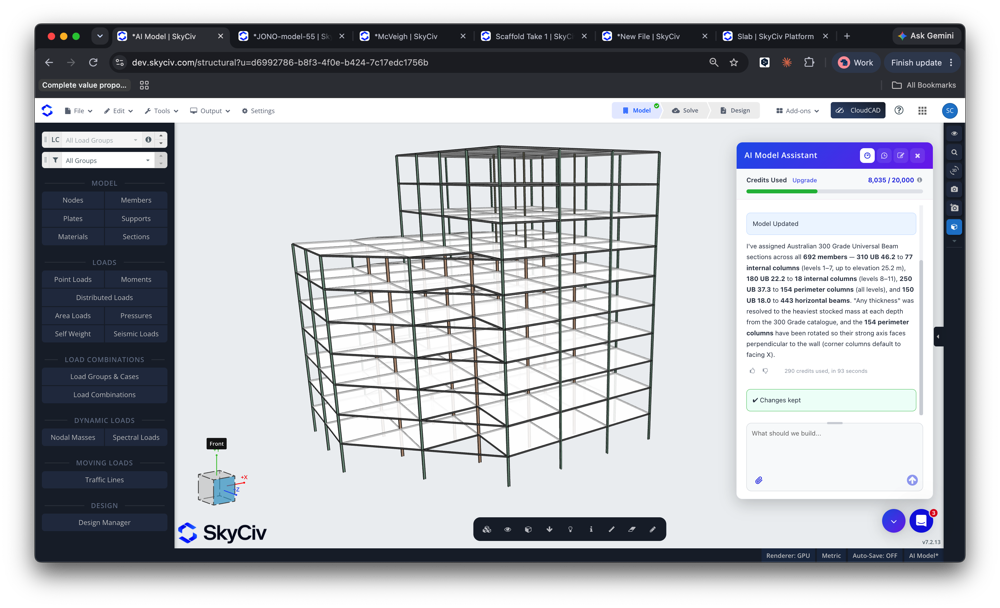
Diagnosticar problemas en su modelo
Tu agente de IA es un segundo par de ojos, con la capacidad de diagnosticar y reparar problemas en su modelo. Escanear en busca de problemas de inestabilidad y conectividad y diagnosticar problemas de la misma manera que lo haría nuestro personal de soporte.. Todo en cuestión de segundos.
Mensaje de ejemplo: Los resultados de mi análisis son un poco extraños., ¿Puedes ver algo malo en mi modelo??
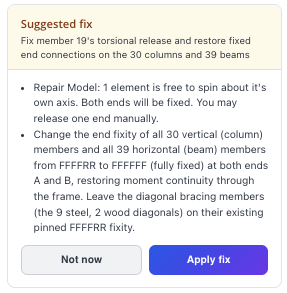
Construye modelos desde cero
Comenzando un nuevo modelo? Déle al Asistente de IA sus requisitos y déjelo comenzar a modelar su edificio.
Mensaje de ejemplo: construir un 195 ft × 82 almacén de pies, techo a dos aguas, columnas espaciadas en 15 pies usando secciones W24x76 tanto para columnas como para vigas. 10 inclinación del techo en grados, aleros en 20 ft. El techo a dos aguas debe tener varillas tensoras entre los marcos para cargas laterales..
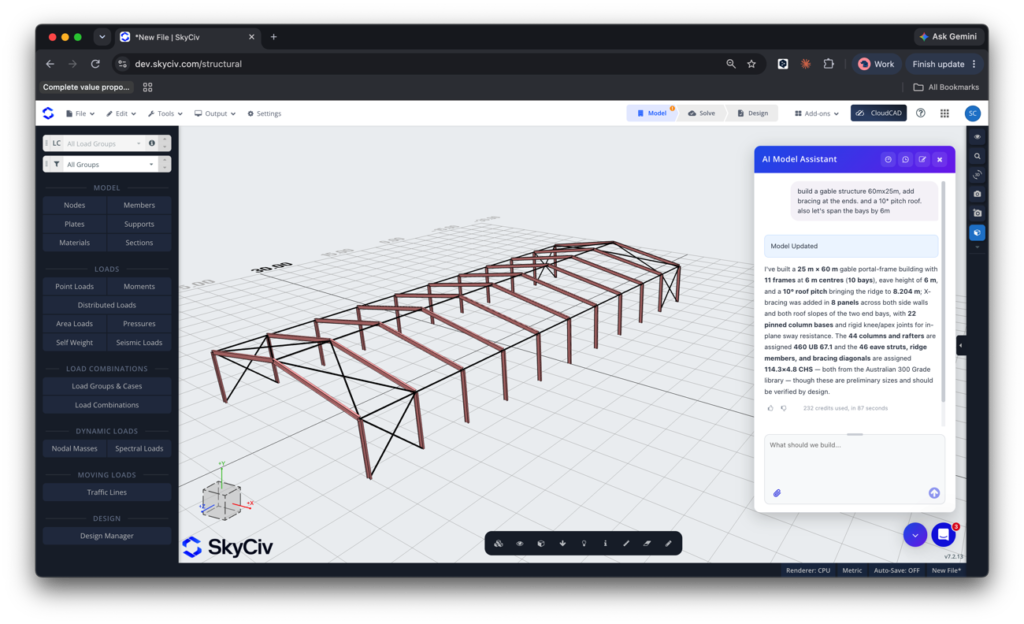
Mover líneas de cuadrícula y elementos asociados
El Asistente AI también está disponible en nuestro software CAD, CloudCAD
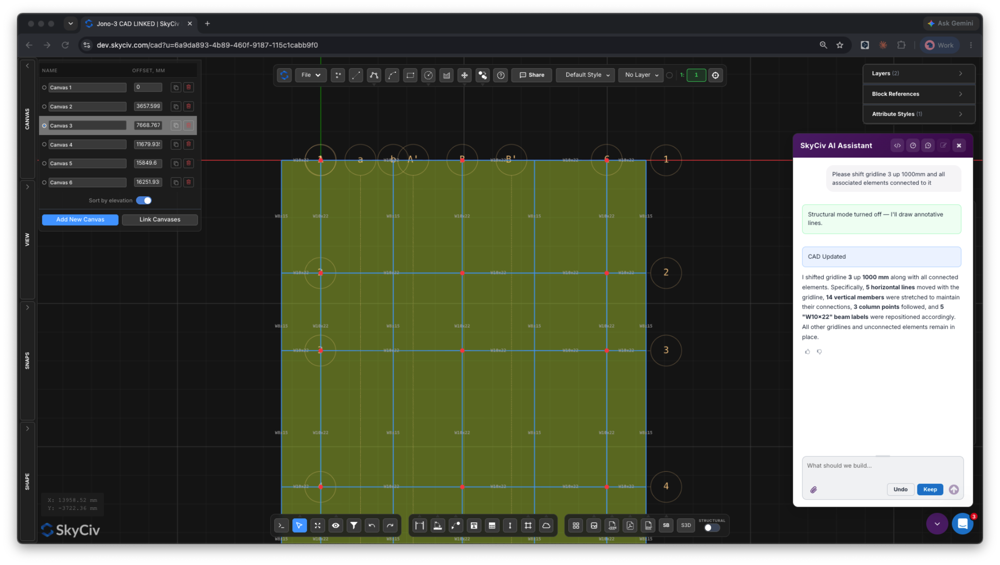
Mover líneas de cuadrícula, elementos cambiantes, y mantener todo conectado puede convertir una simple edición de dibujo en horas de trabajo tedioso. El Asistente AI lo maneja en segundos.
Mensaje de ejemplo: Por favor cambie la línea de la cuadrícula 3 Norte por 1000 mm, junto con todos los elementos asociados. Aplicar este cambio a todos los pisos/lienzos en el dibujo.
Intercambiar y alinear secciones
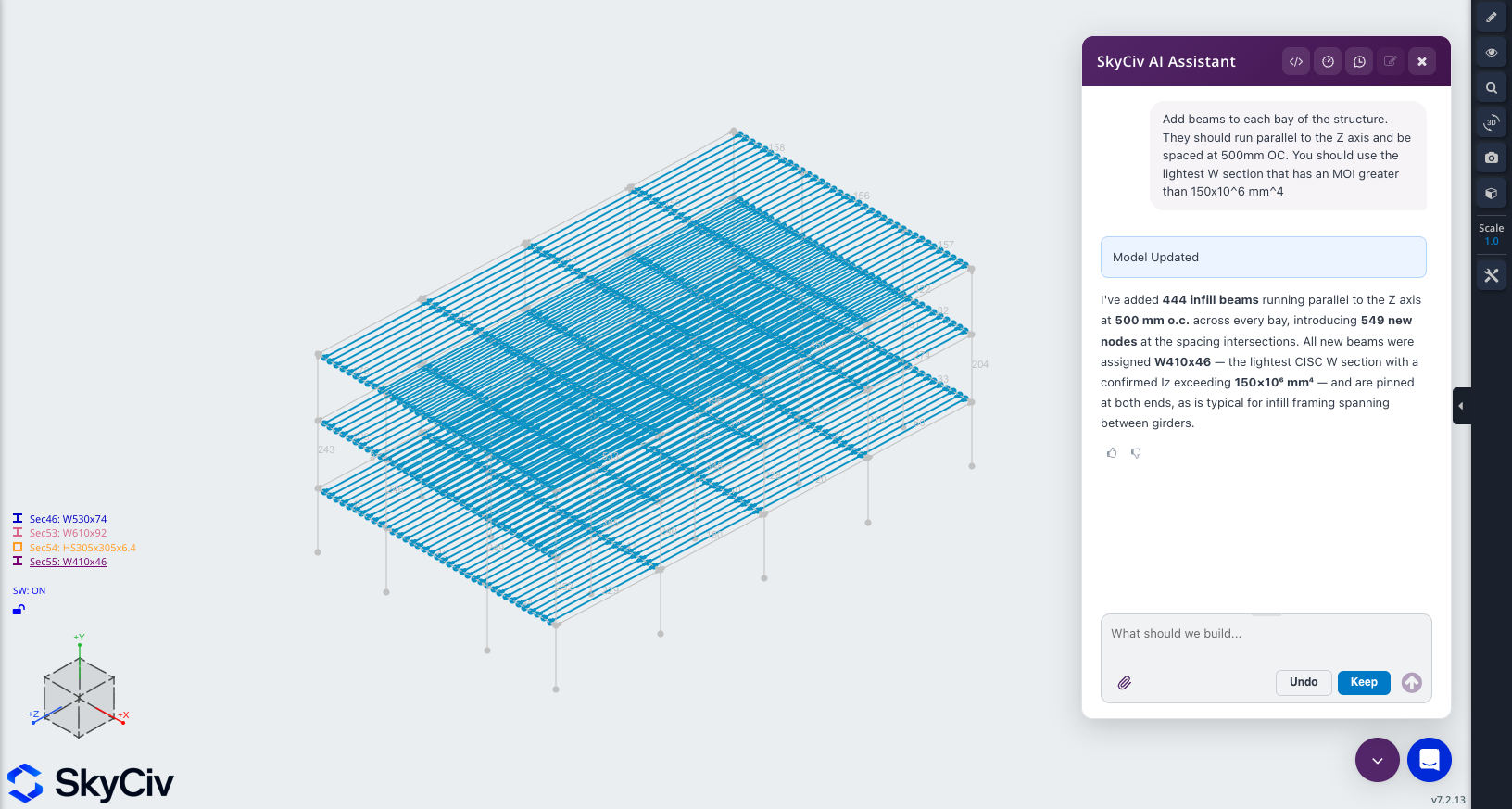
Elige nuevas secciones para tu modelo en segundos, ya sea que se trate de un intercambio sencillo o de hacer coincidir una propiedad específica como el área o la inercia.
Mensaje de ejemplo: Agregue vigas a cada tramo de la estructura.. Deben correr paralelos al eje Z y estar espaciados a 500 mm OC. Debes utilizar la sección W más ligera que tenga un MOI superior a 150.×10^6mm^4
Consultar y personalizar los resultados del análisis.
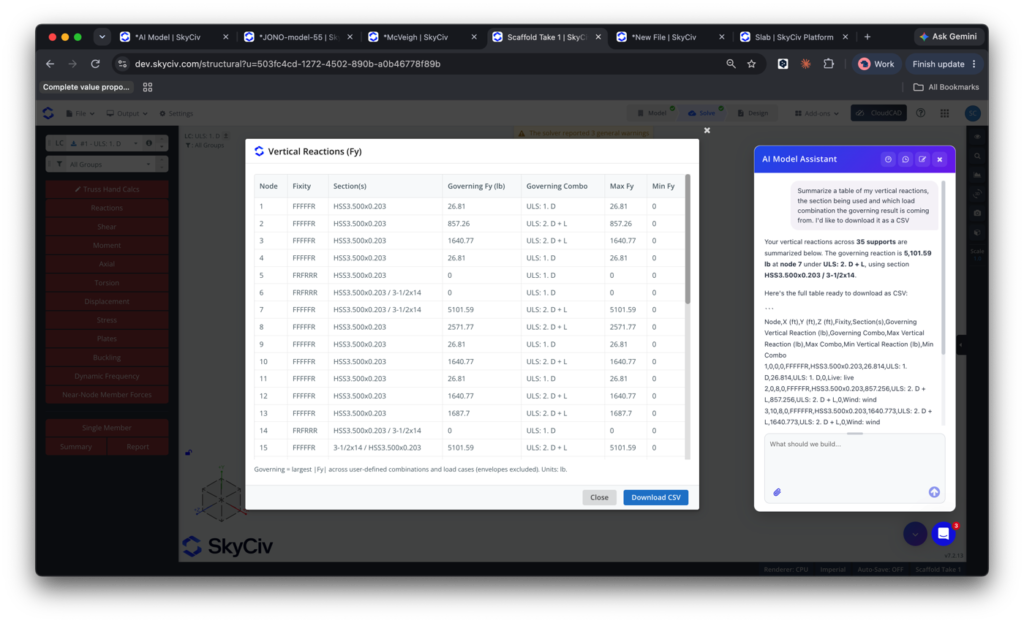
Obtenga los resultados de su análisis más rápido. El Asistente de IA está capacitado sobre los resultados de nuestros análisis., para que puedas consultar, documentar y personalizar la salida de nuestro software.
Mensaje de ejemplo: Resumir una tabla de mis reacciones verticales., la sección que se utiliza y de qué combinación de carga proviene el resultado gobernante. Me gustaría descargarlo como CSV
Paredes centrales móviles y huecos de ascensores
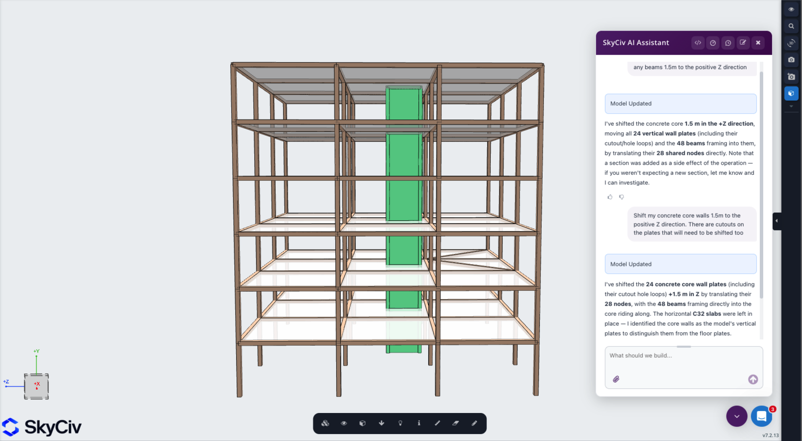
Los cambios aparentemente simples pueden volverse complejos rápidamente una vez que se tiene en cuenta la geometría y la conectividad a la que afectan indirectamente., a menudo te cuesta horas. Ejecute un mensaje y hágalo en una fracción del tiempo.
Mensaje de ejemplo: Desplace las paredes centrales 1,5 m en la dirección Z positiva
Mire el asistente SkyCiv AI en acción:
Integraciones potentes,
Cero disrupción
PRECIOS
Acceda al módulo Asistente de IA
Planes flexibles para cada tamaño de equipo.
Sin contratos de bloqueo, cancelar en cualquier momento.
POR QUÉ LOS INGENIEROS CAMBIAN
Software de análisis estructural que ejecuta todo el flujo de trabajo
Fácil y potente análisis FEA
Ejecutar lineal, no lineal, Análisis dinámico y de pandeo en un único solucionador.. No hay módulos separados para tipos de análisis complejos.
Comprobaciones de diseño integradas
Acero, hormigón, Los módulos de diseño de madera y conformado en frío se ejecutan directamente en los resultados de su análisis.. No exportar, reingreso o discrepancias de versión.
Detallada informes de cálculo
Cada fórmula, verificación de diseño y
la referencia se muestra completa, para que puedas defender cada número, no solo el resultado.
testimonios
Con la confianza de miles

La facilidad de uso y la presentación de los resultados son increíbles. He tenido una interacción constante con el equipo de soporte técnico y todos son excelentes..

Mitch Frumkin
CEO DE KIPCON
Se utiliza para varios cursos de Ingeniería Civil y Mecánica y a los estudiantes les encanta.. También, estamos contentos con las actualizaciones continuas de SkyCiv , muy recomendado.

Dr. Kenneth R. Leitch
Prof. Asociado. en Texas A&M
Fue fácilmente el paquete más intuitivo disponible para aprender; es particularmente fácil construir el modelo 3D y definir nodos, elementos, soportes, materiales, secciones, luego aplicar cargas & combinaciones.

Stuart Agars
Director de Struct-Sure Limited
SkyCiv ha sido una gran herramienta para ayudar a documentar y actualizar de manera eficiente y clara los resultados del diseño para un miembro de una pequeña empresa con múltiples responsabilidades..

Lydia Fahrenkrug
Ingeniero en MT Solar
estudios de caso
Proyectos reales usando SkyCiv
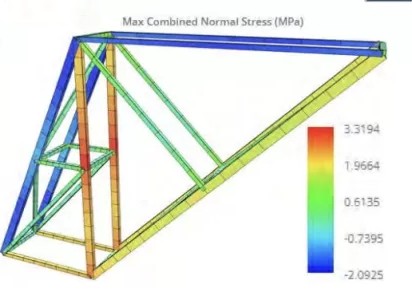
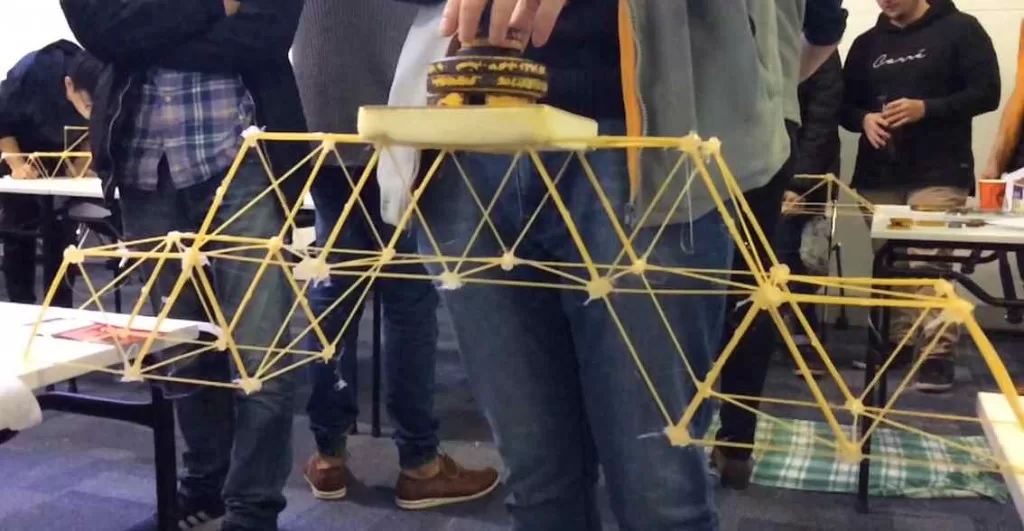
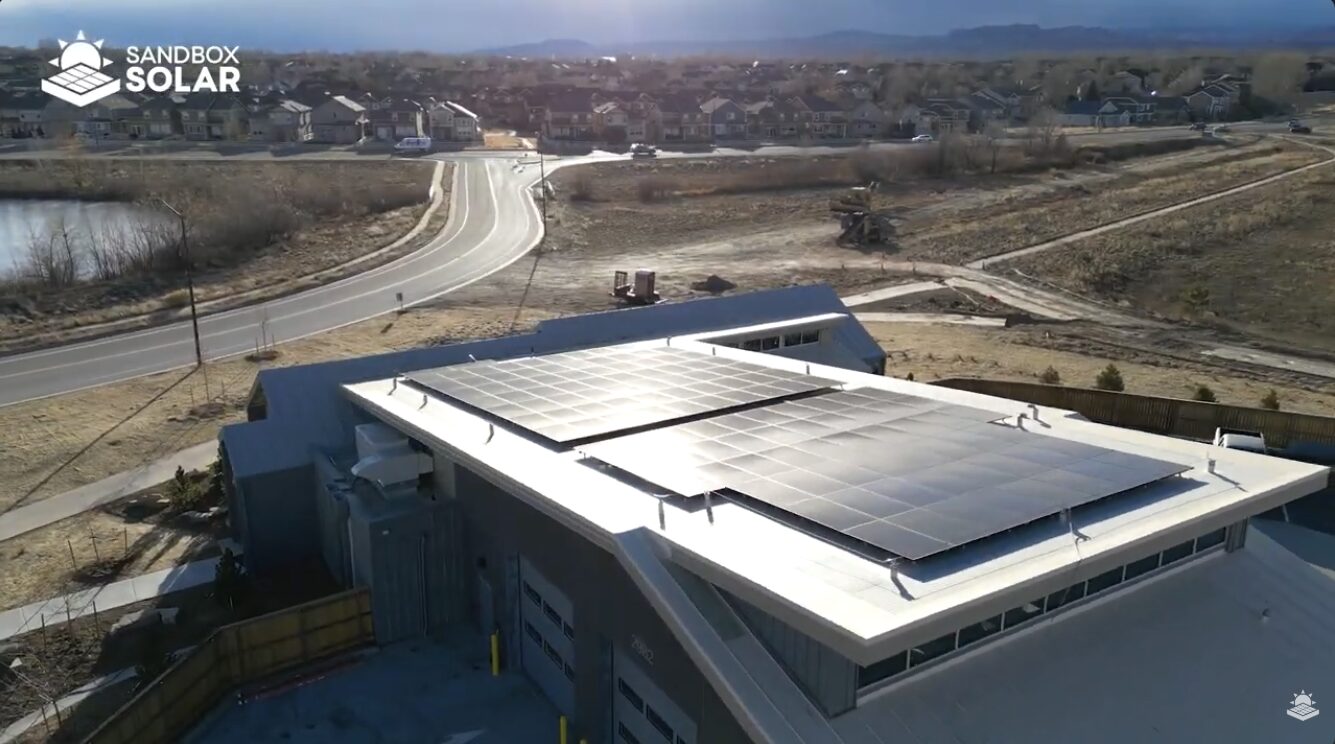
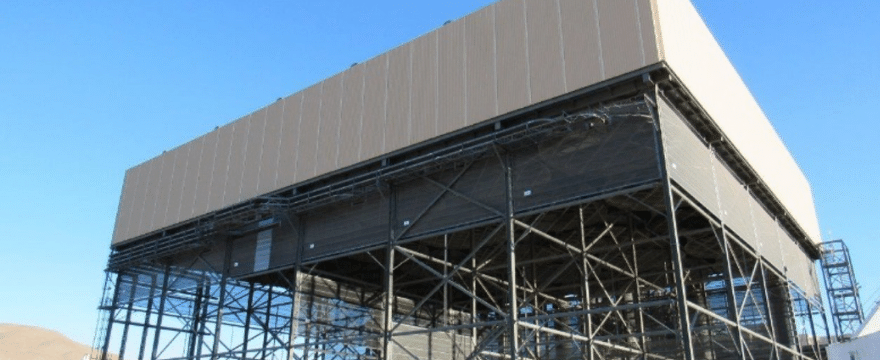

Interfaz intuitiva
Nuestro fácil de aprender, poderoso para usar, La interfaz intuitiva le permite acceder rápidamente a todas las funciones que necesita.. Equipado con funciones inteligentes como la herramienta Pluma, Repetir / Espejo, y edición masiva. Su contenido va aquí

Soporte integral de código de diseño
Nuestro software admite una amplia gama de acero., Madera, y códigos de diseño concretos, incluido AISC, EN, AISI, NDS, AS, y CSA.

Tecnología API
SkyCiv es una solución personalizada que ofrece integraciones perfectas, implementaciones fáciles, informes automatizados y un diseño y arquitectura escalables.

24/7 Atención al cliente
SkyCiv es una solución personalizada que ofrece integraciones perfectas, implementaciones fáciles, informes automatizados y un diseño y arquitectura escalables.

