
目录
创建一个新项目
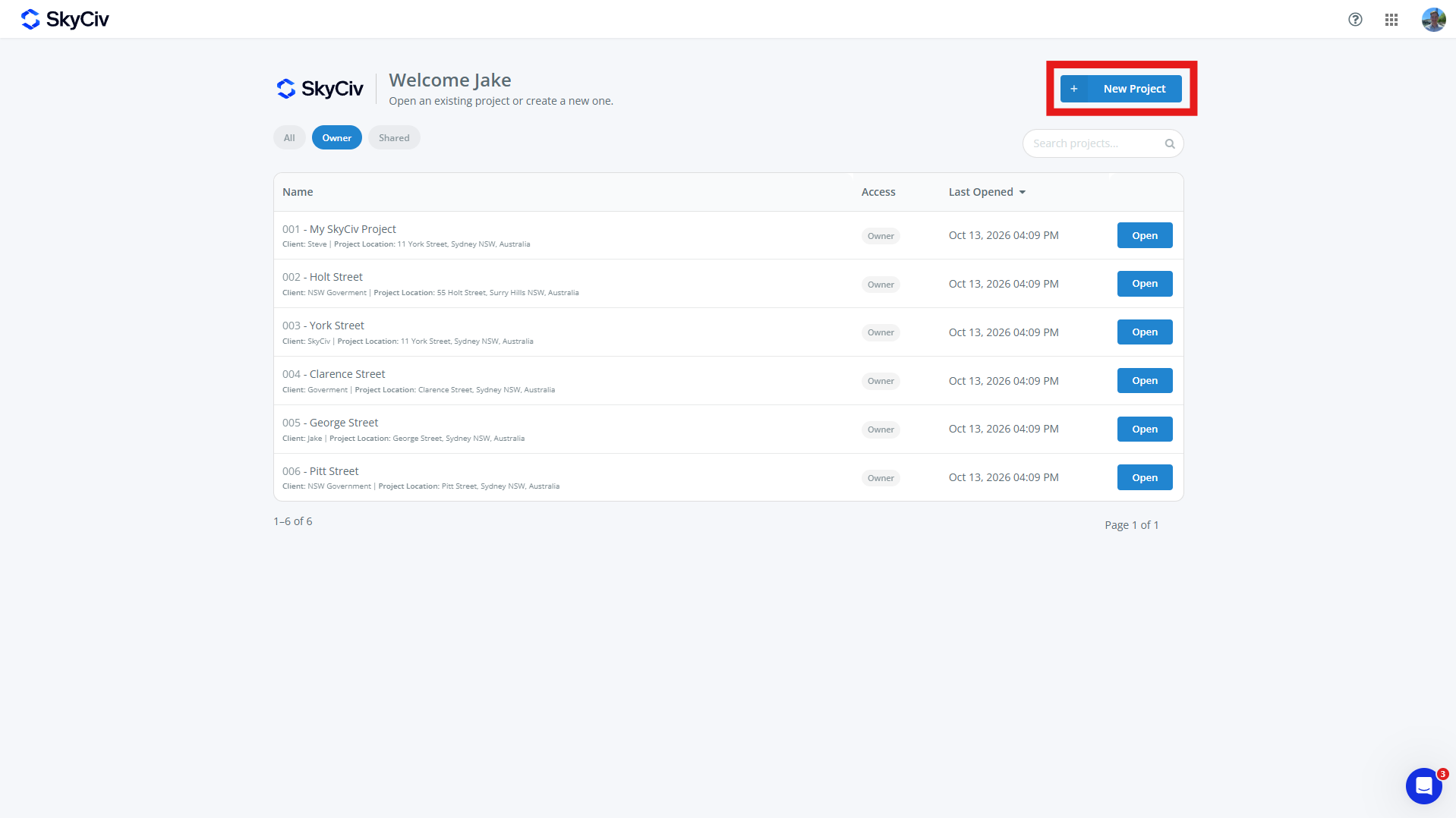
创建一个新项目, 点击 新项目 SkyCiv 仪表板或项目页面中的按钮. 也可以从 SkyCiv 模块内创建新项目.
填写弹出的项目表格. 一个项目可以有:
-
- 项目编号 (可选的)
- 项目名称 (必需的)
- 项目信息
- 工程师 (可选的)
- 客户 (可选的)
- 位置 (可选的)
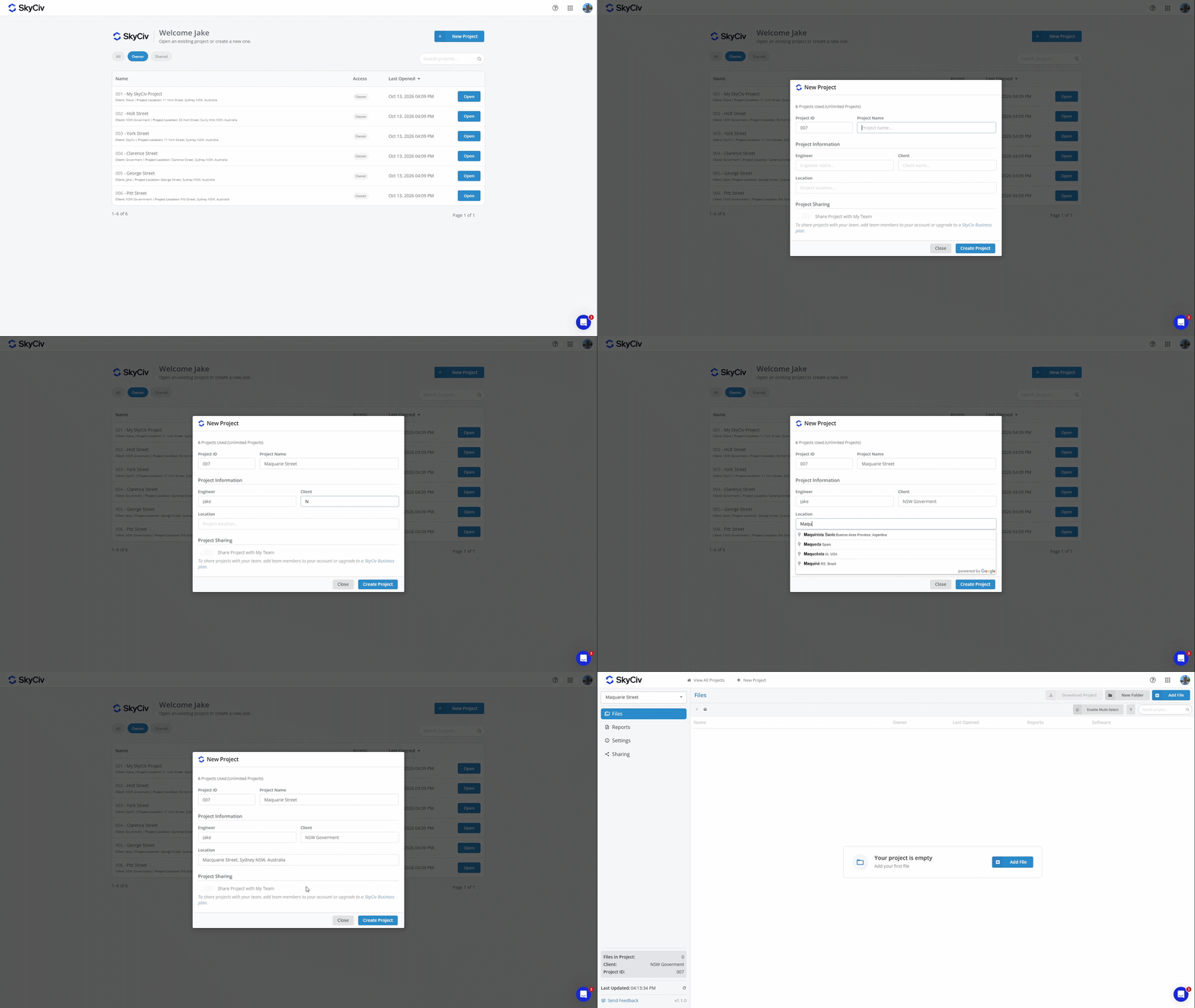
点击“创建项目”创建新项目. 您的项目现在也可以添加文件了.
注意: 帐户的项目数量有限. 升级到无限项目, 将项目经理添加到您的订阅中: 查看 或购买一个 SkyCiv业务帐户
添加文件
可以通过选择现有文件或创建新文件将文件添加到项目中. 每个文件一次只能属于一个项目.
从项目中添加文件
可以使用以下命令从项目中添加文件 添加文件 屏幕左上角的按钮.
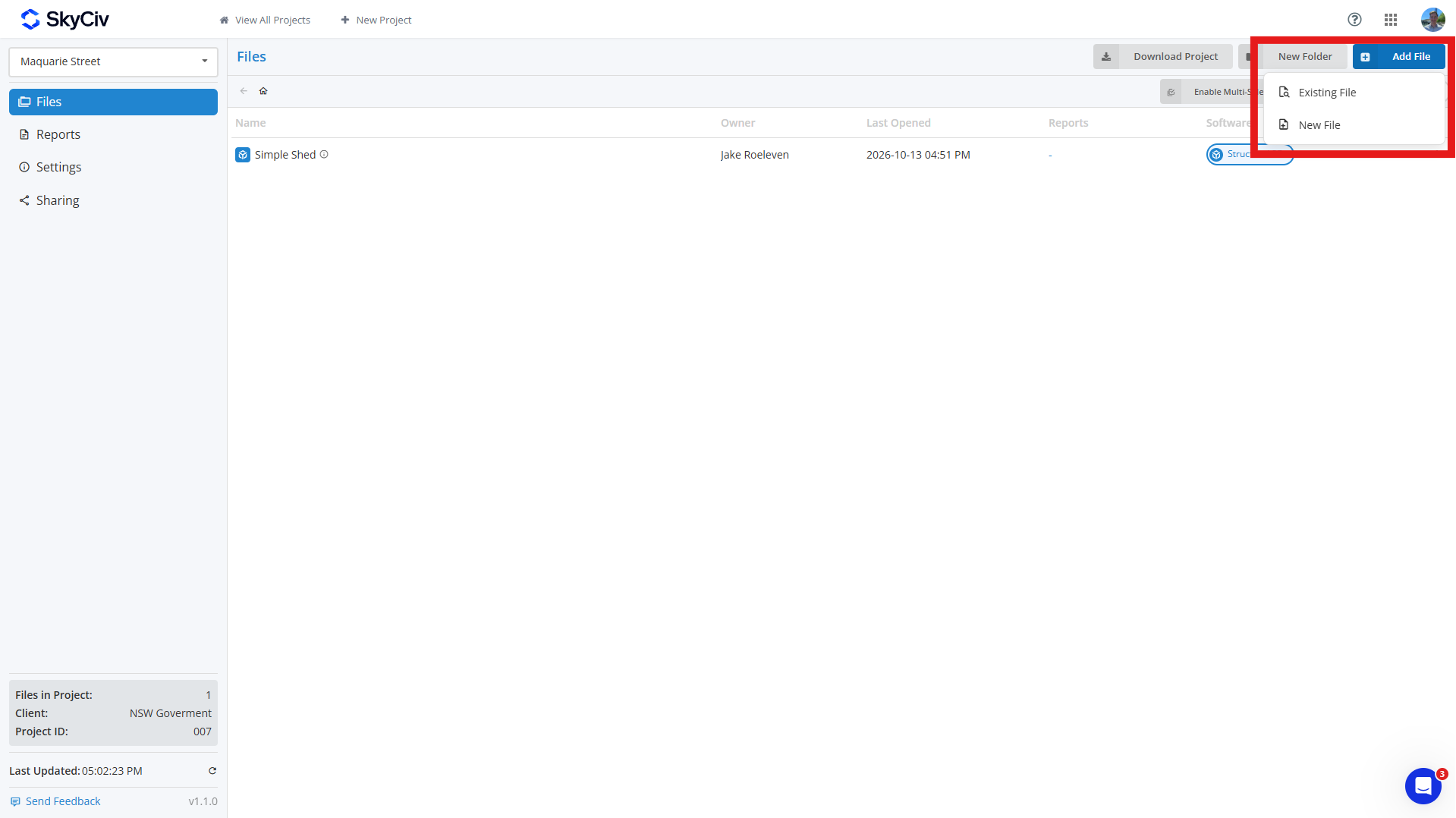
要添加一个 现有文件, 点击 现有文件 并选择文件(s) 你想添加到你的项目中. 您可以搜索文件并通过弹出窗口左上角的 SkyCiv 模块过滤它们.
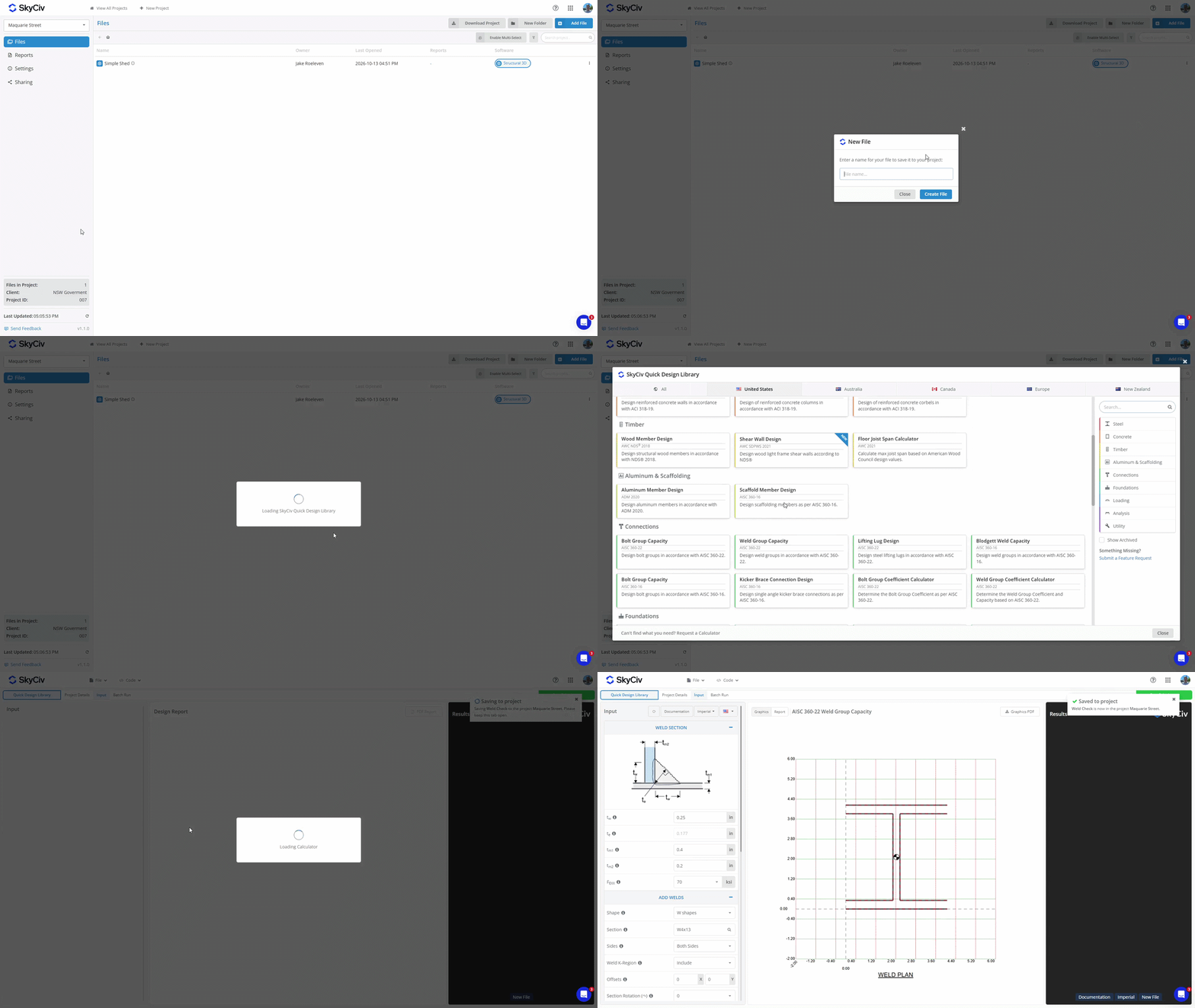
创建一个 新文件, 点击 新文件 并选择您要使用的软件模块. 输入文件的名称, 将会出现一个新选项卡. 如果所选模块需要额外设置, 例如选择设计代码或配置, 在保存文件之前完成此操作. 文件保存到项目后, 右上角将出现一个弹出窗口,确认已保存.
从软件模块内添加文件
如果您通过直接启动 SkyCiv 模块创建文件, 您可以将其保存到模块内的项目中. 打开 文件 菜单并选择 救 要么 另存为. 确保您处于项目经理模式, 显示在弹出窗口的左上角.
从列表中选择一个项目或创建一个新项目. 输入文件的名称并单击 救 左下角将其保存到项目中.
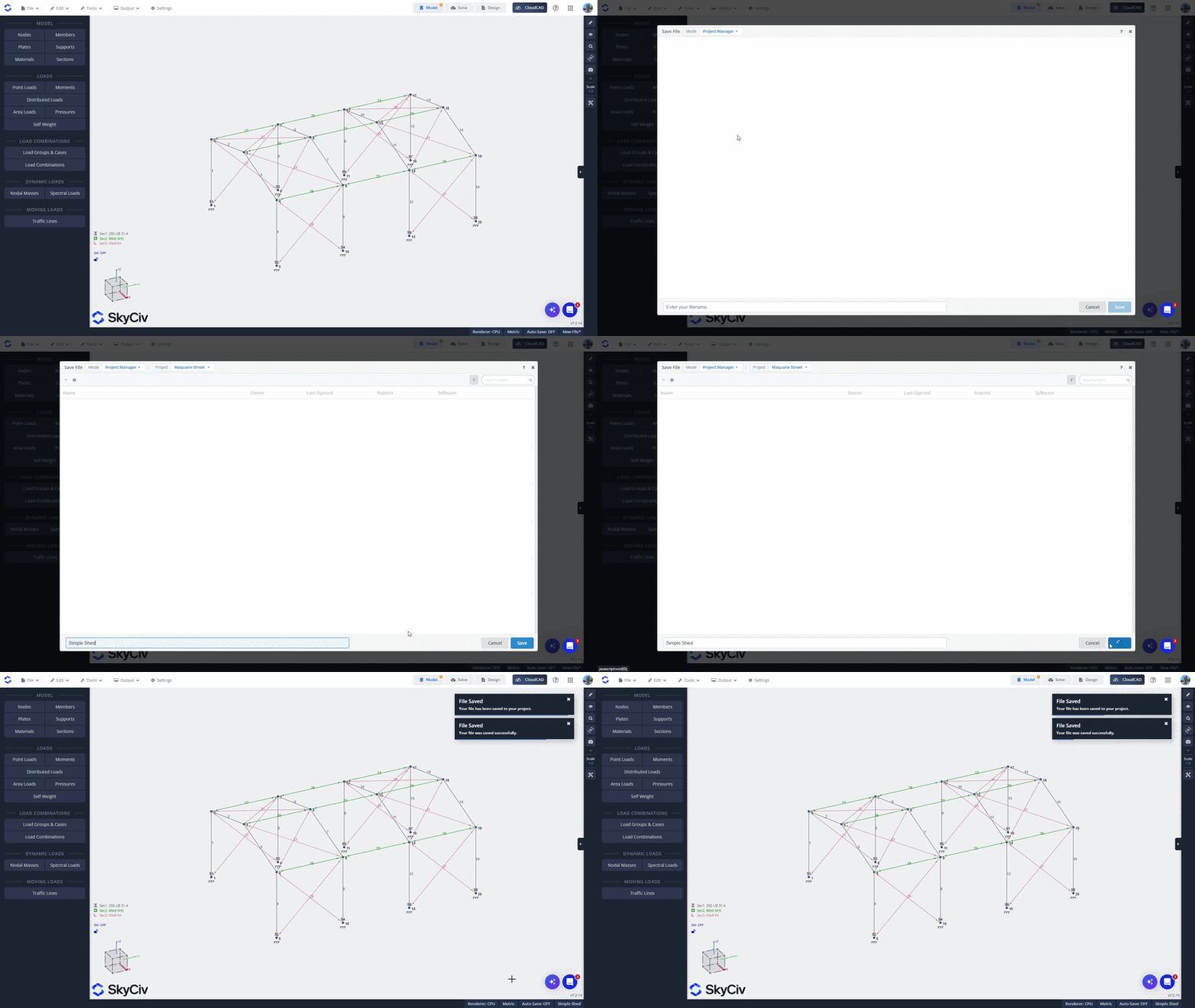
从 SkyCiv 文件管理器添加文件
从 SkyCiv 文件管理器添加现有文件, 右键单击该文件并选择 添加到项目. 选择您想要添加到的项目.
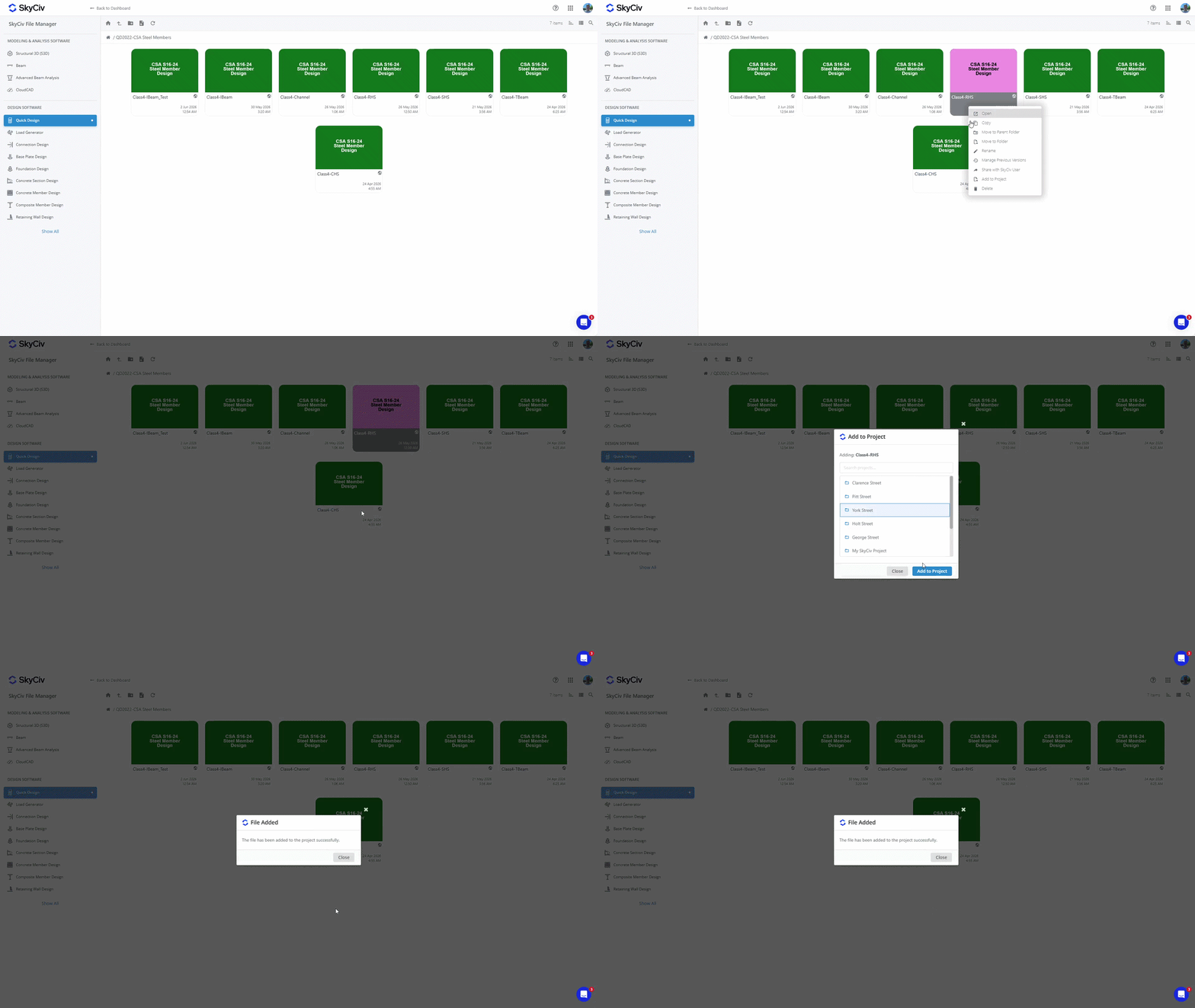
注意: 还可以从文件管理器访问保存到项目的文件. 将文件添加到项目不会更改其在文件管理器中的现有位置. 看 项目文件保存在哪里? 在 入门 更多细节.
打开文件
从项目内部打开文件
从内部打开文件, 双击在新选项卡中打开它. 或者, 右键单击该文件以显示文件菜单并选择“打开”选项.
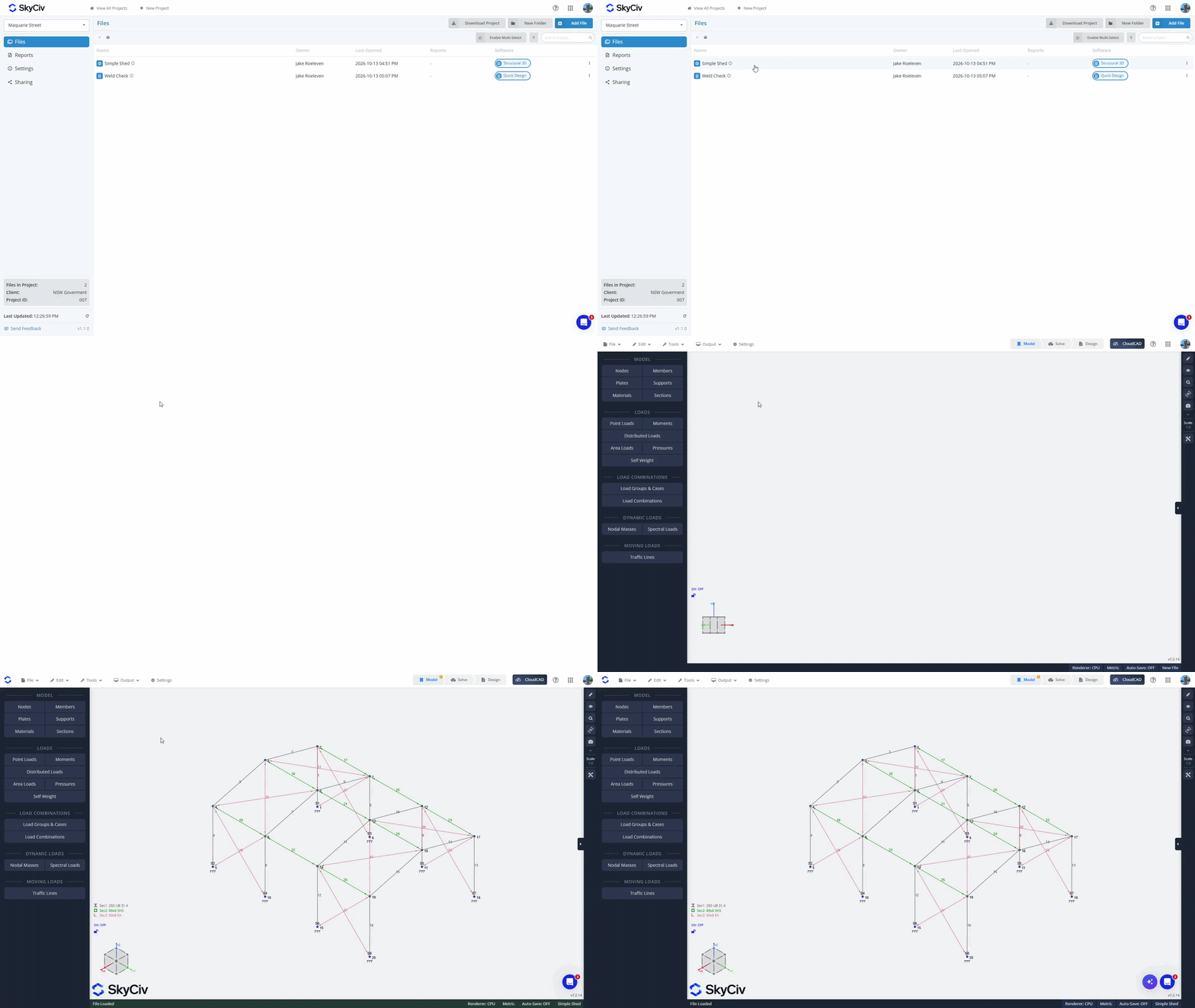
从软件模块内部打开文件
从 文件 菜单, 点击 ”打开”. 确保您处于项目经理模式; 您可以在弹出窗口的左上角检查这一点. 选择您的项目以加载可用文件. 当前模块中的文件将加载到列表顶部. 如果您从当前模块中选择一个文件, 它将在当前选项卡中打开. 来自其他模块的文件将在列表底部显示为灰色. 如果您从另一个模块选择文件,它们将加载到新选项卡中.
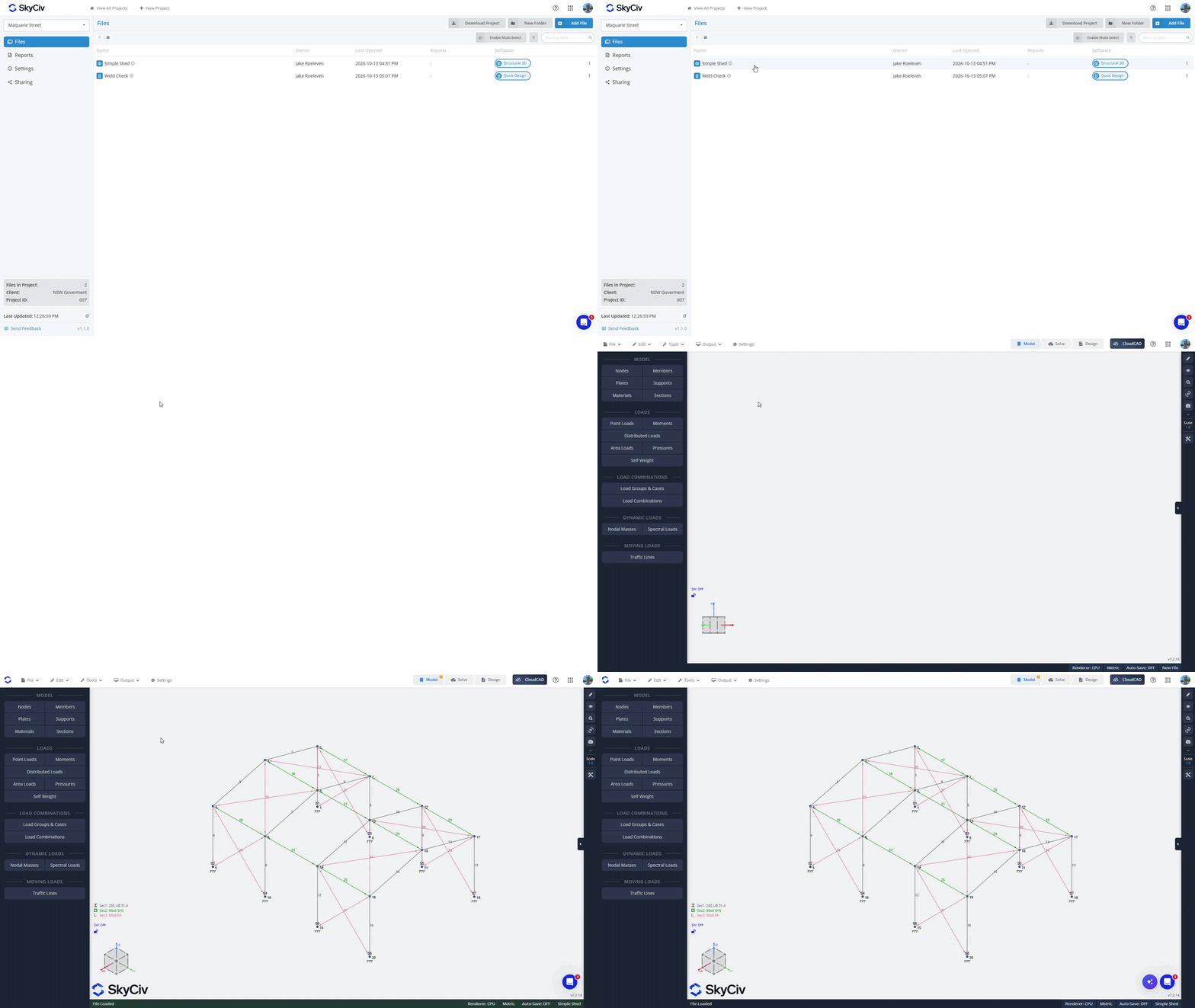
创建文件夹
使用“将文件组织到文件夹中”新建文件夹项目管理器中的“按钮并为您的文件夹创建一个名称. 将文件拖放到文件夹中以移动它们, 或使用“启用多选” 将文件批量移动到文件夹中的选项.
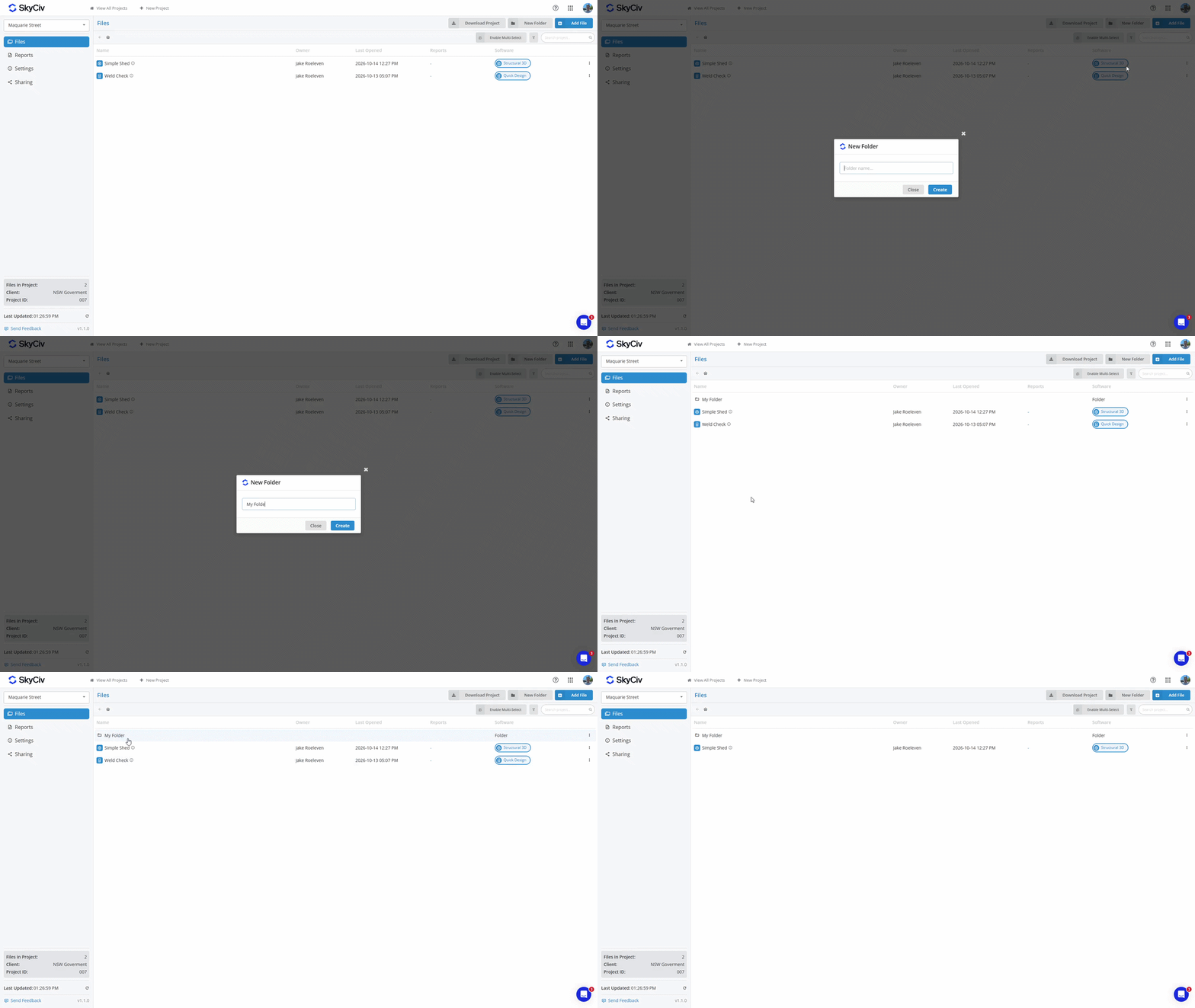
将文件移回父文件夹, 右键单击该文件并选择“移动文件”选项. 选择父文件夹或“项目根” 对于项目的顶层.
保存报告
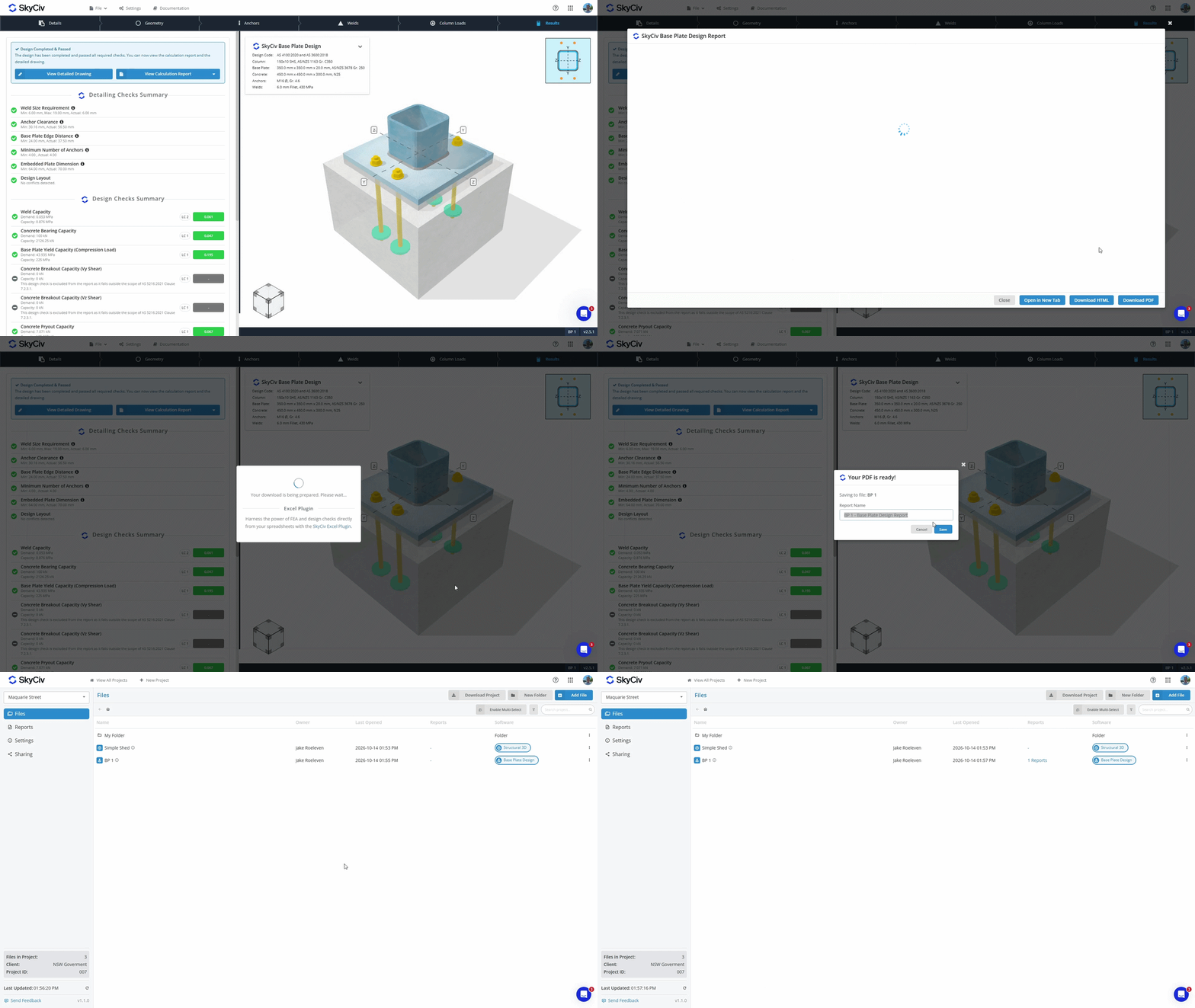
当您从 SkyCiv 模块生成 PDF 时, 您现在可以选择:
- 下载 并将 PDF 存储在您的本地设备上.
- 救 它与您的文件一起存储在我们的云存储中.
可以在项目管理器的“文件”和“报告”选项卡中查看保存到云存储中文件的 PDF. 了解更多信息 报告管理器文档.
下载项目数据
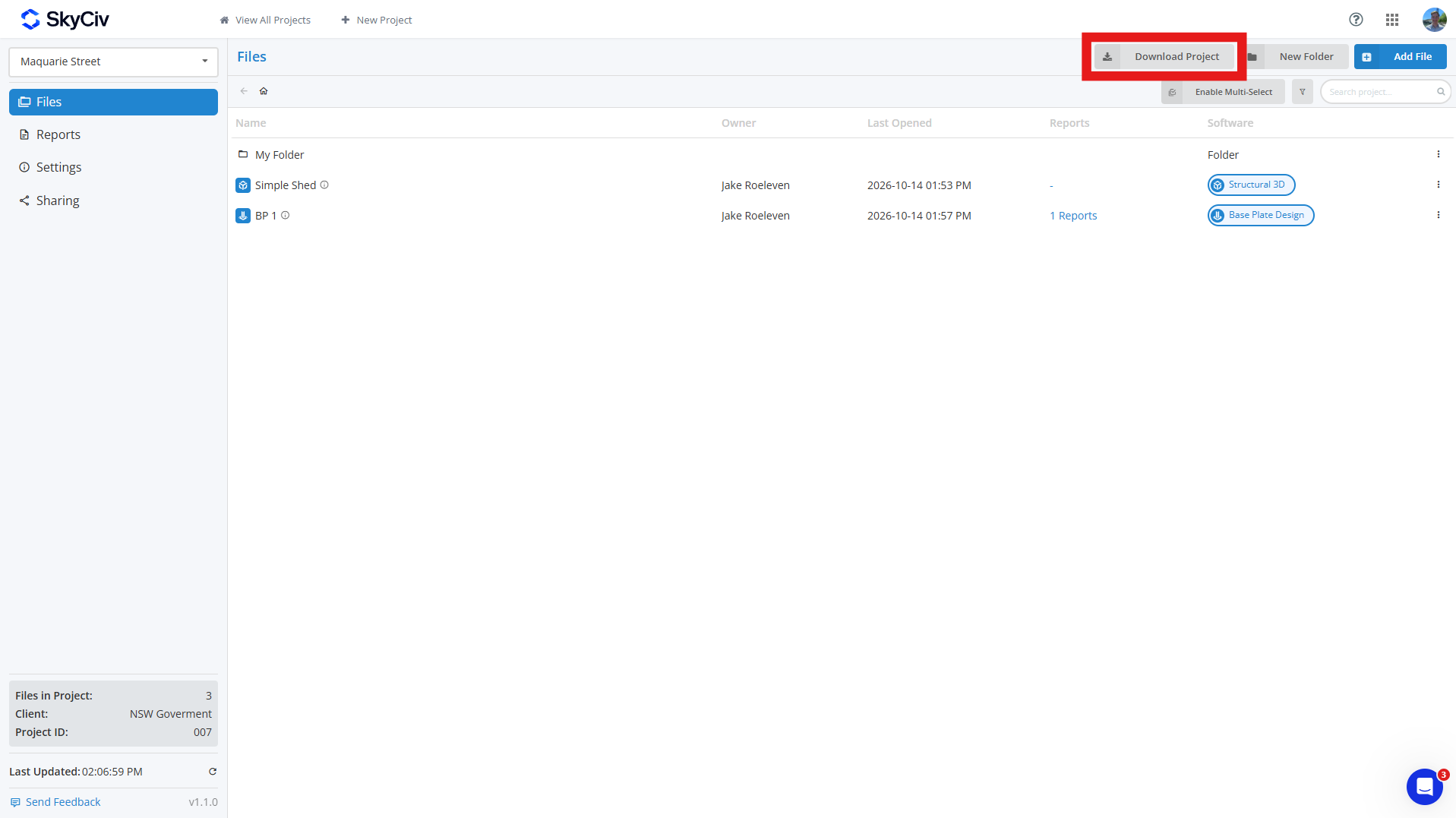
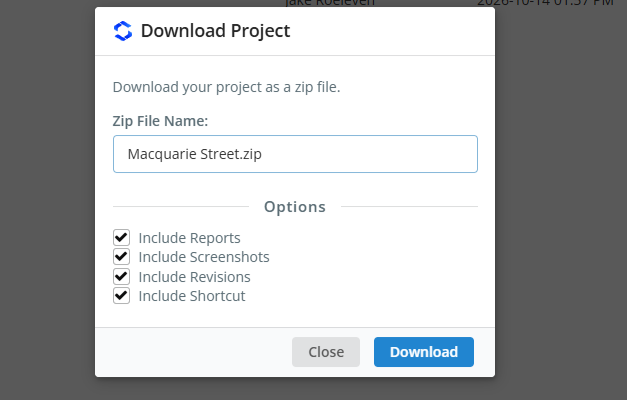
您可以从以下位置下载您的项目数据 文件 通过单击项目中的选项卡 下载项目 纽扣. 这允许您生成项目的 ZIP, 包含:
- 模型文件 (JSON 文件)
- 修订数据 (可选的)
- 截图 (可选的)
- 保存的报告 (可选的)
- 快捷链接 (可选的)
如果您选择可选字段, 那么 ZIP 中的每个模型都将是包含所有这些数据的自己的文件夹; 如果您仅包含模型, 每个模型都将作为 JSON 文件下载. 项目文件夹将被复制到 ZIP 中, 每个文件夹都用一个区分 [文件夹] 名称前面加上标签.
分享项目
您可以通过以下方式与您的队友共享项目 分享 项目管理器工具栏左侧的选项. 分享时, 您帐户的“我的团队”部分中列出的所有队友都将看到该项目. 见 团队帐户设置 了解更多.
注意: 只有 SkyCiv 企业帐户才能访问共享功能.

