Considering the switch?
How do we compare to traditional analysis software?
What makes SkyCiv different?
SkyCiv is currently used in over 180 countries and supports the vast majority of functionality required by structural engineers. Whether this is flexible 3D modeling and analysis, steel or concrete member design, foundation design, steel connection design, or wind and snow load generation, SkyCiv has the muscle for your projects.
With the future in mind, SkyCiv is developed to meet the everyday needs of structural engineers through our unique product offerings:
- Cloud Based - nothing to install, works on Mac, automatic updates
- Easy to use, easy to learn
- Flexible monthly and annual pricing
Not just a single product - we're an all-in-one solution
- Quick and Responsive Live Chat Customer Support
- API Technology that supports design automation





Discover key benefits of SkyCiv Structural 3D
At SkyCiv, we've been committed to innovating and challenging existing workflows to save engineers time in their work processes and designs.
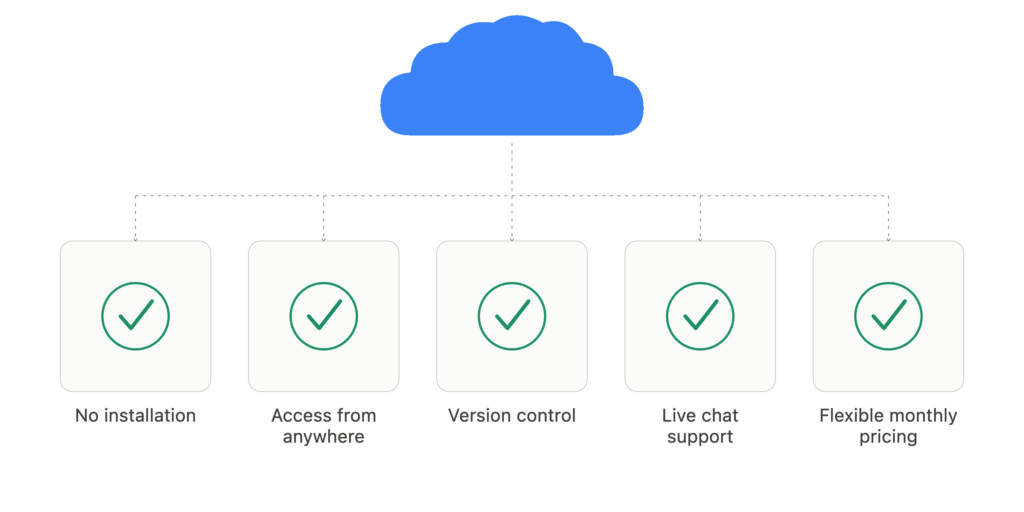
100% cloud-based software
- SkyCiv operates on the cloud, therefore offering full functionality through a browser
- The only structural engineering software for Mac and has a mobile version.
- No installations, maintenance, or updates required
- Newly released features or updates are available immediately to users at no cost
- Version Control and Sharing Capabilities
- Flexible monthly and annual subscriptions
- Access from any device - no dongles or USBs required
Quick and reliable customer support
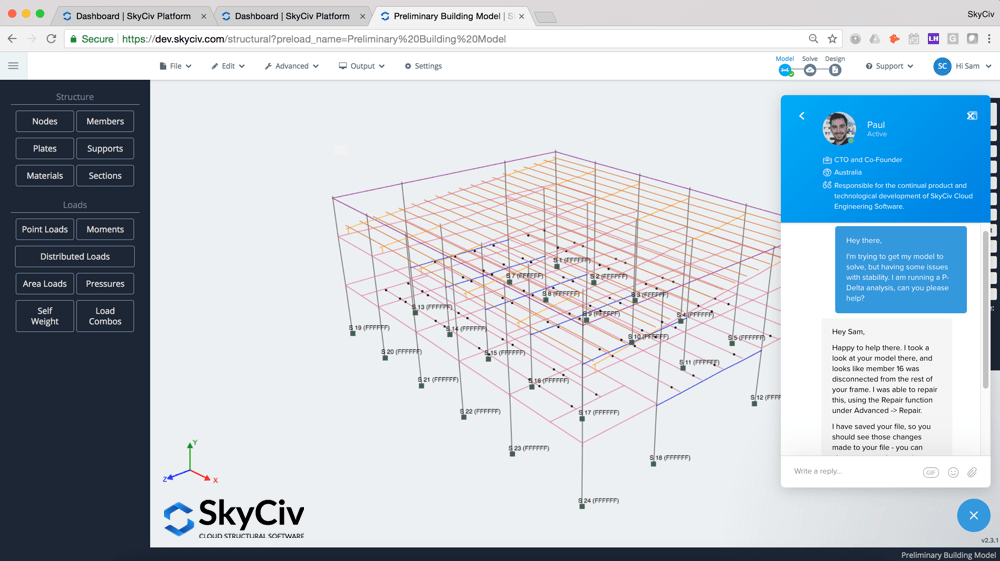
- Live Chat support available for paid users – reduce the lead time to just a few hours
- No more filling out “Contact Us” pages to get assistance on your project
- Live support comes at no charge, no maintenance or support fees
- Share your file with SkyCiv support directly to get help with your project in minutes
- User suggestions are the primary driver for new features and updates. Help us shape software as you want
More than 8x faster to learn
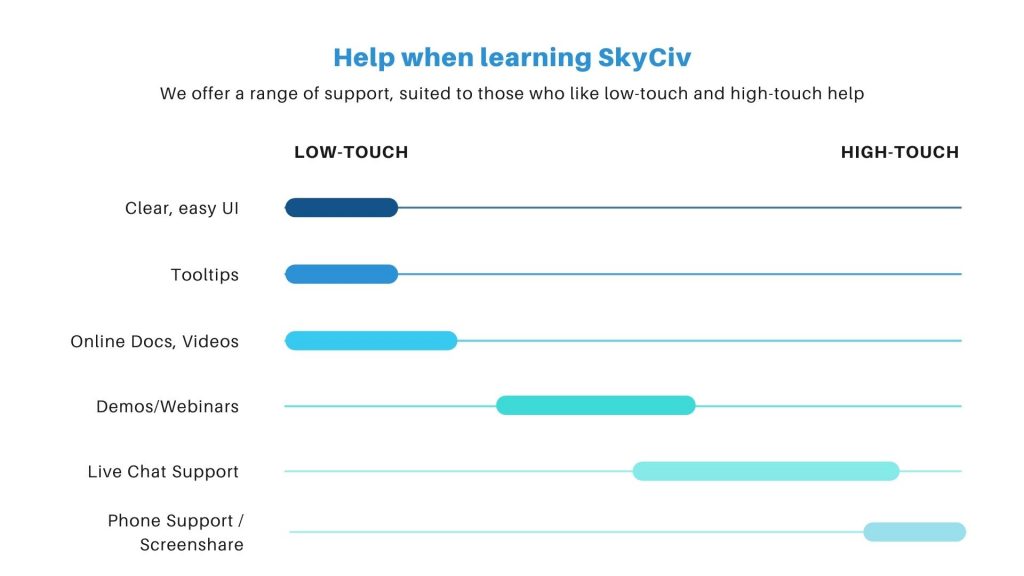
- A survey of more than 500 engineers, traditional software took an average of 120 days to learn versus 14 days with SkyCiv
- SkyCiv's software is extremely intuitive and easy to use
- Clear input and clear output, with detailed reporting for full clarity
- A mix of detailed documentation, AI support, video tutorials and live chat support to help you onboard faster
- Quick modeling features mean you can work quickly and efficiently
Cost effective and inclusive pricing
- The single price includes all the listed features and capabilities
- Flexible pricing options: 6-month contract month-to-month, annual. No need to pay for more than you need for perpetual ownership
- The price point for the entire SkyCiv suite is 2 to 5 times cheaper than the alternatives
- Add seats quickly and easily as you need them
- No hidden fees or maintenance costs, all-inclusive pricing
AI + API Automation possibilities
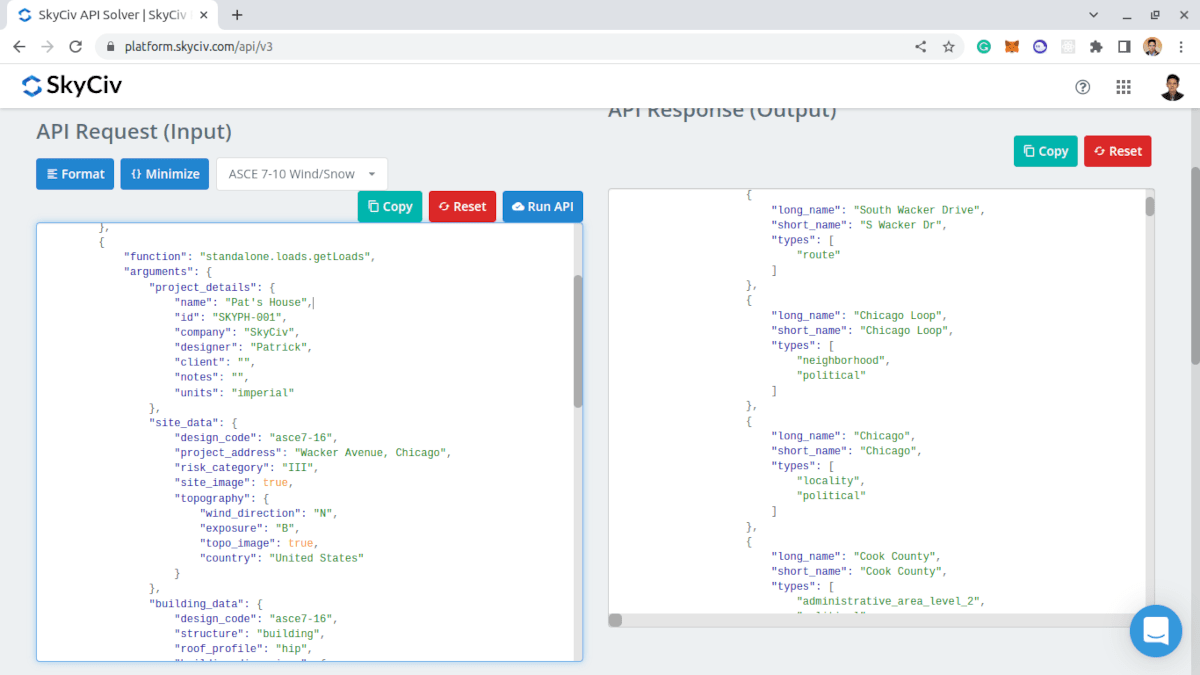
- Nearly every functionality offered can be called using the SkyCiv API, directly integrated into your proprietary solution
- Used to automate modeling and design process to drastically reduce engineer hours
- Integrate with other platforms or your existing systems
- Work efficiently and gain a competitive advantage
- Get support from the SkyCiv API Team
- Interested in learning more? Get in touch with us
More functionality, better value.
| SkyCiv Structural 3D | Traditional Software | |
|---|---|---|
| No Download/Installation | ✓ | – |
| Clear User Interface | ✓ | – |
| Monthly Subscriptions | ✓ | – |
| Live Chat Support | ✓ | – |
| Detailed Design Reporting | ✓ | – |
| Fully Integrated with SkyCiv Design Modules | ✓ | – |
| Modelling | ||
| Easy Pen Tool Modelling | ✓ | – |
| PDF Import | ✓ | – |
| Copy + Paste | ✓ | ✓ |
| Assemblies and Templates | ✓ | ✓ |
| Datasheet Input | ✓ | ✓ |
| Revit Link | ✓ | ✓ |
| Tekla Link | – | ✓ |
| DXF Import | ✓ | ✓ |
| DWG Import | ✓ | – |
| Analysis | ||
| Catenary Cable Analysis | ✓ | – |
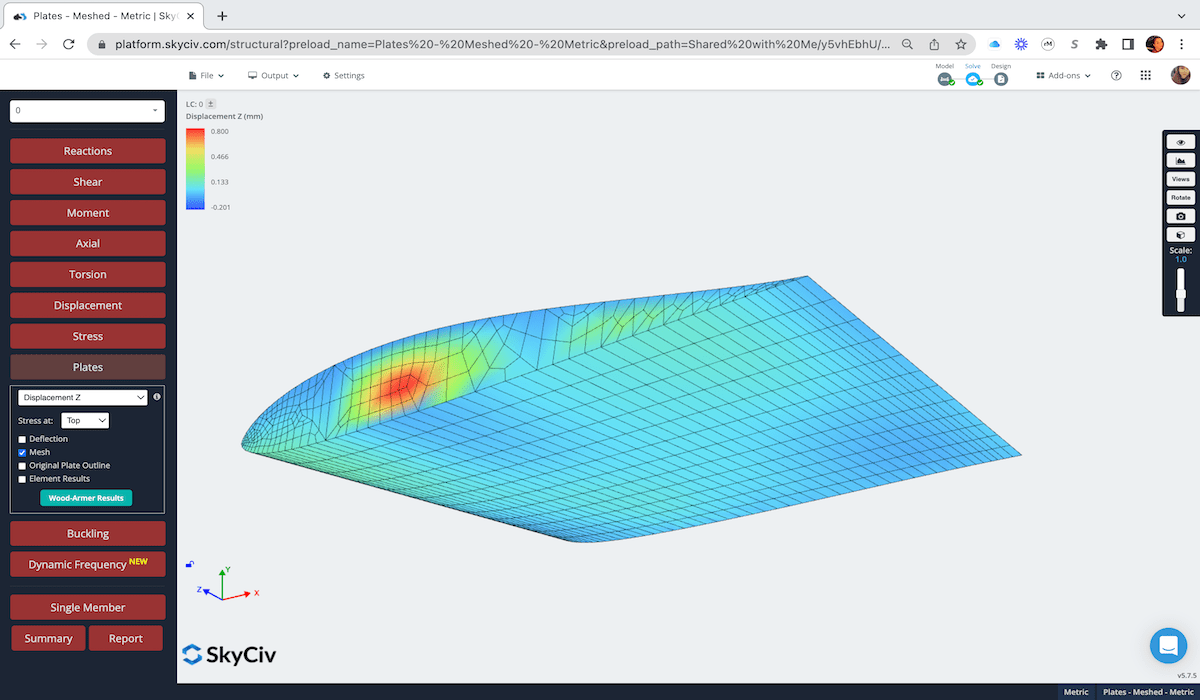
| Plate Analysis | ✓ | ✓ |
| Automatic Meshing | ✓ | ✓ |
| Buckling Analysis | ✓ | ✓ |
| Non-Linear P-Delta Analysis | ✓ | ✓ |
| Section Cut Force Diagrams | ✓ | ✓ |
| Dynamic Frequency Analysis | ✓ | ✓ |
| Response Spectrum Analysis | ✓ | ✓ |
| Loading | ||
| Static Loads | ✓ | ✓ |
| Auto Wind Loading | ✓ | – |
| Moving Loads | – | ✓ |
| Traffic Lines | ✓ | ✓ |
| Auto-Tributary Area Loads | ✓ | ✓ |
| Temperature Loading | ✓ | ✓ |
| Strain + Displacement Loading | – | ✓ |
| Pre-Stress Loading | ✓ | – |
| Response Spectrum Loading | ✓ | ✓ |
| Open Structure Loading | ✓ | ✓ |
| Design | ||
| Steel Member Design | ✓ | ✓ |
| Steel Connection Design | ✓ | ✓ |
| Concrete Design | ✓ | ✓ |
| Cold Formed Design | ✓ | ✓ |
| Wood Design | ✓ | ✓ |
| Masonry Design | – | ✓ |
| Aluminium Design | ✓ | ✓ |
| Wind & Snow Loading | ✓ | – |
| Foundation Design | ✓ | – |
| Baseplate Design | ✓ | – |
| Composite Design | ✓ | – |
Case Studies
Real structural engineering projects around the world