
You can share your SkyCiv files and folders with any other SkyCiv user, and share whole projects with your team from the Project Manager. Because SkyCiv works 100% bulutta, everyone works on the same file, updated in real time, in SkyCiv’s bulut yapısal analiz yazılımı and the other SkyCiv modules.
Your models can be shared at any time, SkyCiv hesabı olan herkesle. Siz ve ekibiniz, tek bir gerçek kaynağı üzerinde güvenle işbirliği yapabilirsiniz, en güncel dosyaya eriştiğinizi bilmek.
"You and your team can collaborate on a tek doğru kaynak, hepsi gerçek zamanlı! USB yok, yazılım uyumluluk sorunu yok, FTP'ler veya sürüm kontrolleri."
Sharing is useful for:
- Tek bir tasarım üzerinde çalışan ekipler
- Sharing with SkyCiv Support for live support on your current model
- Klasörleri paylaşma, ekip organizasyonu için
- School and university team projects
Sharing a File from the File Manager
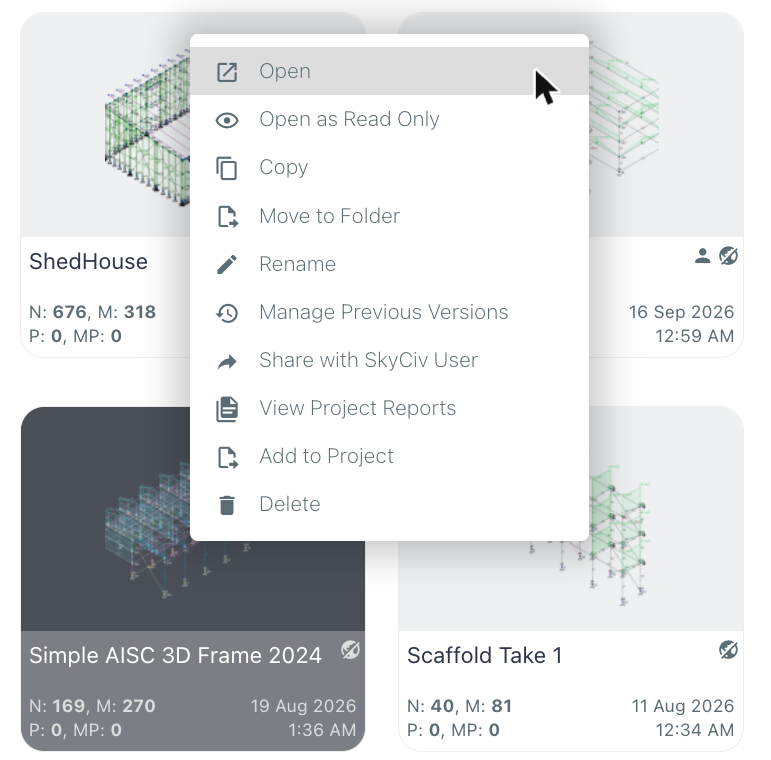
To share a file or folder, open the SkyCiv Dosya Yöneticisi, right-click the model and click SkyCiv Kullanıcısıyla Paylaşın:
bu Share File with SkyCiv Users window opens. Enter the emails of the SkyCiv users you want to share the model with (separate several emails with commas or new lines), then choose how to share it:
- Paylaş (varsayılan): they work on your model, and every change is saved to the same file in real time.
- Send Copy: they get their own copy of the model, and can modify it without affecting yours.
You also control their permissions: whether they Can Edit the model and Can Share it with others (everyone you share with Can View o). Tıklayın Gönder to share.
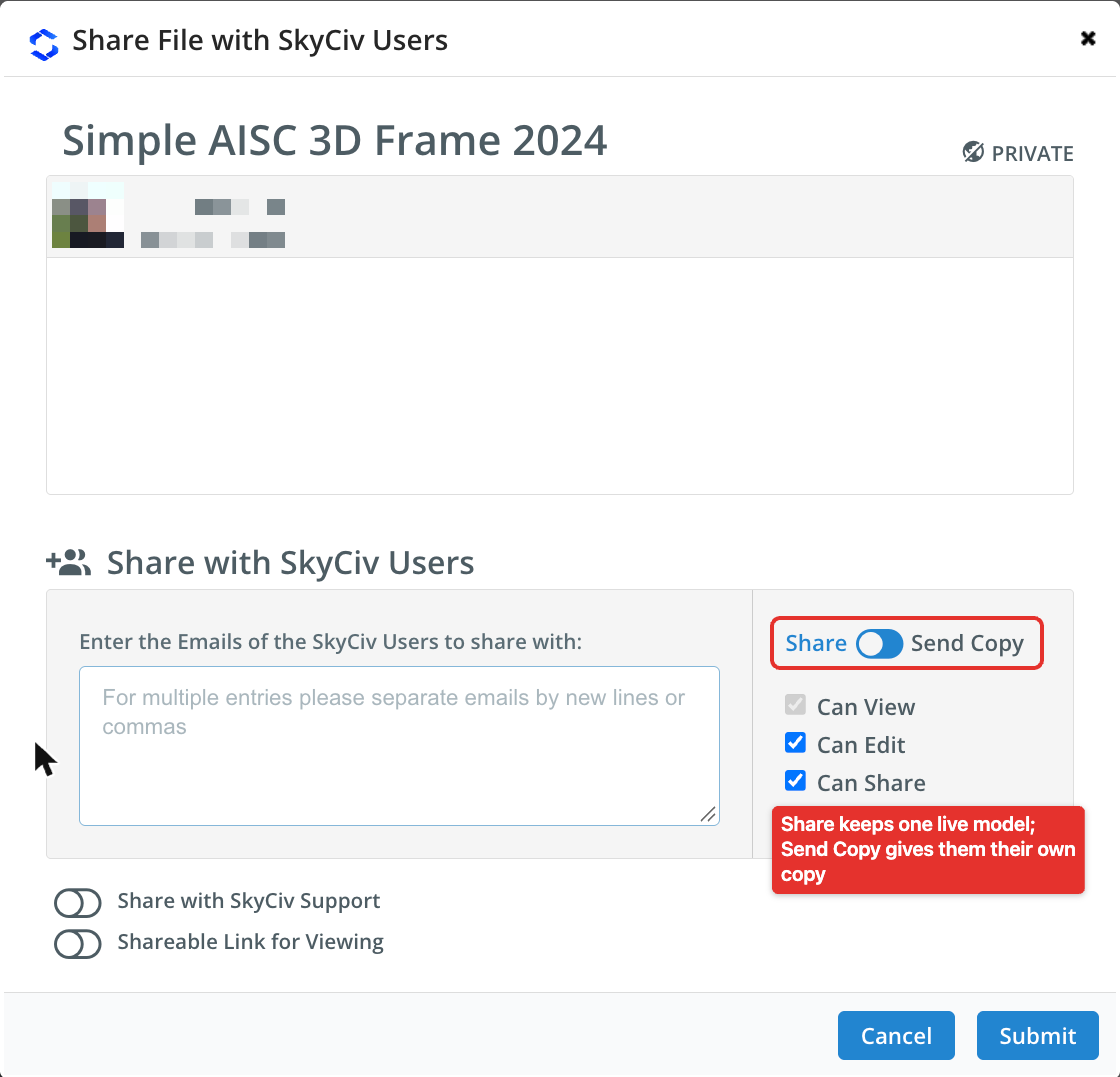
At the bottom of the window, SkyCiv Desteği ile paylaşın gives our support team access to the model, so they can help you with it directly, ve Shareable Link for Viewing creates a link to view the model.
Files that have been shared with you automatically appear in your Sizinle paylaşılan dosyalar otomatik olarak kullanıcının folder in the File Manager. The people you share with also receive an email to let them know a model has been shared with them.
İki kullanıcı aynı anda modeli düzenlerse ne olur??
Halihazırda düzenleme yaparken ikinci bir mühendis dosyaya girmeye çalışırsa, SkyCiv platformu bunu algılayacak ve ikinci kullanıcıyı bilgilendirecektir.. ya yapabilirler Devralmak veya Erişimden Ayrıl şu anda proje üzerinde çalışan mühendis için.
Sharing Projects in the Project Manager
The SkyCiv Project Manager groups the files of a project from any SkyCiv module, from analysis through to design, with their reports. To add a file to a project from the File Manager, right-click it and click Projeye Ekle (see the menu above), then pick the project.
To share a whole project with your team, tıkla Paylaşma Proje Yöneticisi araç çubuğunun sol tarafındaki seçenek. Bir kez paylaşıldı, all teammates listed in the My Team section of your account see the project and its files. Learn more in sharing projects with your team, and see Ekip Hesabı Kurulumu to add teammates.
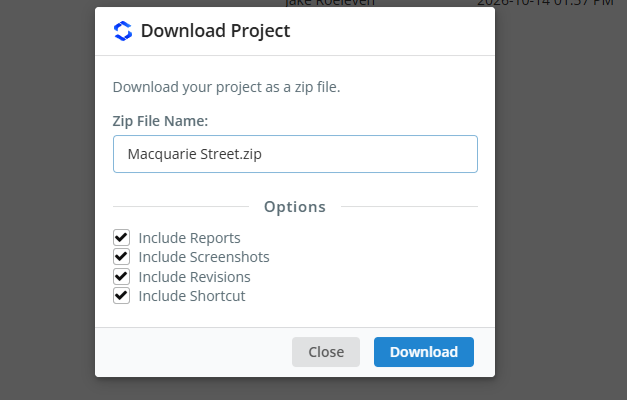
Not: only SkyCiv Business Accounts have access to project sharing.
