
Оглавление
- Создание нового проекта
- Добавление файлов
- Открытие файлов
- Создание папок
- Сохранение отчетов
- Загрузка данных проекта
- Совместное использование проектов
Создание нового проекта
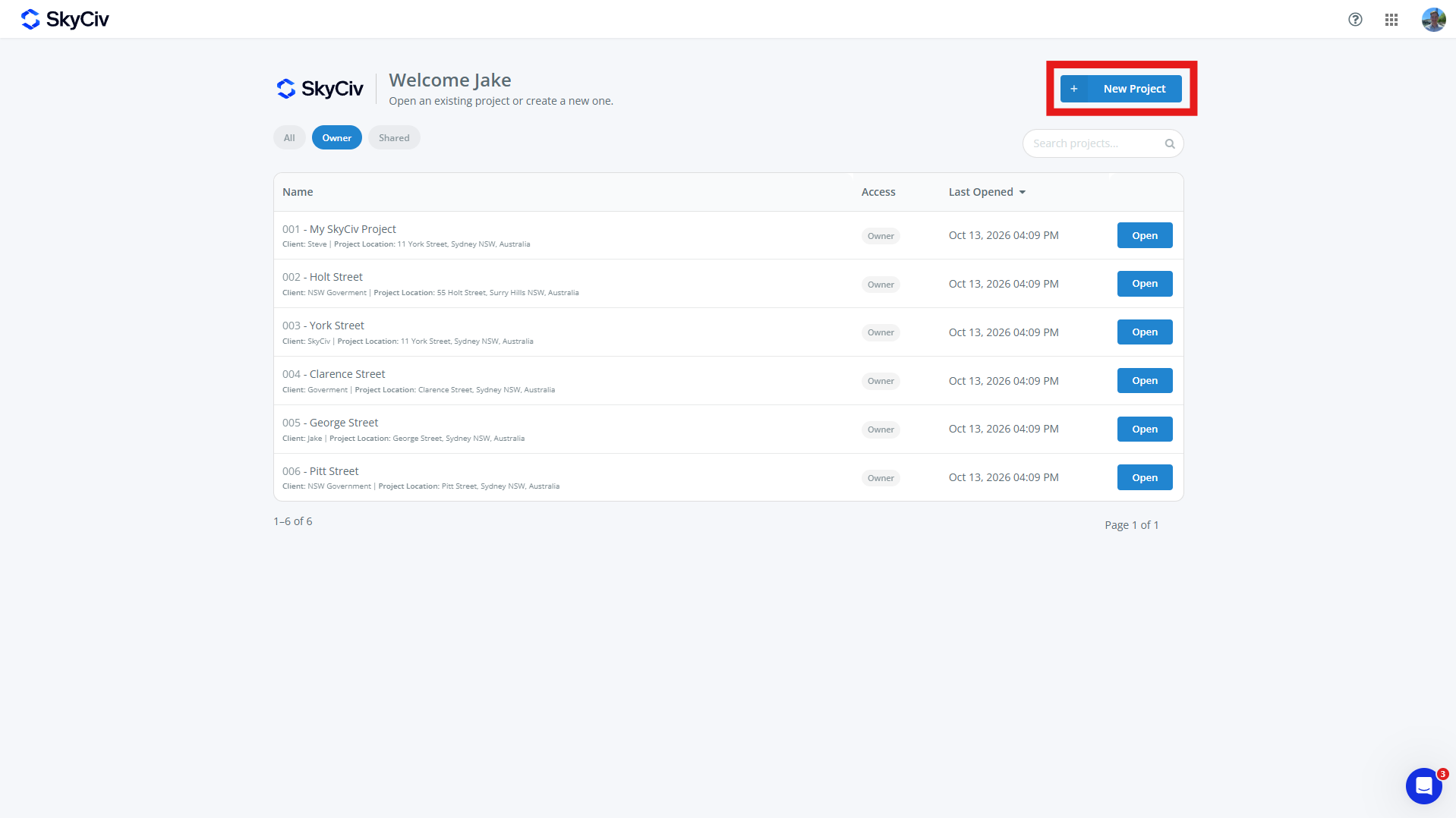
Чтобы создать новый проект, нажмите на Новый проект кнопка на панели управления SkyCiv или на странице проектов.. Новые проекты также можно создавать из модуля SkyCiv..
Заполните появившуюся форму проекта. Проект может иметь:
-
- Идентификатор проекта (необязательный)
- название проекта (требуется)
- Информационный проект
- инженер (необязательный)
- Клиент (необязательный)
- Расположение (необязательный)
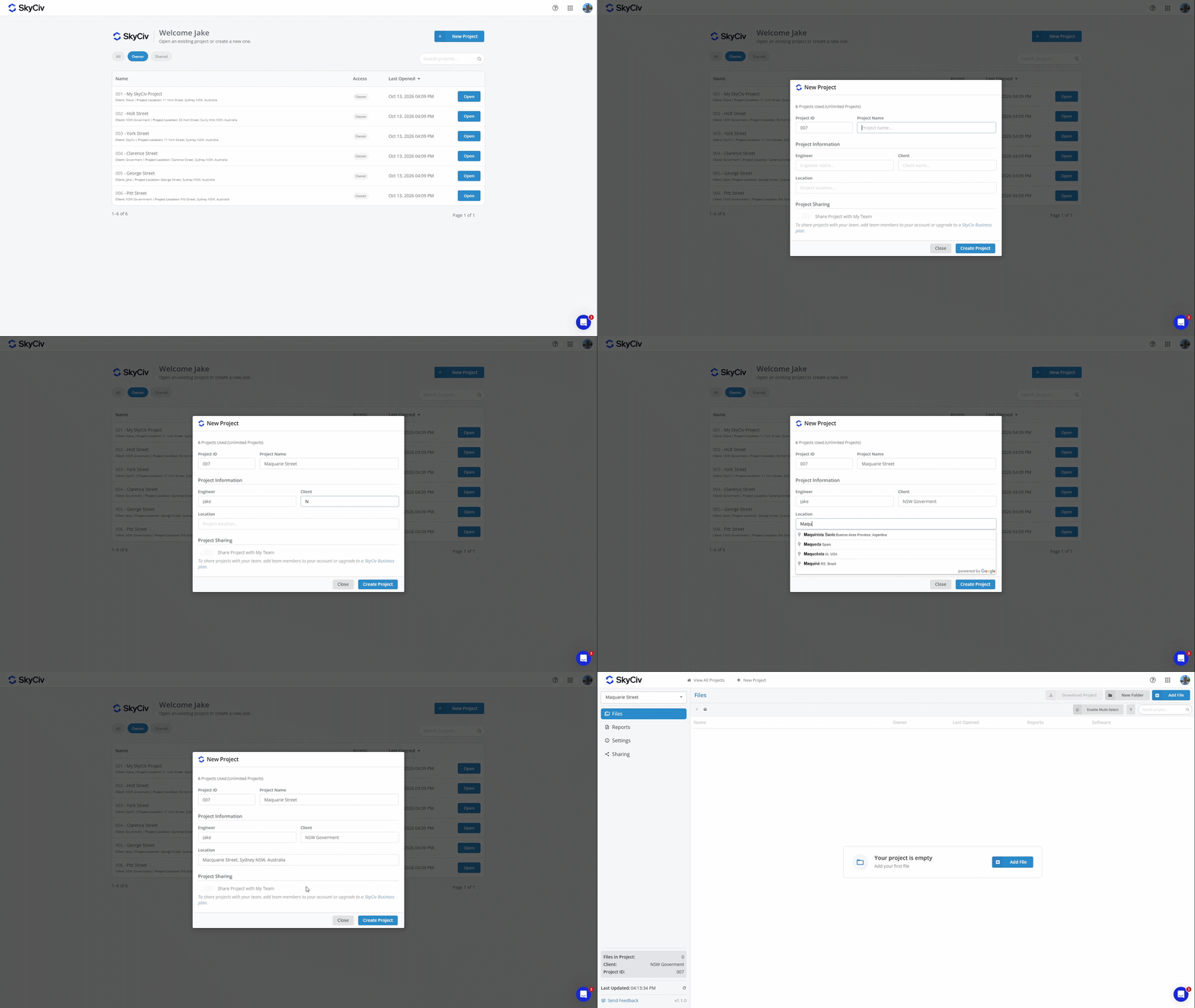
Нажмите «Создать проект», чтобы создать новый проект.. Теперь ваш проект готов к добавлению файлов..
Заметка: Аккаунты имеют ограниченное количество проектов. Для перехода на неограниченное количество проектов, добавьте Менеджера проектов в свою подписку на странице проверить или купить Скайвский бизнес Skyciv
Добавление файлов
Файлы можно добавить в проект, выбрав существующий файл или создав новый.. Каждый файл может одновременно принадлежать только одному проекту..
Добавление файла из проекта
Файлы можно добавлять из проекта с помощью Добавить файл кнопка в левом верхнем углу экрана.
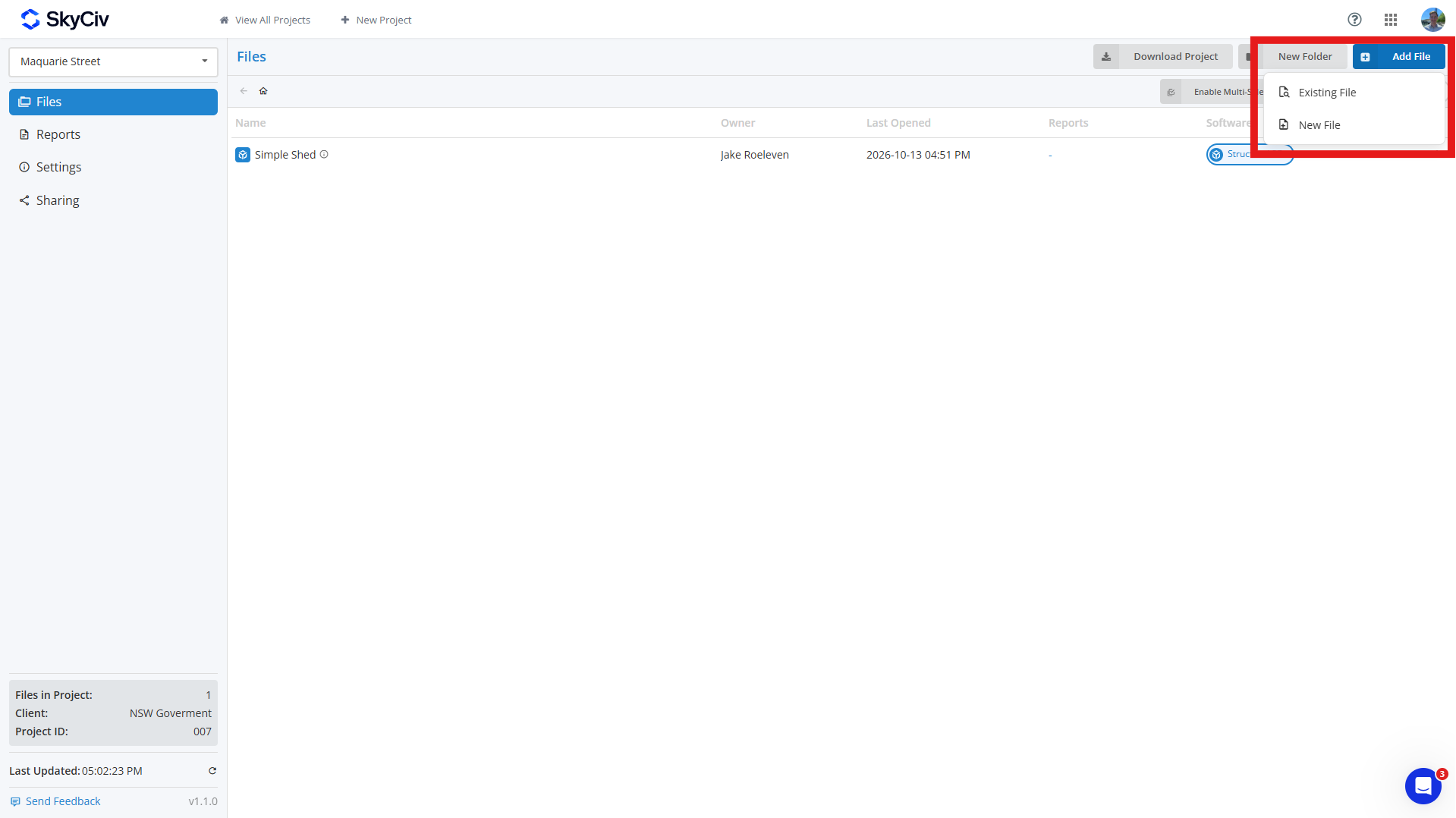
Чтобы добавить существующий файл, щелкнуть Существующий файл и выберите файл(s) вы хотите добавить в свой проект. Вы можете искать файлы и фильтровать их по модулю SkyCiv в левом верхнем углу всплывающего окна..
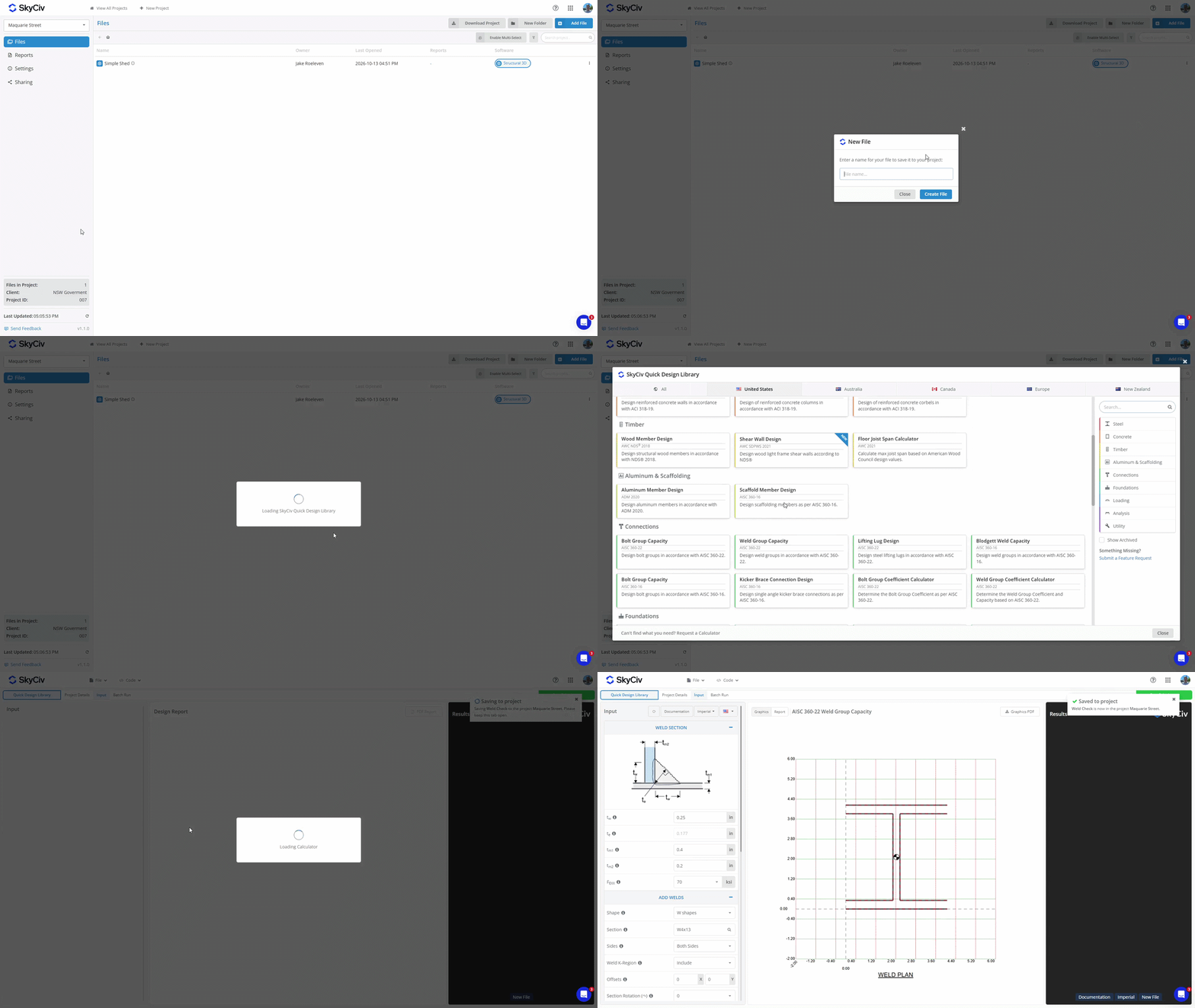
Чтобы создать новый файл, щелкнуть Новый файл и выберите программный модуль, который вы хотите использовать. Введите имя файла, и появится новая вкладка. Если выбранный модуль требует дополнительной настройки, например, выбор проектного кода или конфигурации, завершите это перед сохранением файла. После сохранения файла в проекте, в правом верхнем углу появится всплывающее окно, подтверждающее, что оно было сохранено.
Добавление файла из программного модуля
Если вы создали файл, запустив модуль SkyCiv напрямую, вы можете сохранить его в проекте из модуля. Откройте файл меню и выберите Сохранять или Сохранить как. Убедитесь, что вы находитесь в режиме менеджера проектов., который отображается в левом верхнем углу всплывающего окна.
Выберите проект из списка или создайте новый. Введите имя файла и нажмите Сохранять в левом нижнем углу, чтобы сохранить его в проекте.
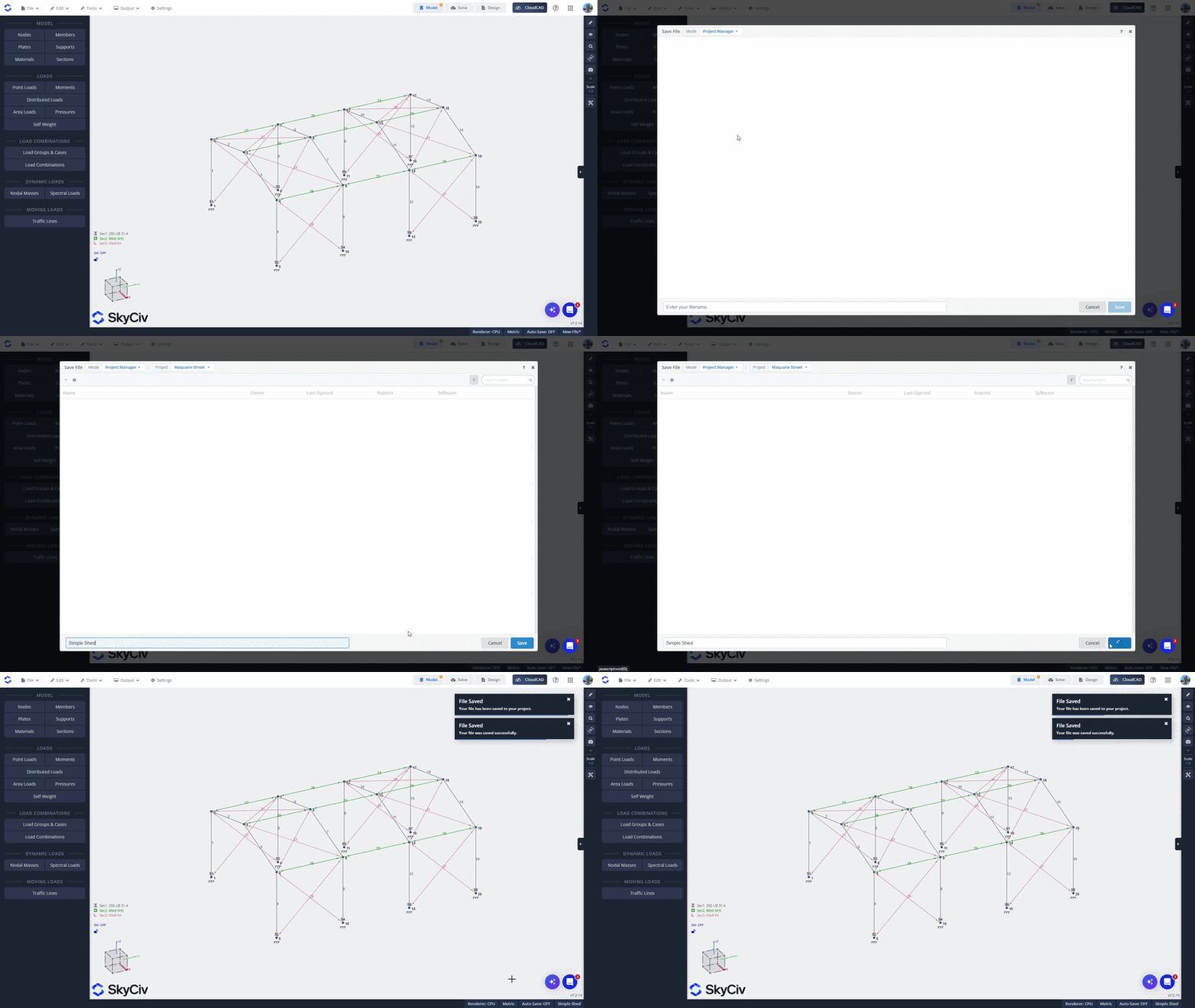
Добавление файла из файлового менеджера SkyCiv
Чтобы добавить существующий файл из файлового менеджера SkyCiv, щелкните файл правой кнопкой мыши и выберите Добавить в проект. Выберите проект, в который вы хотите его добавить..
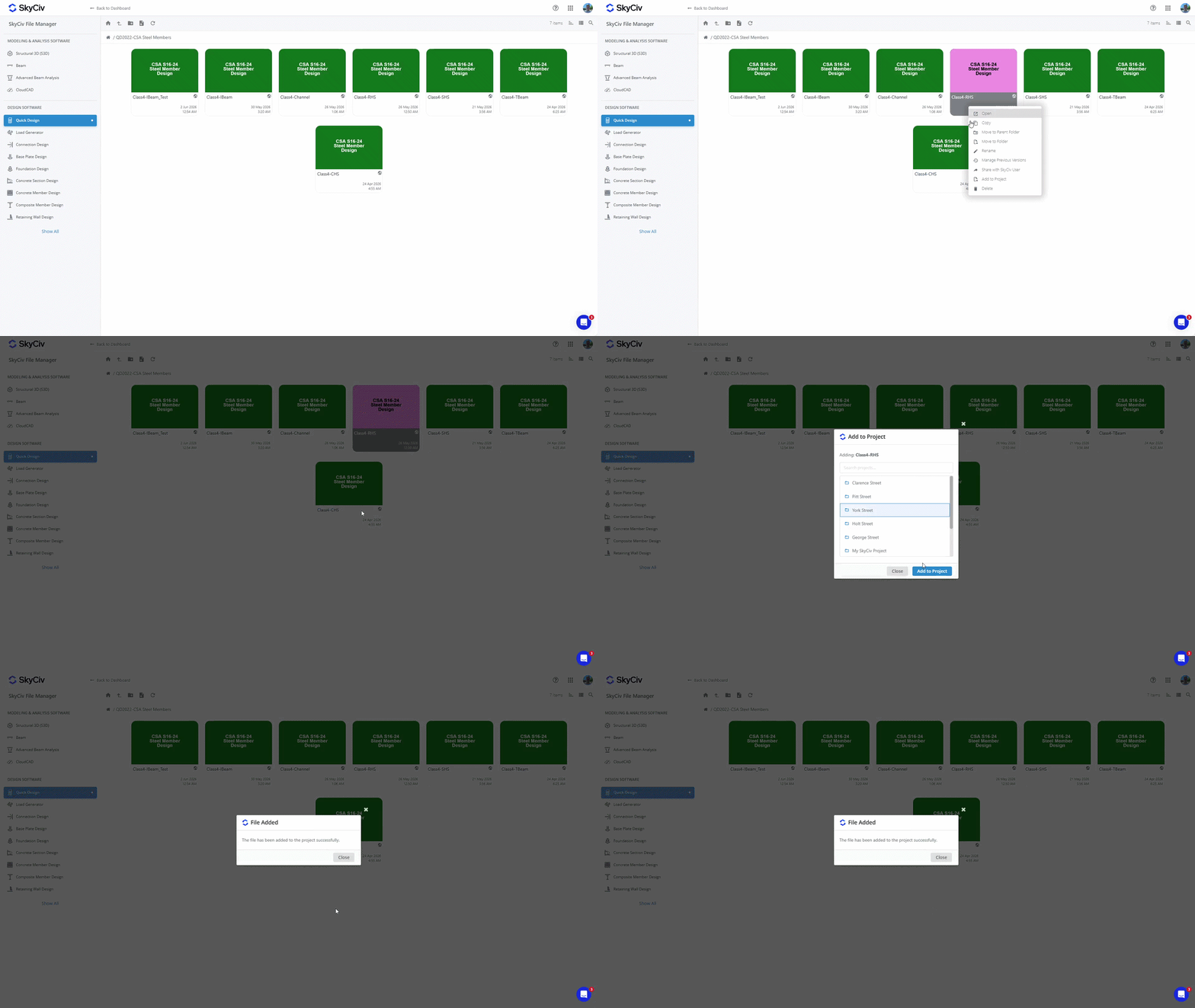
Заметка: Файлы, сохраненные в ваших проектах, также доступны из диспетчера файлов.. Добавление файла в проект не меняет его существующее местоположение в файловом менеджере.. Видеть Где сохраняются файлы проекта? в Начиная Больше подробностей.
Открытие файлов
Открытие файла изнутри проекта
Чтобы открыть файл изнутри, дважды щелкните, чтобы открыть его в новой вкладке. альтернативно, щелкните правой кнопкой мыши файл, чтобы открыть меню файла, и выберите опцию «Открыть»..
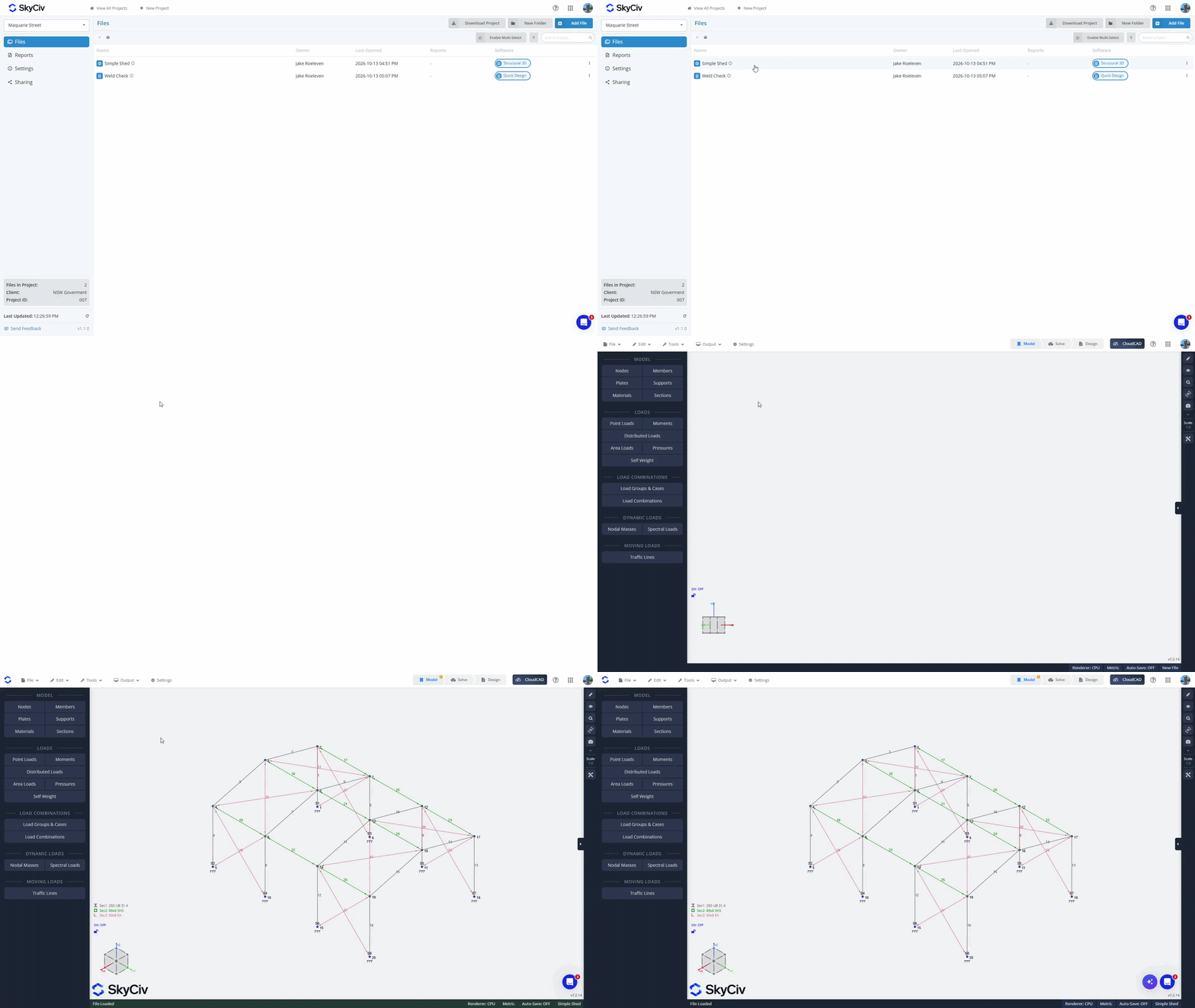
Открытие файла из программного модуля
Из файл меню, нажмите «Открыть». Убедитесь, что вы находитесь в режиме менеджера проектов.; вы можете проверить это в левом верхнем углу всплывающего окна. Выберите свой проект для загрузки доступных файлов. Файлы из текущего модуля будут загружаться вверху списка.. Если выбрать файл из текущего модуля, он откроется в текущей вкладке. Файлы из других модулей будут выделены серым цветом внизу списка.. Если вы выберете файл из другого модуля, он загрузится в новой вкладке..
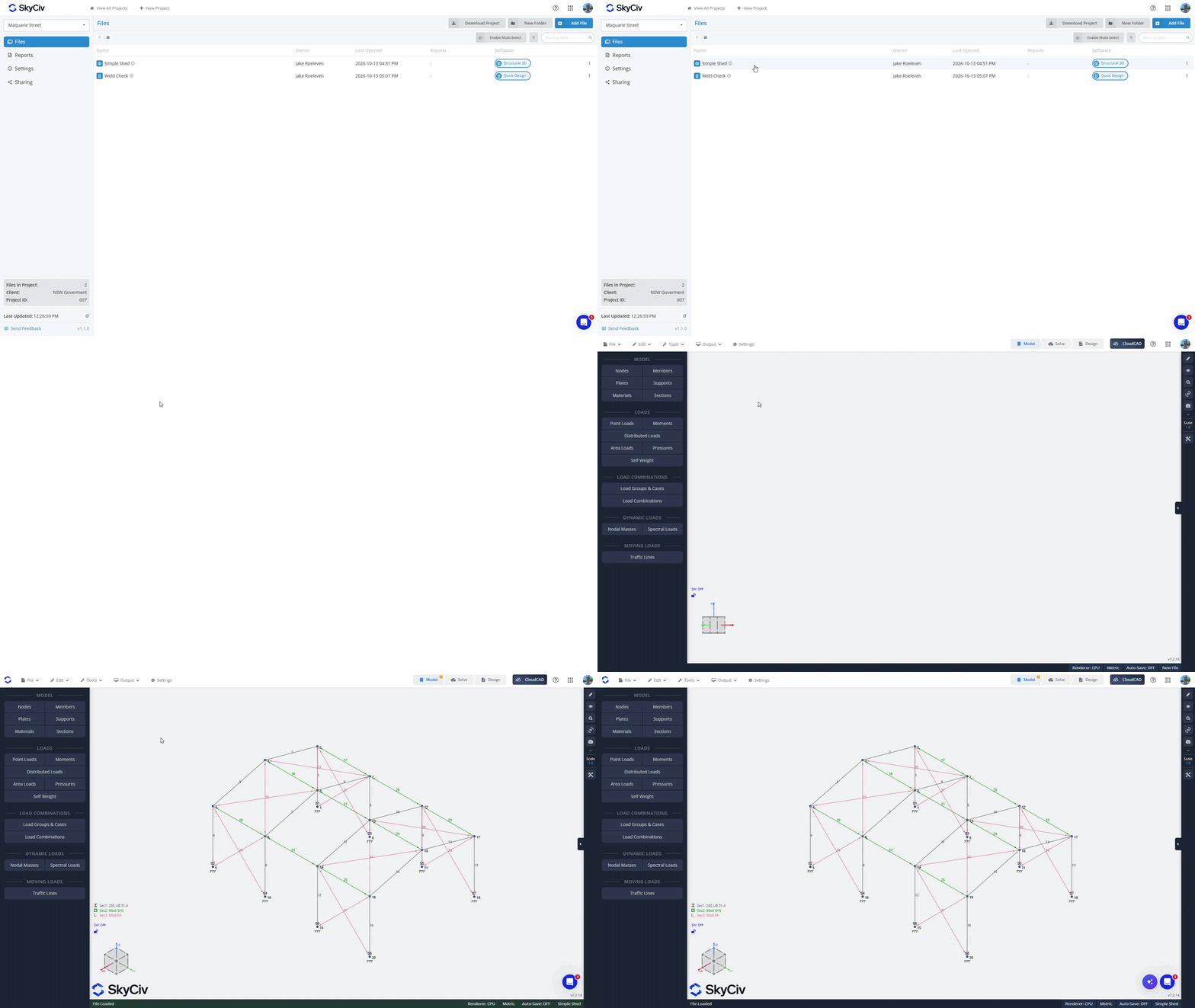
Создание папок
Организуйте свои файлы в папки с помощью «Новая папка» в диспетчере проектов и создайте имя для вашей папки.. Перетащите файлы в папки, чтобы переместить их., или используйте «Включить множественный выбор» возможность массового перемещения файлов в папки.
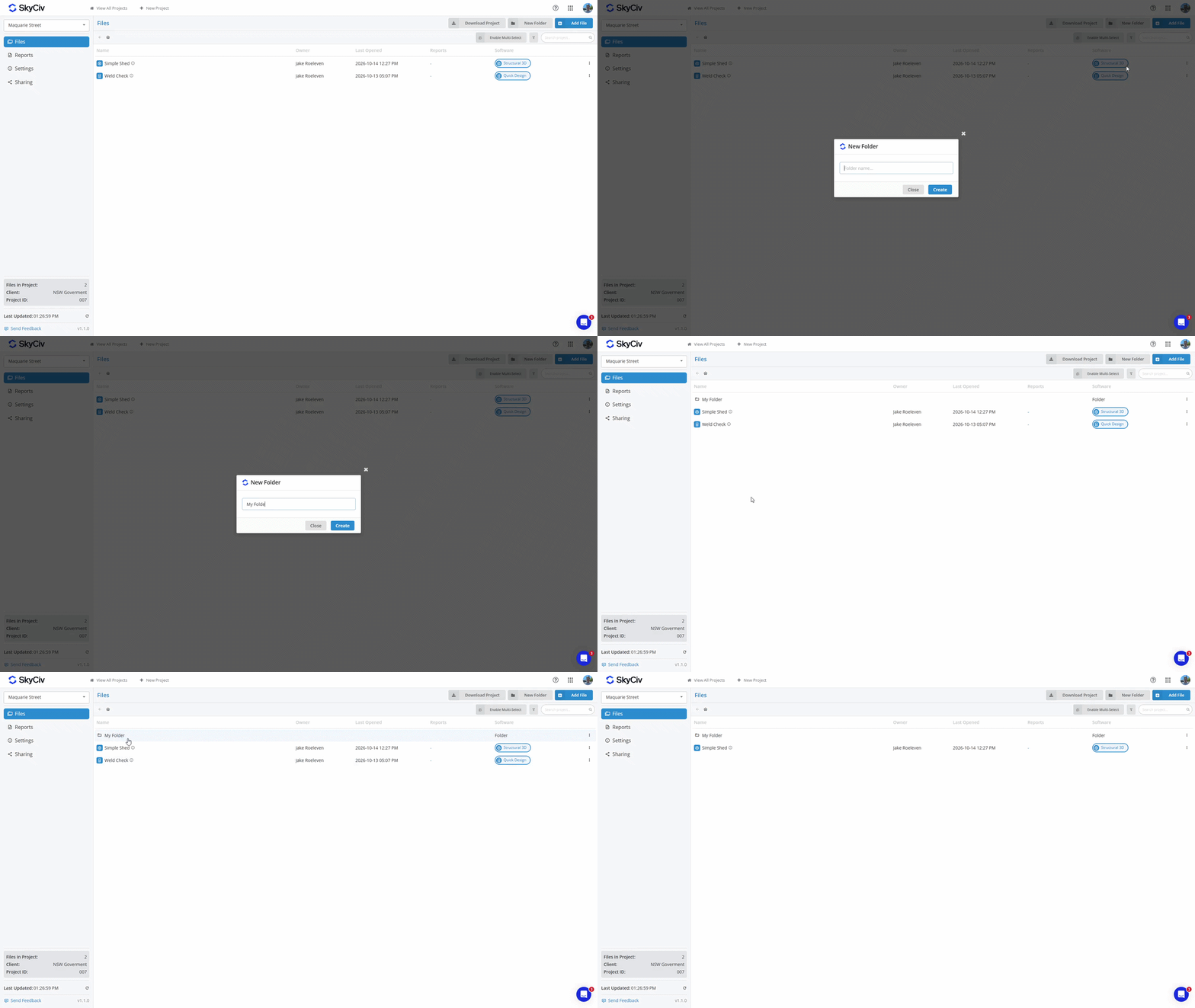
Чтобы переместить файл обратно в родительскую папку, щелкните правой кнопкой мыши файл и выберите опцию «Переместить файл».. Выберите родительскую папку или «Корень проекта» для верхнего уровня Проекта.
Сохранение отчетов
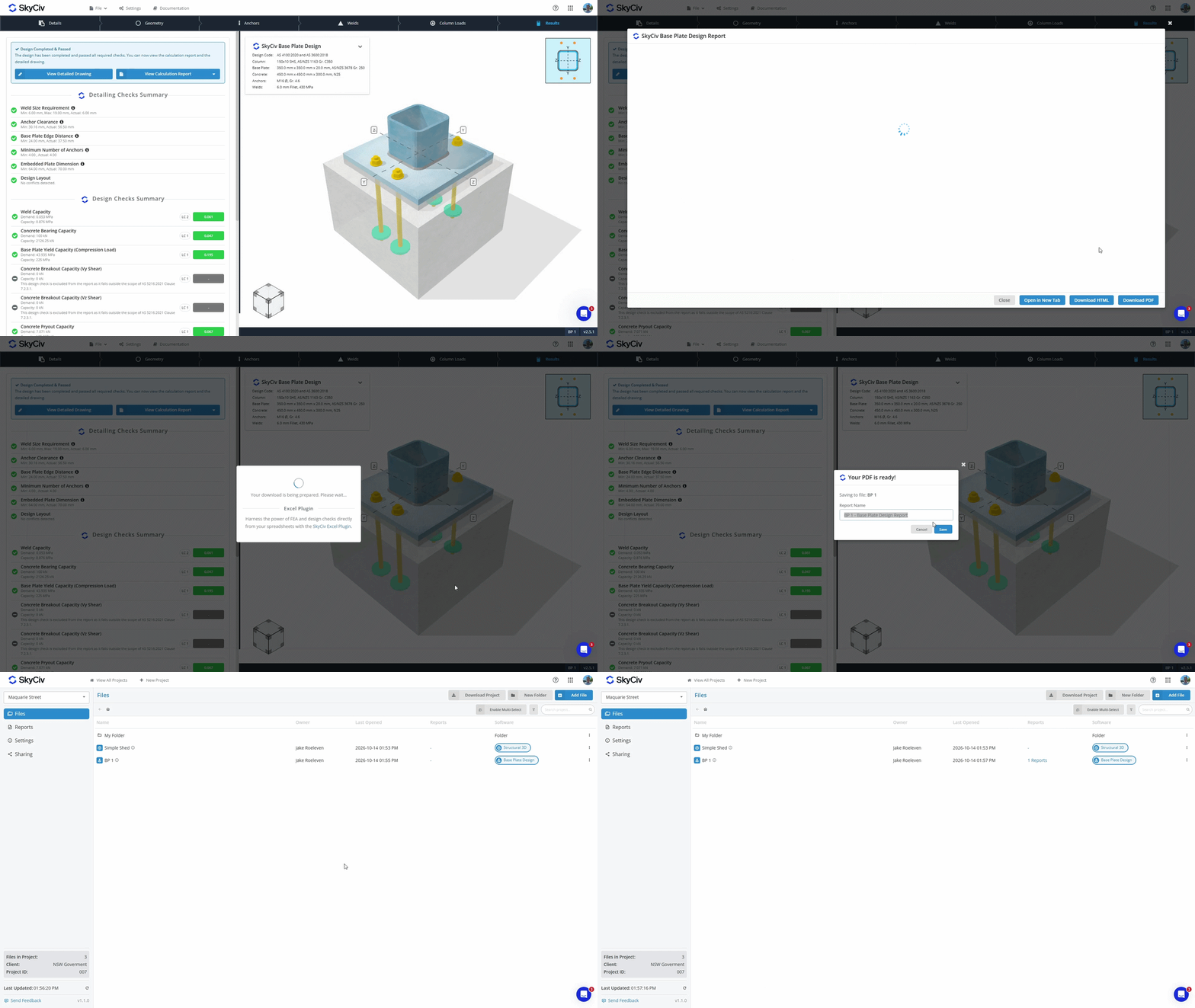
Когда вы создаете PDF-файл из модуля SkyCiv, теперь у вас есть возможность либо:
- Скачать и сохраните PDF-файл на локальном устройстве.
- Сохранять это с вашим файлом в нашем облачном хранилище.
PDF-файлы, сохраненные в вашем файле в облачном хранилище, можно просмотреть в Диспетчере проектов на вкладках «Файлы» и «Отчеты».. Узнайте больше в Документация диспетчера отчетов.
Загрузка данных проекта
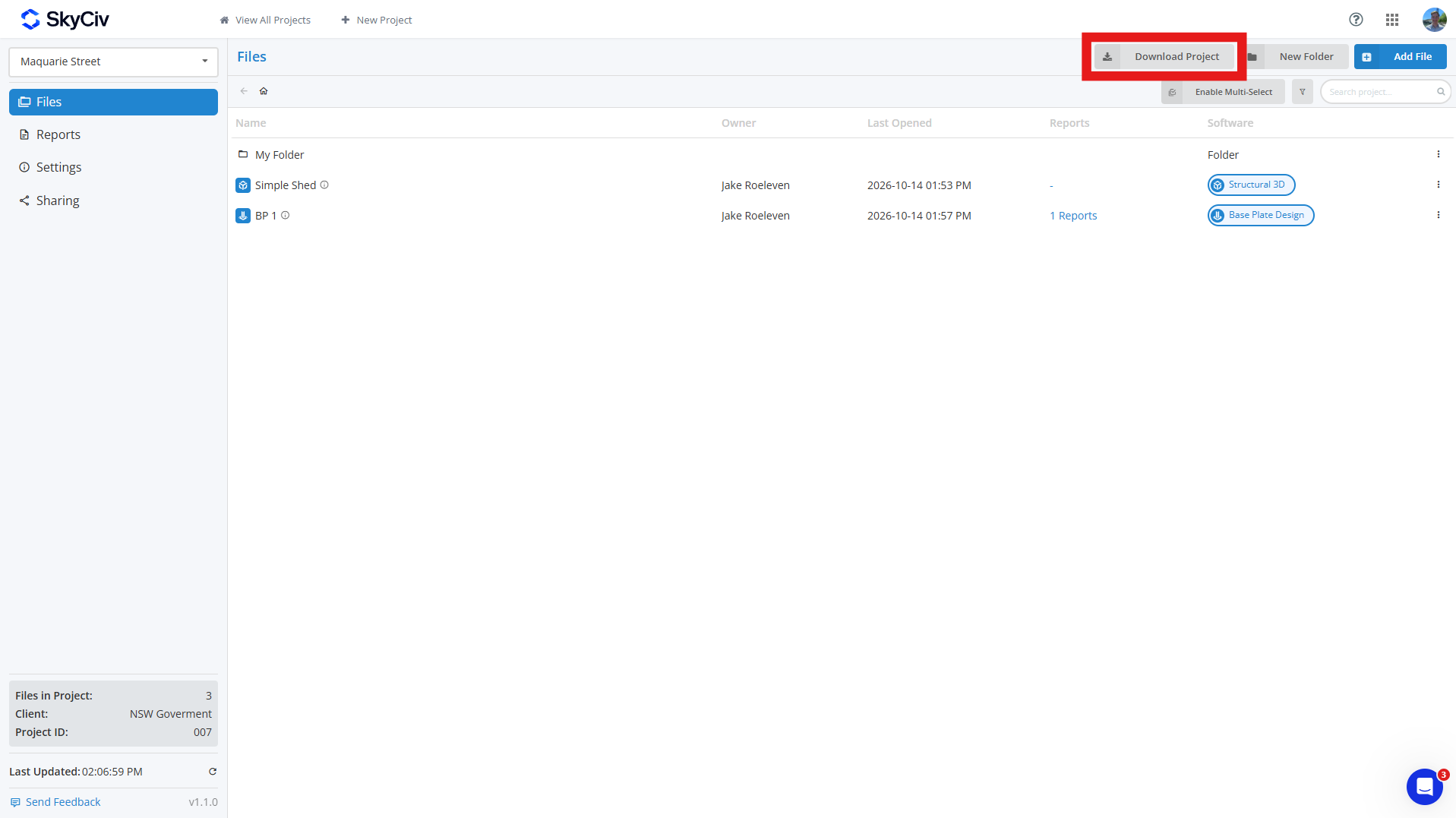
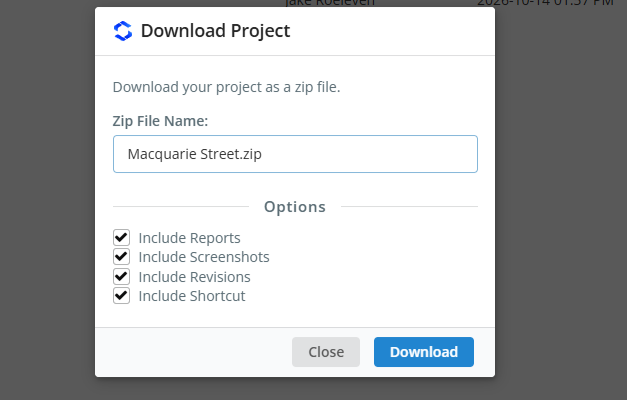
Вы можете загрузить данные вашего проекта с Файлы в своем проекте, нажав кнопку Скачать проект кнопка. Это позволяет вам создать ZIP-архив проекта., включая:
- Файл модели (JSON-файл)
- Данные редакции (необязательный)
- Скриншоты (необязательный)
- Сохраненные отчеты (необязательный)
- Ярлык ссылки (необязательный)
Если вы выберете необязательные поля, тогда у каждой модели в вашем ZIP-архиве будет отдельная папка, содержащая все эти данные.; если вы включите только модели, каждая модель будет загружена в виде файла JSON.. Папки проекта будут реплицированы в ZIP-архиве., с каждой папкой, отличающейся [ПАПКА] тег добавляется к его имени.
Совместное использование проектов
Вы можете делиться проектами со своими товарищами по команде через Совместное использование опция в левой части панели инструментов Менеджера проектов. При совместном использовании, все участники команды, указанные в разделе «Моя команда» вашего аккаунта, увидят проект.. См. Настройка группового аккаунта Узнать больше.
Заметка: только бизнес-аккаунты SkyCiv имеют доступ к функции обмена.

