
ОПИСАНИЕ ИЗМЕНЕНИЙ. ОЗНАКОМЬТЕСЬ С РЕЗУЛЬТАТОМ.
Моделирование и редактирование с использованием искусственного интеллекта
Программное обеспечение SkyCiv для структурного анализа и САПР поставляются с мощным помощником искусственного интеллекта, который поможет вам быстрее моделировать и редактировать.
Строить, изменить, и запросить из простой подсказки
Опишите изменение, которое вы хотите, и наблюдайте, как оно происходит в вашей модели..
Инженерное дело, с тобой под контролем
Каждое изменение соответствует лучшим практикам проектирования конструкций, не общие догадки ИИ. Неоднозначные подсказки или реальные суждения помечаются для вас, а не предполагаются..
Очистить обзор с помощью возврата в один клик
Интуитивно понятный пользовательский интерфейс показывает, что именно изменилось, так что ничего не скрыто. Легко отмените что-либо мгновенно, если передумаете.
SKYCIV AI ПОМОЩНИК В ДЕЙСТВИИ
Часы правок, обрабатывается за секунды
Пять повседневных задач по моделированию, каждый отмечен галочкой из одной подсказки
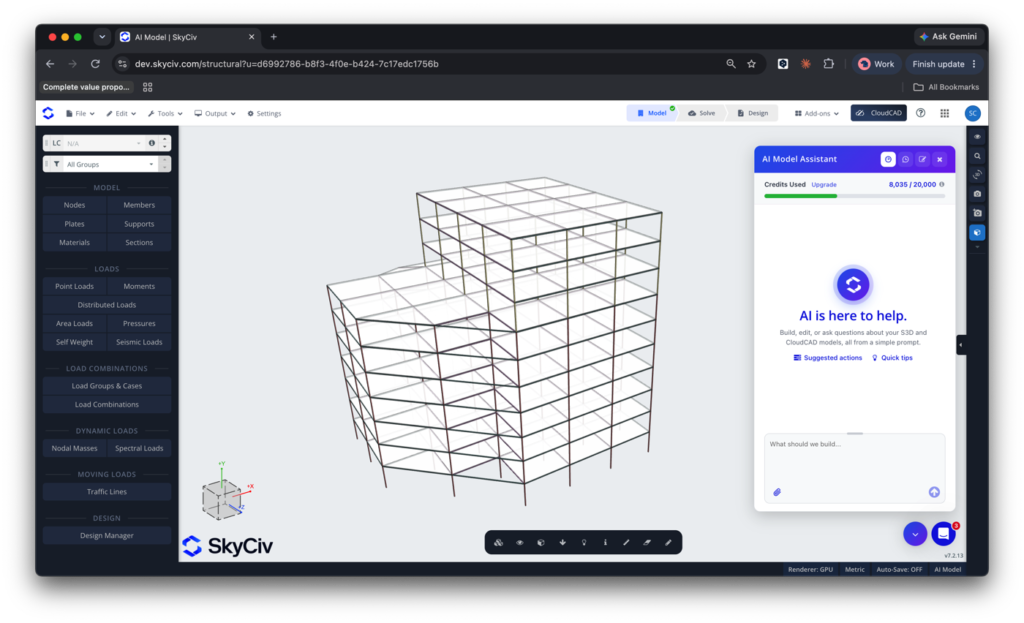
Отрегулировать высоту пола
Отрегулируйте высоту здания и обеспечьте правильное соединение с помощью простой подсказки.. AI Assistant сочетает глубокие знания S3D с знаниями в области проектирования конструкций., поэтому каждое изменение остается точным и разумным.
Пример приглашения: Измените высоту этажа первого этажа, чтобы удвоить текущую высоту, а высоту остальных этажей до 3,7 м.
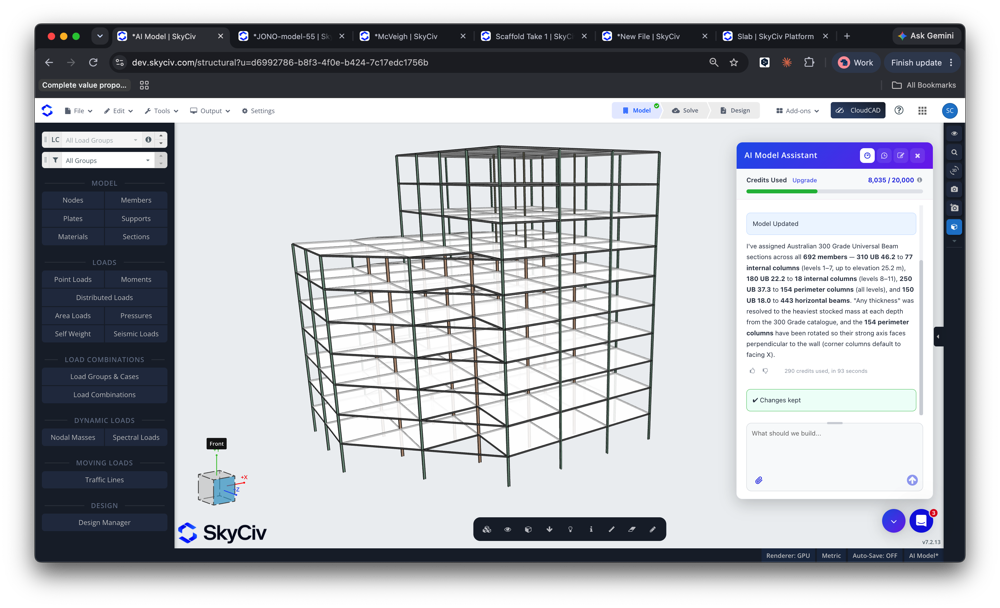
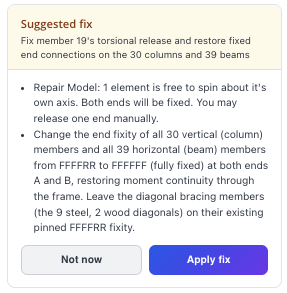
Диагностика проблем в вашей модели
Ваш ИИ-агент — это вторая пара глаз, с возможностью диагностики и устранения проблем в вашей модели. Сканирование нестабильности и проблем с подключением и диагностика проблем так же, как это делает наш персонал службы поддержки.. Все за считанные секунды.
Пример приглашения: Результаты моего анализа немного странные, Вы видите что-нибудь не так с моей моделью??
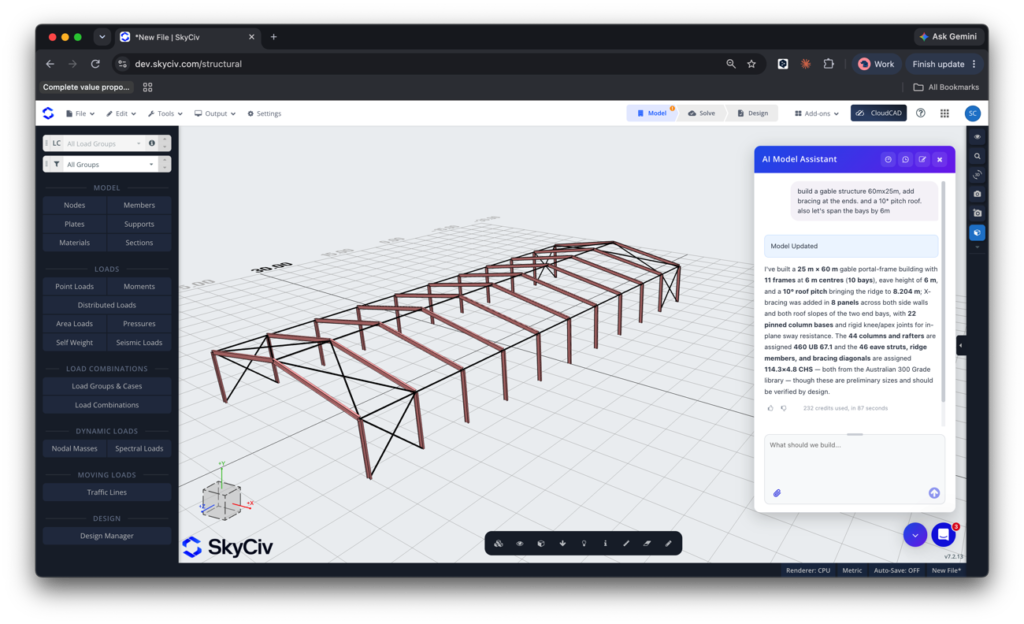
Создавать модели с нуля
Запускаем новую модель? Сообщите AI Assistant свои требования, и он начнет моделировать ваше здание..
Пример приглашения: Постройте 195 футов × 82 футовый склад, двускатная крыша, столбцы, расположенные на расстоянии 15 футов с использованием секций W24x76 для колонн и стропил.. 10 градусный уклон крыши, подглядывает за 20 фут. Двускатная крыша должна иметь распорные стержни между рамами для восприятия боковых нагрузок..
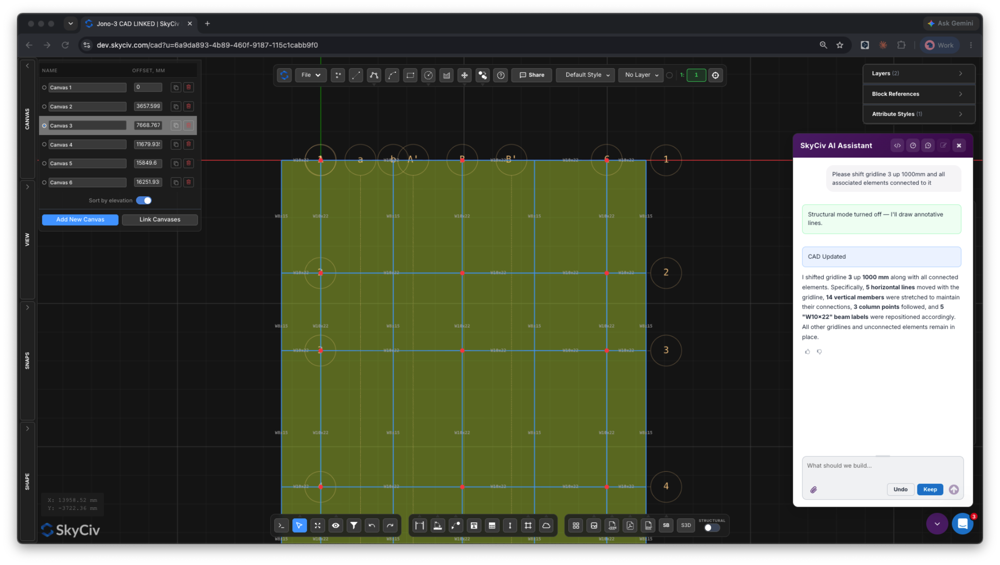
Перемещение линий сетки и связанных элементов
AI Assistant также доступен в нашем программном обеспечении САПР., ОблакоCAD
Перемещение линий сетки, сдвигающие элементы, и поддержание всей связи может превратить простое редактирование рисунка в часы утомительной работы.. AI Assistant справится с этим за считанные секунды..
Пример приглашения: Пожалуйста, сдвиньте сетку 3 На север на 1000 мм, вместе со всеми связанными элементами. Примените это изменение ко всем полам/холстам на чертеже.
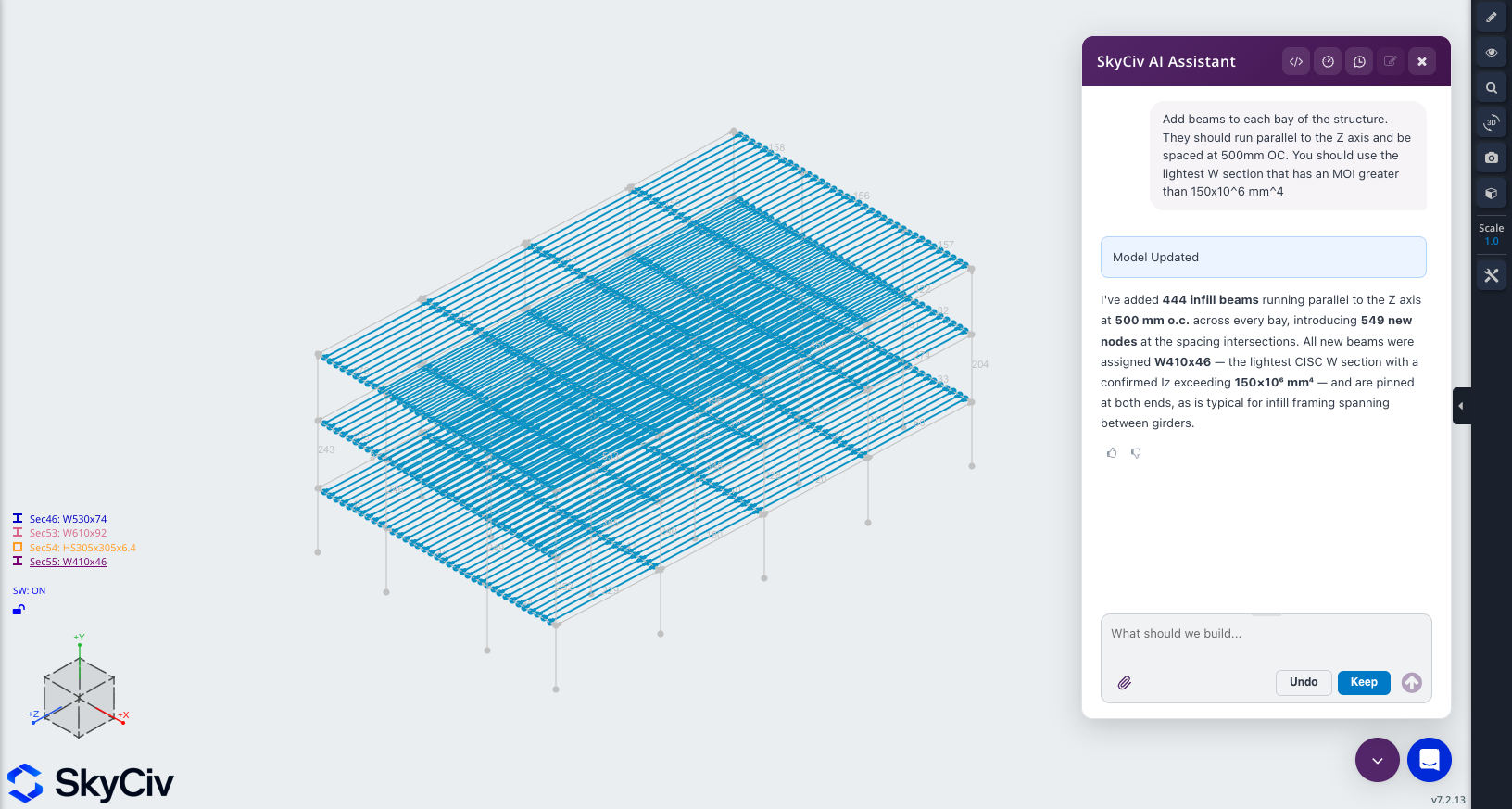
Поменяйте местами и выровняйте разделы.
Выбирайте новые разделы для вашей модели за считанные секунды, будь то простой обмен или сопоставление определенного свойства, такого как площадь или инерция.
Пример приглашения: Добавьте балки в каждый пролет конструкции.. Они должны проходить параллельно оси Z и располагаться на расстоянии 500 мм от окружающего угла.. Вам следует использовать самую легкую W-образную секцию с MOI более 150.×10^6 мм^4
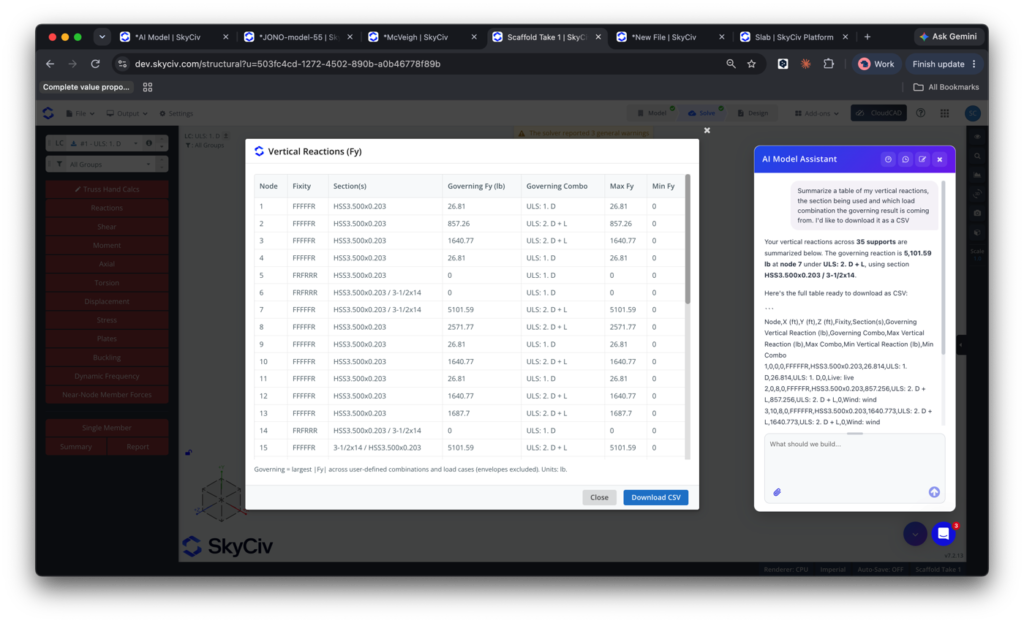
Запрос и настройка результатов анализа
Получите результаты анализа быстрее. AI Assistant обучается на результатах нашего анализа., чтобы вы могли запросить, документировать и настраивать выходные данные нашего программного обеспечения.
Пример приглашения: Составьте таблицу моих вертикальных реакций., используемое сечение и какое сочетание нагрузок дает определяющий результат. Я хотел бы скачать его в формате CSV.
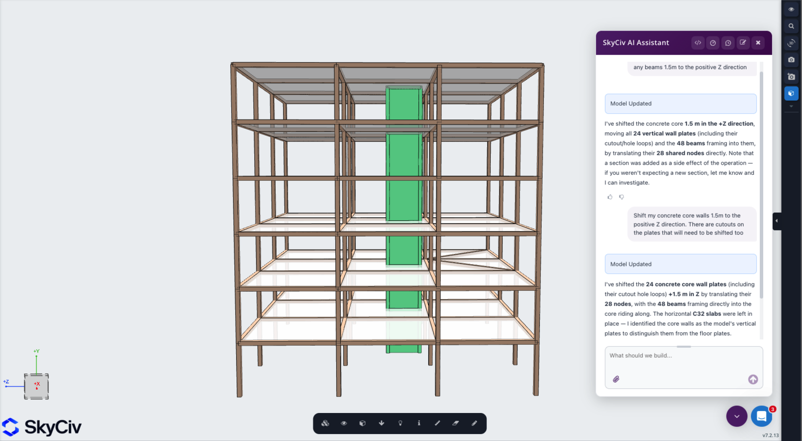
Смещение основных стен и лифтовых шахт
Казалось бы, простые изменения могут быстро стать сложными, если учесть геометрию и связность, на которые они косвенно влияют., часто стоит вам часов. Запустите подсказку и сделайте это за долю времени.
Пример приглашения: Сместите основные стены на 1,5 м в положительном направлении Z.
Посмотрите, как работает AI Assistant SkyCiv:
Мощная интеграция,
Ноль сбоев
ЦЕНЫ
Доступ к модулю AI Assistant
Гибкие планы для любого размера команды.
Никаких фиксированных контрактов, отменить в любое время.
ПОЧЕМУ ИНЖЕНЕРЫ ПЕРЕКЛЮЧАЮТСЯ
Программное обеспечение для структурного анализа, выполняющее полный рабочий процесс
Легко и мощный анализ FEA
Линейный запуск, нелинейный, анализ устойчивости и динамический анализ в одном решателе. Нет отдельных модулей для сложных типов анализа..
Комплексные проверки проекта
Стали, бетон, Модули проектирования древесины и холодной штамповки работают непосредственно на основе результатов вашего анализа. Нет экспорта, повторный ввод или несоответствие версий.
Подробно отчеты о расчетах
Каждая формула, проверка конструкции и
ссылка отображается полностью, чтобы ты мог защитить каждый номер, не только результат.
отзывы
Нам доверяют тысячи

Простота использования и представление результатов потрясающие. Я постоянно взаимодействовал с командой поддержки, и все — отличные специалисты.

Митч Фрумкин
ГЕНЕРАЛЬНЫЙ ДИРЕКТОР КИПКОН
«Оно используется в различных курсах по гражданскому и механическому проектированию, и студентам оно очень нравится. Мы также довольны постоянными обновлениями SkyCiv, настоятельно рекомендуется.

Доктор Кеннет Р. Leitch
Assoc. профессор. в Техасе А&M
Это был самый интуитивно понятный пакет, доступный для изучения.; особенно легко построить 3D-модель и определить узлы, элементов, опоры, материалов, сечений, а затем применить нагрузки & комбинации.

Стюарт Агарс
Управляющий директор Struct-Sure Limited
SkyCiv стал отличным инструментом, помогающим эффективно и четко документировать и обновлять результаты проектирования для сотрудников небольшой компании с множеством обязанностей..

Лидия Фаренкруг
Инженер МТ Солар
тематические исследования
Реальные проекты с использованием SkyCiv

Интуитивно понятный интерфейс
Наш простой в освоении, мощный в использовании, интуитивно понятный интерфейс позволяет быстро получить доступ ко всем необходимым функциям. Оснащен интеллектуальными функциями, такими как инструмент «Перо»., Повтор / Зеркало, и массовое редактирование. Здесь размещается ваш контент.

Комплексная поддержка проектного кода
Наше программное обеспечение поддерживает широкий спектр стальных, дерево, и конкретные нормы проектирования, включая AISC, В, AISI, Нс, КАК, и CSA.

Технология API
SkyCiv — это индивидуальное решение с бесшовной интеграцией., простая реализация, автоматизированные отчеты и масштабируемый дизайн и архитектура.

24/7 Служба поддержки
SkyCiv — это индивидуальное решение с бесшовной интеграцией., простая реализация, автоматизированные отчеты и масштабируемый дизайн и архитектура.

