
SkyCiv プロジェクト マネージャーについて
SkyCiv プロジェクト マネージャーを使用すると、すべてのプロジェクト ファイルを 1 か所に整理できます. 私たちと違って ファイル管理, SkyCiv モジュール全体のファイルを結合して、分析から設計までプロジェクトを簡単に文書化できます。.
プロジェクトマネージャーと, ワンクリックですべてのプロジェクト ファイルをダウンロードして、ドキュメントを簡単に作成できます. プロジェクト マネージャーには統合レポート マネージャーもあり、ソフトウェアで生成された PDF レポートを、提出用のタイトル ページと目次を備えた 1 つの PDF に結合できます。.
主な特長:
- 新しいプロジェクトを数秒でセットアップ.
- 複数のフォルダーを使用してプロジェクトを整理する.
- SkyCiv モジュールからファイルをプロジェクトに直接保存.
- プロジェクト内から新しいファイルを作成する.
- すべてのプロジェクト モデルをダウンロードする, レポート, ワンクリックで修正も可能.
- 見る, 組み合わせる, 組み込みのレポートマネージャーを使用してレポートをダウンロードします.
- プロジェクトを共有してチームと共同作業する.
- 組み込みのログと統計で変更を追跡します.
プロジェクトマネージャーとファイルマネージャーの切り替え
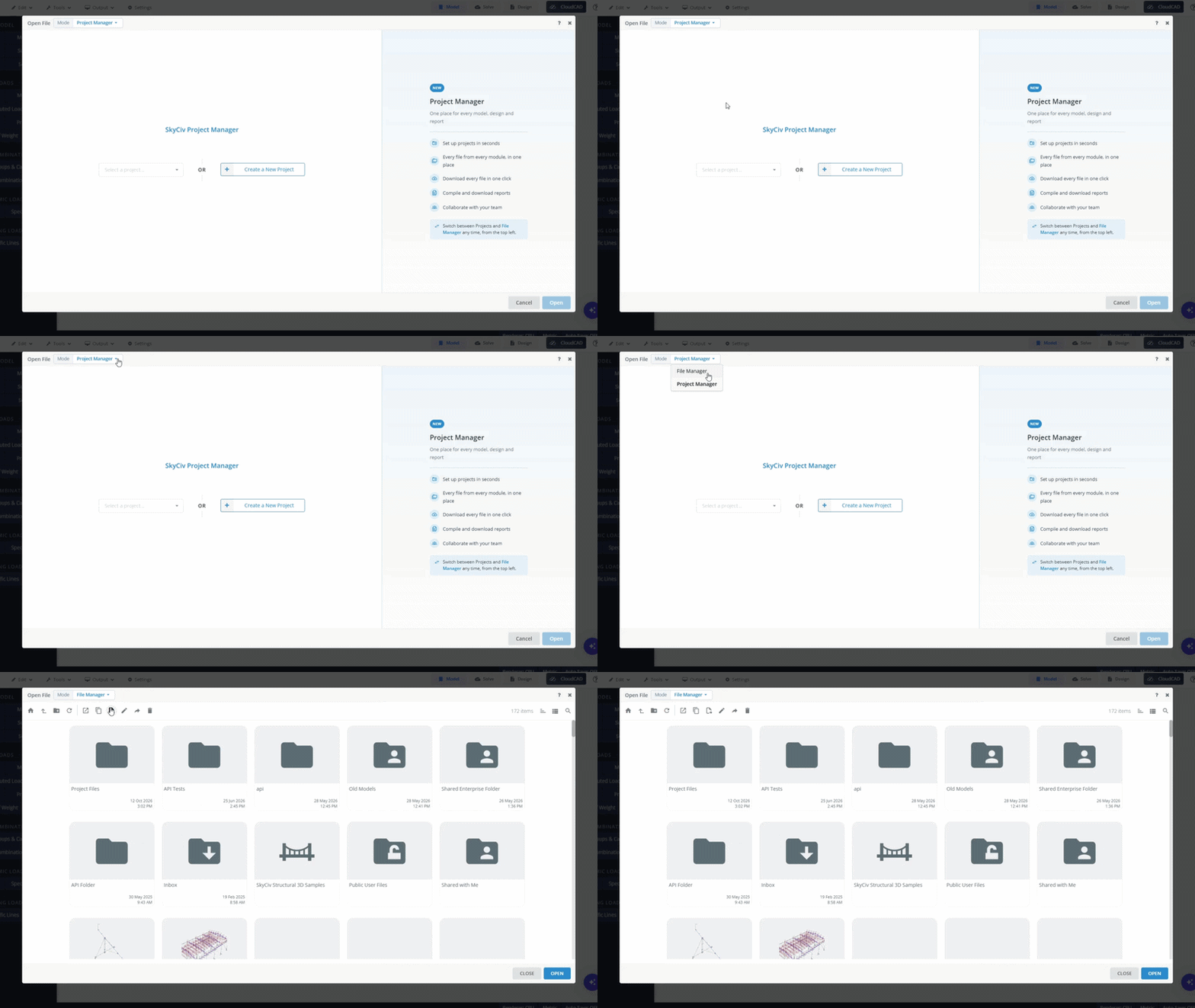
ファイルマネージャーとプロジェクトマネージャーの切り替えは簡単です. 従来のファイル マネージャー ワークフローでの作業を好むユーザーもいることは承知しています。. これを許可するには, を変更するだけで切り替えられます モード ツールバーの右上にある. ブラウザは最後の選択内容を記憶しているので、引き続き同じ方法でファイル マネージャーを使用できます。.
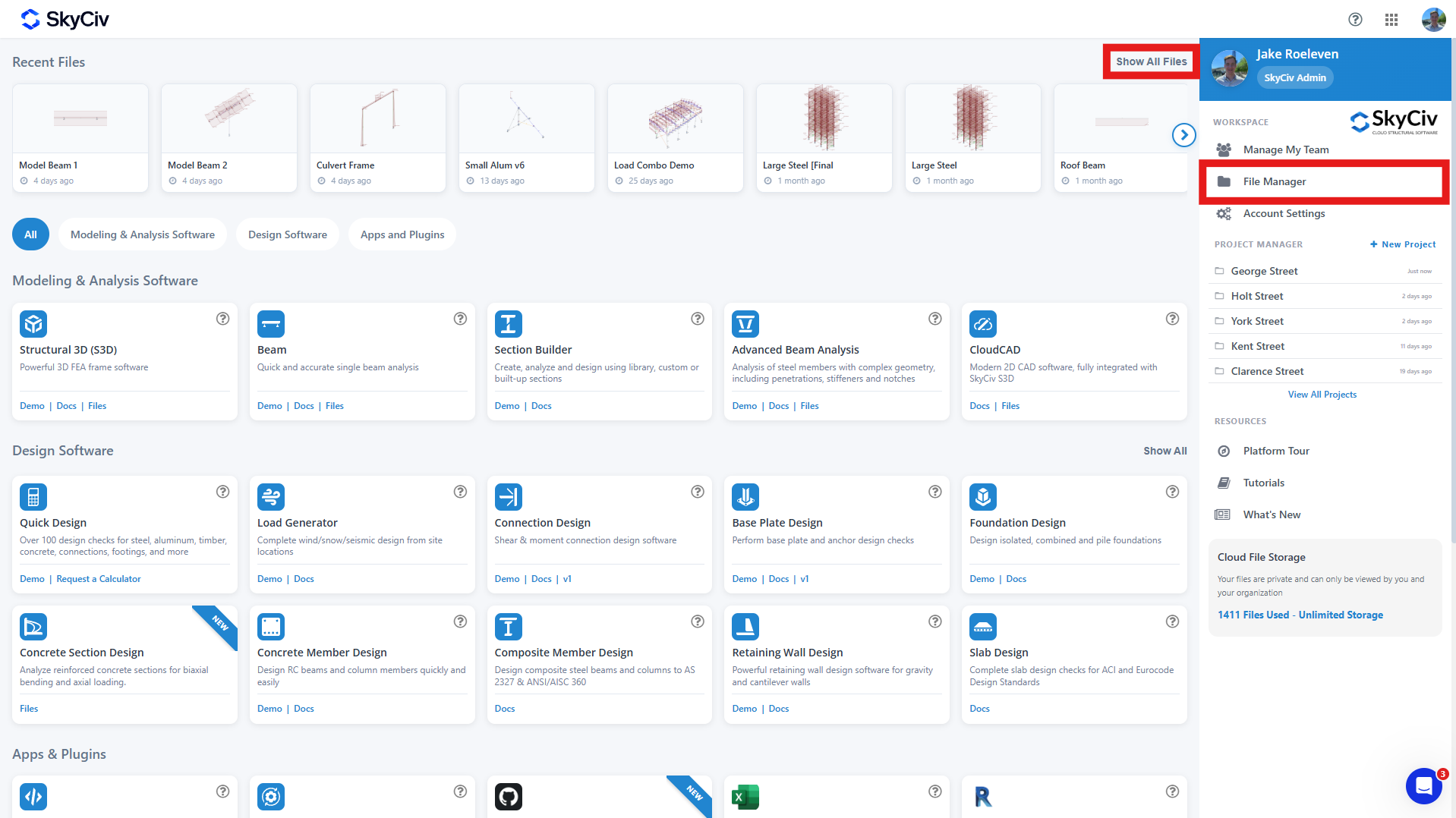
ダッシュボードから, [すべてのファイルを表示] リンクをクリックするか、ワークスペース オプションの下の [ファイル マネージャー] ボタンをクリックすることで、同じ方法でファイル マネージャーにアクセスできます。.
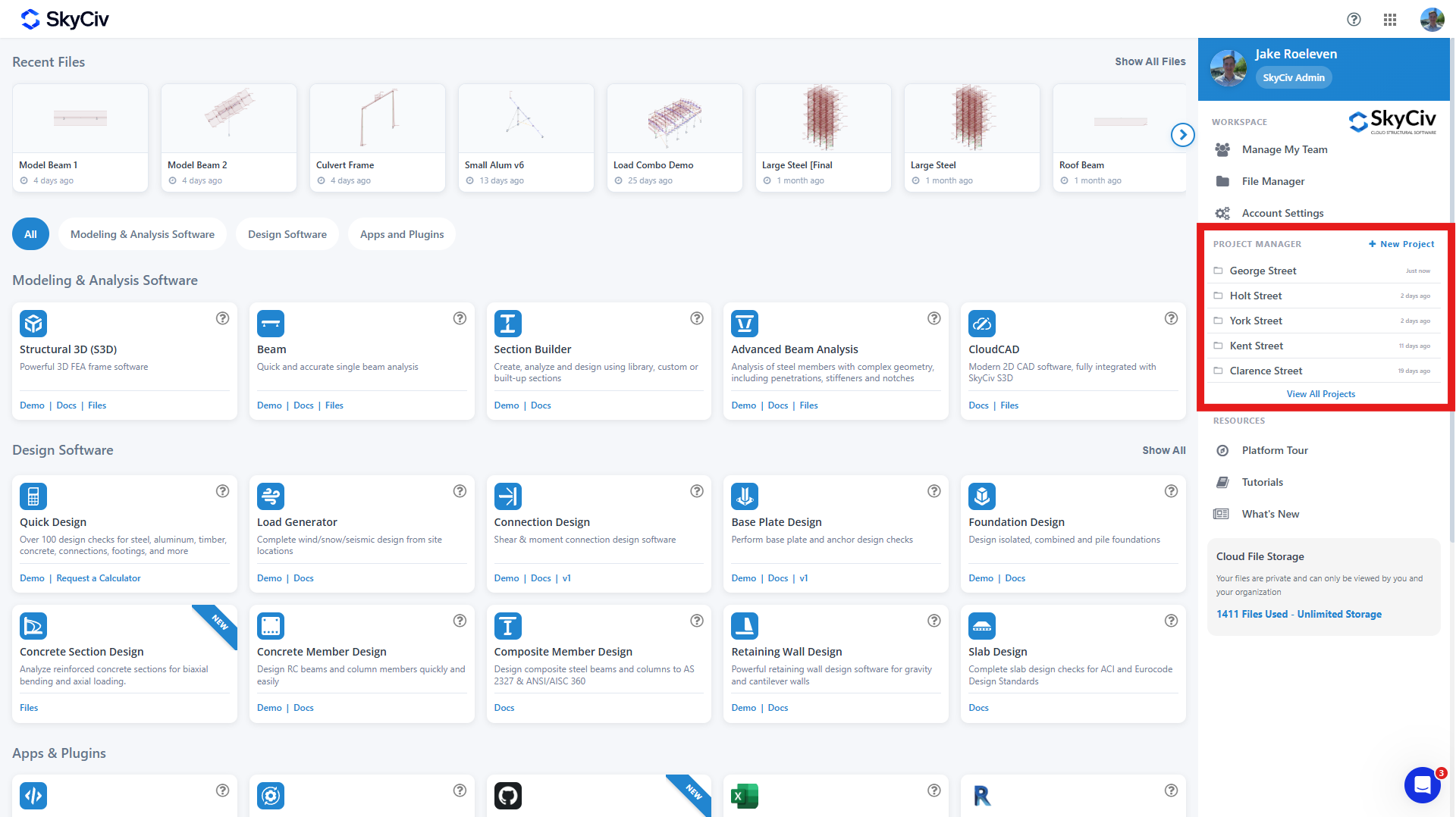
プロジェクト マネージャーには、ダッシュボードの右側にあるダッシュボード スペースからアクセスできます。. あなたの 5 最新のプロジェクトはここで見つけることができます, または、「すべてのプロジェクトを表示」リンクからすべてのプロジェクトを表示することもできます。.
プロジェクトファイルはどこに保存されますか?
プロジェクトに保存されたファイルはファイル マネージャーにも保存されます. デフォルトでは, プロジェクトマネージャーで作成されたファイルは次の場所に保存されます。:
ロケーション: [SKYCIVモジュール]/プロジェクトファイル/[ファイル名]
その点に注意してください:
- ファイル マネージャーからプロジェクトに追加されたファイルは、既存の場所に残ります。.
- プロジェクトからファイルを削除しても、ファイル マネージャーからは削除されません。.
- ファイル マネージャーでファイルを移動しても、プロジェクト マネージャーでのファイルの場所には影響しません。.

