
You can share your SkyCiv files and folders with any other SkyCiv user, and share whole projects with your team from the Project Manager. Because SkyCiv works 100% nella nuvola, everyone works on the same file, updated in real time, in SkyCiv’s software di analisi strutturale in cloud and the other SkyCiv modules.
Your models can be shared at any time, con chiunque abbia un account SkyCiv. Tu e il tuo team potete collaborare su un'unica fonte di verità con fiducia, sapendo che stai accedendo al file più aggiornato.
"You and your team can collaborate on a unica fonte di verità, tutto in tempo reale! Nessuna USB, nessun problema di compatibilità del software, FTP o controlli di versione."
Sharing is useful for:
- Squadre che lavorano su un unico progetto
- Sharing with SkyCiv Support for live support on your current model
- Condivisione di cartelle, per l'organizzazione del team
- School and university team projects
Sharing a File from the File Manager
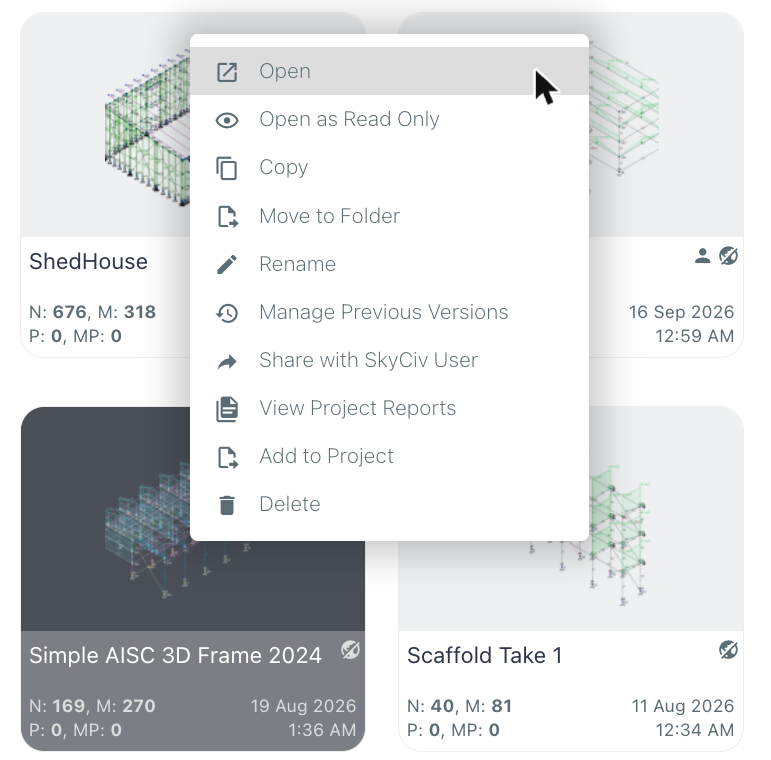
To share a file or folder, open the Gestore di file SkyCiv, right-click the model and click Condividi con l'utente SkyCiv:
Il Share File with SkyCiv Users window opens. Enter the emails of the SkyCiv users you want to share the model with (separate several emails with commas or new lines), then choose how to share it:
- Condividere (l'impostazione predefinita): they work on your model, and every change is saved to the same file in real time.
- Send Copy: they get their own copy of the model, and can modify it without affecting yours.
You also control their permissions: whether they Can Edit the model and Can Share it with others (everyone you share with Can View Esso). Fai clic su Invia to share.
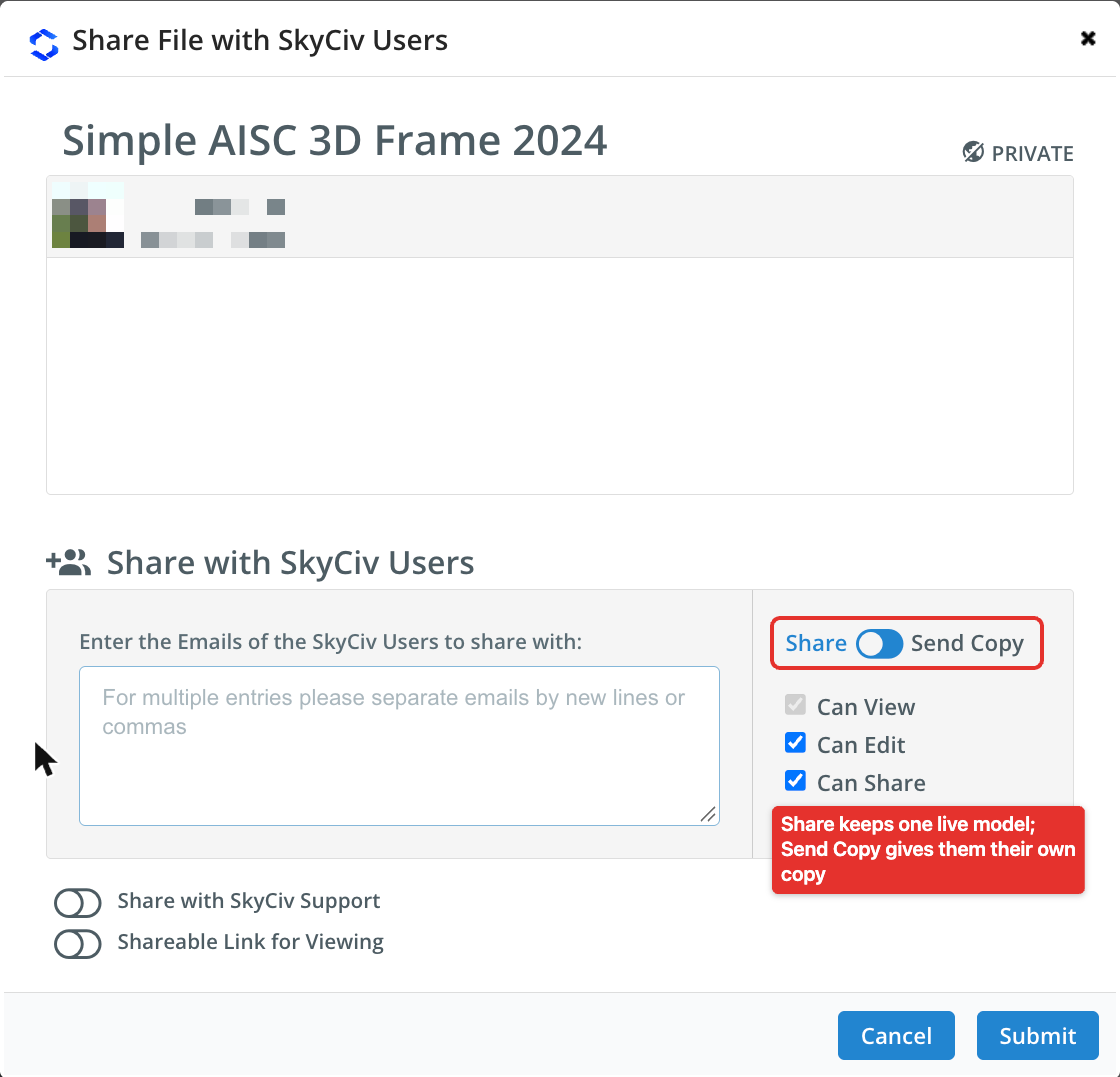
At the bottom of the window, Condividi con l'assistenza SkyCiv gives our support team access to the model, so they can help you with it directly, e Shareable Link for Viewing creates a link to view the model.
Files that have been shared with you automatically appear in your Condiviso con me folder in the File Manager. The people you share with also receive an email to let them know a model has been shared with them.
Cosa succede se due utenti modificano il modello contemporaneamente?
Se un secondo tecnico tenta di inserire il file mentre uno sta già modificando, la piattaforma SkyCiv lo rileverà e avviserà il secondo utente. Possono entrambi Rilevare o Lascia l'accesso per l'ingegnere attualmente impegnato nel progetto.
Sharing Projects in the Project Manager
The SkyCiv Project Manager groups the files of a project from any SkyCiv module, from analysis through to design, with their reports. To add a file to a project from the File Manager, right-click it and click Aggiungi al progetto (see the menu above), then pick the project.
To share a whole project with your team, clicca il Condivisione opzione sul lato sinistro della barra degli strumenti del Project Manager. Una volta condiviso, all teammates listed in the My Team section of your account see the project and its files. Learn more in sharing projects with your team, and see Configurazione dell'account della squadra to add teammates.
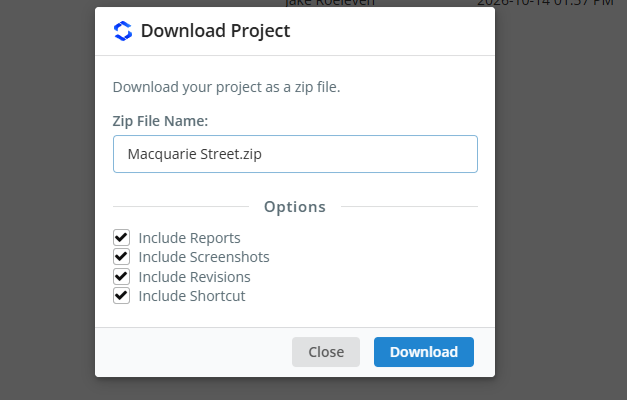
Nota: only SkyCiv Business Accounts have access to project sharing.
