
Índice
- Criando um Novo Projeto
- Adicionando arquivos
- Abrindo arquivos
- Criando Pastas
- Salvando relatórios
- Baixando dados do projeto
- Compartilhando Projetos
Criando um Novo Projeto
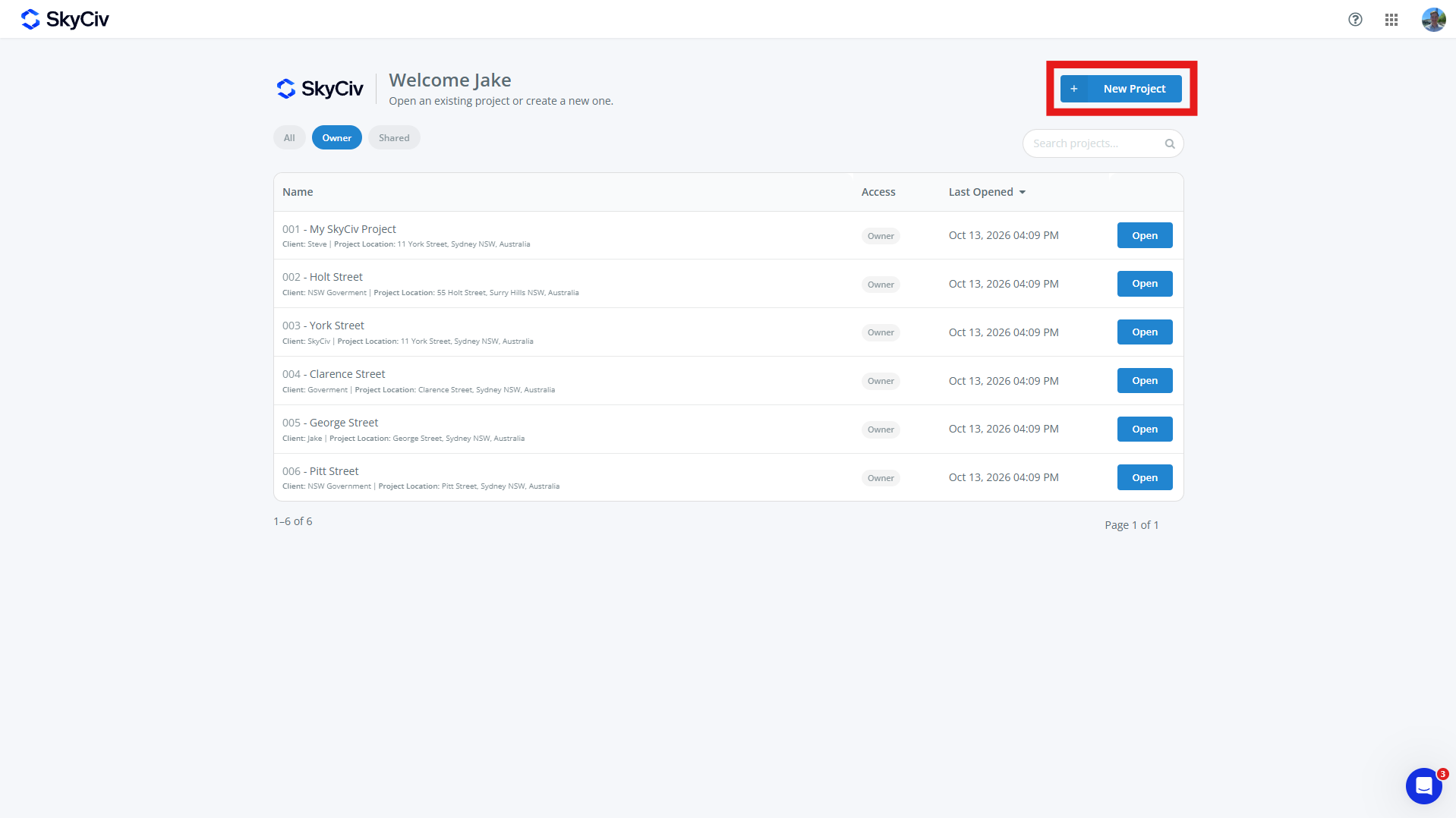
Para criar um novo projeto, Clique no Novo Projeto botão do painel SkyCiv ou página de projetos. Novos projetos também podem ser criados a partir de um módulo SkyCiv.
Preencha o formulário do projeto que aparece. Um projeto pode ter:
-
- Código do projeto (opcional)
- Nome do Projeto (requeridos)
- Informações do Projeto
- Engenheiro (opcional)
- Cliente (opcional)
- Localização (opcional)
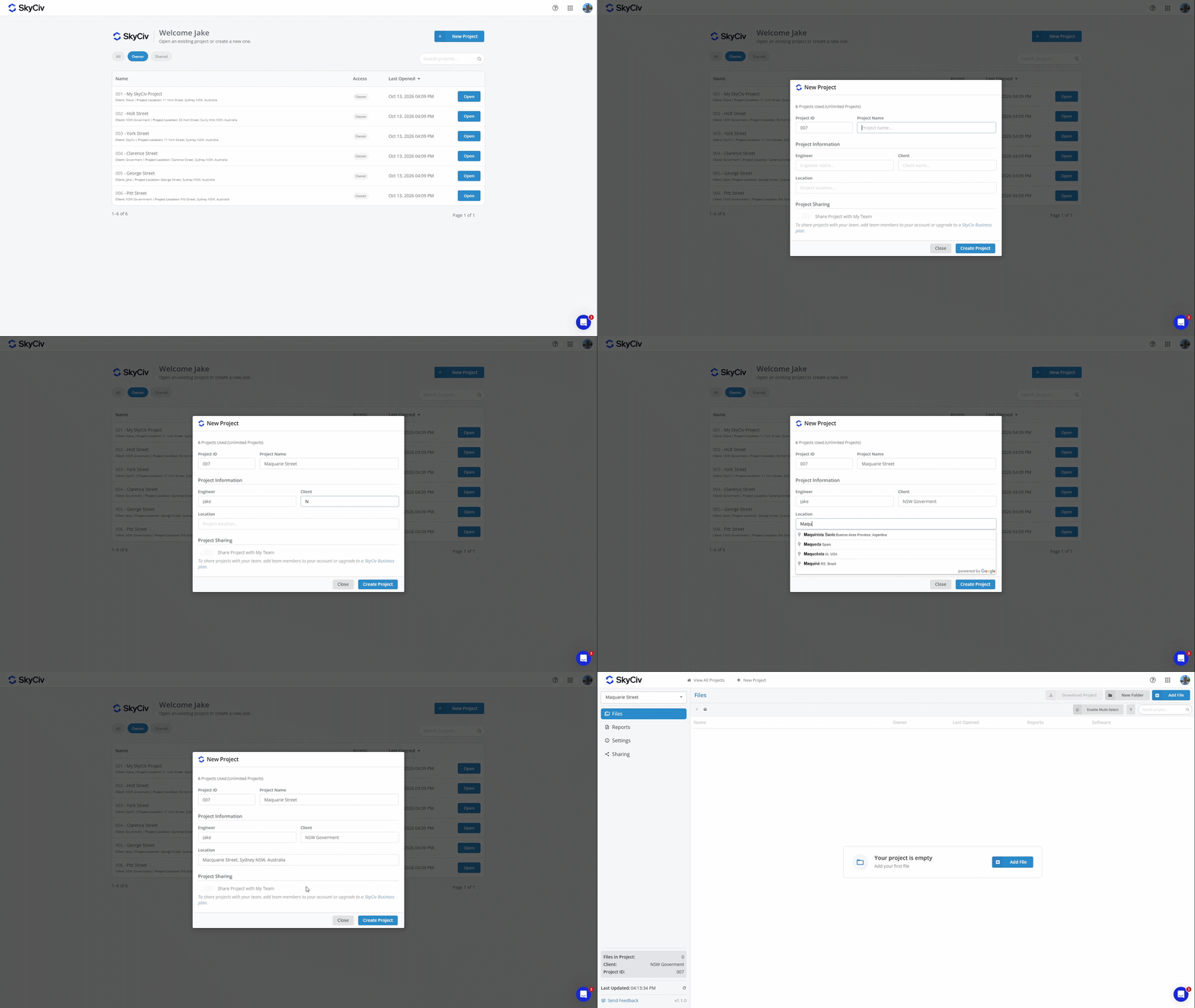
Clique em “Criar Projeto” para criar o novo projeto. Seu projeto agora está pronto para adicionar arquivos também.
Observação: As contas têm um número limitado de projetos. Para atualizar para Projetos Ilimitados, adicione o Project Manager à sua assinatura em Confira ou compre um Conta empresarial SkyCiv
Adicionando arquivos
Os arquivos podem ser adicionados a um projeto selecionando um arquivo existente ou criando um novo. Cada arquivo pode pertencer a apenas um projeto por vez.
Adicionando um arquivo de dentro de um projeto
Os arquivos podem ser adicionados de dentro de um projeto usando o Adicionar arquivo botão no canto superior esquerdo da tela.
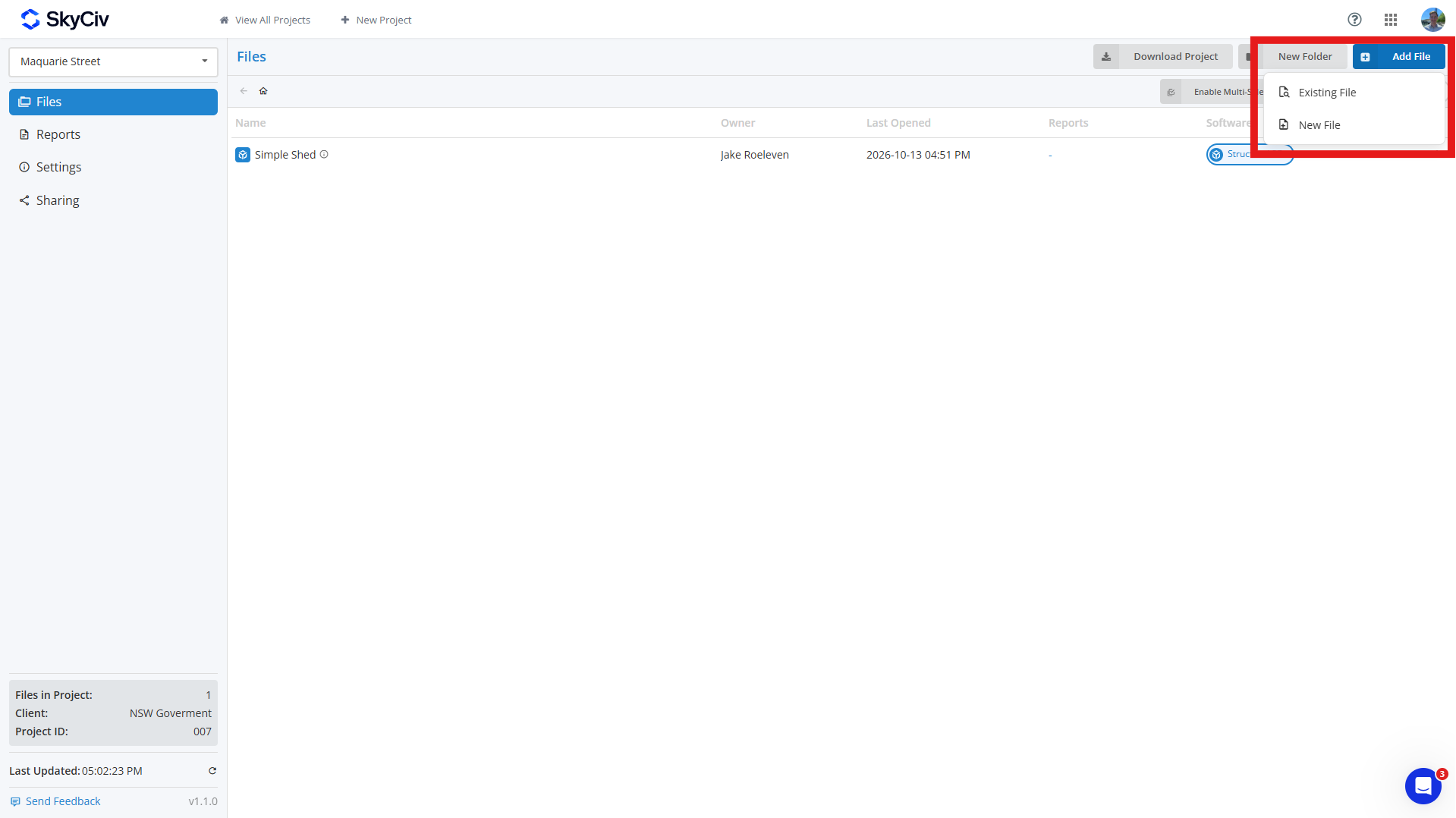
Para adicionar um arquivo existente, clique Arquivo Existente e selecione o arquivo(s) você deseja adicionar ao seu projeto. Você pode pesquisar arquivos e filtrá-los por módulo SkyCiv no canto superior esquerdo do pop-up.
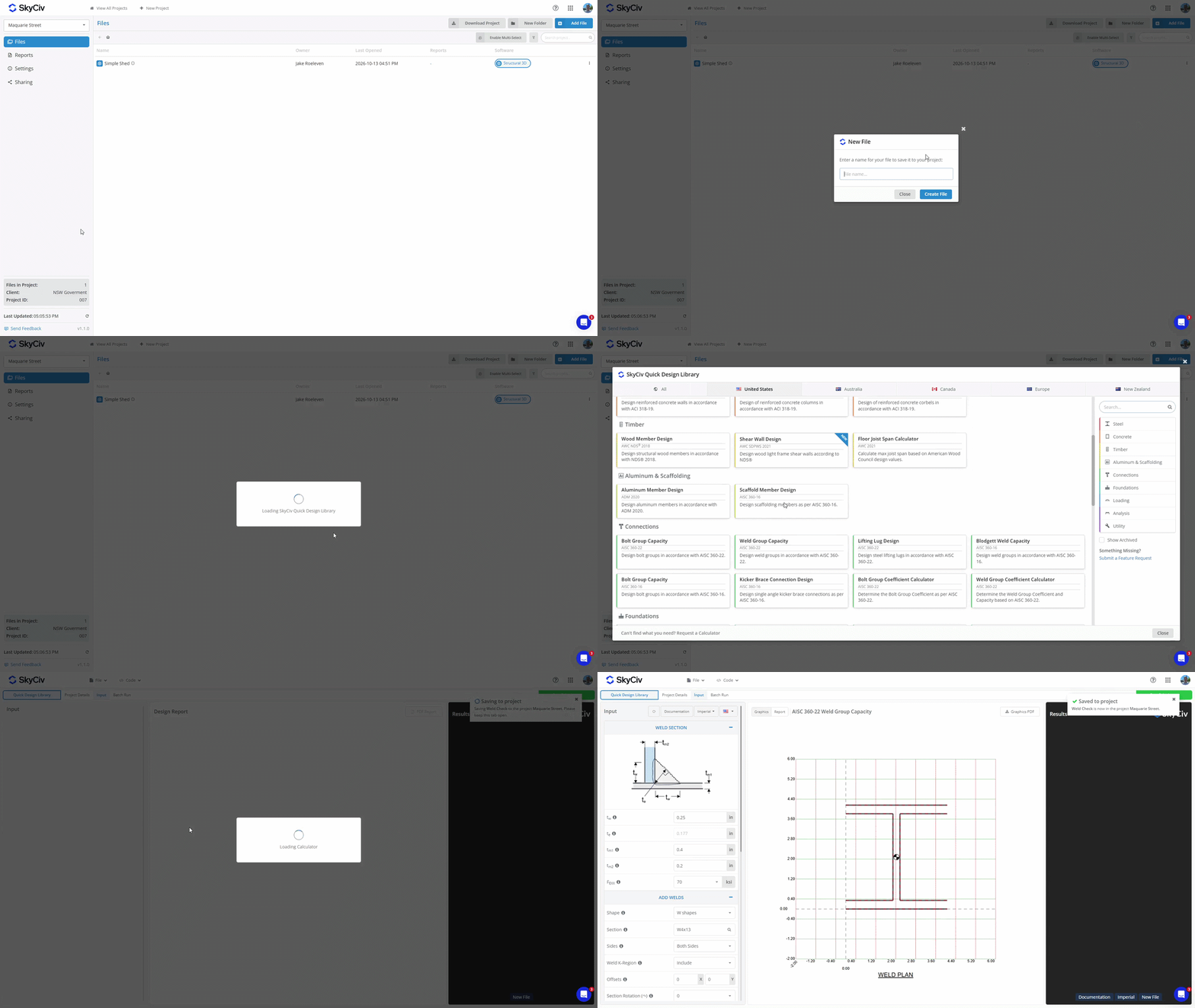
Para criar um novo arquivo, clique Novo arquivo e selecione o módulo de software que deseja usar. Digite um nome para o arquivo, e uma nova aba aparecerá. Se o módulo selecionado exigir configuração adicional, como escolher um código de design ou configuração, complete isso antes de salvar o arquivo. Depois que o arquivo for salvo no projeto, um pop-up aparecerá no canto superior direito confirmando que foi salvo.
Adicionando um arquivo de um módulo de software
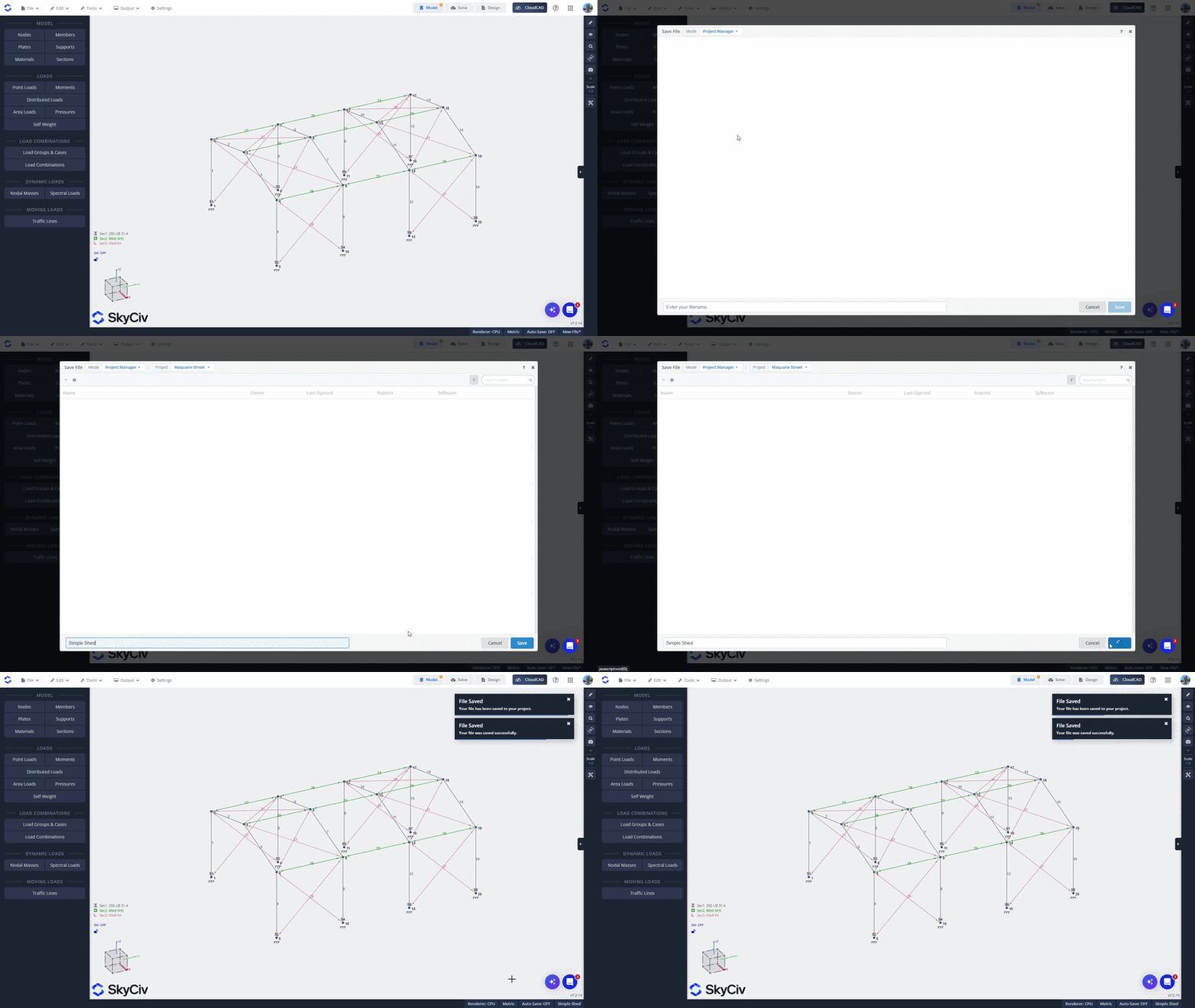
Se você criou um arquivo iniciando um módulo SkyCiv diretamente, você pode salvá-lo em um projeto dentro do módulo. Abra o Arquivo menu e selecione Salve ou Salvar como. Certifique-se de estar no modo Gerente de Projeto, que é exibido no canto superior esquerdo do pop-up.
Selecione um projeto da lista ou crie um novo. Digite um nome para o arquivo e clique em Salve no canto inferior esquerdo para salvá-lo no projeto.
Adicionando um arquivo do gerenciador de arquivos SkyCiv
Para adicionar um arquivo existente do SkyCiv File Manager, clique com o botão direito no arquivo e selecione Adicionar ao projeto. Selecione o projeto ao qual deseja adicioná-lo.
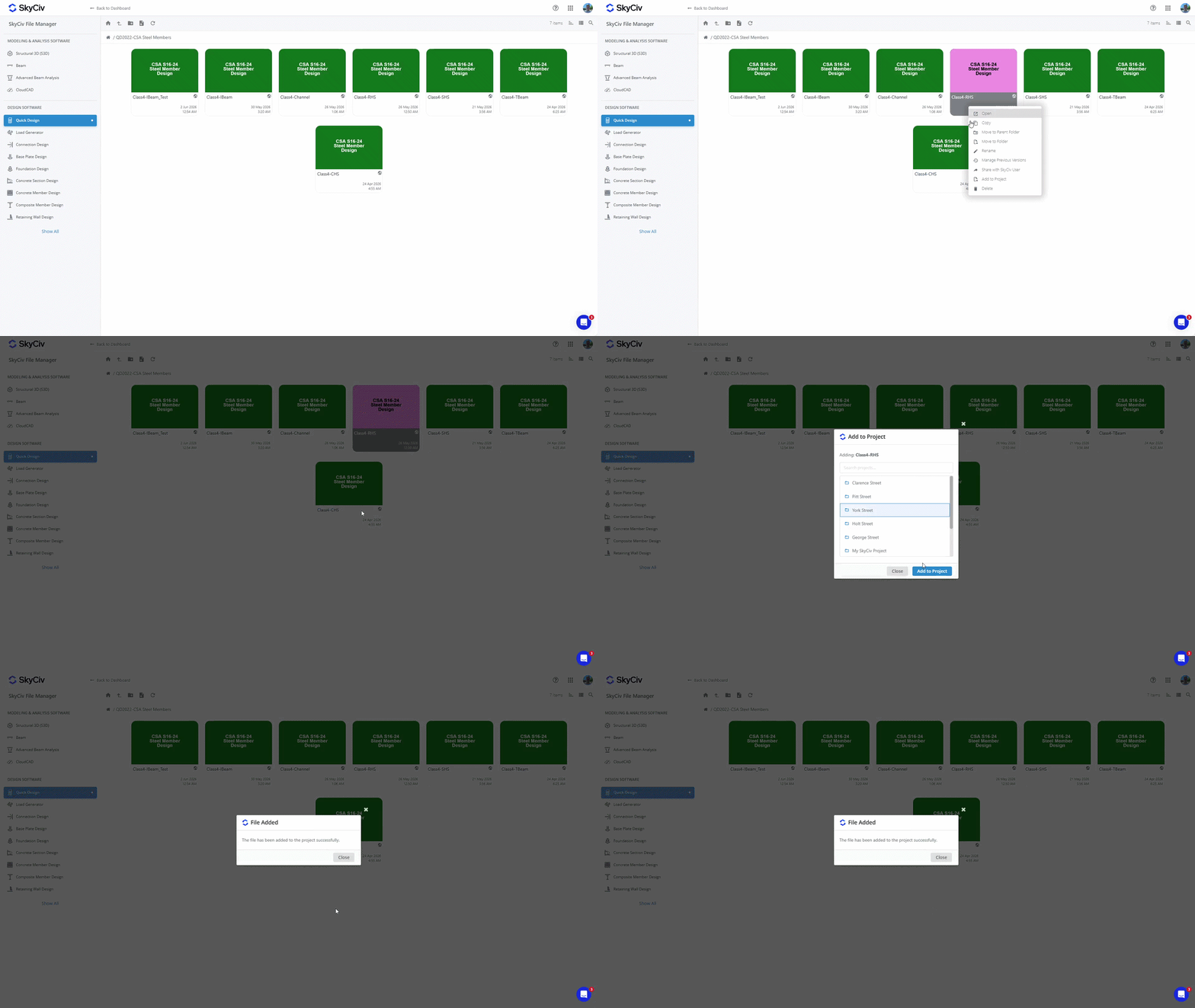
Observação: Os arquivos salvos em seus projetos também podem ser acessados no Gerenciador de Arquivos. Adicionar um arquivo a um projeto não altera seu local existente no Gerenciador de Arquivos. Ver Onde os arquivos do projeto são salvos? no Começando para mais detalhes.
Abrindo arquivos
Abrindo um arquivo de dentro do projeto
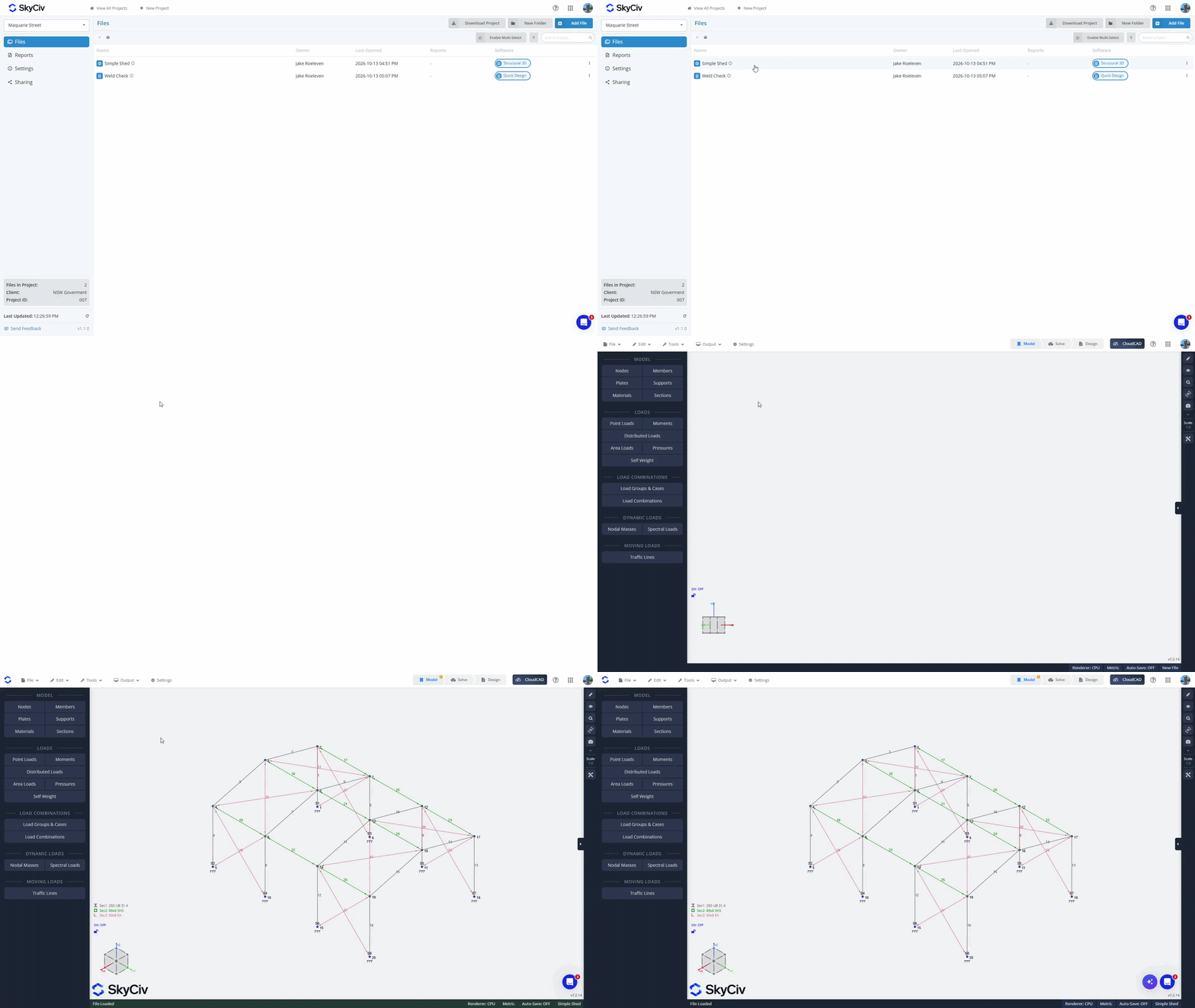
Para abrir um arquivo de dentro, clique duas vezes para abri-lo em uma nova guia. Alternativamente, clique com o botão direito no arquivo para abrir o menu do arquivo e selecione a opção “Abrir”.
Abrindo um arquivo de dentro de um módulo de software
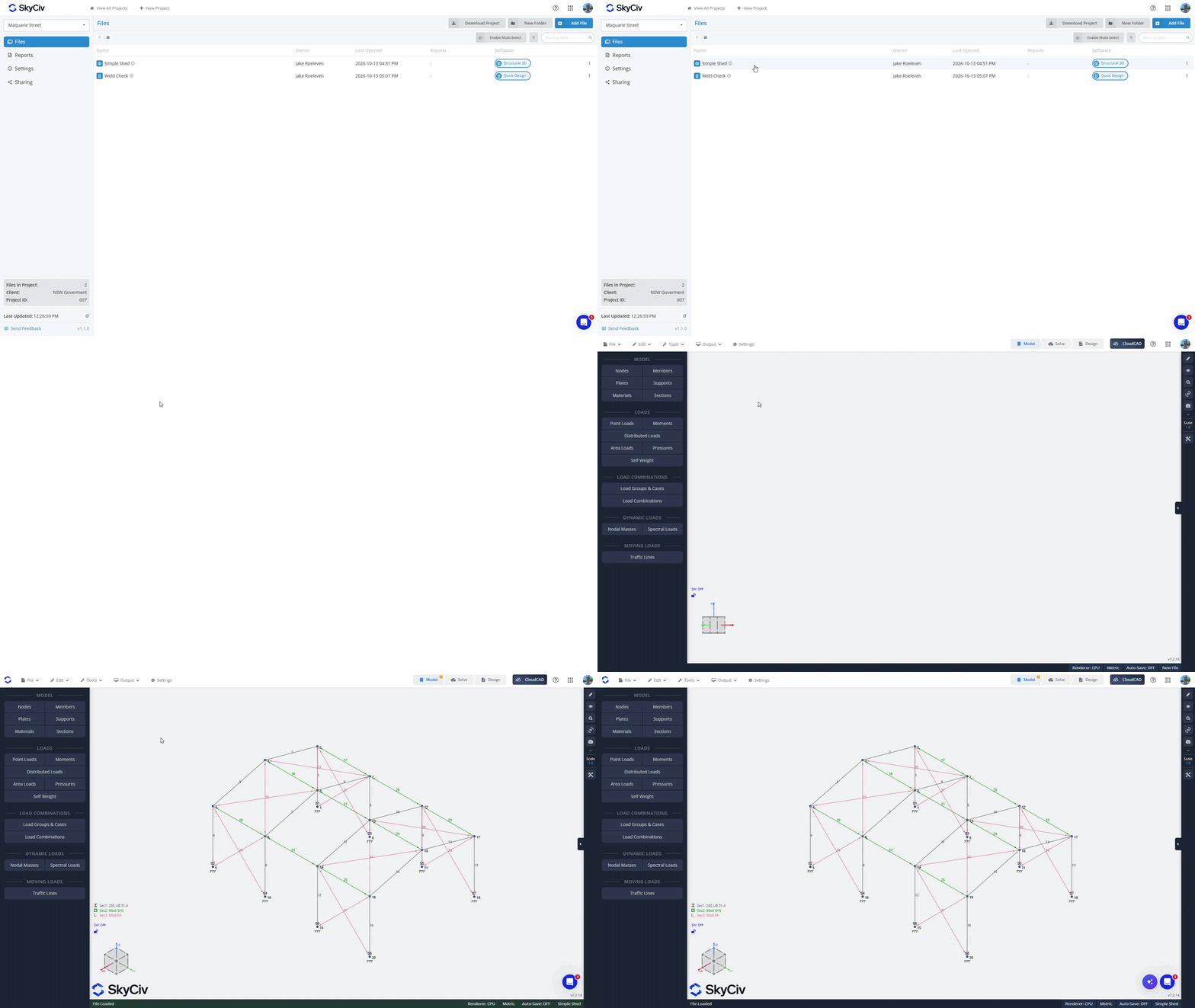
Do Arquivo cardápio, clique em “Abrir”. Certifique-se de estar no modo Gerente de Projeto; você pode verificar isso no canto superior esquerdo do pop-up. Selecione seu projeto para carregar os arquivos disponíveis. Os arquivos do módulo atual serão carregados no topo da lista. Se você selecionar um arquivo do módulo atual, ele será aberto na guia atual. Os arquivos de outros módulos ficarão esmaecidos no final da lista. Se você selecionar um arquivo de outro módulo, ele será carregado em uma nova aba.
Criando Pastas
Organize seus arquivos em pastas usando o “Nova pasta”dentro do Gerenciador de Projetos e criando um nome para sua pasta. Arraste e solte arquivos em pastas para movê-los, ou use o “Ativar seleção múltipla”Opção para mover arquivos em massa para pastas.
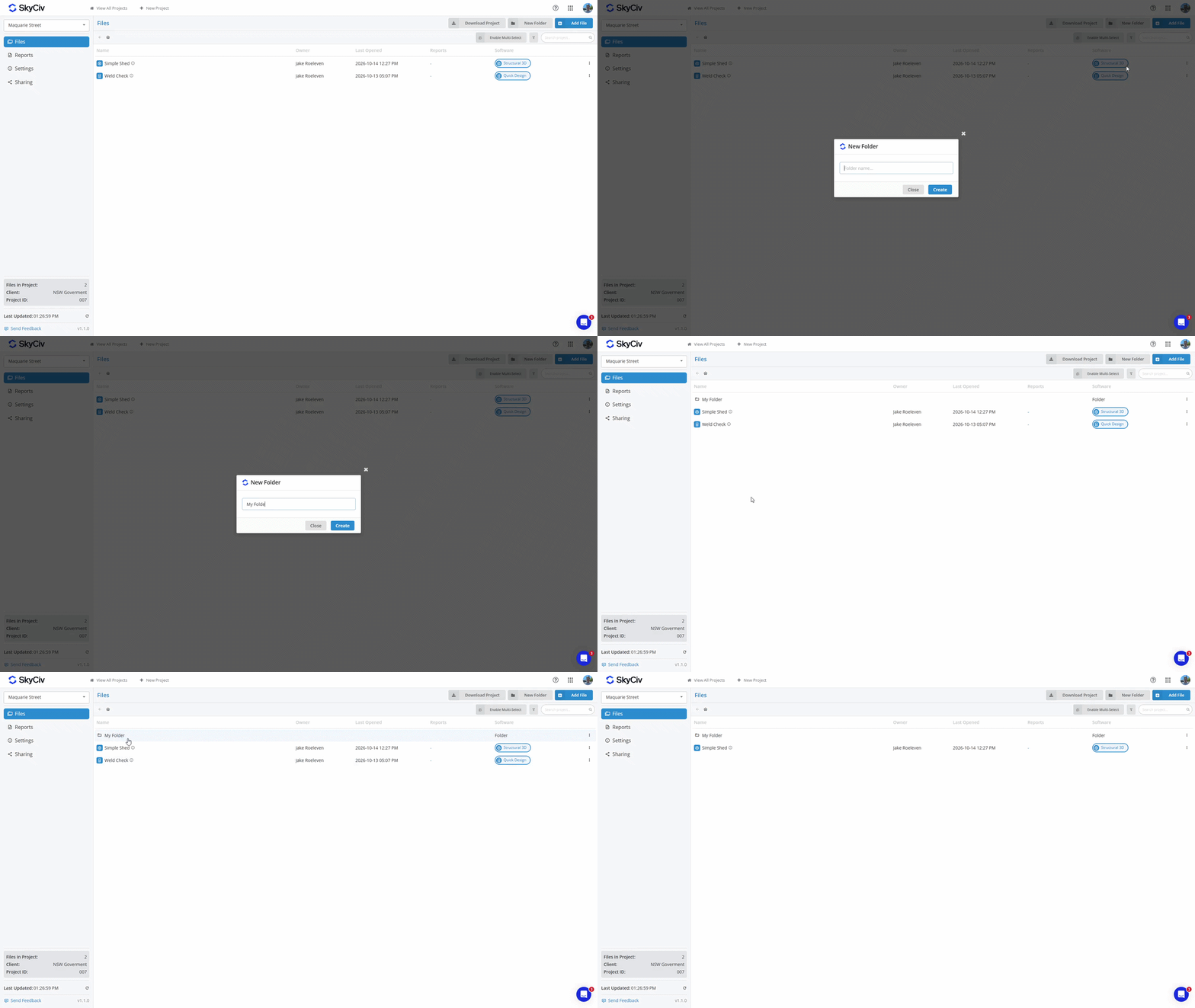
Para mover um arquivo de volta para a pasta pai, clique com o botão direito no arquivo e selecione a opção Mover arquivo. Selecione a pasta pai ou o “Raiz do Projeto”para o nível superior do Projeto.
Salvando relatórios
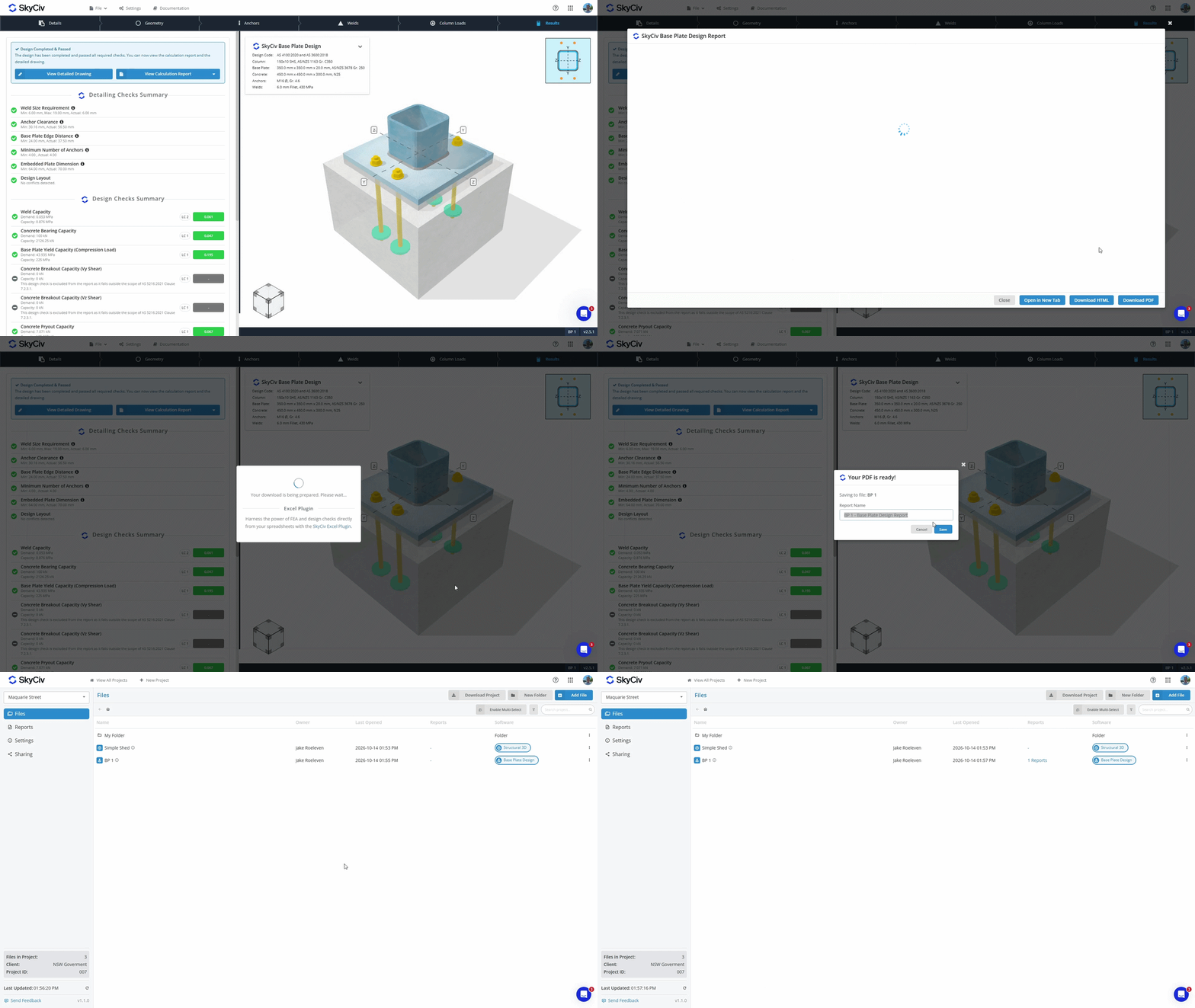
Quando você gera um PDF a partir de um módulo SkyCiv, agora você tem a opção de:
- Download e armazene o PDF no seu dispositivo local.
- Salve com seu arquivo em nosso armazenamento em nuvem.
Os PDFs salvos em seu arquivo no armazenamento em nuvem podem ser visualizados no Gerenciador de projetos nas guias Arquivos e Relatórios. Saiba mais no Documentação do Gerenciador de relatórios.
Baixando dados do projeto
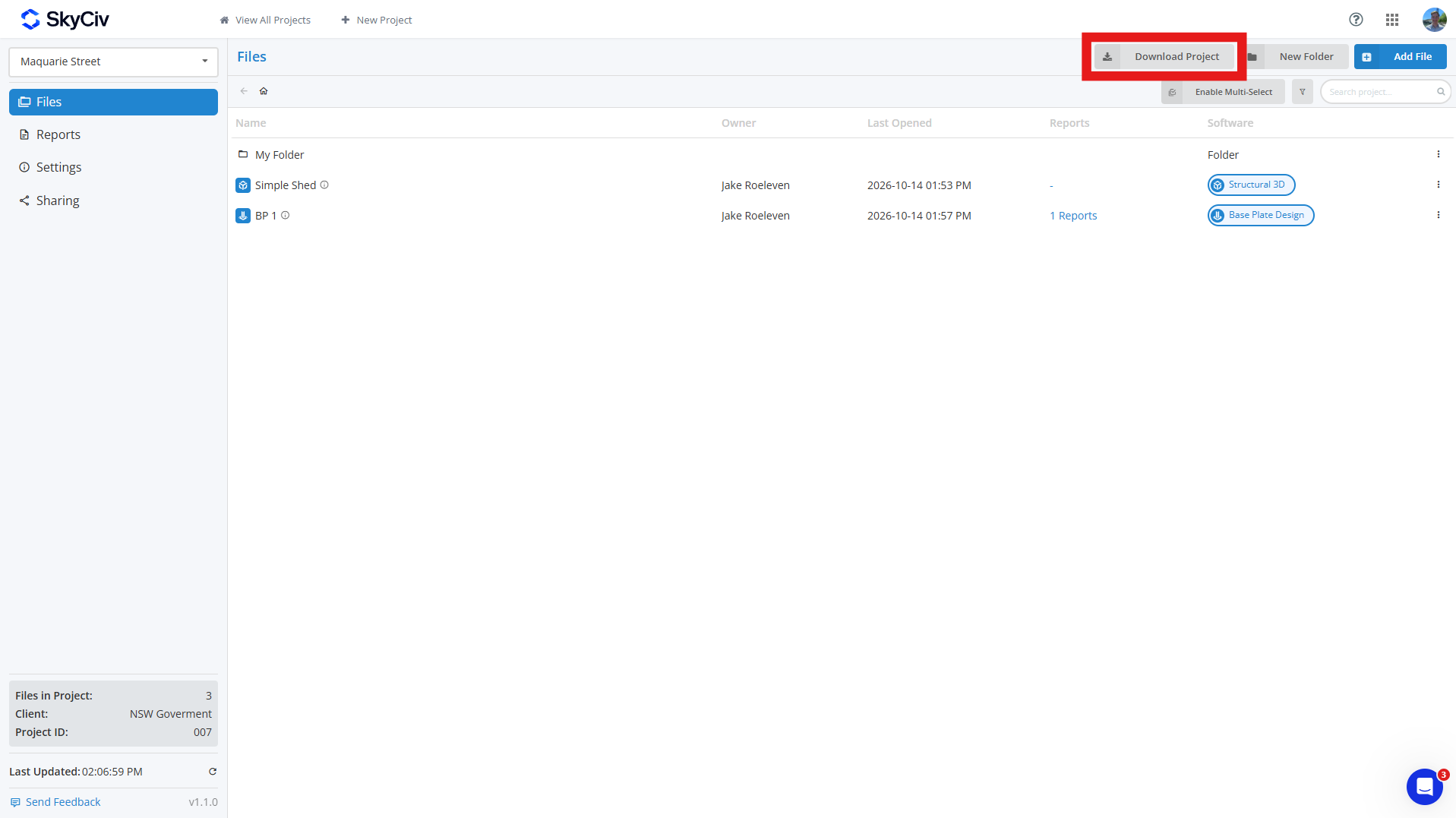
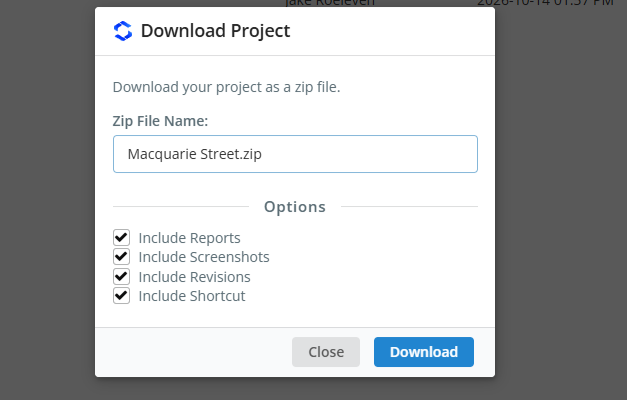
Você pode baixar os dados do seu projeto no Arquivos guia em seu projeto clicando no botão Baixar projeto botão. Isso permite que você gere um ZIP do projeto, incluindo:
- Arquivo de modelo (Arquivo JSON)
- Dados de revisão (opcional)
- Capturas de tela (opcional)
- Relatórios salvos (opcional)
- Link de atalho (opcional)
Se você selecionar campos opcionais, então cada modelo no seu ZIP será sua própria pasta contendo todos esses dados; se você incluir apenas modelos, cada modelo será baixado como um arquivo JSON. As pastas do projeto serão replicadas no ZIP, com cada pasta diferenciada com um [PASTA] tag anexada ao seu nome.
Compartilhando Projetos
Você pode compartilhar projetos com seus colegas de equipe através do Compartilhamento opção no lado esquerdo da barra de ferramentas do Gerenciador de Projetos. Quando compartilhado, todos os colegas de equipe listados na seção Minha equipe da sua conta verão o projeto. Veja o Configuração da conta da equipe aprender mais.
Observação: apenas contas comerciais SkyCiv têm acesso à funcionalidade de compartilhamento.

