
今月は、より迅速な作業を支援するための新たなアップデートが行われました, より賢い, そしてより多くの制御が可能. From the new operation tools on the right sidebar to the added improvements to the SkyCiv Quick Design library.
Take a look, try them out in-platform, ご意見をお聞かせください!
Customize S3D Workspace with the New Operation Toolbar
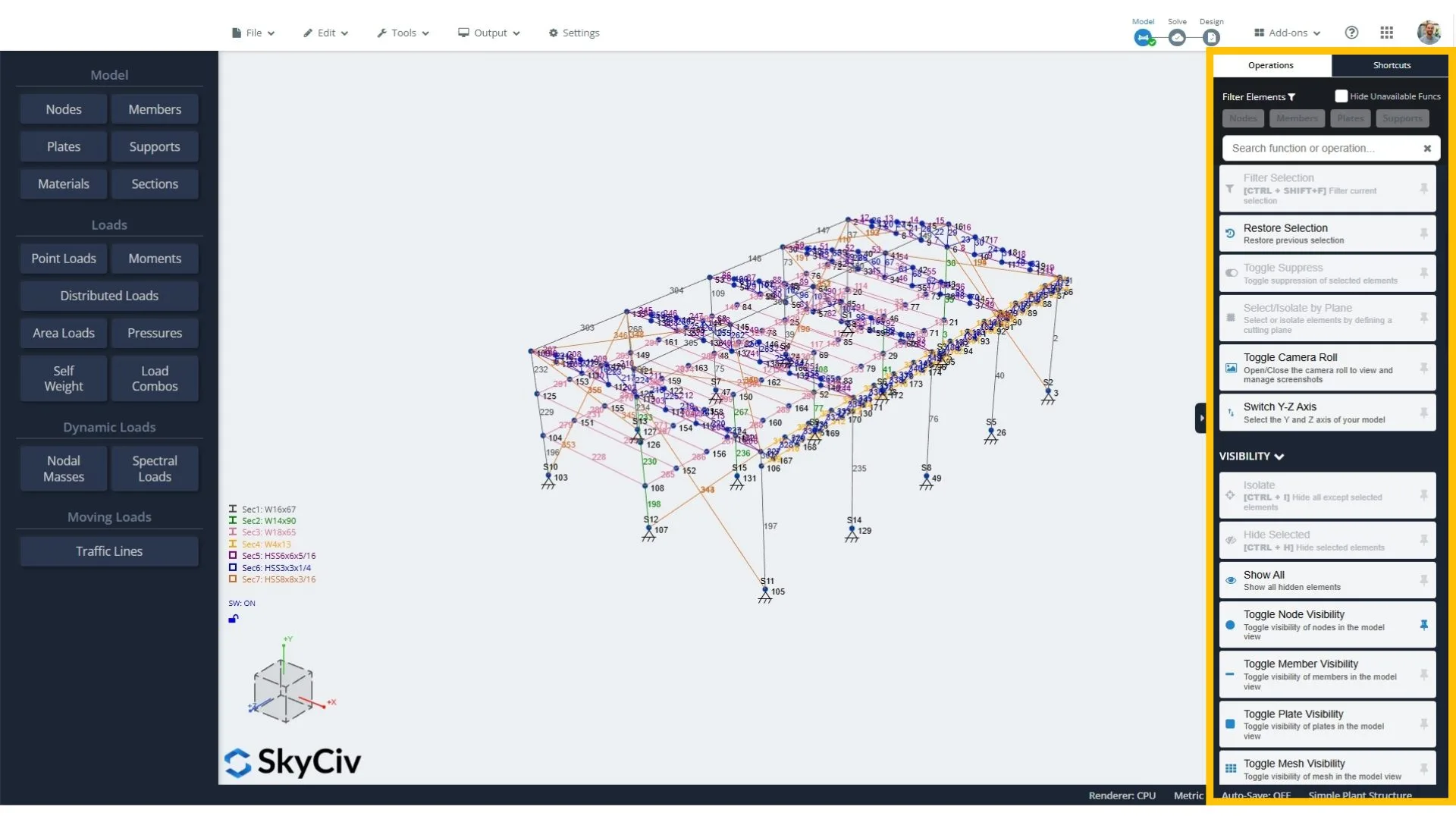
When you’re jumping between menus just to find basic tools, it slows everything down and breaks your flow. That’s why we’ve added new operations tools to the right sidebar of SkyCiv Structural 3D to make your workflow a lot smoother. ワンクリックで, you now get quick access to all your commands, スプレッドフーチングを設計する方法, and useful filtering options.
この追加で, you can pin your favourite operations to the collapsed sidebar so you can access them anytime with minimal clicks required.
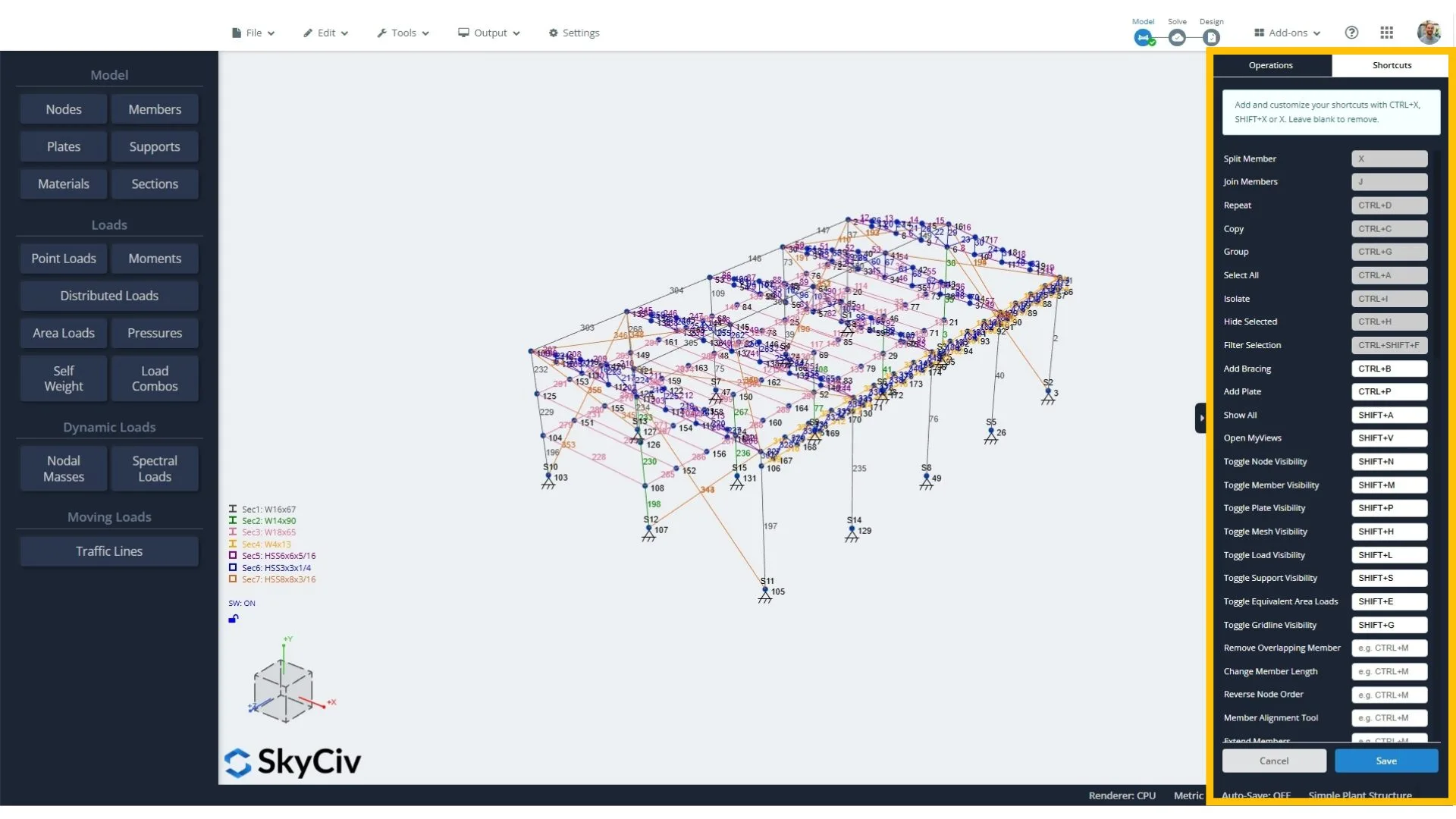
For faster modeling, you can now assign custom keyboard shortcuts to your go-to tools. Shortcuts are great for speed, but they can be a pain to remember. This feature handles that mental load for you, while still giving you the flexibility to set up shortcuts with your own logic.
We hope this change will make a big difference to our users, especially when you’re working to a deadline.
New SkyCiv Quick Design Updates
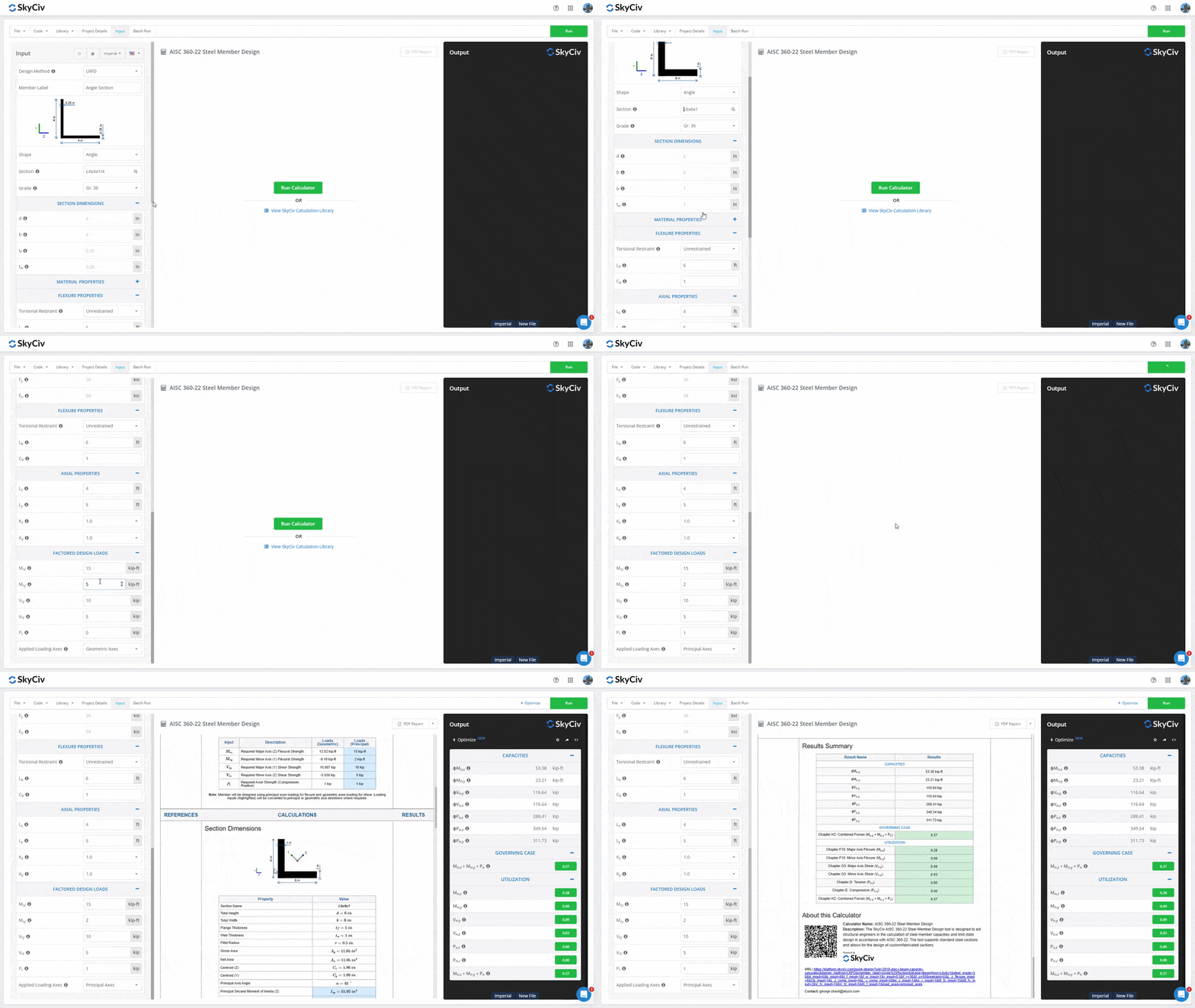
1. スチールアングル設計
どちらも なので 4100:2020 Steel Member Calculator そして AISC 360-22 Steel Member Calculator ツールがスチールアングル設計をサポートするようになりました, 等しい角度と不等な角度を含む, 幅広い標準データベース形状またはカスタム角度設計のオプション付き.
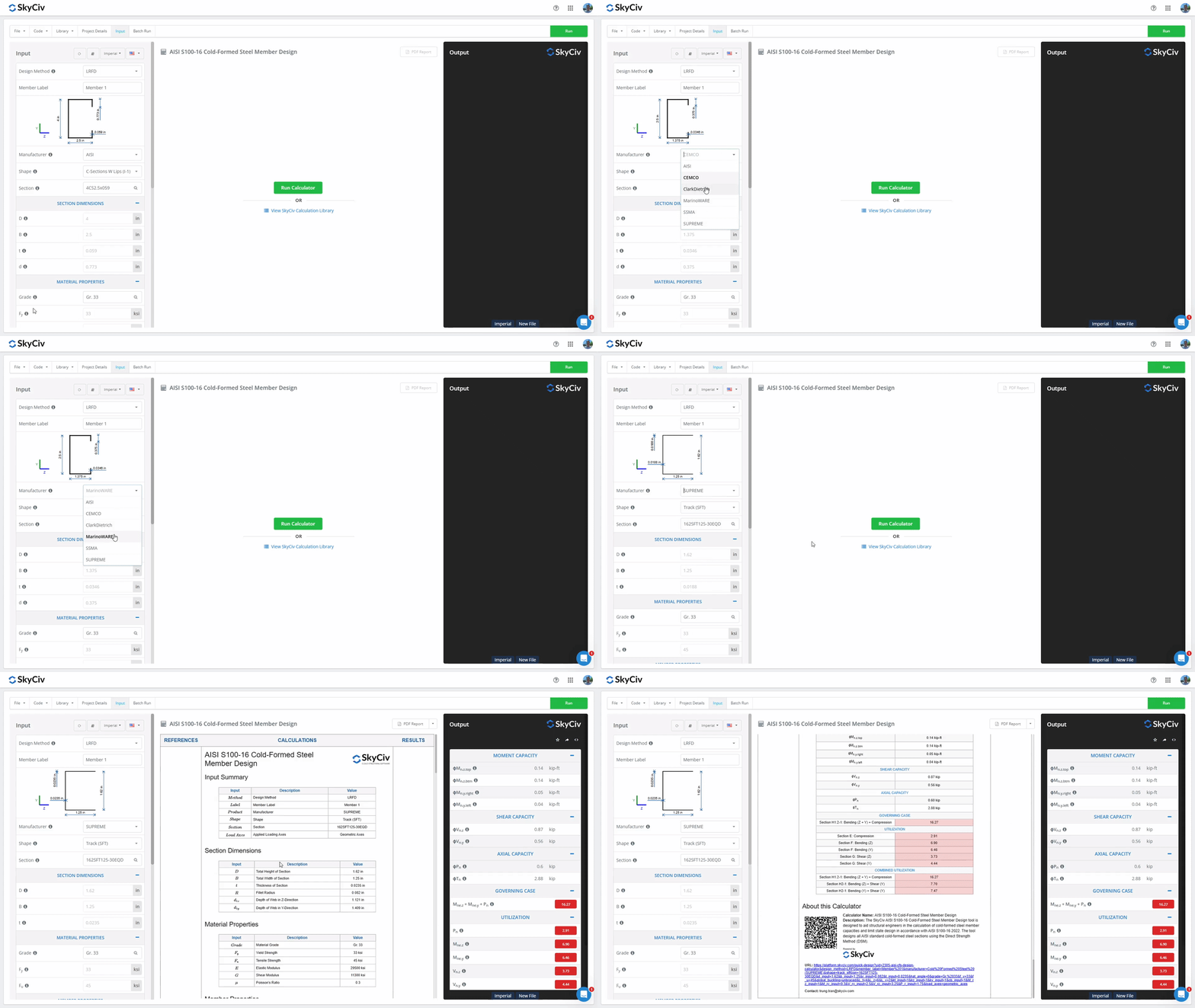
2. Added Manufacturers to AISI S100-16 Cold-Formed Steel Member Calculator
Our popular AISI S100-16 Cold-Formed Steel Member Calculator now supports sections from the following manufacturers’ catalogs:
- セムコ
- クラークディートリッヒ
- マリオンウェア
- SSMA
- 最高
その他のアップデート
SkyCiv Structural 3D v7.1.0 with modeling improvements
- Visibility Shortcuts: Added keyboard shortcuts to toggle visibility of nodes (SHIFT + N), 会員 (SHIFT + M), プレート (SHIFT + P), メッシュプレート (SHIFT + H), 負荷 (SHIFT + L), サポート (SHIFT + S), equivalent area loads (SHIFT + E), and gridlines (SHIFT + G).
- Duplicate Existing Loads: Copy loads via right-click menu—duplicate by a chosen factor and assign to new load groups.
- Visual Load Representation: Loads can now be colored by load case in Visibility Settings > 負荷 > Color By.
- Extend Tool Improvements: The Member Extend tool can now extend a member to a node located anywhere in 3D space. The member is extended along its path to the plane orthogonal to the member that contains the node. 以前は, it could only extend to another member to form an intersection.
- Average Line Support Reactions: Line support reactions can now be averaged (point average or distributed average). This can be configured in the settings under the red Reactions button after solving.
- Relocate Structure to Origin: Added a new function to move the entire structure to the origin: 編集する > 操作 > Move Structure to Origin.
- Area Load Directions: Area load and pressure directions are now indicated graphically.
Load Generator enhancements
- に 1991 freestanding wall wind load calculation.
- に 1991-1-3 + National Annexes snow load calculations for special roof shapes including cylindrical roofs, snow overhanging edges, drifting against obstructions, drifting at canopies, and snow behind parapets.
見る SkyCiv 変更ログ さらに詳しく知り、機能に投票してください SkyCiv Upvoty.


