
Questo mese abbiamo ricevuto una nuova serie di aggiornamenti per aiutarti a lavorare più velocemente, più intelligente, e con maggiore controllo. Dai nuovi strumenti operativi sulla barra laterale destra ai miglioramenti aggiunti alla libreria SkyCiv Quick Design.
Dai un'occhiata, provali in piattaforma, e ci faccia sapere cosa pensa!
Personalizza l'area di lavoro S3D con la nuova barra degli strumenti delle operazioni
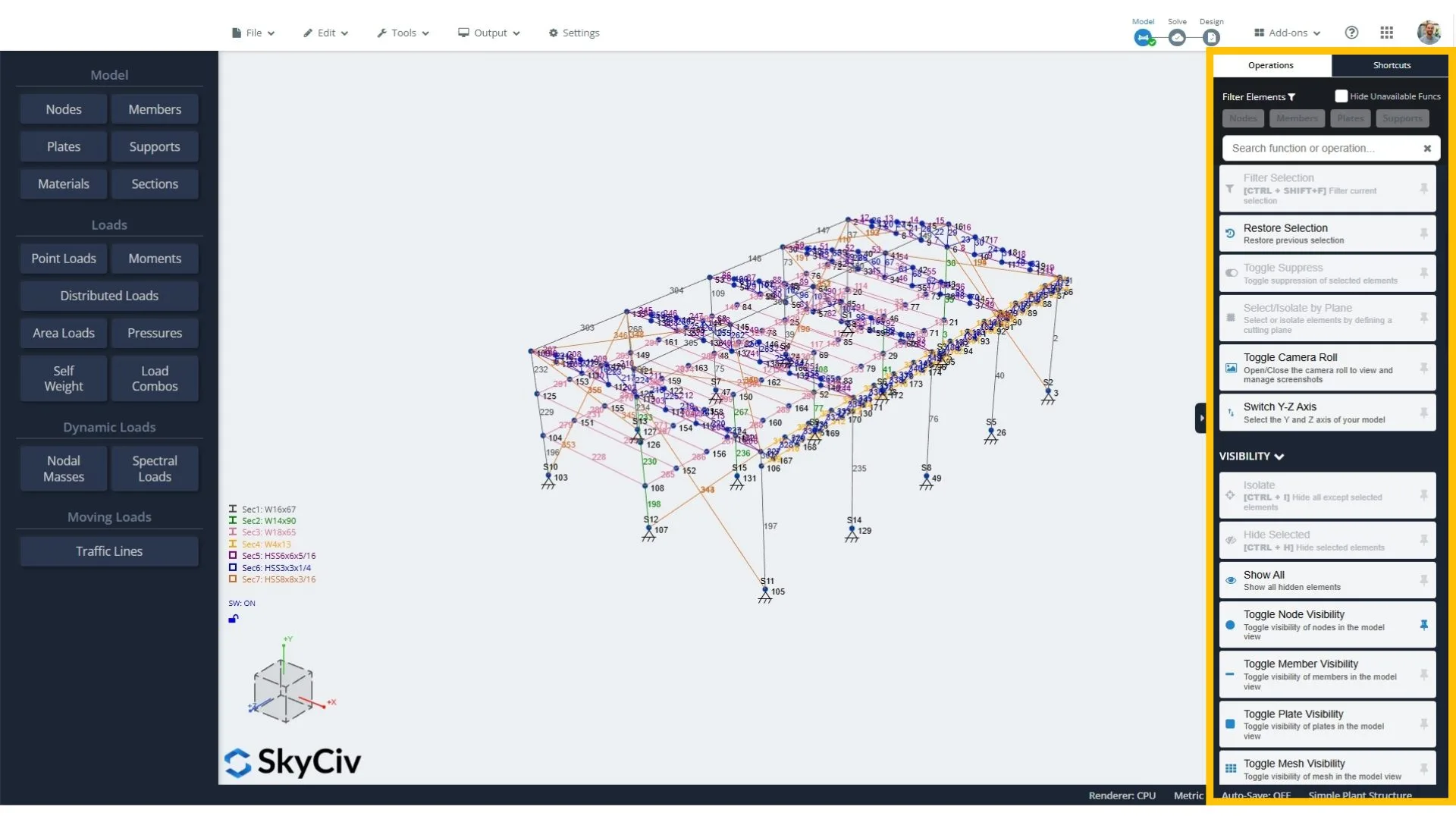
Per una modellazione più rapida, ora puoi assegnare scorciatoie da tastiera personalizzate ai tuoi strumenti preferiti. Le scorciatoie sono ottime per la velocità, ma possono essere dolorosi da ricordare. Questa funzione gestisce quel carico mentale per te, pur offrendoti la flessibilità di impostare scorciatoie con la tua logica.
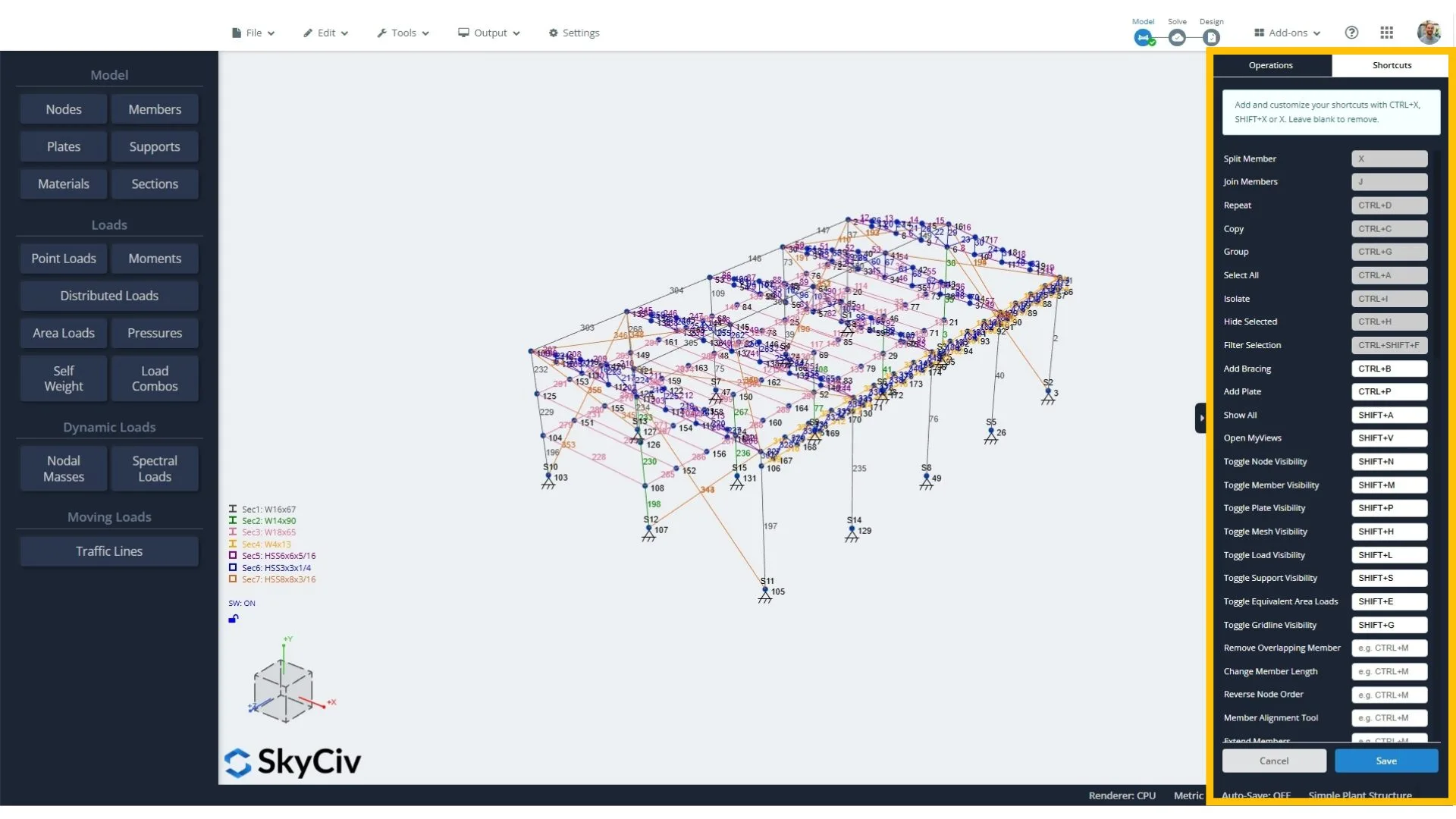
Ci auguriamo che questo cambiamento possa fare una grande differenza per i nostri utenti, soprattutto quando lavori entro una scadenza.
Nuovi aggiornamenti rapidi di progettazione SkyCiv
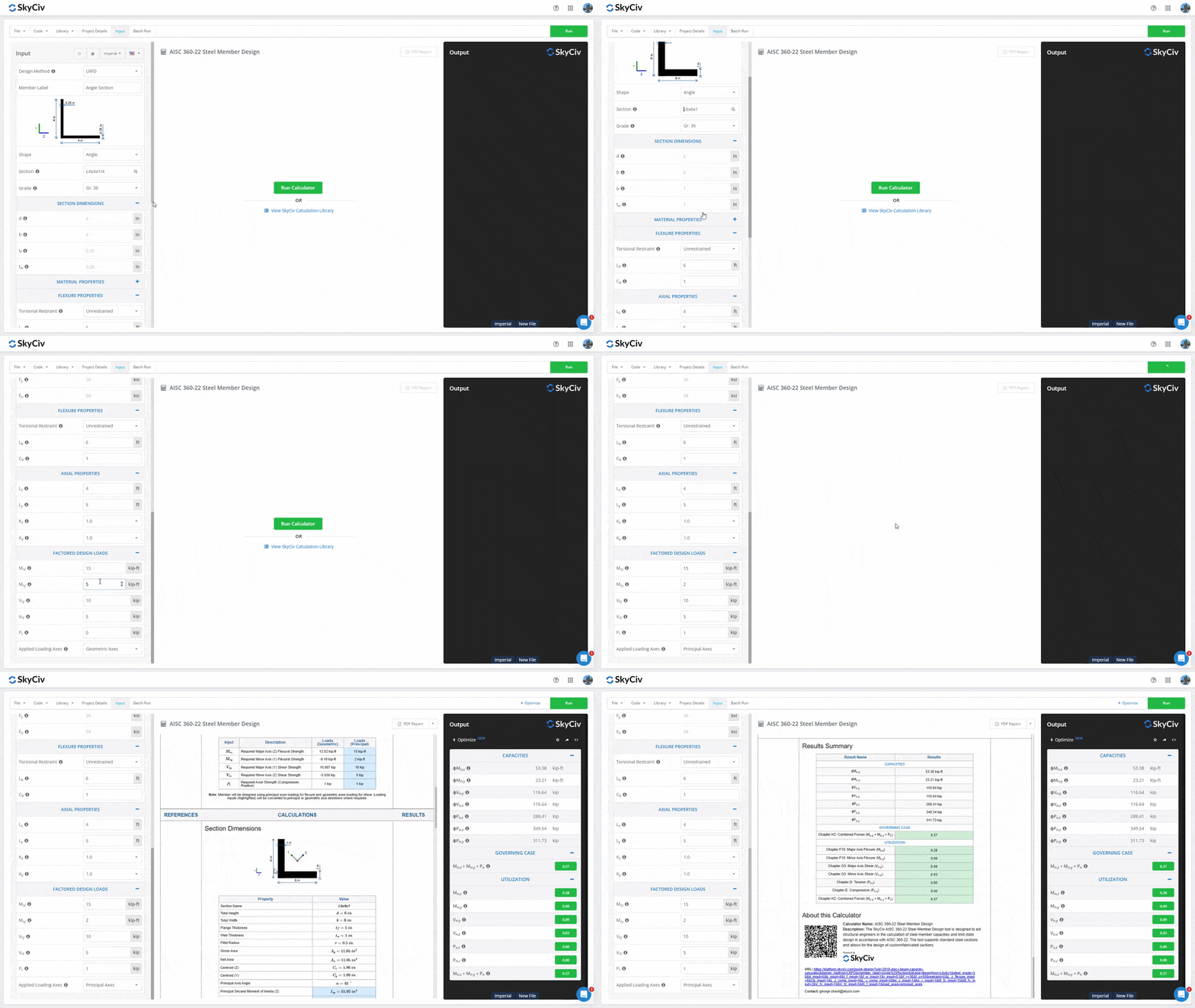
1. Design angolare in acciaio
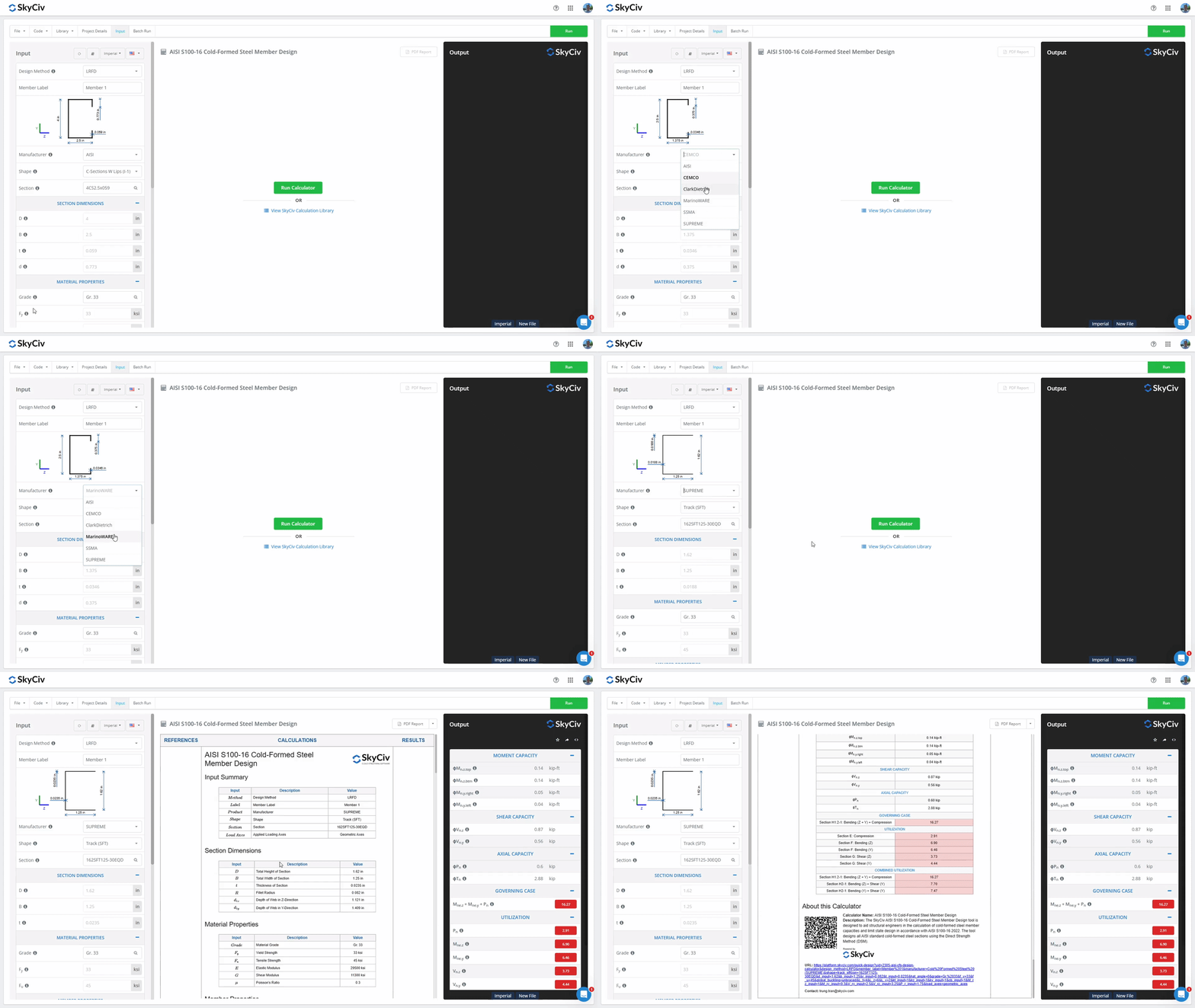
2. Aggiunti produttori al calcolatore dei membri in acciaio formato a freddo AISI S100-16
- CEMCO
- ClarkDietrich
- MarionWARE
- SSMA
- SUPREMO
Altri aggiornamenti
SkyCiv Structural 3D v7.1.0 con miglioramenti alla modellazione
- Scorciatoie per la visibilità: Aggiunte scorciatoie da tastiera per attivare/disattivare la visibilità dei nodi (SPOSTARE + N), aste (SPOSTARE + M), piatti (SPOSTARE + P), piastre a maglie (SPOSTARE + H), carichi (SPOSTARE + L), supporti (SPOSTARE + S), carichi superficiali equivalenti (SPOSTARE + E), e griglie (SPOSTARE + sol).
- Duplica carichi esistenti: Copia i carichi tramite il menu contestuale: duplicali in base al fattore scelto e assegnali a nuovi gruppi di carico.
- Rappresentazione del carico visivo: I carichi ora possono essere colorati in base al caso di carico nelle Impostazioni di visibilità > Carichi > Colora per.
- Estendi i miglioramenti dello strumento: Lo strumento Estendi membro ora può estendere un membro a un nodo situato ovunque nello spazio 3D. L'asta si estende lungo il suo percorso fino al piano ortogonale all'asta che contiene il nodo. In precedenza, potrebbe estendersi solo a un altro membro per formare un'intersezione.
- Reazioni medie di supporto della linea: Ora è possibile calcolare la media delle reazioni del supporto della linea (media puntuale o media distribuita). Questo può essere configurato nelle impostazioni sotto il pulsante rosso Reazioni dopo la risoluzione.
- Riposiziona la struttura nell'origine: Aggiunta una nuova funzione per spostare l'intera struttura all'origine: modificare > operazioni > Sposta la struttura all'origine.
- Direzioni del carico superficiale: Le direzioni del carico superficiale e della pressione sono ora indicate graficamente.
Miglioramenti al generatore di carico
- NEL 1991 calcolo del carico del vento su una parete autoportante.
- NEL 1991-1-3 + Allegati nazionali calcoli del carico di neve per forme speciali di tetto, compresi i tetti cilindrici, bordi di neve sovrastanti, alla deriva contro gli ostacoli, alla deriva verso le tettoie, e neve dietro i parapetti.
Vedere Log delle modifiche di SkyCiv per saperne di più e vota per le funzionalità su SkyCiv Upvoty.


