
Daha hızlı çalışmanıza yardımcı olmak için bu ay yeni güncellemeler aldık, daha akıllı, ve daha fazla kontrolle. Sağ kenar çubuğundaki yeni işletim araçlarından SkyCiv Hızlı Tasarım kitaplığına eklenen iyileştirmelere kadar.
Bir göz at, bunları platformda deneyin, ve ne düşündüğünüzü bize bildirin!
Yeni Operasyon Araç Çubuğuyla S3D Çalışma Alanını Özelleştirin
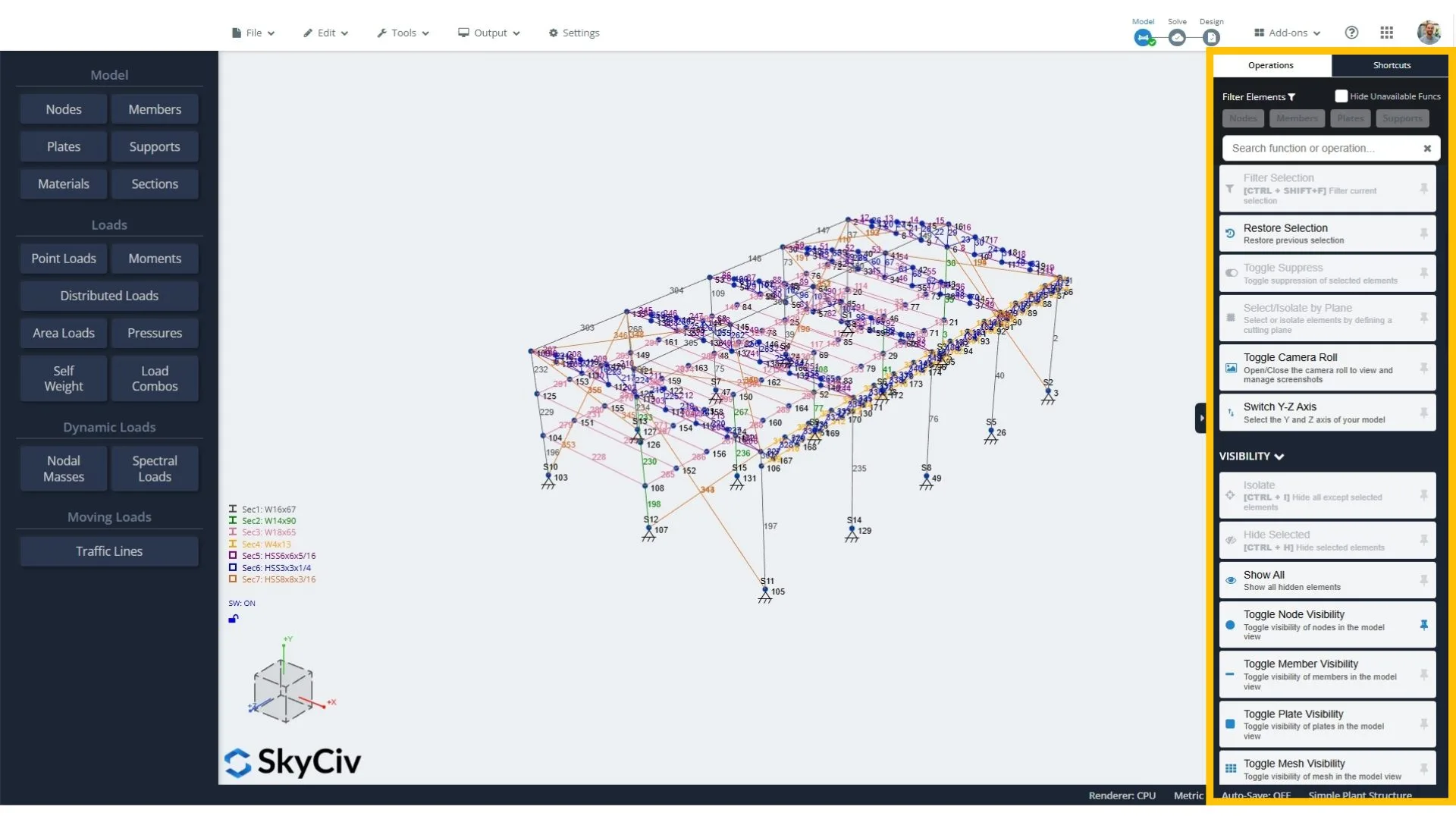
Daha hızlı modelleme için, artık kullanışlı araçlarınıza özel klavye kısayolları atayabilirsiniz. Kısayollar hız açısından harikadır, ama hatırlamak acı verici olabilir. Bu özellik sizin için zihinsel yükün üstesinden gelir, size kendi mantığınızla kısayollar oluşturma esnekliğini sunmaya devam ediyor.
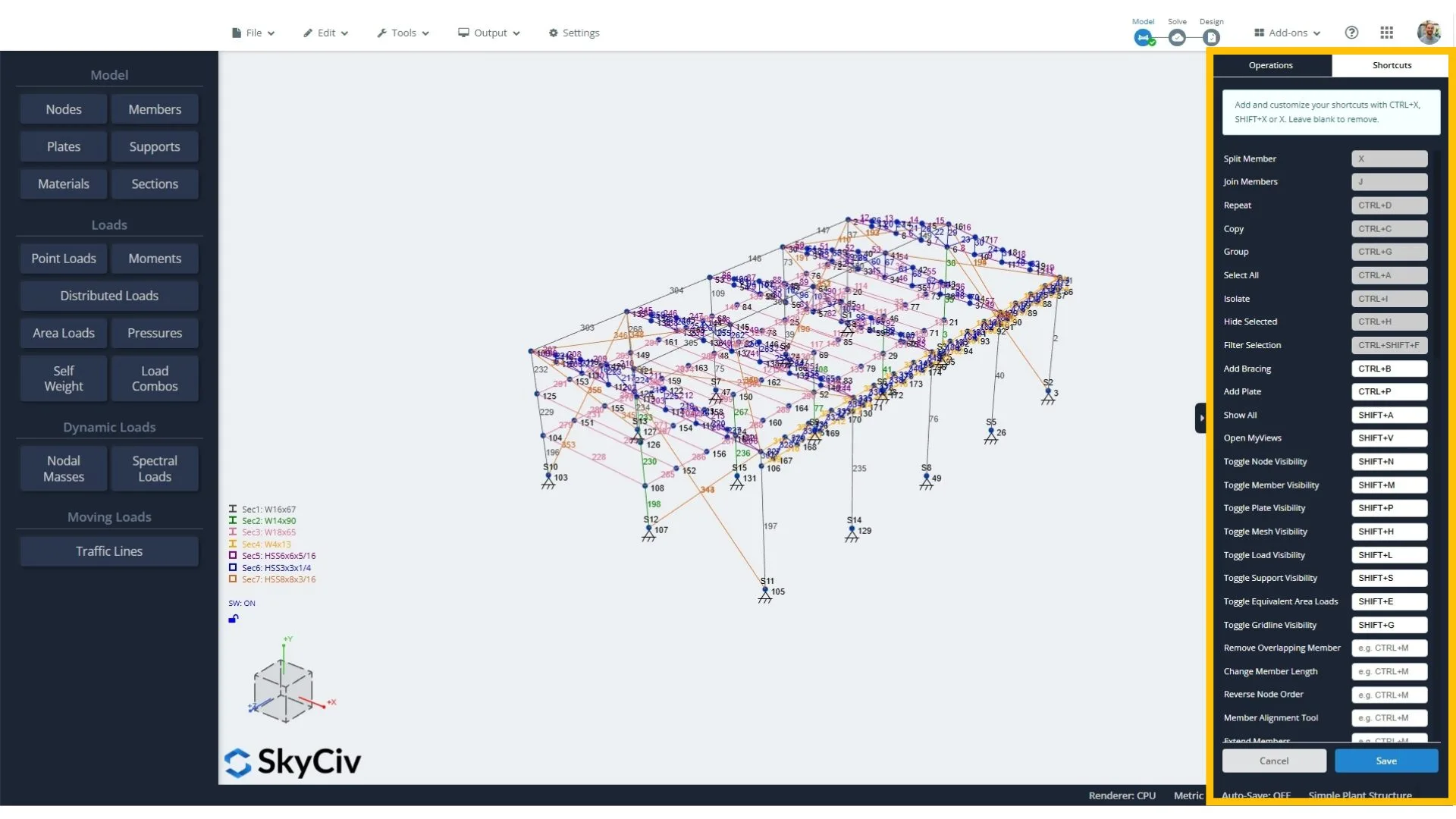
Bu değişikliğin kullanıcılarımız için büyük bir fark yaratacağını umuyoruz, özellikle son teslim tarihine kadar çalıştığınızda.
Yeni SkyCiv Hızlı Tasarım Güncellemeleri
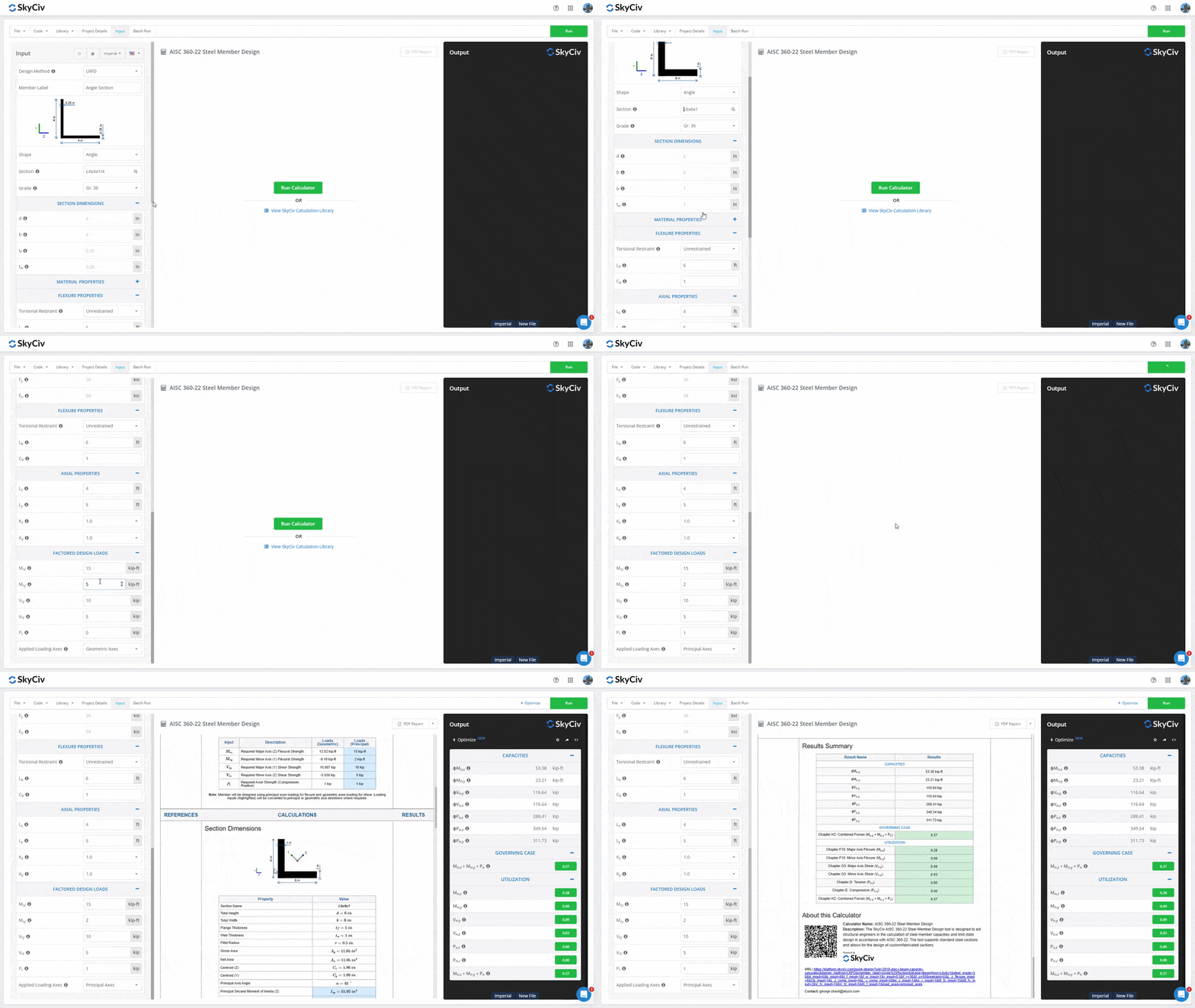
1. Çelik Açı Tasarımı
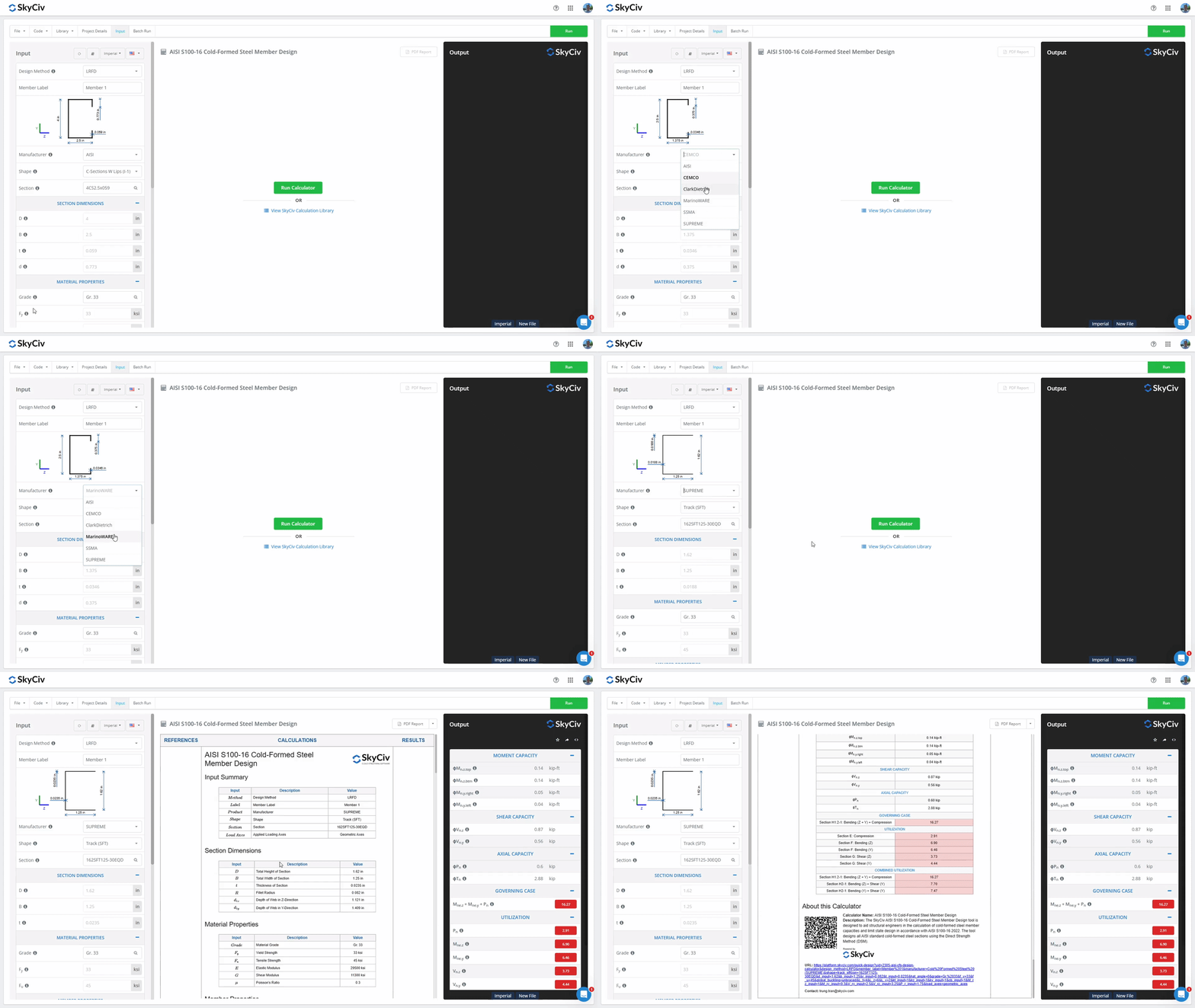
2. AISI S100-16 Soğuk Şekillendirilmiş Çelik Üye Hesaplayıcıya Üreticiler Eklendi
- CEMCO
- Clark Dietrich
- MarionWARE
- SSMA
- YÜCE
Daha Fazla Güncelleme
Modelleme iyileştirmeleriyle SkyCiv Structural 3D v7.1.0
- Görünürlük Kısayolları: Düğümlerin görünürlüğünü değiştirmek için klavye kısayolları eklendi (VARDİYA + N), üyeler (VARDİYA + M), tabaklar (VARDİYA + P), örgülü plakalar (VARDİYA + H), yükler (VARDİYA + L), destekler (VARDİYA + S), eşdeğer alan yükleri (VARDİYA + E), ve kılavuz çizgileri (VARDİYA + G).
- Mevcut Yükleri Çoğalt: Yükleri sağ tıklama menüsü aracılığıyla kopyalayın; seçilen bir faktöre göre çoğaltın ve yeni yük gruplarına atayın.
- Görsel Yük Gösterimi: Yükler artık Görünürlük Ayarlarında yük durumuna göre renklendirilebilir > Yükler > Renklendirme Ölçütü.
- Araç İyileştirmelerini Genişletin: Üye Genişletme aracı artık bir üyeyi 3B alanda herhangi bir yerde bulunan bir düğüme genişletebilir. Üye, düğümü içeren üyeye dik olan düzleme kadar yolu boyunca uzatılır. Önceden, bir kavşak oluşturmak için yalnızca başka bir üyeye uzanabilir.
- Ortalama Hat Destek Reaksiyonları: Hat destek reaksiyonlarının ortalaması artık alınabiliyor (puan ortalaması veya dağıtılmış ortalama). Bu, çözüldükten sonra kırmızı Reaksiyonlar düğmesinin altındaki ayarlarda yapılandırılabilir..
- Yapıyı Orijine Taşı: Tüm yapıyı başlangıç noktasına taşımak için yeni bir işlev eklendi: Düzenle > Operasyonlar > Yapıyı Orijine Taşı.
- Alan Yük Yönleri: Alan yükü ve basınç yönleri artık grafiksel olarak gösteriliyor.
Yük Oluşturucu geliştirmeleri
- İÇİNDE 1991 bağımsız duvar rüzgar yükü hesabı.
- İÇİNDE 1991-1-3 + Silindirik çatılar dahil özel çatı şekilleri için Milli Ek kar yükü hesaplamaları, kar sarkan kenarlar, engellere karşı sürüklenmek, kanopilerde sürükleniyorum, ve parapetlerin arkasında kar.
Görmek SkyCiv Değişiklik Günlükleri daha fazlası için ve aşağıdaki özelliklere oy verin SkyCiv Olumlu Oylaması.


