
Section Builder
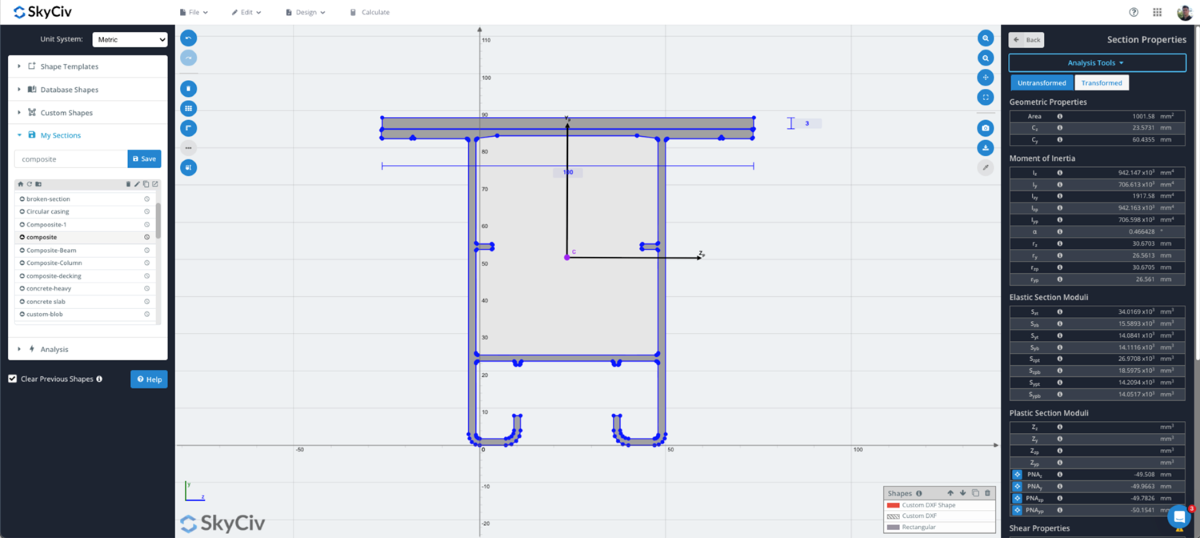
Build and calculate section properties for any shape using SkyCiv Section Builder! Build your sections using our templates, draw using points or line paths, or import a DXF file!
SkyCiv Section Builder Software calculates complex geometric parameters and performs stress analysis with an easy and intuitive online interface.
SkyCiv Structural Analysis and Design Software is completely cloud-based, allowing users to access their programs and files from a web browser from anywhere, anytime! No need to install or update the software.
PRODUCT FEATURES
What SkyCiv Section Builder Offers
Capabilities for modelling and analyzing simple and complex cross-sections.
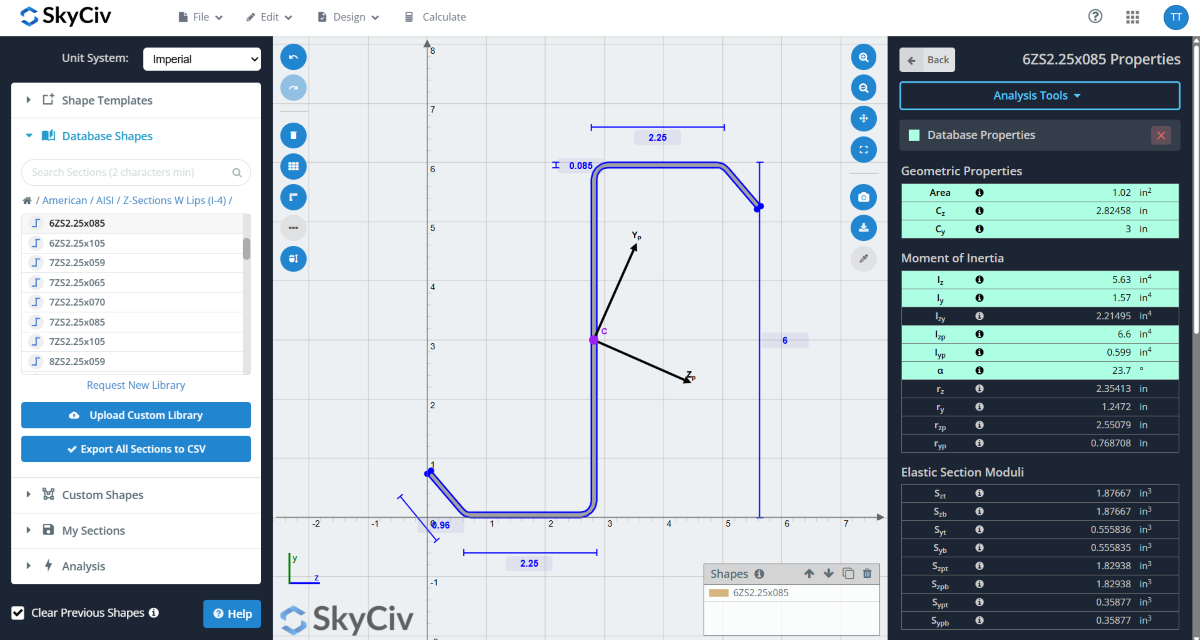
Templates and Database Sections
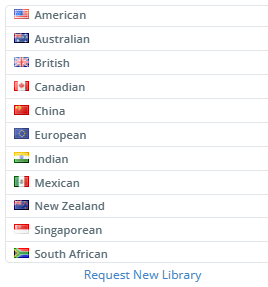
Analyze sections from SkyCiv’s comprehensive library of 25,000+ standard shapes from the US, UK, Canada, Europe, Australia, New Zealand, India, China, Mexico, Singapore and South Africa.
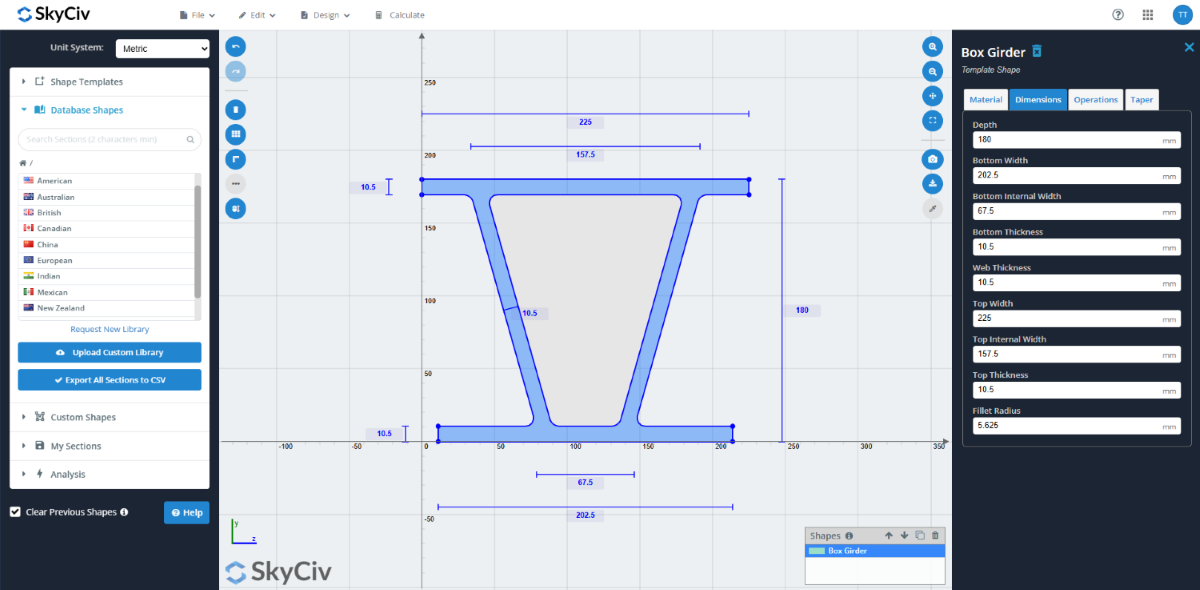
Or build your own shape using our templates:
Rectangular/Square
Hollow Rectangular/Square
Hollow Circular/Circular
I-Beam
T-Beam
L-beam (Angle)
Double Angle
Channel
Double Channel
Triangular
Box Girder
Custom Shapes and CAD Import
Need to model a shape not available in our templates? Specify your own custom shapes:
Points Shape: Define points and create your own polygons.
Line Shape: Define a line path and create a polygon with a thickness and radius.
DXF Import: Prefer to sketch in CAD first? Simply import your DXF file into SkyCiv’s Section Builder for analysis.
Union, Intersection and Snap to Grid features to accelerate your section modeling process.
Built-up Sections
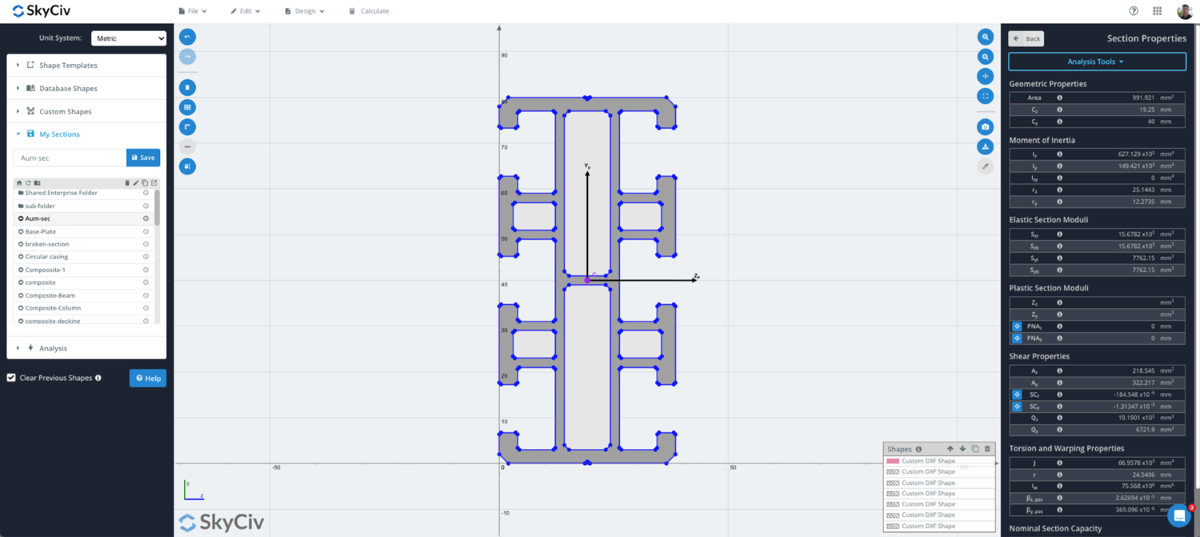
Model your built-up section by adding multiple shapes:
Combine shapes from our database library or standard shape templates to create built-up sections.
Use operations including rotation, translation, and mirroring to specify relative positioning.
Calculate geometric, bending, shear, and torsion properties.
Utilize meshing and FEA to solve torsion constant and warping constant.
Composite Sections
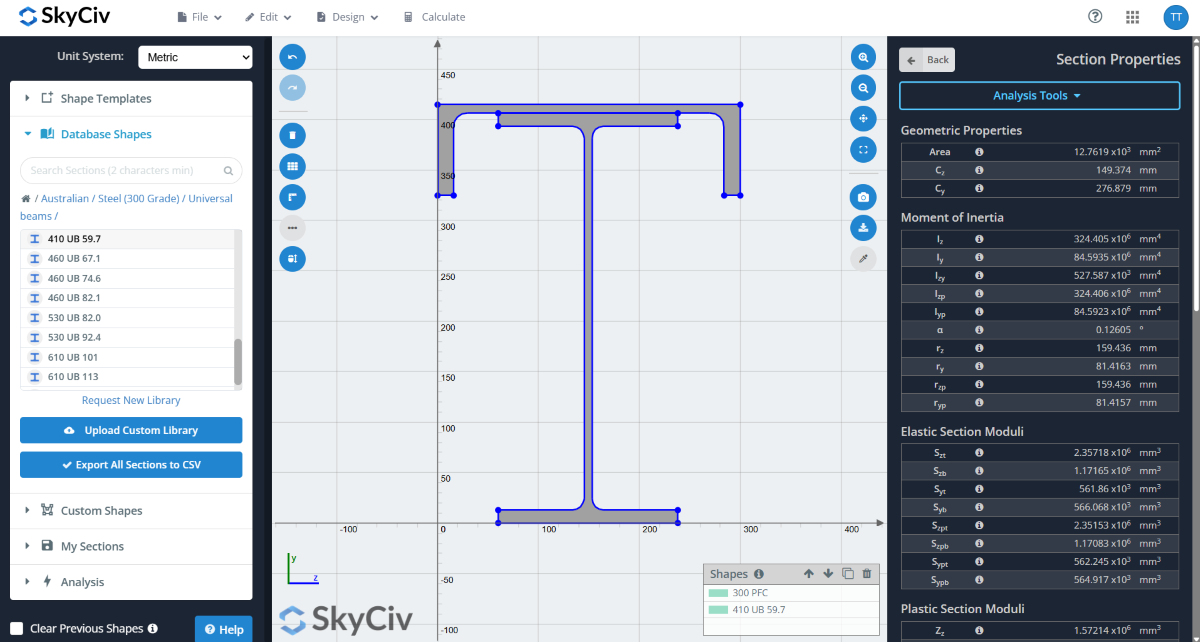
Need to model sections made up of different materials? We have you covered:
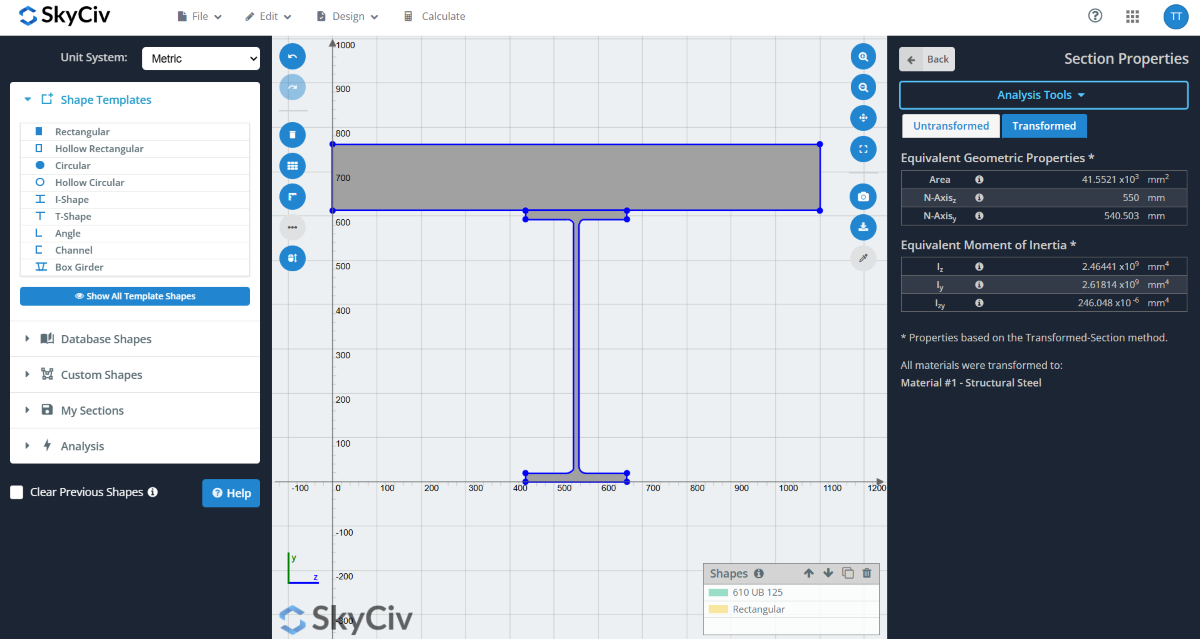
Assign different materials to individual shapes.
Calculate section properties via the Transformed Section Method.
Original section properties are also presented in comparison.
Easily model laminar beams and other built-up sections made up of different materials.
Cross Sectional Analysis Using FEA
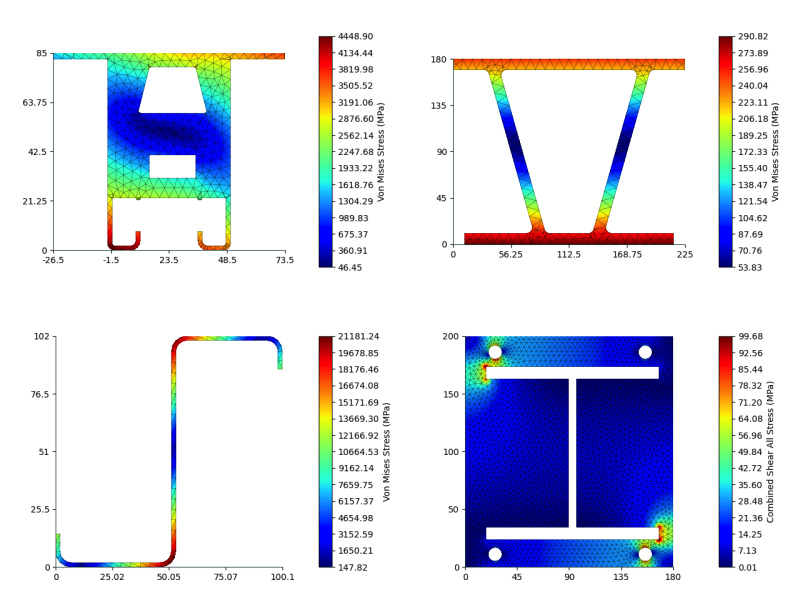
SkyCiv cross section builder software enables you to perform analysis on custom and template cross-sections to calculate bending, axial, torsional, and shear stresses. This feature allows for the application of forces to your sections, providing quick stress results using our powerful FEA engine.
Users can easily review axial, bending, shear and torsion stress results via colored contours and PDF reporting. The cross sectional analysis, combined with powerful modeling, lets you design complex and custom shapes with ease.
FSM Calculations
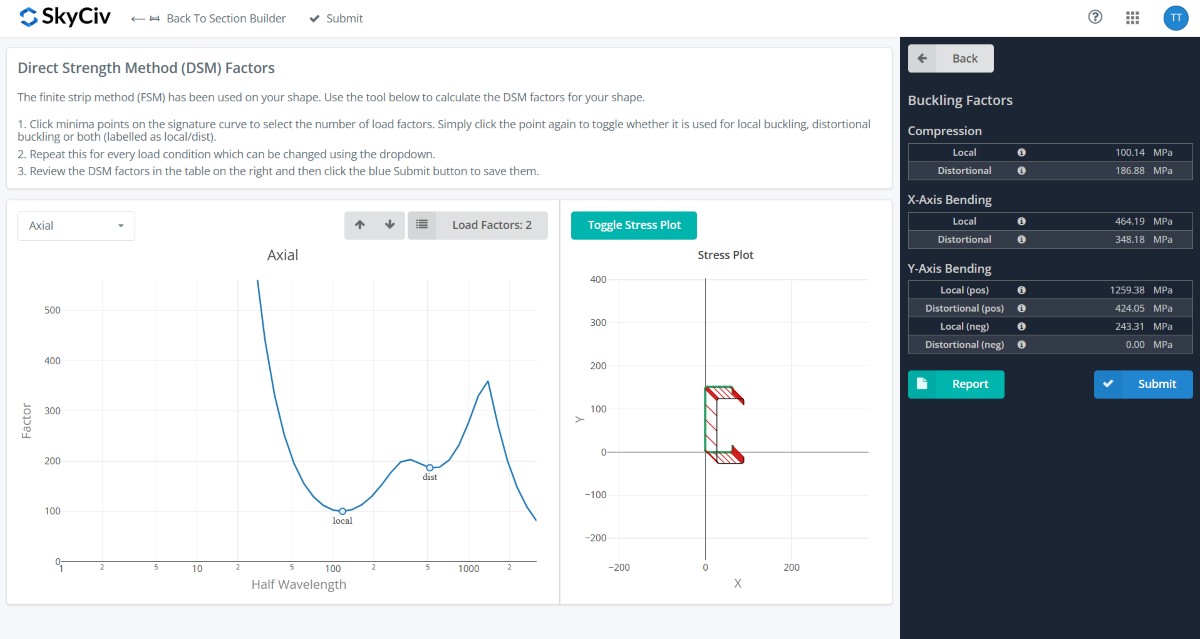
The Section Builder Software has an integrated Finite Strip Method (FSM) Calculator, that meshes the section and calculates buckling properties of cold-formed sections, including the critical buckling loads and factors required for an appropriate Direct Strength Method (DSM) design.
These factors are supported in our design modules for AISI (2016) and AS 4600 (2018) to ensure users can run their DSM designs from start to finish.
Concrete Section Design
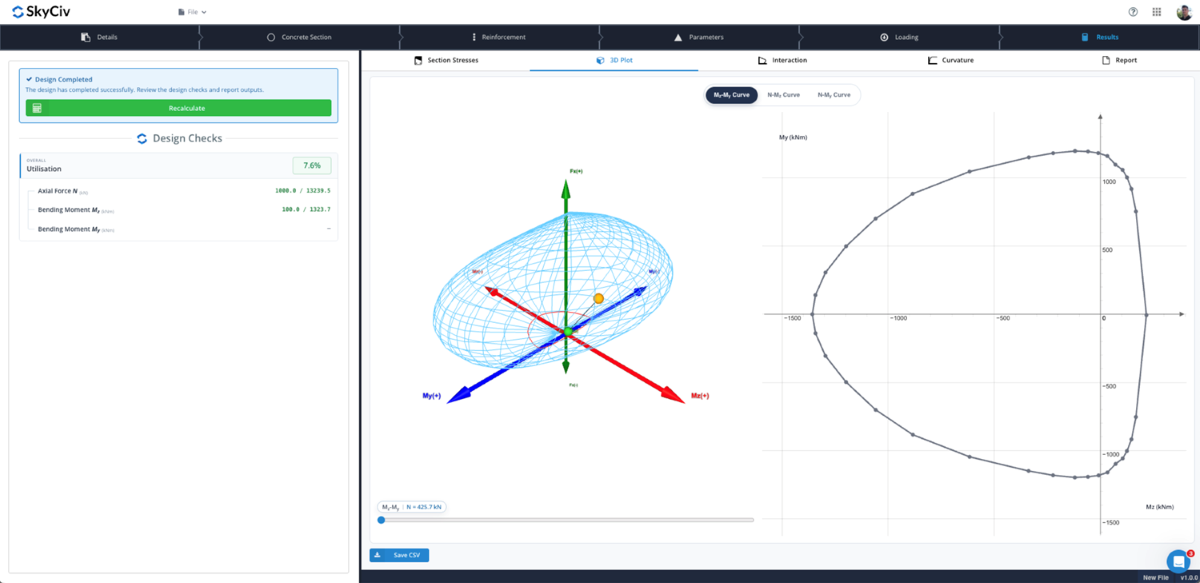
SkyCiv’s Concrete Section Designer (CSD) is powered by Section Builder and allows you to design complex reinforced concrete sections to ACI, EN, CSA, AS design codes and more!
Our CSD handles any concrete shape and reinforcement configuration. Calculate member flexure and compression capacity along with powerful 3D interaction diagrams.
Integration & Cloud Storage
Section Builder is fully integrated with SkyCiv S3D and SkyCiv Beam, allowing for custom sections to be directly used.
Sections can also be saved to the cloud for easy access across modules.
Watch the Section Builder Demo
Powerful Integrations,
Zero Disruption
supported DESIGN CODES & MANUFACTURERS
Globally supported database of
over 25,000 sections
Find your exact section in seconds by browsing or searching by region, code or manufacturer.
Supported Libraries
SkyCiv Section Builder supports leading design codes and manufacturer libraries across aluminium, cold-formed steel, steel and timber. Our database spans across major regions listed.
Our team is always expanding our library to prioritize support and stay up to date with the latest design codes and standards.
Can’t find a section? Contact our team at [email protected] to request it be added.
| Region | Supported Design Codes & Manufacturer Libraries |
|---|---|
| United States | ADM, AISC, AISI, NDS, SJI, CEMCO, ClarkDietrich, MarinoWARE, Purlin Mill, SSMA, SUPREME |
| Australia | Steel (250 Grade, 300 Grade), DuraGal, Aluminium, Scaffold, Timber, DindasLVL, FuturebuildLVL, GluLam, Hyne, Lysaght, FrameCAD, Metroll, Millform, Enduroframe, Steeline, Stramit, Stratco, Studco |
| Canada | CISC, CSSBI, CWC, BEHLEN, CEMCO, ClarkDietrich, ExSteel, MarinoWARE, Purlin Mill, SUPREME |
| United Kingdom | Steel, Cold Formed Steel, Timber, Ayrshire, MetPurl, Kingspan |
| Europe | Steel, Timber, Lindab, Metsec, Ruukki |
| New Zealand | Aluminium, Metalcraft, Structural Steel, DuraGal, Timber (NelsonPineLVL) |
| Mexico | IMCA (Steel, Cold-Formed Steel) |
| Singapore | Steel (Consteel) |
| South Africa | SANS (Steel, Cold-Formed Steel) |
| China | Steel |
testimonials
Trusted by thousands

The ease of use and the presentation of the results are both awesome. I have had ongoing interaction with the support team and everyone is excellent.

Mitch Frumkin
CEO OF KIPCON
It is used for various civil and mechanical engineering courses and the students love it. We are happy with the continuous updates to SkyCiv as well, highly recommended.

Dr Kenneth R. Leitch
Assoc. Prof. at Texas A&M
It was easily the most intuitive package available to learn; it is particularly easy to build the 3D model and define nodes, members, supports, materials, sections, then apply loads & combinations.

Stuart Agars
Managing Director of Struct-Sure Limited
SkyCiv has been a great tool to help efficiently and clearly document and update design results for a member of a small company with multiple responsibilities.

Lydia Fahrenkrug
Engineer at MT Solar
PRICING
Access SkyCiv Professional
Flexible plans for every team size.
No lock-in contracts, cancel anytime.
case studies
Real projects using SkyCiv

Intuitive Interface
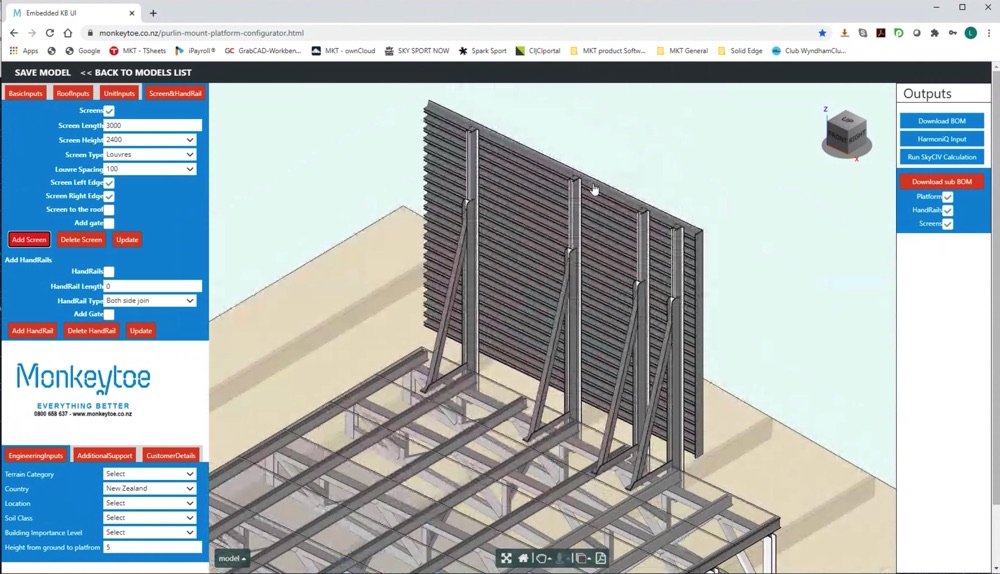
Our easy to learn, powerful to use, intuitive interface allows you to quickly access all the features you need. Packed with smart features like the Pen tool, Repeat/Mirror, and Bulk Editing.Your Content Goes Here

Comprehensive Design Code Support
Our software supports a comprehensive array of steel, wood, and concrete design codes including AISC, EN, AISI, NDS, AS, and CSA.

API Technology
SkyCiv is a customised solution featuring seamless integrations, easy implementations, automated reports and a scalable design and architecture.

24/7 Customer Support
SkyCiv is a customised solution featuring seamless integrations, easy implementations, automated reports and a scalable design and architecture.

